Nov 13, 2025
Productivity
10 Sales Enablement Best Practices to Unify Your Revenue Engine in 2026

Sales enablement has evolved from disjointed training modules and content libraries into the central nervous system of high-performing revenue teams. In 2026, the most effective sales enablement best practices are no longer about adding more tools, but about consolidating workflows into a single, intelligent engine that empowers sellers at every stage of the customer journey.
Disconnected systems for note-taking, lead generation, sequencing, and CRM create friction, drain productivity, and lead to lost revenue. This article cuts through the noise to provide a definitive list of 10 modern, actionable best practices designed to unify your team's efforts, eliminate manual work, and drive predictable growth. We'll explore how integrating AI, streamlining documentation, and creating a single source of truth for customer interactions can transform your sales process. To remain competitive and truly unify your revenue engine by 2026, it's crucial to explore and implement the latest top AI sales tools available.
This list is built for action. For each practice, you'll find specific implementation steps and real-world examples to help you implement these strategies immediately. From AI-powered meeting intelligence to zero-friction CRM integration, these are the approaches that separate top-performing teams from the rest. You'll learn how to build a unified revenue workflow that gives your team the structure, content, and real-time data needed to close more deals, faster.
1. Unified Revenue Workflow Integration
The foundation of effective sales enablement is not a single tool or tactic but a cohesive system. Unified revenue workflow integration moves teams away from managing disconnected point solutions (notetakers, CRMs, sequencers) and toward a single, integrated platform. This consolidation is a critical first step in building a modern sales operation.
By bringing all sales activities, communication, and customer data into one place, you eliminate the friction caused by context-switching and manual data entry. Your team gains a single source of truth, ensuring everyone from SDRs to account executives works with the same real-time information across calls, notes, contacts, and follow-ups. This approach drastically reduces complexity and cost, making it one of the most impactful sales enablement best practices for startups and small-to-medium enterprises (SMEs).
Why It Works
Disconnected systems create data silos and operational drag. A salesperson might take call notes in one app, log the activity in a CRM, assign follow-up tasks in a project manager, and then build a sequence in another outreach tool. This fractured process wastes time and leads to inaccurate or incomplete data.
A unified platform like Glinky replaces this complicated stack, combining meeting intelligence, contact management, and outreach sequencing into a single, seamless workflow. This creates a clear, chronological timeline for every prospect and customer relationship, improving visibility and accelerating deal cycles.
Key Insight: The goal is to make the right data accessible in the right context at the right time. A unified workflow removes the barriers that prevent this, allowing your team to focus on selling, not on administrative tasks.
How to Implement a Unified Workflow
Map Core Processes: Start by identifying the most critical workflows. Focus first on integrating core activities like meeting notes, outreach sequences, and pipeline tracking before expanding to more complex functions.
Plan Data Migration: Before switching, map all existing data from legacy systems. Understand where your contact records, deal information, and historical notes live and plan how they will be moved into the new, unified system.
Establish Data Standards: Create clear naming conventions and data hygiene rules from day one. Consistent standards for deal stages, contact properties, and note-taking ensure the data within your unified system remains clean, accurate, and useful.
Automate Data Syncing: Use automated syncing capabilities rather than relying on manual CSV imports to maintain data accuracy. This ensures that as your team works, the system stays up-to-date without extra effort.
2. AI-Powered Meeting Intelligence & Automatic Documentation
Manually taking notes during a sales call divides a representative's attention, forcing them to choose between active listening and diligent documentation. AI-powered meeting intelligence solves this by automatically capturing, transcribing, and structuring sales conversations. This technology operates without intrusive bots, converting dialogue into organized outputs like decisions, action items, and next steps.
The primary benefit is freeing your sales team to fully engage with prospects. Instead of frantically typing, they can focus on building rapport and uncovering needs, confident that a detailed record is being created in the background. This automatic documentation is a core component of modern sales enablement best practices, ensuring no critical detail is lost.
Why It Works
A rep's memory is fallible, and manual notes are often incomplete or biased. Important commitments and customer pain points can be forgotten minutes after a call ends. AI intelligence tools provide an objective, comprehensive record of every conversation, acting as a perfect memory for your entire team.
For example, Glinky natively records calls and automatically generates structured notes, action items, and summaries, eliminating the friction common with other tools. This contrasts with more complex enterprise solutions like Gong or Chorus and less integrated approaches like Otter.ai, which requires manual augmentation. The result is a searchable knowledge base of customer interactions that can be used for coaching, deal reviews, and forecasting.
Key Insight: The most valuable insights are found in the customer's own words. Automating call documentation ensures you capture this voice-of-customer data accurately and can act on it immediately.
How to Implement AI Meeting Intelligence
Ensure Clear Audio: For the highest accuracy, coach your team to use quality headsets and minimize background noise. Clear audio is the foundation of reliable transcription and analysis.
Review and Refine Outputs: While AI is powerful, always have reps quickly review auto-generated action items and summaries, especially for high-value deals, to confirm accuracy and context.
Integrate with CRM Workflows: Use the structured notes and action items as direct inputs for CRM updates. This ensures your system of record is always current without manual data entry.
Analyze Conversation Patterns: Track recurring themes, objections, and competitor mentions across multiple calls to identify trends. This data is invaluable for refining your sales playbook and marketing messaging. You can find more details on how to get started with the right sales call recording software to support this process.
3. Lead Discovery & Qualification Through Natural Language Search
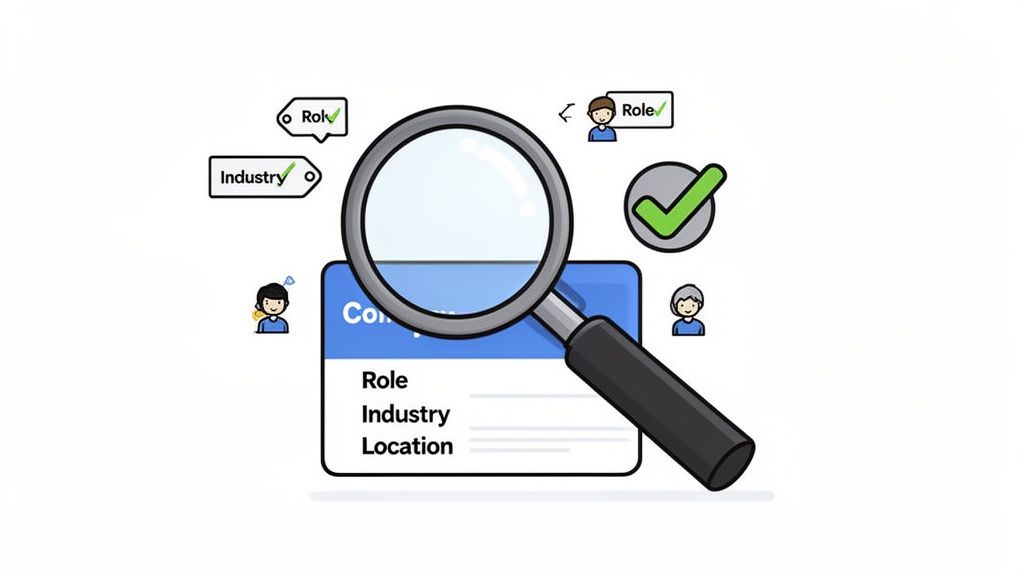
Modern sales enablement moves beyond manual list-building and spreadsheet management. The focus now is on using AI-powered natural language search to instantly identify ideal customer profiles (ICPs) and qualify prospects. This method allows teams to find leads based on role, industry, company size, and location without the tedious work of sifting through databases.
This approach integrates lead discovery directly into the sales workflow, providing verified contact information, LinkedIn profiles, and phone numbers in one place. Instead of spending hours building lists, sales reps can ask the system a question like "Find finance directors at Series B SaaS companies in NYC" and get an actionable list of prospects in seconds. This speed and precision make it one of the most effective sales enablement best practices for teams that need to build pipeline efficiently.
Why It Works
Traditional prospecting is slow and often relies on outdated or incomplete data. Reps waste valuable selling time on manual research across multiple platforms like LinkedIn, company websites, and data enrichment tools. The process is inefficient and prone to human error, leading to low-quality leads and wasted outreach efforts.
Modern lead intelligence platforms like Glinky, Apollo.io, or RocketReach solve this by centralizing lead discovery. They use natural language queries to instantly filter vast databases, presenting reps with highly relevant, pre-qualified contacts. This allows BDRs to spend less time researching and more time engaging with prospects who fit their exact ICP.
Key Insight: The quality of your outreach is directly tied to the quality of your prospecting. Natural language search eliminates guesswork and manual labor, ensuring your team starts every sales conversation with the right person at the right company.
How to Implement Natural Language Prospecting
Define Your ICP Clearly: Before starting any search, document your ideal customer profile with precision. Specify job titles, company size, industry, location, and relevant keywords to ensure your searches return high-quality, relevant leads.
Use Layered Filters for Precision: While natural language is powerful, combine it with structured filters. A search for "marketing VPs" is good, but "marketing VPs at B2B tech companies with 50-200 employees" is better.
Test Queries on Small Batches: Run new search queries on a small sample of prospects first. Analyze the results to confirm they match your criteria before exporting a large list for a full-scale outreach campaign.
Combine with Intent Signals: For warmer outreach, layer your search with intent data. Look for prospects who have recently visited your website, downloaded content, or engaged with your brand on social media to prioritize your efforts.
4. Automated Multi-Step Outreach Sequencing
Effective outreach is about persistence and personalization, not just a single, perfect email. Automated multi-step outreach sequencing allows teams to create and execute a series of follow-ups that run on autopilot based on prospect behavior and time triggers. This approach blends the efficiency of automation with the authentic feel of one-to-one communication.
By building personalized sequences at scale, you ensure no prospect falls through the cracks. This method maintains a steady cadence of communication while freeing up your sales reps to focus on warm conversations instead of manual follow-ups. Implementing this is one of the most direct sales enablement best practices for boosting pipeline creation and improving meeting-booked rates.
Why It Works
A single email is easily missed, but a thoughtful, multi-touch sequence demonstrates persistence and provides multiple opportunities to deliver value. Instead of manually tracking who to follow up with and when, automation handles the logistics, ensuring consistent engagement without the administrative burden.
Platforms like Glinky, Lemlist, and Instantly.ai specialize in this, allowing users to build a 5-step sequence where personalized lead data is auto-populated into each touchpoint. This creates a more relevant and engaging experience for the prospect, making it feel less like a mass blast and more like a considered, individual message.
Key Insight: The goal is not to bombard prospects but to maintain a professional, persistent presence. Automated sequences ensure this persistence is executed flawlessly and at scale, turning cold outreach into a predictable system.
How to Implement Automated Sequencing
Define Sequence Logic: Map out your ideal sequence, keeping it between 3-7 touches. Decide on the timing between steps, using variable delays (e.g., 2, 3, then 5 days) to feel more natural and less robotic.
Personalize at Scale: Focus on personalizing the first one or two sentences of your initial email based on prospect research. Use custom fields to automatically insert company names, job titles, or other relevant data points throughout the sequence.
Vary Your Messaging: Do not just repeat "checking in." Each touchpoint should offer a new piece of value, a different angle on your solution, or a relevant question. This is crucial for successful outbound lead generation.
Monitor and Optimize: Track key deliverability metrics like open rates, click-through rates, and reply rates. A/B test different subject lines and calls to action to identify what resonates most with your audience and continuously refine your approach.
5. Real-Time Pipeline Visibility & Deal Progress Tracking
Effective sales enablement hinges on knowing where every deal stands at any moment. Real-time pipeline visibility provides an accurate, live view of all active deals and their stages without requiring salespeople to perform constant manual data entry. Every meaningful interaction automatically updates the deal's status, giving managers an immediate, unfiltered look at progress.
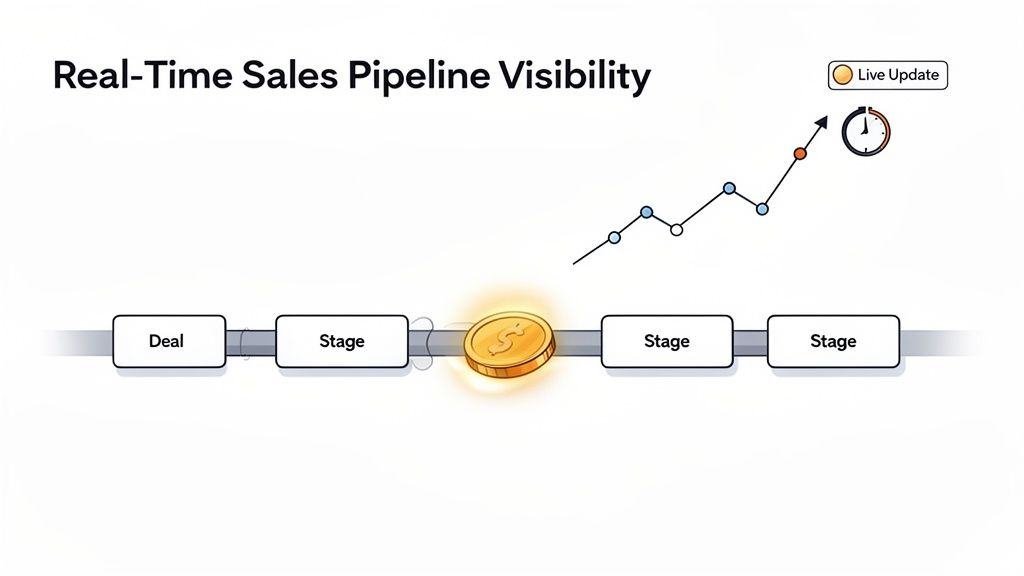
This automated approach moves teams away from delayed CRM updates and complex, static reports. It replaces guesswork with data-driven facts, enabling proactive coaching and more accurate forecasting. This level of clarity is one of the most critical sales enablement best practices for maintaining deal momentum and preventing opportunities from falling through the cracks.
Why It Works
A pipeline bogged down by manual updates is always out of date. Sales reps are forced to spend time after calls updating their CRM, a task that often gets delayed or forgotten. This lag creates a distorted picture for sales leaders, making it difficult to spot risks, identify coaching moments, and forecast revenue accurately.
Systems that automate this process, like Glinky, link call notes and action items directly to deal progression. When a rep qualifies a lead on a call and documents it, the deal can automatically move to the next stage in the pipeline. This instant feedback loop ensures data integrity and gives managers a true real-time view, which is fundamental to modern revenue operations.
Key Insight: Your pipeline should be a dynamic, living system, not a historical record. Automating deal progress tracking frees your team to focus on advancing deals rather than just reporting on them.
How to Implement Real-Time Pipeline Visibility
Define Clear Deal Stages: To ensure real-time pipeline visibility and effective deal tracking, adopting a proven framework for building a sales pipeline is a necessary first step. Establish objective, verifiable criteria for what must happen for a deal to advance from one stage to the next.
Automate Triggers: Use your platform to create rules that automatically move deals based on activities. For example, a "Discovery Call Completed" note could trigger a stage change from "Lead" to "Qualified Prospect."
Track Pipeline Velocity: Go beyond just deal value and monitor how long deals spend in each stage. This helps identify bottlenecks in your sales process where deals consistently stall.
Incorporate Deal Health Scores: Use a combination of activity data, engagement signals, and rep input to create a health score for each deal. This helps prioritize at-risk opportunities that need attention.
6. Structured Data Capture from Customer Interactions
Effective sales enablement hinges on turning raw conversation data into actionable intelligence. Structured data capture is the process of systematically converting unstructured information from calls, emails, and demos into a searchable knowledge base. This means pulling out key details like decisions, objections, budget, timeline, and stakeholders without manual effort.
By automatically extracting and organizing these critical data points, you create a queryable repository of customer insights. Reps are freed from the burden of meticulous note-taking and complex CRM field updates, while leaders gain a clear, data-backed view of every interaction. This practice is one of the most powerful sales enablement best practices because it transforms fleeting conversations into durable, strategic assets.
Why It Works
Customer conversations are filled with valuable intelligence that is often lost moments after the call ends. Relying on manual notes is inconsistent and prone to human error, leaving critical details buried in free-text fields or forgotten entirely. This makes it nearly impossible to analyze trends, spot risks, or share insights at scale.
Platforms that automate structured data capture, like Glinky or Gong, solve this by listening for and tagging key concepts. For instance, Glinky can automatically identify and extract action items, decisions, and objections from a discovery call, making the information immediately available for follow-ups and analysis. This creates a reliable, consistent source of truth from the voice of the customer.
Key Insight: The goal is to make customer intelligence searchable and scalable. Structured data capture turns every conversation into a data point that can be used to forecast more accurately, refine playbooks, and improve coaching.
How to Implement Structured Data Capture
Identify High-Value Data: Start by defining the most critical information you need from customer interactions. Focus on core qualification criteria like budget, authority, need, and timeline (BANT) before expanding to other areas.
Establish a Validation Loop: Create a process for reps to quickly review and validate AI-extracted data. This feedback loop not only ensures accuracy but also helps the system learn and improve its extraction models over time.
Inform Win/Loss Analysis: Use the structured data to build robust win/loss reports. Analyze patterns in objections, competitor mentions, and stakeholder involvement across won and lost deals to identify what truly drives outcomes.
Share Insights Cross-Functionally: Package and share key findings with other departments. Insights on feature requests can inform the product roadmap, while common customer pain points can help the marketing team refine its messaging.
7. Zero-Friction Calendar & Email Integration
Effective sales enablement eliminates administrative burdens, and nothing creates more drag than manually logging meetings and emails. Zero-friction calendar and email integration connects these essential communication tools directly into your central sales workflow, making every interaction visible without extra effort. This ensures that every meeting is automatically logged, every email is linked to the right contact, and follow-ups can be managed from a single platform.
By creating a seamless data flow between where communication happens (your inbox and calendar) and where sales work gets done (your CRM or sales platform), you provide your team with a complete, chronological record of every prospect touchpoint. This automation is a fundamental sales enablement best practice because it gives reps back their most valuable resource: time. It also guarantees that your pipeline data is accurate and up-to-date, improving forecasting and strategic decisions.
Why It Works
Without native integration, sales reps are forced to constantly switch between their email, calendar, and CRM. This context-switching not only wastes time but also introduces a high risk of human error. A rep might forget to log a call, misattribute an email, or fail to schedule a follow-up, creating data gaps that hurt the entire team.
A platform with built-in integration, like Glinky, automatically pulls in calendar meetings and email context, linking them directly to the appropriate contact or deal. This creates an effortless system of record. Similarly, modern CRMs like HubSpot and Salesforce offer calendar sync features, but true zero-friction integration means the data flows bi-directionally without needing third-party tools or manual intervention.
Key Insight: The goal is to make sales activity logging invisible. When your tools capture communication data automatically, your team can operate at full speed, focusing on building relationships instead of on data entry.
How to Implement Zero-Friction Integration
Prioritize Native Connections: When choosing a sales platform, favor tools with direct, native integrations for your email and calendar systems (e.g., Google Workspace, Microsoft 365). This is more reliable than relying on third-party connectors.
Review Privacy and Permissions: During setup, carefully review the permissions you grant the integration. Ensure you are only syncing relevant business communications and are compliant with company policies and data privacy regulations like GDPR or CCPA.
Automate Meeting Categorization: Configure your system to automatically tag meeting types based on keywords in the event title (e.g., "Discovery," "Demo," "QBR"). This helps organize your sales data for better analysis and reporting.
Monitor Sync Health: Most integrations provide a status dashboard. Check it periodically to ensure data is syncing correctly and address any failures promptly to prevent data gaps from forming.
8. Peer Learning & Sales Coaching Through Conversation Playback
Top-performing sales teams don't just rely on theoretical training; they learn from real-world wins and losses. Enabling peer learning and coaching through conversation playback transforms actual sales calls into a library of teachable moments. It involves using recorded and transcribed customer conversations to help managers coach reps, identify successful tactics, and build playbooks based on what actually works.
This practice moves coaching from abstract advice to concrete, evidence-based feedback. Instead of telling a rep to "ask better discovery questions," a manager can pinpoint a specific moment in a call and demonstrate exactly how a question could have been rephrased for better results. This data-driven approach is one of the most effective sales enablement best practices for creating a culture of continuous improvement and scaling successful sales techniques across the entire team.
Why It Works
Sales coaching is often subjective and based on a manager's secondhand account or limited observations. This can lead to generic feedback that doesn't resonate or drive real behavioral change. By reviewing recorded conversations, managers gain direct insight into a rep's skills in a real selling environment.
This method also democratizes knowledge. Instead of top-performer tactics remaining a mystery, their discovery calls and objection-handling techniques can be analyzed, documented, and shared as best-practice examples for everyone. Platforms like Glinky, which record and transcribe meetings, make it simple for managers to review call performance, identify coaching opportunities, and build a library of proven sales plays directly from successful interactions.
Key Insight: The most effective training content comes from your own team's successes. Analyzing real conversations allows you to clone the DNA of your top performers and infuse it into your entire sales organization.
How to Implement Conversation Playback
Frame It as a Learning Tool: Introduce call recording and review as a developmental opportunity, not surveillance. Emphasize that the goal is to celebrate wins, share knowledge, and provide targeted support to help everyone succeed.
Start with Self-Review and Peer Examples: Encourage reps to first review their own calls and identify areas for improvement. Build trust by initially reviewing anonymous conversations or having top performers volunteer their calls as examples.
Create Specific Coaching Moments: Don't force managers or reps to sit through entire hour-long calls. Instead, use transcription and timestamps to create short clips that highlight specific moments, such as a great opening, a fumbled objection, or a strong closing statement.
Build a "Greatest Hits" Library: Compile a playlist of exceptional call moments that demonstrate best practices for different scenarios (e.g., discovery, demo, negotiation). Integrate these examples directly into your onboarding and ongoing training programs.
9. Lead Scoring & Automated Qualification Workflows
Modern sales enablement moves beyond manual prospect review by using automated lead scoring. This practice involves assigning point values to leads based on their fit and engagement, allowing you to automatically identify and prioritize high-value prospects. It ensures your sales team spends its time on opportunities that are most likely to convert, not chasing unqualified leads.
By combining firmographic data (company size, industry) with behavioral signals (website visits, content downloads), a scoring system can surface sales-ready prospects at the perfect moment. This data-driven approach removes guesswork from the qualification process and creates a more efficient handoff between marketing and sales. Implementing this is a cornerstone of scalable sales enablement best practices because it directs finite sales resources toward maximum-impact activities.
Why It Works
Without a scoring system, sales reps waste valuable time manually sifting through lists of leads, trying to figure out who is worth a call. This subjective process is slow, inconsistent, and often results in high-potential leads being overlooked while low-potential ones consume attention.
Automated qualification workflows solve this by creating a clear, objective standard. For instance, a lead who matches your ideal customer profile (ICP) and has recently visited your pricing page would receive a high score and be routed directly to an account executive. This ensures immediate follow-up when buying intent is highest, accelerating the sales cycle and preventing warm leads from going cold.
Key Insight: Lead scoring isn't just about speed; it's about focus. It aligns sales and marketing around a shared definition of a qualified lead, ensuring that reps engage with prospects who are both a good fit and actively interested.
How to Implement Lead Scoring
Define Scoring Criteria: Collaborate with sales to define your ICP and identify key attributes (fit) and behaviors (intent). Assign point values to each, such as +10 for a target industry or +5 for a demo request.
Establish Qualification Thresholds: Determine the score a lead must reach to be considered "Marketing Qualified" (MQL) or "Sales Qualified" (SQL). Test this model against historical data to see if past converted leads would have met the threshold.
Automate Routing: Set up workflows in your system to automatically route leads to the correct sales rep or sequence once they hit the qualification score.
Review and Refine: Track the correlation between lead scores and actual conversion rates. Regularly meet with the sales team to gather feedback and adjust scoring rules to improve accuracy and effectiveness.
10. Single Customer View & Complete Interaction History
A single customer view consolidates every interaction, communication, and piece of contextual data into one unified profile. This 360-degree perspective ensures that every team member, from sales development to customer success, has the complete story before engaging with a prospect or customer. It moves teams from fragmented knowledge to a shared, chronological understanding of the entire relationship.
This comprehensive history is a cornerstone of modern sales enablement best practices. When a rep can see every past call, note, email, and assigned task in one timeline, they can tailor their outreach with precision and avoid asking redundant questions. This approach eliminates the risk of disjointed customer experiences and ensures conversations are always relevant and value-driven, building trust and accelerating the sales cycle.
Why It Works
Without a complete interaction history, reps fly blind. One team member might have critical information from a discovery call stored in their personal notes, while another has context from an email thread, and neither is visible in the central system. This creates an inconsistent and frustrating experience for the buyer, who has to repeat themselves.
A platform that creates a single customer view, like Glinky's unified timeline, solves this by automatically aggregating every touchpoint. This creates a clear, chronological feed for each contact, showing every call, note, and next step. It provides the full context needed to make every interaction count.
Key Insight: A complete interaction history turns your customer data from a static record into a dynamic story. It empowers your team to understand the 'why' behind a prospect's needs, not just the 'what'.
How to Implement a Single Customer View
Make Logging Frictionless: The best way to ensure complete history is to remove manual effort. Use tools that auto-capture and sync call notes, meetings, and emails to the correct contact record.
Establish Data Hygiene Rules: From the start, create clear naming conventions for contacts, accounts, and deals. Regularly merge duplicate records to maintain a clean, single source of truth.
Train Your Team: Coach reps to review a contact’s full interaction history before every call or email. Make it a standard part of their pre-call planning checklist. For more on centralizing your customer data, explore the best CRM options for small businesses.
Map Stakeholder Relationships: Use account-based principles to connect contacts within an organization. This helps reps understand the buying committee and internal influence dynamics.
10-Point Sales Enablement Best Practices Comparison
Capability | 🔄 Implementation Complexity | ⚡ Resource Requirements | 📊 Expected Outcomes | 💡 Ideal Use Cases | ⭐ Key Advantages |
|---|---|---|---|---|---|
Unified Revenue Workflow Integration | Medium–High — migration & consolidation effort | Moderate — integration & training time | High — unified data, fewer silos, faster deal cycles | SMEs/startups replacing multi‑tool stacks | Single source of truth; lower TCO; faster onboarding |
AI-Powered Meeting Intelligence & Automatic Documentation | Medium — audio capture + AI tuning | Low–Moderate — compute, audio quality, privacy controls | High — consistent transcripts, action items, searchable calls | Teams needing automated note capture and follow-ups | Native speaker recognition; auto action extraction |
Lead Discovery & Qualification Through Natural Language Search | Low–Medium — search UX and data sourcing | Moderate — verified contact databases and governance | High — faster prospecting; higher lead quality | BDRs and SDRs accelerating list building | Conversational search; verified contact data in workflow |
Automated Multi-Step Outreach Sequencing | Medium — sequence logic & personalization rules | Low–Moderate — templates, deliverability monitoring | High — consistent outreach; improved responses | Outbound teams scaling personalized outreach | Personalization at scale; behavior-triggered follow-ups |
Real-Time Pipeline Visibility & Deal Progress Tracking | Medium — automation rules & scoring setup | Moderate — integrations and ongoing data hygiene | High — accurate forecasts; proactive pipeline management | Sales managers needing live pipeline health | Automatic stage updates; deal health scoring |
Structured Data Capture from Customer Interactions | Medium — NLP models and taxonomy configuration | Moderate — model validation and feedback loops | High — searchable insights; better qualification | Teams wanting codified customer insights for coaching/product | Extracts decisions, objections, budget into queryable KB |
Zero-Friction Calendar & Email Integration | Low–Medium — API auth and permission setup | Low — initial connect + monitoring | Medium–High — consistent logging; fewer missed meetings | Any sales team needing seamless scheduling and context | Automatic meeting logging; unified inbox and context |
Peer Learning & Sales Coaching Through Conversation Playback | Low–Medium — recording, clip tooling, permissions | Moderate — manager review time and cultural adoption | High — faster ramp; standardized playbooks | Organizations investing in coaching and enablement | Data-driven coaching; clip sharing and playbook creation |
Lead Scoring & Automated Qualification Workflows | Medium–High — scoring models and calibration | Moderate — data inputs, analytics, periodic recalibration | High — improved conversion; prioritized outreach | High-volume pipelines requiring prioritization | Real-time scoring and automated lead routing |
Single Customer View & Complete Interaction History | Medium — dedupe, mapping, integration work | Moderate — data governance and consolidation effort | High — consistent CX; complete account context | Cross-functional teams needing 360° customer context | Unified profile and full interaction timeline |
From Best Practices to Business as Usual: Activating Your Unified Sales Engine
We've explored a series of powerful sales enablement best practices, from integrating AI-powered meeting intelligence to establishing a single customer view. Individually, each practice offers a significant boost to your team's efficiency and effectiveness. But viewed together, they reveal a more profound shift: the move away from a disjointed collection of tools and processes toward a single, unified revenue engine. This isn't just about adding new software; it's about fundamentally changing the operational DNA of your sales organization.
The common thread woven through structured data capture, automated outreach, and real-time pipeline visibility is unification. When your lead discovery, meeting documentation, follow-up sequences, and deal tracking all happen in the same environment, you eliminate the friction that silently drains your team's time and energy. Reps are no longer bogged down by manual data entry, toggling between tabs, or trying to piece together a customer's history from scattered notes and emails. Instead, they can dedicate their full cognitive power to what truly matters: understanding customer needs, building trust, and guiding prospects toward a solution.
Core Takeaways: The Shift to an AI-Native Sales Motion
If you remember anything from this guide, let it be these three critical points:
Automation is about Augmentation, Not Replacement: The goal of AI-powered meeting intelligence and automated documentation is not to replace salespeople. It is to free them from low-value, repetitive administrative work. By automatically capturing notes, summarizing conversations, and syncing data, you give your team back their most valuable resource: time to sell.
Data is Only Valuable When It's Connected and Actionable: A complete interaction history or a perfectly transcribed call is useless if it sits in a silo. The real power comes from connecting these data points. An insight from a discovery call should automatically inform the next step in an outreach sequence, and a deal's progress should be updated in real-time based on the content of a follow-up meeting. This connected data creates a self-improving system.
Process Should Serve People, Not the Other Way Around: The best sales enablement practices make the right way to sell the easiest way. Zero-friction integrations and unified workflows mean that following your sales process isn't a chore. It's the natural path of least resistance, guiding reps toward successful outcomes without adding administrative burden.
Your Action Plan: Making These Practices Your Standard
Moving from theory to reality requires a deliberate approach. Here are your next steps to activate these principles in your own organization:
Conduct a Workflow Audit: Map out your current sales process from lead discovery to deal close. Identify every point where a salesperson has to switch tools, manually copy-paste information, or search for data in multiple locations. This will reveal your biggest points of friction.
Prioritize Unification: Instead of looking for a point solution for each problem (a separate note-taker, a separate sequencer, a separate lead database), look for a platform that consolidates these functions. Your primary goal should be to reduce the number of systems your team needs to manage.
Start with a Single, High-Impact Workflow: Don't try to overhaul everything at once. Begin by unifying your meeting workflow. Implement a tool that can record, transcribe, summarize, and sync call data directly to your pipeline. This single change can deliver immediate and noticeable gains in productivity and visibility.
Adopting these sales enablement best practices is the key to building a resilient, high-performance revenue team. By making a unified, AI-powered workflow your business-as-usual, you create a formidable competitive advantage. Your team becomes faster, smarter, and more focused, creating a sales motion that is not just efficient but truly exceptional.
Ready to stop stitching tools together and start activating a unified revenue engine? Glinky consolidates AI meeting intelligence, lead discovery, outreach sequencing, and a lightweight CRM into one platform designed for founders and SMBs. See how you can implement these best practices in a single workflow by exploring Glinky today.
People also read

How to Manage Sales Pipeline for Predictable Revenue Growth
Productivity
Mar 14, 2026

How to Qualify Leads in Sales Without Wasting Time
Productivity
Mar 17, 2026

What is Conversation Intelligence? A Practical Guide for Sales Teams
Productivity
Mar 18, 2026

Top 10 Sales Discovery Questions That Close More Deals
Productivity
Mar 25, 2026

Taking Minutes of Meeting: A Guide to Transforming Chaos into Action
Productivity
Feb 16, 2026

Action Items List: A Practical Guide to Drive Real Results
Productivity
Feb 19, 2026

Master the summary of a meeting for clear decisions and follow-ups
Productivity
Feb 22, 2026

Track Action Items: A Practical Guide to Using AI for Flawless Follow-Up
Productivity
Feb 17, 2026

Unlock: How to Take Notes on a Computer for Peak Productivity in 2026
Productivity
Feb 26, 2026

How to Record Google Meet: A Complete Guide for 2026
Productivity
Mar 4, 2026

12 Best AI Note Taking App Choices for 2026: The Definitive Guide
Productivity
Mar 6, 2026

How to Improve Customer Retention: Practical Tips to Boost Loyalty
Productivity
Mar 8, 2026

10 Client Communication Best Practices to Master in 2026
Productivity
Mar 7, 2026

The 12 Best AI Meeting Assistant Tools for 2026: A Deep Dive
Productivity
Mar 15, 2026

Your Guide to the Ultimate AI Email Writer
Productivity
Feb 27, 2026

10 Essential Customer Success Best Practices for 2026
Productivity
Mar 1, 2026

Your Guide to Sales Call Recording Software in 2026
Productivity
Mar 2, 2026

How to Take Better Meeting Notes and Drive Real Results
Productivity
Mar 5, 2026

Top 10 Picks for best crm for small business
Productivity
Mar 3, 2026

What is an Ideal Customer Profile: A Guide to Driving Growth
Productivity
Mar 9, 2026

Automated meeting minutes: Turn talks into actionable notes
Productivity
Mar 11, 2026

The Top 12 AI Powered Sales Tools to Boost Revenue in 2026
Productivity
Mar 16, 2026

AI Note Taking For Meetings: Fast, Smart AI Notes That Drive Collaboration
Productivity
Mar 19, 2026

Understanding Transcription Service Cost: A 2026 Guide
Productivity
Mar 20, 2026

Master Your Meetings With The Note Taking Charting Method
Productivity
Feb 18, 2026

The Ultimate 2026 Guide: 8 Meeting Follow Up Email Template Scenarios
Productivity
Feb 20, 2026

Master the Art of Taking Meeting Notes for Actionable Outcomes
Productivity
Feb 25, 2026

12 Best Sales Lead Generation Tools to Boost Your Pipeline in 2026
Productivity
Mar 10, 2026

Translation Vs Transcription: Which Service Do You Really Need?
Productivity
Mar 12, 2026

Mastering the goals of a meeting to drive decisions and boost team alignment
Productivity
Mar 23, 2026

The 12 Best Free AI Email Writer Tools for 2026
Productivity
Mar 22, 2026

A Guide to AI Sales Enablement Platforms in 2026
Productivity
Mar 21, 2026

Automate Follow Up Emails: Actionable Insights for Boosting Sales & Efficiency
Productivity
Mar 26, 2026

Follow Up Email Subjects That Convert: Increase Opens and Replies
Productivity
Feb 17, 2026

Your Playbook for Outbound Lead Generation in 2026
Productivity
Feb 28, 2026

Your Essential Meeting Action Items Template to Drive Results
Productivity
Feb 23, 2026

Your Guide to Using an Email Writer AI for Maximum Impact
Productivity
Feb 23, 2026

8 Essential Ground Rules at Meetings to Maximize Productivity in 2026
Productivity
Mar 24, 2026

Otter.ai vs Glinky
Productivity
Feb 5, 2026

AI Tools for Startup Founders [2026]
Productivity
Feb 4, 2026

Best AI Tools for Startups [2026]
Tools
Feb 3, 2026

Sales Call Notes: How to Capture Every Detail Without Losing the Deal
How to
Feb 2, 2026

How to Take Meeting Notes: 7 Methods That Actually Work [2026]
How to
Jan 14, 2026
![AI Meeting Minutes | Free Forever [2026]](https://framerusercontent.com/images/zYQGRjgLX63tiouLTK65LvCcjK8.png?width=402&height=263)
AI Meeting Minutes | Free Forever [2026]
How to
Jan 13, 2026
![How to Record Zoom Meetings Without a Bot [2026] 3 Easy Methods](https://framerusercontent.com/images/gGoQV8bPb9zR5weVruinbjaxO0.png?width=402&height=263)
How to Record Zoom Meetings Without a Bot [2026]
How to
Jan 9, 2026

Bot-Free AI Meeting Notes: We Tested the 6 Best Tools in 2026
Tools
Jan 8, 2026

Glinky vs Fireflies.ai
Tools
Jan 7, 2026

15 Best AI Tools to Boost Your Productivity in 2026
Productivity
Jan 6, 2026