Nov 13, 2025
Productivity
How to Take Better Meeting Notes and Drive Real Results

If you feel like you’re drowning in back-to-back meetings that go nowhere, you’re not alone. It’s a classic sign of a bigger problem: your meeting notes aren't working for you. The real issue is that most of us were taught to take notes the wrong way.
The goal isn't to be a stenographer, frantically trying to type every word. That turns you into a passive transcriber, not an active participant. You miss the point of the conversation because you're too busy documenting it. The real secret is to stop transcribing and start capturing actionable outcomes. It’s a simple mindset shift with a simple framework: Prepare, Capture, and Act.
Why Your Meeting Notes Aren’t Working
That feeling of meeting fatigue is more than just a feeling—it’s a massive productivity sink. Professionals spend an average of 30 hours a month in meetings. For execs, it's a staggering 23 hours per week. What’s worse? A full 71% of senior managers consider most of those meetings unproductive.
The disconnect almost always comes down to bad notes. When notes fail to capture clear decisions and who owns the next steps, the entire meeting becomes a waste of time and salary.
The Two Mistakes Everyone Makes
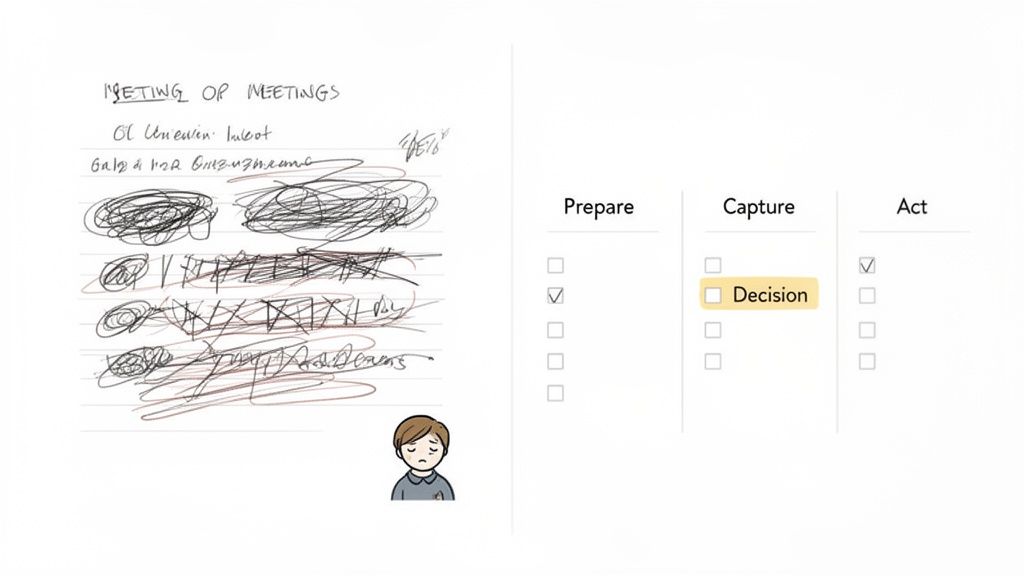
Most useless meeting notes boil down to two fundamental errors.
Trying to be a court reporter. When you try to capture everything, you retain nothing of value. The goal isn't a perfect transcript. It's a concise log of what was decided and what happens next. That’s it.
Forgetting the "why." Your notes aren't just for your records. They are a strategic tool. They exist to drive projects forward, hold people accountable, and keep the momentum going long after the call ends.
The most effective meeting notes are not a passive transcript of what was said, but a proactive guide for what comes next. Their value lies in their ability to translate conversation into clear, measurable action.
A Smarter Way to Take Notes
The fix is to change your approach from documentation to action. You're not just taking notes; you're building a plan. The old-school, formal process of taking minutes of a meeting is too slow and rigid for the speed we operate at today.
A modern, effective framework turns your notes from a chore into a powerful productivity engine. It's built on three phases.
Here’s a quick overview of how this simple but powerful framework breaks down.
The Prepare Capture Act Framework at a Glance | ||
|---|---|---|
Phase | Key Objective | Example Action |
Prepare | Set the agenda and define success before the meeting starts. | Create a note template with key agenda items and desired outcomes listed. |
Capture | Isolate only the most critical information during the meeting. | Focus on jotting down decisions made and action items with clear owners. |
Act | Turn raw notes into concrete tasks and follow-ups immediately after. | Send a summary email with action items assigned and deadlines noted. |
This structure gives you a repeatable system for ensuring every meeting ends with clarity and a clear path forward.
By adopting this three-part strategy, you shift from being a simple scribe to a strategic force who ensures every conversation drives results.
Prepare Before the Meeting to Capture What Matters
Great meeting notes don't magically appear when a call starts. They're forged in the few minutes you spend preparing before you ever click "Join."
Walking into a meeting cold is a surefire way to end up with a page of frantic, useless scribbles. But a little prep work flips the script. It transforms note-taking from a reactive chore into a strategic tool, ensuring you pull maximum value from every single conversation.
This is about more than a quick glance at the agenda five minutes before showtime. Real preparation means carving out a structured space for your notes before anyone is on the line. This simple act primes your brain to listen for what actually matters, turning you from a passive stenographer into an active participant who can spot and capture critical insights.
The most powerful shift you can make in your note-taking is to decide what you want to get out of the meeting before it happens. This clarity of purpose acts as a filter, helping you ignore the noise and focus on the signals.
Create a Simple Note-Taking Template
Stop starting with a blank page for every meeting. Instead, build a dead-simple, reusable template. The goal isn't to create a complex bureaucratic document; it's to build a framework that guides your focus and ensures you leave with everything you need. Think of it as your roadmap for the discussion.
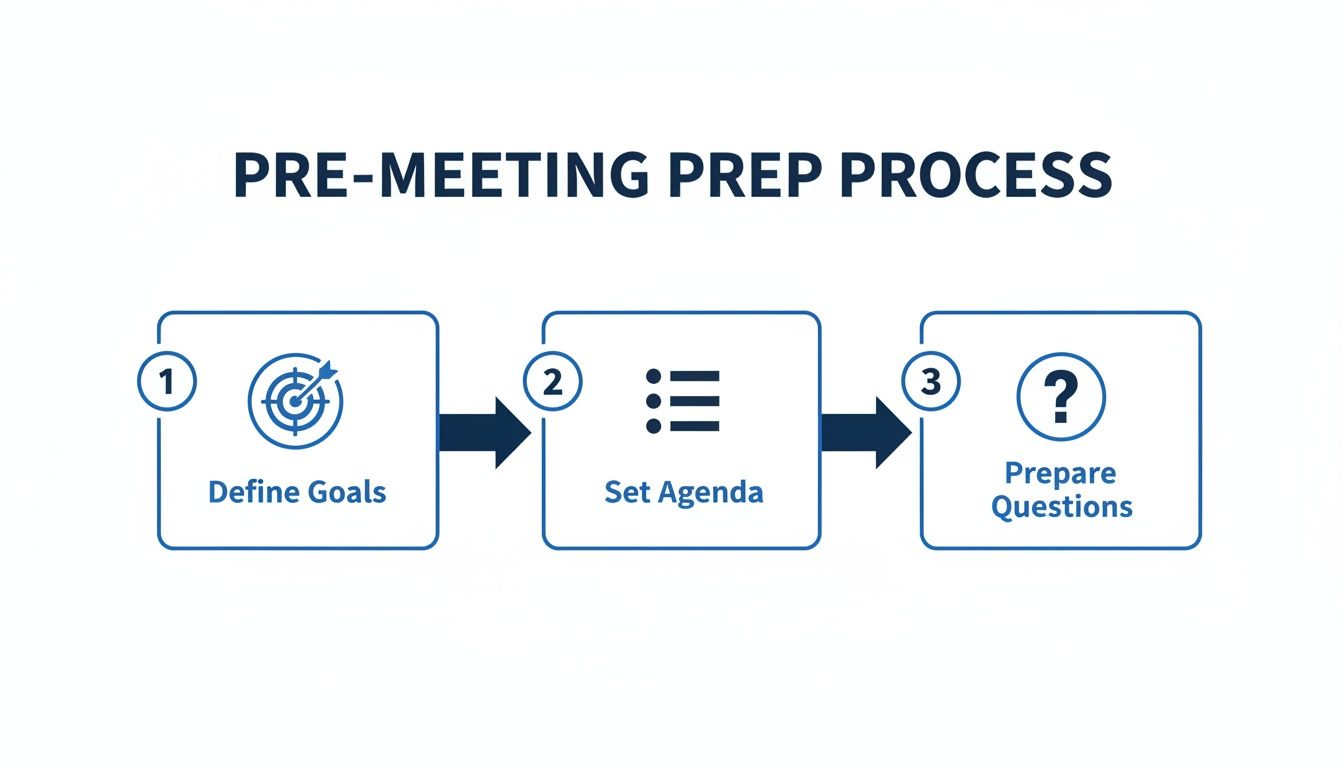
Your pre-meeting template just needs a few dedicated sections:
Desired Outcomes: What does a "win" look like for this meeting? Jot down one or two clear goals. For a sales call, it might be "Confirm budget and identify the decision-maker." For a project sync, it could be "Finalize Q3 launch date."
Key Questions: What information do you absolutely need to walk away with? List the critical questions you need answered. This also gives you the ammo to steer the conversation back on track if it starts to drift.
Anticipated Topics: Briefly outline the main agenda items. This creates placeholders where you can quickly slot in notes, decisions, and action items as they come up.
This structure doesn't just organize your thoughts—it prepares you to capture notes with speed and precision.
The Two-Minute Pre-Meeting Checklist for Any Role
Whether you're a founder pitching investors or a CSM running a client check-in, this quick drill will ensure you're always ready. It takes less than two minutes but pays off in huge dividends.
Here’s a practical example you can steal and adapt:
Review the Context: Do a quick scan of past call notes, email threads, or CRM entries related to the topic or attendees. This stops you from asking redundant questions and instantly shows you've done your homework.
Define Your "Must-Haves": What is the single most important thing you need from this call? Write it at the very top of your notes. Make it impossible to miss.
Prep Your Note Structure: Open your document and drop in your template. Pre-fill it with attendee names, the date, and the desired outcomes you just defined.
This disciplined approach ensures you walk into every meeting with purpose. By getting your notes document ready beforehand, you’re not just ready to listen; you’re ready to capture the insights that actually drive the business forward. For more ideas on getting organized, this guide on how to structure meeting documentation from Teamwork.com has some great tips.
Alright, you've done the prep work. Now it's game time.
When the meeting starts, your goal isn't to become a court stenographer, frantically trying to capture every single word. That’s a losing battle. Your real job is to be a filter—to listen strategically and pull out the specific things that actually move the business forward.
Most people struggle to take notes and actively participate at the same time. The secret isn't learning to type faster. It's about completely changing what you listen for. Instead of trying to document the entire conversation, you just need to hunt for four specific pieces of information. This one shift is what separates useless notes from an actionable record.
With the prep done, you can stop worrying about context and focus entirely on capturing outcomes.
The 4 Signals for High-Value Notes
Train your ear to perk up when you hear one of these four things. The moment you spot one, jot it down. This simple habit turns a messy, rambling conversation into a clean, structured summary of what actually got done.
Decisions Made: What did we formally agree on? Write it down, crystal clear. For example: [DECISION] The new marketing campaign will launch on October 15th. No ambiguity.
Action Items: These are the most important part of your notes. What are the concrete next steps? Every single task needs a what, a who, and a when.
Key Insights: What was a "huh, that's interesting" moment? This could be a surprising customer quote, a new piece of competitor intel, or a creative idea worth circling back to. For example: [INSIGHT] Customer said they'd happily pay more for a dedicated support channel.
Open Questions: What's still up in the air? Capture these loose ends so they don't get forgotten. If you can, assign an owner. For example: [QUESTION] Who is going to dig into the Q3 budget variance?
This approach is a lot like the charting method for note-taking, which also focuses on sorting information into clear categories as you hear it.
Make Your Action Items Bulletproof
An action item without an owner and a deadline is just a suggestion. It's a wish. "Someone should look into the website bug" is completely useless. It's a task that will drift into the ether and never get done.
"Josh to investigate and report back on the homepage loading error by EOD Friday" gets results.
Find a consistent format and stick to it. I live by this one because it leaves zero room for excuses.
[ACTION] {Owner} to {Specific Task} by {Deadline}.
This structure is instantly scannable and makes follow-up a breeze. Your notes are no longer a passive record; they're an active tool for holding people accountable.
Let AI Do the Heavy Lifting
Trying to capture every detail by hand while also contributing to the conversation is a recipe for failure. You'll either miss key parts of the discussion or your notes will be a mess. This is where modern tools can be a game-changer.
An AI notetaker like GLINKY can run in the background, creating a full, word-for-word transcript of the entire meeting for you.
This simple change frees you from the tyranny of transcription. You can put the keyboard down, make eye contact, and actually think during the meeting. Your role shifts from stenographer to synthesizer. You listen for the big-picture outcomes—the decisions, insights, and actions—while the AI handles all the tedious details. For really long or critical audio discussions, you can even incorporate specialized podcast transcription tools to ensure you have a perfect record to reference later.
The Real Work Starts After the Meeting Ends
The meeting’s over. You close your laptop, take a breath, and... what happens next? All those scribbled notes and half-formed ideas are just raw potential. Without a clear plan to process them, they'll fade by morning, and the meeting's momentum will vanish.
This is where the real value is won or lost.
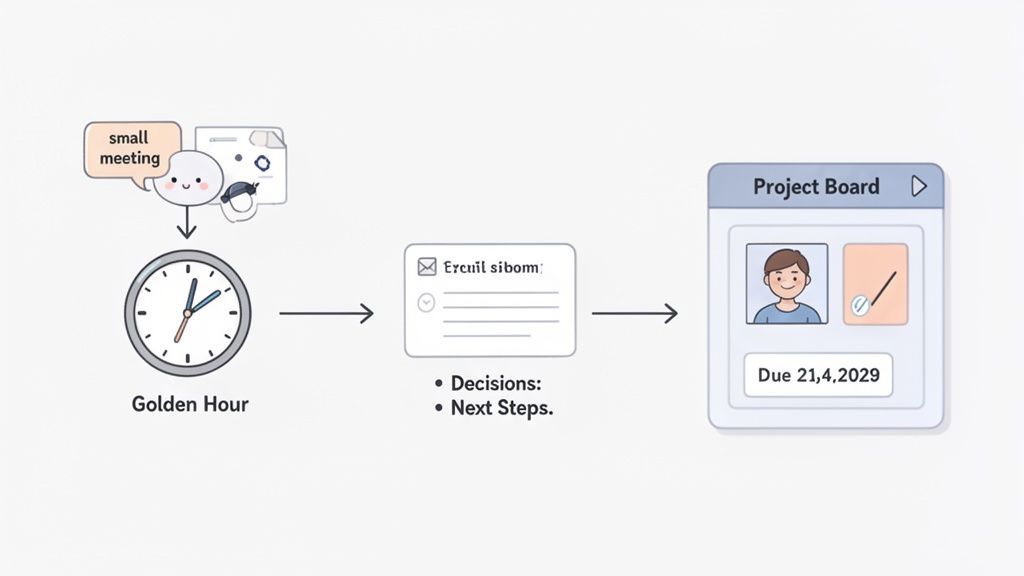
I live by the "golden hour" rule: process your notes immediately after the meeting wraps up. Waiting even a few hours, let alone until the next day, makes deciphering your own shorthand feel like trying to crack an ancient code. Use this critical window to turn your messy notes into a concrete plan of attack.
First, Clean Up and Summarize
Before you blast your raw notes out to the team, pause. The first step is to clean them up for yourself. Go through what you captured and organize it into a quick, logical summary.
Your goal isn't to create a perfect transcript. Instead, focus on distilling the conversation down to its core: what key decisions were made, and what are the immediate next steps? This process cements the outcomes in your own mind and ensures you can create a single source of truth that leaves no room for misinterpretation.
This isn’t just for internal meetings, by the way. The principle of distilling complex conversations applies everywhere. For anyone working with recorded content, learning how to create podcast show notes from recordings offers great lessons in turning long-form audio into clear, actionable summaries.
Share the Plan and Drive Accountability
With a clean summary in hand, it's time to get it in front of the team. A simple follow-up email is still the gold standard here. It creates a documented record and puts responsibilities squarely in front of each person.
Keep it short, scannable, and focused on action. Here’s a tried-and-true format that just works:
Subject: Recap & Actions: [Meeting Name] - [Date]
Body:
Quick Summary: Nail the meeting's purpose and key outcome in a single sentence.
Decisions Made: Use a bulleted list to outline exactly what was agreed upon.
Action Items: This is the most important part. List each task, assign an owner with an @mention, and give it a firm deadline.
Here’s how that looks in practice:
@Sarah Miller: Finalize the Q4 budget proposal and share it with the leadership team by EOD Friday, October 25th.
This format leaves no ambiguity. Everyone knows what they own and when it's due. For a deeper look at this, check out our complete guide to building a great action items list.
Put Your Post-Meeting Workflow on Autopilot
Let’s be honest—manually summarizing notes, drafting emails, and copy-pasting tasks into your project management tool is a grind. It’s exactly the kind of work that gets skipped when you’re slammed, causing important follow-ups to fall through the cracks.
This is where an AI notetaker like GLINKY completely changes the game. It can automatically draft a sharp, accurate follow-up summary for you, saving you precious time in that golden hour.
Even better, it connects the dots for you. Imagine an action item from your call automatically becoming a task in Asana, or a critical customer insight instantly syncing to their Salesforce record. This kind of automated workflow closes the loop between conversation and action, ensuring every meeting genuinely pushes work forward.
Custom Note-Taking Strategies for Different Roles
There’s no single “right” way to take meeting notes. While the fundamentals of capturing decisions and actions are universal, what you actually listen for—and what you write down—should change entirely based on your job.
A founder trying to read between the lines of investor feedback has a completely different mission than a customer success manager diagnosing a client's workflow issue. Truly effective note-taking is about adapting your focus to what matters most for your role. When you tailor what you listen for, you transform every single meeting from a simple calendar event into a strategic opportunity.
For the Sales Representative
For a sales rep, every conversation is a chance to uncover needs and push a deal forward. Your notes shouldn't be a passive transcript of the call; they should be your treasure map, pinpointing customer pain points, buying signals, and the exact next steps to log in your CRM. Your entire focus is on capturing the voice of the customer with almost forensic precision.
Pain Points: Document their struggles in their own words. Don't just write, "They need better reporting." Instead, capture the quote: "Sarah said, 'Our current reporting is a manual nightmare and takes my team 10 hours a week.'"
Buying Signals: Pick up on any questions about pricing, implementation timelines, or contract details. For example: "Asked if we offer multi-year discounts."
Competitor Mentions: Did they bring up a competitor? Note the context immediately. What they like or dislike gives you powerful intel for positioning your own solution.
Key Stakeholders: Start mapping the decision-making unit. Who else is involved? Jot down their names and roles as soon as they're mentioned.
A salesperson's notes are a competitive asset. Capturing the exact language a prospect uses to describe their problem is the most powerful way to craft a proposal that resonates and closes the deal.
For the Customer Success Manager
As a Customer Success Manager (CSM), your world is built around retention and adoption. Your notes are the single source of truth for tracking account health, spotting expansion opportunities, and flagging renewal risks long before they escalate into red alerts. Your listening should be tuned to two frequencies: sentiment and product feedback.
Feature Requests: When a client asks for something new, dig for the "why." What specific business problem are they trying to solve with it? That context is absolute gold for your product team.
Adoption Blockers: Are they hitting a wall somewhere in the platform? Document the exact workflow and where the friction happens. This is your ticket to proactive problem-solving.
Renewal Risks: Capture any whisper of dissatisfaction, budget concerns, or internal shake-ups that could put their renewal in jeopardy.
Success Stories: Don't forget to document their wins! "Client confirmed they reduced onboarding time by 50% using our new checklist feature." These are your future case studies.
For the Founder or Leader
As a founder, your most precious resource is your time. Meetings with investors, partners, or even your own leadership team are incredibly high-stakes. Your notes aren't about the granular tasks—they're about strategic direction, commitments, and spotting those high-level opportunities or threats that can change everything. Think about an investor pitch, for example. Your notes should zero in on what isn't being said just as much as what is.
Tough Questions: Which parts of your pitch did they push back on the hardest? This is a direct signal of the perceived weaknesses in your business model or narrative.
Key Metrics of Interest: Did they keep coming back to CAC, LTV, or your burn rate? That tells you exactly what their investment committee will be dissecting later.
Follow-Up Commitments: Note every single request for more data or a follow-up call, and assign an internal owner on the spot. Your speed and thoroughness here are a direct reflection of your credibility.
A Few Common Questions About Taking Better Notes
Even with the best game plan, theory and reality can be two different things. When the meeting starts and things get chaotic, practical questions always pop up. Let's walk through some of the most common hurdles I see people face and how to clear them.
What's the Best Format for Meeting Notes?
There’s no single magic bullet, but the most effective formats I've seen all share one trait: they prioritize action over simple transcription. Your goal isn't to write a script; it's to create a blueprint for what happens next. A great place to start is with a simple "Action-Decision-Insight" model. It forces you to focus on outcomes.
Action Items: Who is doing what, and by when? Be ruthlessly specific. Every task needs an owner and a deadline.
Key Decisions: Write down exactly what was agreed upon. This simple act prevents a ton of "I thought we decided..." conversations later.
Important Insights: Did a customer drop a golden quote? Did a new strategic idea surface? Capture those moments so they don't get lost.
This approach keeps your notes focused and, more importantly, useful.
How Can I Take Notes and Still Participate in the Conversation?
This is the classic note-taker's dilemma. The moment you try to be a court reporter, you stop being a participant. You’re either typing furiously or you’re contributing—it’s nearly impossible to do both well. The fix is a mental shift.
Stop asking, "What did they just say?" and start asking, "What was just decided, and what needs to happen now?"
This frees you from the trap of transcribing every word and allows you to stay present. Of course, the real superpower here is using an AI notetaker. It records and transcribes everything in the background, giving you a perfect record without you having to type a single word. You get to focus 100% on the conversation, knowing nothing will be missed.
How Do I Handle Notes for a Fast-Paced or Technical Meeting?
Trying to keep up manually in a rapid-fire technical discussion is a losing battle. You’ll either miss crucial details or fall so far behind you'll lose the thread of the conversation completely. This is where you absolutely have to lean on technology. An AI transcription tool is your best friend here. It will capture all the complex jargon and acronyms with near-perfect accuracy, giving you a searchable transcript you can dig into later.
A good pro-tip: If you're on the call, just jot down timestamps for moments you know you'll want to revisit. This way, you can quickly jump to the most important parts of the AI transcript afterward, capturing both the big picture and the granular details without feeling overwhelmed.
How Soon After a Meeting Should I Send Out the Notes?
Send them quickly. Aim for within a few hours, and never later than 24 hours after the meeting ends. The context is freshest for everyone right after the call. Sending a prompt follow-up shows you're on top of it and keeps the project's momentum going. Use that "golden hour" to clean up your summary, double-check the action items, and get it into everyone's hands while they still remember what was discussed.
Ready to stop scribbling and start driving action? GLINKY is a bot-free AI notetaker that automatically captures decisions, drafts follow-up emails, and syncs tasks directly to your workflow. See how it transforms conversations into outcomes at https://www.glinky.ai.
People also read

10 Sales Enablement Best Practices to Unify Your Revenue Engine in 2026
Productivity
Mar 13, 2026

How to Manage Sales Pipeline for Predictable Revenue Growth
Productivity
Mar 14, 2026

How to Qualify Leads in Sales Without Wasting Time
Productivity
Mar 17, 2026

What is Conversation Intelligence? A Practical Guide for Sales Teams
Productivity
Mar 18, 2026

Top 10 Sales Discovery Questions That Close More Deals
Productivity
Mar 25, 2026

Taking Minutes of Meeting: A Guide to Transforming Chaos into Action
Productivity
Feb 16, 2026

Action Items List: A Practical Guide to Drive Real Results
Productivity
Feb 19, 2026

Master the summary of a meeting for clear decisions and follow-ups
Productivity
Feb 22, 2026

Track Action Items: A Practical Guide to Using AI for Flawless Follow-Up
Productivity
Feb 17, 2026

Unlock: How to Take Notes on a Computer for Peak Productivity in 2026
Productivity
Feb 26, 2026

How to Record Google Meet: A Complete Guide for 2026
Productivity
Mar 4, 2026

12 Best AI Note Taking App Choices for 2026: The Definitive Guide
Productivity
Mar 6, 2026

How to Improve Customer Retention: Practical Tips to Boost Loyalty
Productivity
Mar 8, 2026

10 Client Communication Best Practices to Master in 2026
Productivity
Mar 7, 2026

The 12 Best AI Meeting Assistant Tools for 2026: A Deep Dive
Productivity
Mar 15, 2026

Your Guide to the Ultimate AI Email Writer
Productivity
Feb 27, 2026

10 Essential Customer Success Best Practices for 2026
Productivity
Mar 1, 2026

Your Guide to Sales Call Recording Software in 2026
Productivity
Mar 2, 2026

Top 10 Picks for best crm for small business
Productivity
Mar 3, 2026

What is an Ideal Customer Profile: A Guide to Driving Growth
Productivity
Mar 9, 2026

Automated meeting minutes: Turn talks into actionable notes
Productivity
Mar 11, 2026

The Top 12 AI Powered Sales Tools to Boost Revenue in 2026
Productivity
Mar 16, 2026

AI Note Taking For Meetings: Fast, Smart AI Notes That Drive Collaboration
Productivity
Mar 19, 2026

Understanding Transcription Service Cost: A 2026 Guide
Productivity
Mar 20, 2026

Master Your Meetings With The Note Taking Charting Method
Productivity
Feb 18, 2026

The Ultimate 2026 Guide: 8 Meeting Follow Up Email Template Scenarios
Productivity
Feb 20, 2026

Master the Art of Taking Meeting Notes for Actionable Outcomes
Productivity
Feb 25, 2026

12 Best Sales Lead Generation Tools to Boost Your Pipeline in 2026
Productivity
Mar 10, 2026

Translation Vs Transcription: Which Service Do You Really Need?
Productivity
Mar 12, 2026

Mastering the goals of a meeting to drive decisions and boost team alignment
Productivity
Mar 23, 2026

The 12 Best Free AI Email Writer Tools for 2026
Productivity
Mar 22, 2026

A Guide to AI Sales Enablement Platforms in 2026
Productivity
Mar 21, 2026

Automate Follow Up Emails: Actionable Insights for Boosting Sales & Efficiency
Productivity
Mar 26, 2026

Follow Up Email Subjects That Convert: Increase Opens and Replies
Productivity
Feb 17, 2026

Your Playbook for Outbound Lead Generation in 2026
Productivity
Feb 28, 2026

Your Essential Meeting Action Items Template to Drive Results
Productivity
Feb 23, 2026

Your Guide to Using an Email Writer AI for Maximum Impact
Productivity
Feb 23, 2026

8 Essential Ground Rules at Meetings to Maximize Productivity in 2026
Productivity
Mar 24, 2026

Otter.ai vs Glinky
Productivity
Feb 5, 2026

AI Tools for Startup Founders [2026]
Productivity
Feb 4, 2026

Best AI Tools for Startups [2026]
Tools
Feb 3, 2026

Sales Call Notes: How to Capture Every Detail Without Losing the Deal
How to
Feb 2, 2026

How to Take Meeting Notes: 7 Methods That Actually Work [2026]
How to
Jan 14, 2026
![AI Meeting Minutes | Free Forever [2026]](https://framerusercontent.com/images/zYQGRjgLX63tiouLTK65LvCcjK8.png?width=402&height=263)
AI Meeting Minutes | Free Forever [2026]
How to
Jan 13, 2026
![How to Record Zoom Meetings Without a Bot [2026] 3 Easy Methods](https://framerusercontent.com/images/gGoQV8bPb9zR5weVruinbjaxO0.png?width=402&height=263)
How to Record Zoom Meetings Without a Bot [2026]
How to
Jan 9, 2026

Bot-Free AI Meeting Notes: We Tested the 6 Best Tools in 2026
Tools
Jan 8, 2026

Glinky vs Fireflies.ai
Tools
Jan 7, 2026

15 Best AI Tools to Boost Your Productivity in 2026
Productivity
Jan 6, 2026