Nov 13, 2025
Productivity
The 12 Best AI Meeting Assistant Tools for 2026: A Deep Dive

Endless meetings, forgotten action items, and manual CRM updates are grinding productivity to a halt. Teams spend hours in discussions only to lose track of key decisions the moment the call ends. The solution isn't fewer meetings; it's smarter meetings. This is where AI meeting assistants come in, acting not just as simple notetakers but as strategic partners that capture intelligence and automate tedious follow-up.
This guide is a comprehensive, no-fluff comparison designed to help you find the best ai meeting assistant for your specific needs. Whether you're a founder running sales, a recruiter managing candidates, or a RevOps lead tired of stitching tools together, the right platform can reclaim hours of your week. As businesses increasingly adopt artificial intelligence for efficiency, the core principles of an AI email assistant are also transforming how we handle meetings, turning conversations into structured, actionable data.
We will move beyond marketing claims to give you an honest look at 12 leading options, including Glinky, Otter.ai, and Fathom. For each tool, you'll find:
Real-world use cases for sales, customer success, and operations.
An honest assessment of pros and cons based on actual usage.
Detailed pricing breakdowns to match your budget.
Actionable insights to help you make a confident decision.
Forget generic feature lists. This is a practical resource with direct links and screenshots to guide you straight to the best platform for your team. Let's find the right tool to turn your meeting chaos into clarity.
1. Glinky
Glinky distinguishes itself by moving beyond simple transcription to offer an integrated revenue engine designed for startups and small to medium-sized enterprises. Instead of just recording calls, it captures conversational intelligence without a bot, automatically identifies speakers, and produces structured notes with decisions and action items. This approach makes it one of the best AI meeting assistant platforms for teams that need to connect meeting outcomes directly to business results.
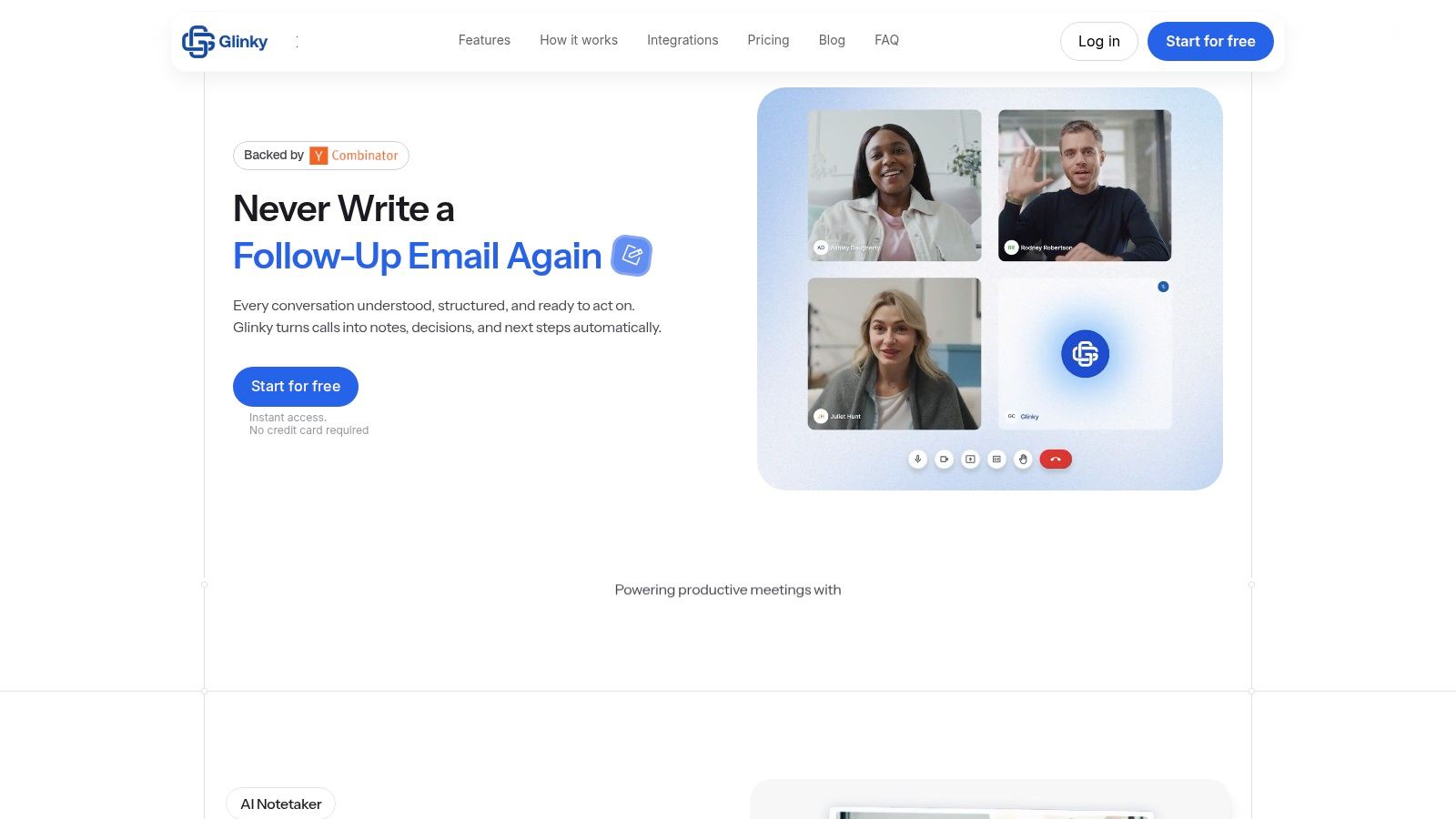
The platform’s real power is its all-in-one workflow. Glinky bundles meeting intelligence with a lead discovery tool and an outreach sequencer, reducing the need for multiple disconnected applications. Users can find verified contacts using natural-language search, launch automated email campaigns, and manage their entire pipeline from a single unified timeline. This consolidation is a significant advantage for founders and small sales teams who need efficiency without the complexity of an enterprise CRM. Action items are synced to your calendar, and follow-up emails are drafted automatically, saving hours of manual administrative work each week. For those comparing different note-taking tools, Glinky provides a detailed breakdown of how its features stack up against competitors; for an in-depth look, you can explore this Glinky vs. Otter.ai analysis.
Key Features & Analysis
Glinky's design philosophy centers on practical, real-world application, particularly for revenue-generating teams.
Integrated Revenue Workflow: It combines meeting notes, lead generation, and outreach sequencing. This is ideal for SDRs and account executives who can go from a discovery call to a follow-up sequence with a new prospect list without leaving the platform.
Bot-Free Intelligence: The ability to get speaker identification and structured summaries without an extra participant joining the call is a major user experience win. It feels less intrusive for clients and prospects.
Verified Prospecting Data: Its built-in lead discovery tool provides verified emails, phone numbers, and LinkedIn profiles. This feature helps sales teams build high-quality outreach lists quickly, improving connection rates.
Flexible Data Sync: You can use Glinky as a standalone mini-CRM or sync summaries and outcomes to a primary system of record like HubSpot or Salesforce. The option to review AI-generated content before it's pushed gives users complete control over their data.
Who Is It Best For?
Glinky is a strong fit for founders running their own sales, small sales teams, and agencies that manage multiple client accounts. Its unified toolset provides pipeline visibility without the steep learning curve or cost of enterprise-grade software. Revenue operations leaders also find it valuable for creating a more connected tech stack.
Pricing
Personal (Free): $0/month for 10 hours of meeting processing, 30-minute meeting caps, and 100 lead credits. A great starting point for testing.
Teams: $19.99/user/month (billed annually) for unlimited meetings, 2-hour caps, and 500 lead credits.
Ultimate: $99.99/user/month (billed annually) for heavy users, with longer meeting limits and 3,500 lead credits.
Pros & Cons
Pros | Cons |
|---|---|
All-in-one platform reduces tool costs and manual data entry. | Tiered limits on meeting length and lead credits may require upgrades for high-volume teams. |
Accurate, bot-free meeting intelligence with speaker ID and automated summaries. | Not built for large enterprises with complex security, compliance, or bespoke integration needs. |
Built-in lead discovery with verified contact data for effective prospecting. | |
Flexible CRM sync or standalone use gives teams control over their workflow. | |
Risk-free entry with a generous free plan that doesn't require a credit card. |
Website: glinky.ai
2. Otter.ai
Otter.ai is one of the most established names in AI-powered meeting transcription, earning its spot as a reliable and feature-rich assistant for individuals and small teams. It integrates smoothly with Zoom, Google Meet, and Microsoft Teams to provide live transcription, speaker identification, and automated summaries. This makes it a strong contender for the title of best AI meeting assistant, especially for those prioritizing a mature platform with broad compatibility.
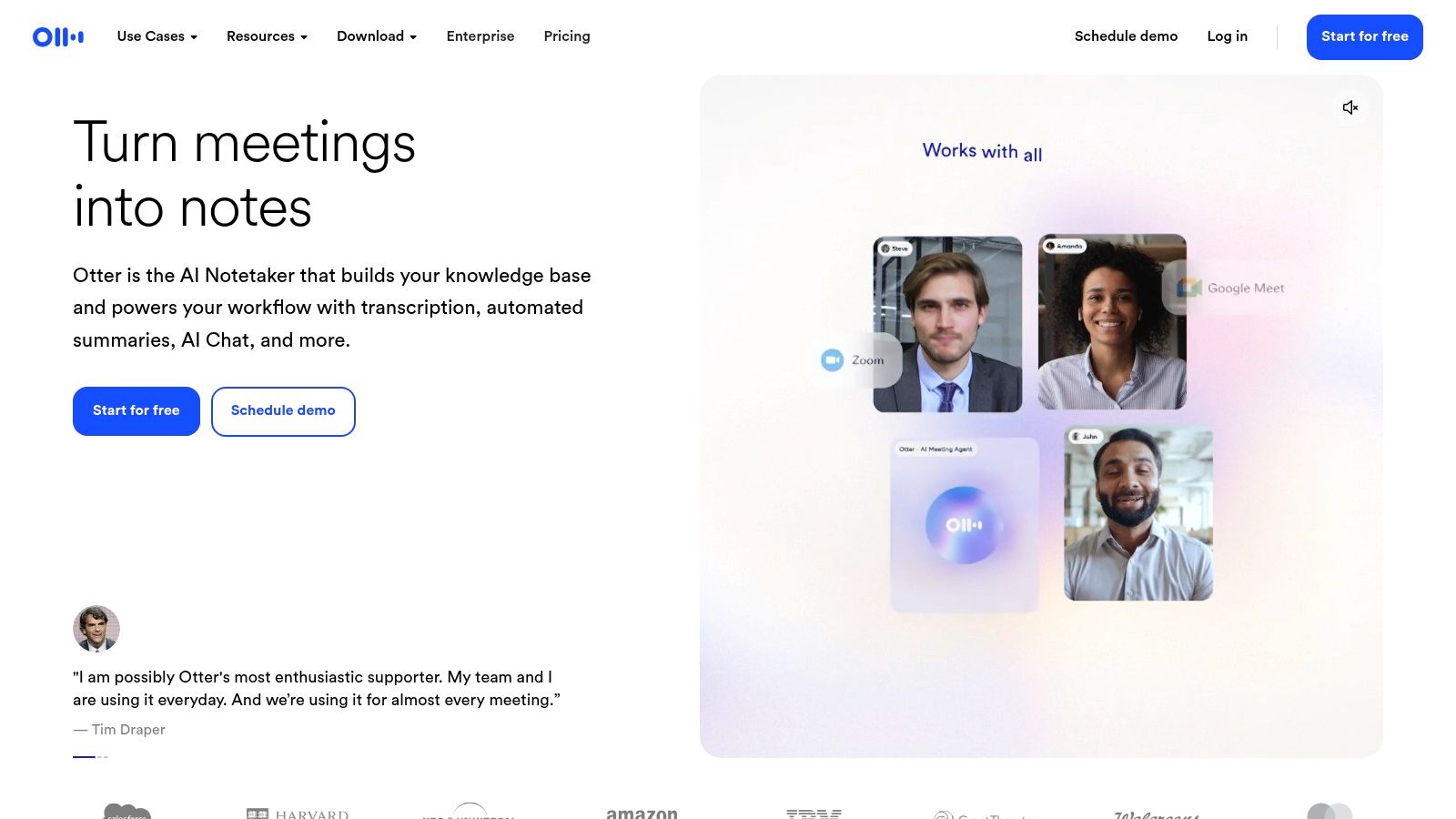
Beyond basic transcription, Otter offers an AI Chat feature that allows users to ask questions about a specific meeting or even across all past conversations, acting as a conversational knowledge base. Its "Sales Notetaker" feature on higher-tier plans automatically generates follow-up emails and pushes call notes to CRMs like Salesforce and HubSpot, offering a direct workflow benefit for sales teams.
Key Features & Pricing
Live Transcription & Speaker ID: Real-time notes and clear speaker labels across major platforms.
AI Chat & Summaries: Ask questions and get instant, summarized answers from your meeting content.
Pricing: A free plan exists with tight limits. The Pro plan ($16.99/mo) offers 1,200 transcription minutes and a 90-minute cap per meeting. The Business plan ($35/user/mo) increases limits to 6,000 minutes and adds team features.
Pros & Cons
Pros:
Mature platform with dependable performance and solid mobile apps.
Robust search functionality and multiple export options (TXT, DOCX, PDF, SRT).
Clear administrative controls for team management on Business/Enterprise tiers.
Cons:
The 90-minute per-meeting limit on the Pro plan can be restrictive for workshops or in-depth calls.
Advanced security features and priority support are reserved for more expensive plans.
3. Fireflies.ai
Fireflies.ai carves out a strong position as a versatile AI meeting assistant by offering extensive transcription capabilities, broad language support, and a flexible bot that can join calls on your behalf. It records, transcribes, and analyzes voice conversations across multiple platforms, making it a powerful tool for teams that operate globally or require detailed conversation intelligence to track performance and key topics.
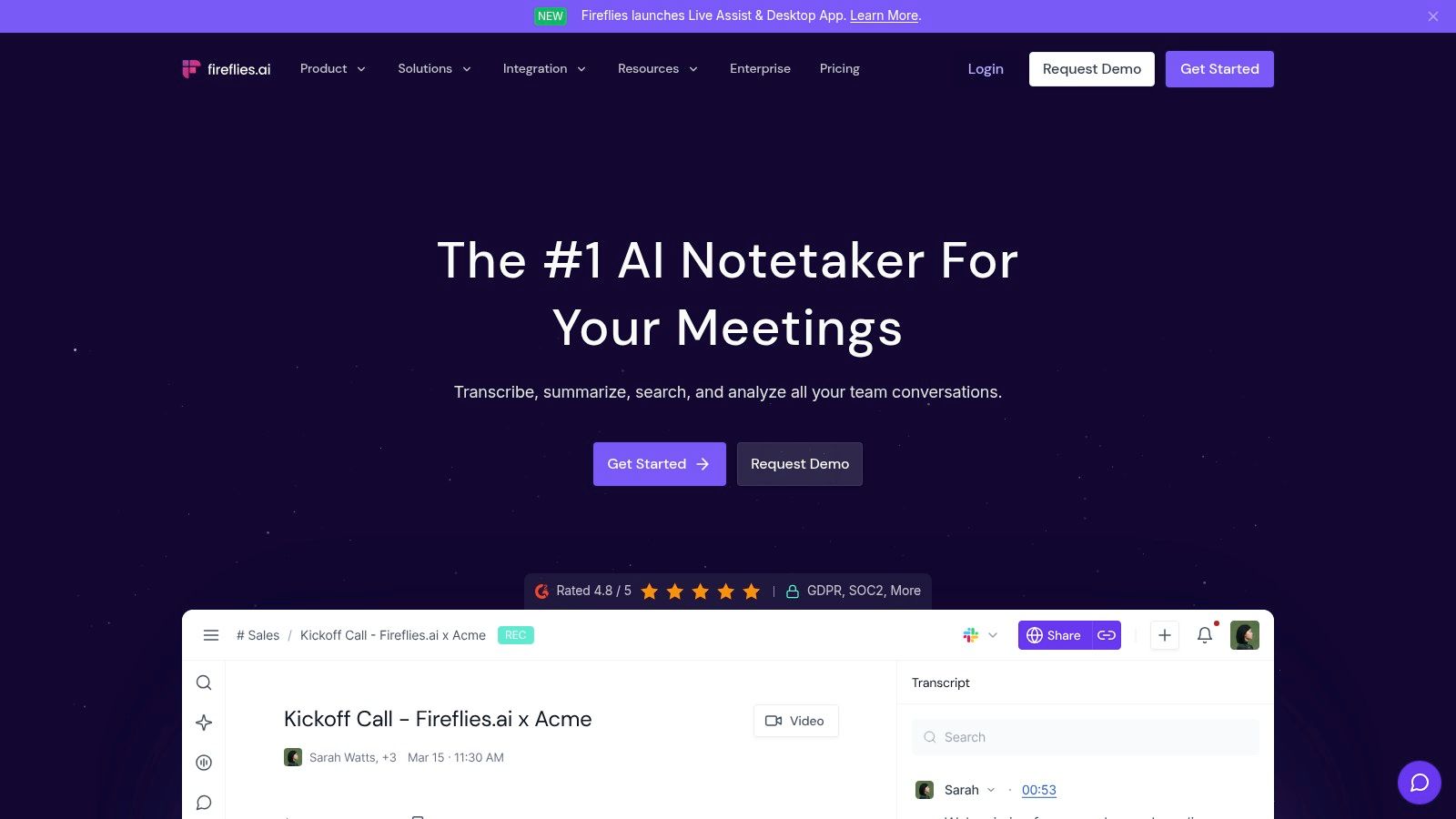
Its core strength lies in its conversation intelligence and the "AskFred" AI assistant, which allows users to ask questions and get answers directly from their meeting transcripts. Fireflies also provides team analytics and topic trackers, giving managers insight into what is being discussed across sales, customer service, or internal meetings. The platform’s extensive integrations with CRMs, Slack, and Zapier allow for automated workflows, pushing meeting notes and action items to the right systems.
Key Features & Pricing
Conversation Intelligence & Analytics: Track speaker talk time, sentiment, and custom topics across all team meetings.
AskFred AI Assistant: A conversational Q&A tool to quickly find information within your meeting library.
Pricing: A free plan includes transcription with limited storage. The Pro plan ($18/user/mo) offers unlimited transcription and 8,000 minutes of storage. The Business plan ($29/user/mo) adds unlimited storage, conversation intelligence, and CRM integrations.
Pros & Cons
Pros:
Generous storage and unlimited transcription on paid plans.
Supports transcription in over 60 languages, making it ideal for international teams.
Robust set of integrations and an API for custom workflows.
Cons:
AI features like summaries and AskFred operate on a monthly credit system, which may be limiting for power users.
The bot’s presence in meetings can be a point of friction for some clients who prefer not to be recorded by a third-party joiner.
4. Fathom
Fathom carves out a unique position in the market by offering a remarkably generous free plan that makes it an immediate contender for the best AI meeting assistant for individuals, consultants, and solo founders. It provides unlimited meeting recordings and transcriptions at no cost, which is a major differentiator. The platform records, transcribes, and summarizes meetings from Zoom, Google Meet, and Microsoft Teams, automatically generating action items and syncing them to tools like Asana, Todoist, and Trello.
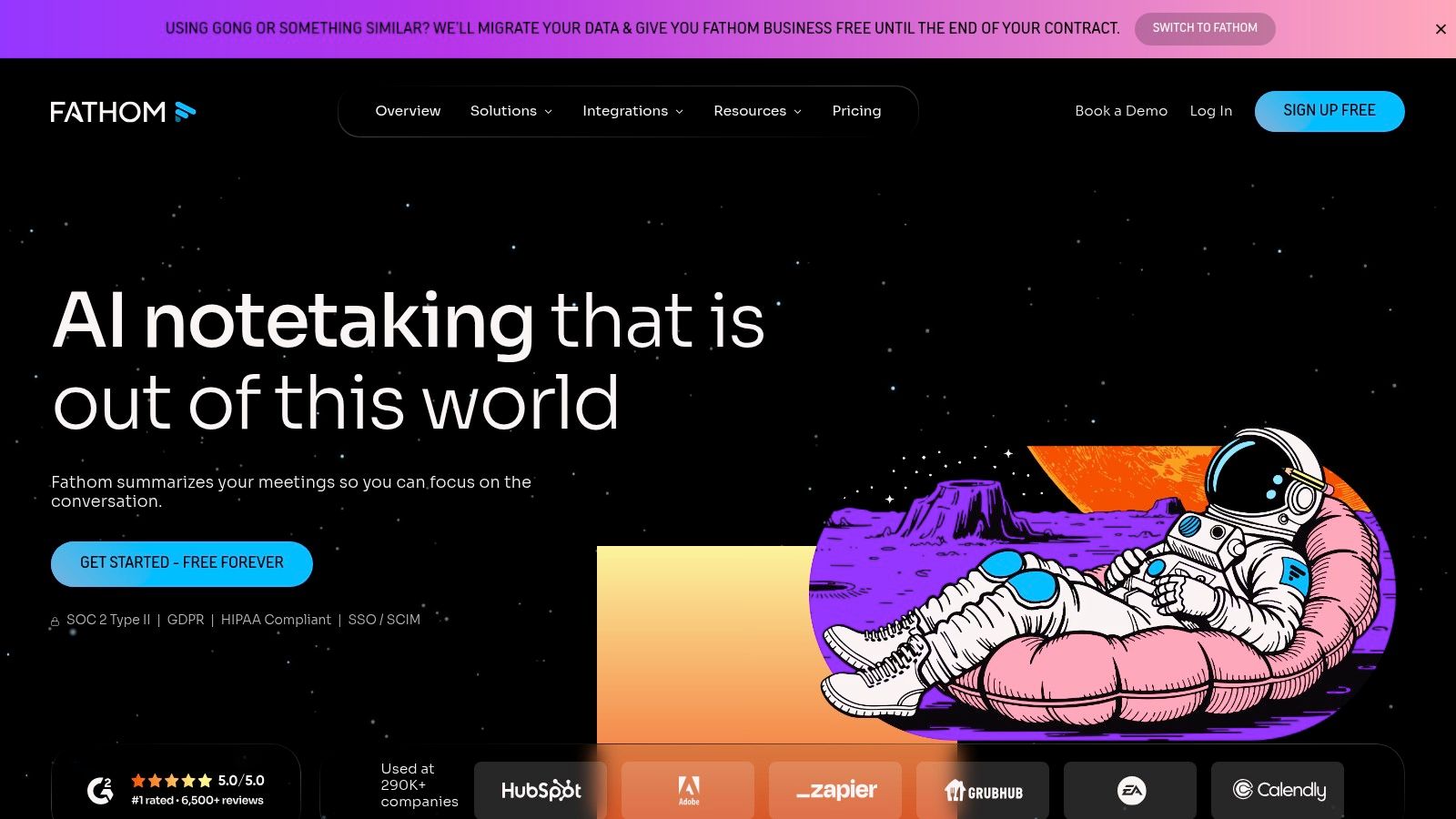
While the free tier is powerful for personal use, Fathom offers a clear upgrade path for growing teams. Its paid plans introduce collaborative features like team-wide call libraries and search, along with critical sales intelligence tools. The Business plan, for example, provides CRM sync with Salesforce and HubSpot, pushing call notes and summaries directly to the relevant records. It also includes call coaching metrics to help sales managers analyze talk time, key topics, and question counts, providing actionable insights for team improvement.
Key Features & Pricing
Unlimited Recordings & Transcripts: The free Standard plan offers unlimited use for individuals, a standout feature.
Team & Sales Intelligence: The Team plan ($24/user/mo) adds team call libraries and central billing. The Business plan ($32/user/mo) includes CRM sync, advanced coaching metrics, and SSO.
AI Summaries & Action Items: Automatically generates concise summaries and pulls action items from the conversation.
Pros & Cons
Pros:
Extremely generous free tier makes it accessible for anyone to start.
Strong focus on sales workflows with CRM integration and coaching analytics on paid tiers.
Offers special credits and programs for eligible startups and nonprofits.
Cons:
Advanced CRM sync features are exclusive to the highest-priced Business plan.
As a bot-based recorder, it may require proactive communication with clients about an AI assistant joining the call.
5. Avoma
Avoma carves out a specific niche as more than just a meeting assistant; it’s a full-fledged conversation intelligence platform designed for revenue-generating teams. It manages the entire meeting lifecycle, from collaborative agendas before the call to AI-generated notes, coaching insights, and deep CRM integration after. This focus makes it a candidate for the best AI meeting assistant for go-to-market organizations that need structure and data from every customer interaction.
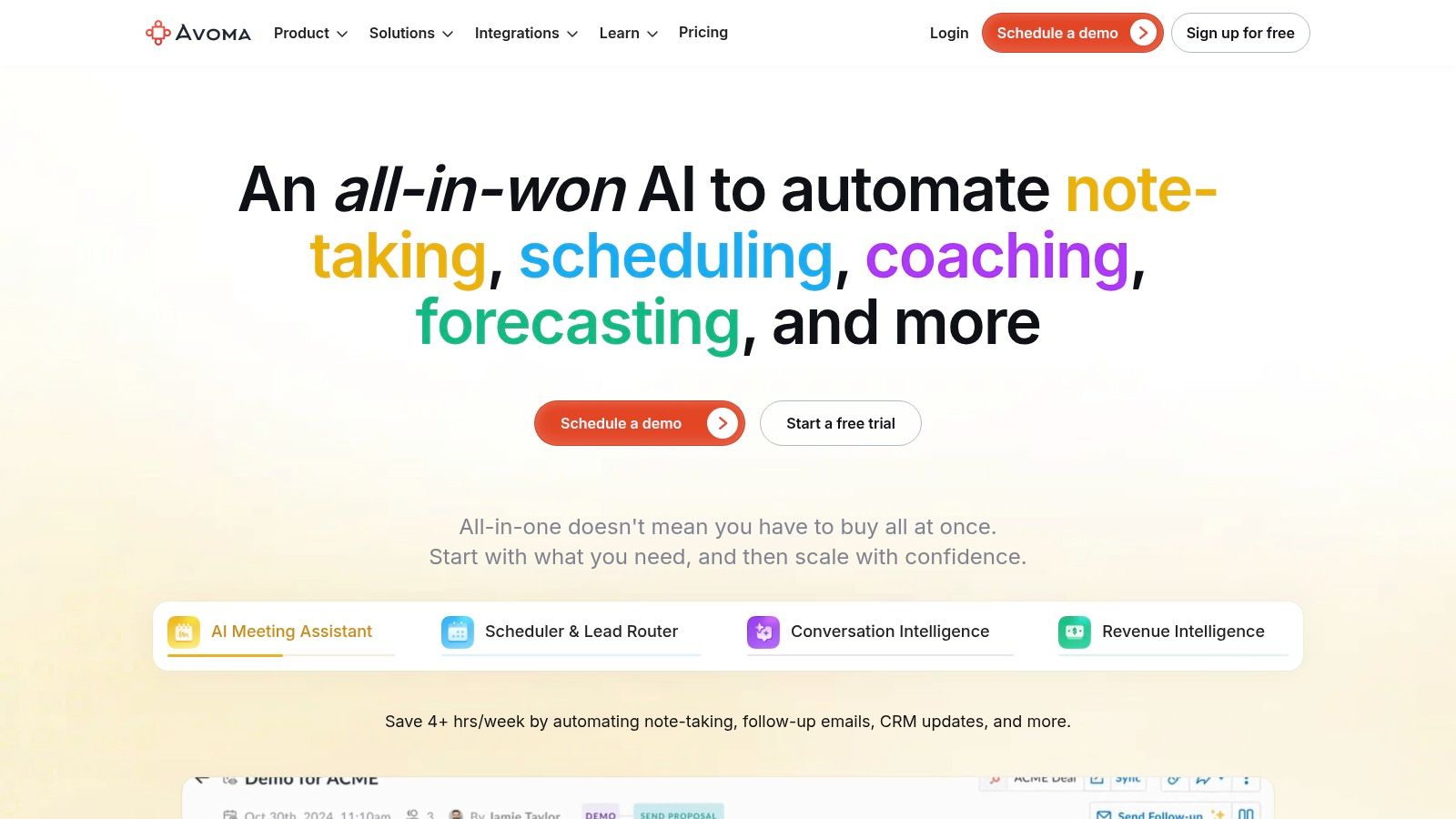
Beyond standard transcription and summaries, Avoma provides tools for coaching and performance analysis. Managers can score calls against a set rubric, track keyword mentions, and build playlists of best-practice examples for training. This turns every sales call into a reviewable asset, helping teams refine their pitch and improve outcomes. The platform’s ability to automate sales call notes is a significant time-saver for reps.
Key Features & Pricing
Conversation & Revenue Intelligence: Provides AI summaries, transcripts, and deep analytics on customer conversations to guide sales strategy.
Coaching & Scoring: Tools for managers to score calls, provide feedback, and create coaching playlists.
Pricing: A free plan offers basic transcription. The Starter plan ($24/user/mo) adds AI notes and CRM sync. The Plus plan ($59/user/mo) includes most conversation intelligence features, with advanced options reserved for the Business plan ($89/user/mo). A 14-day free trial is available.
Pros & Cons
Pros:
Purpose-built for sales and customer-facing teams with relevant features.
Strong integrations with CRMs (Salesforce, HubSpot) and dialers (Aircall, Outreach).
Generous 14-day free trial that includes access to most premium features.
Cons:
Can be significantly more expensive than simple notetaker tools if you don't need the intelligence features.
The most valuable coaching and analytics tools are locked behind higher-priced tiers.
6. Sembly AI
Sembly AI positions itself as a practical meeting intelligence platform for teams, focusing on transcription, AI summaries, and shared workspaces. It integrates with Zoom, Google Meet, Microsoft Teams, and Webex, providing a straightforward way to capture and analyze conversations. For founders and small business owners who need a no-fuss solution that works across the most common platforms, Sembly AI is a solid contender for the best AI meeting assistant.
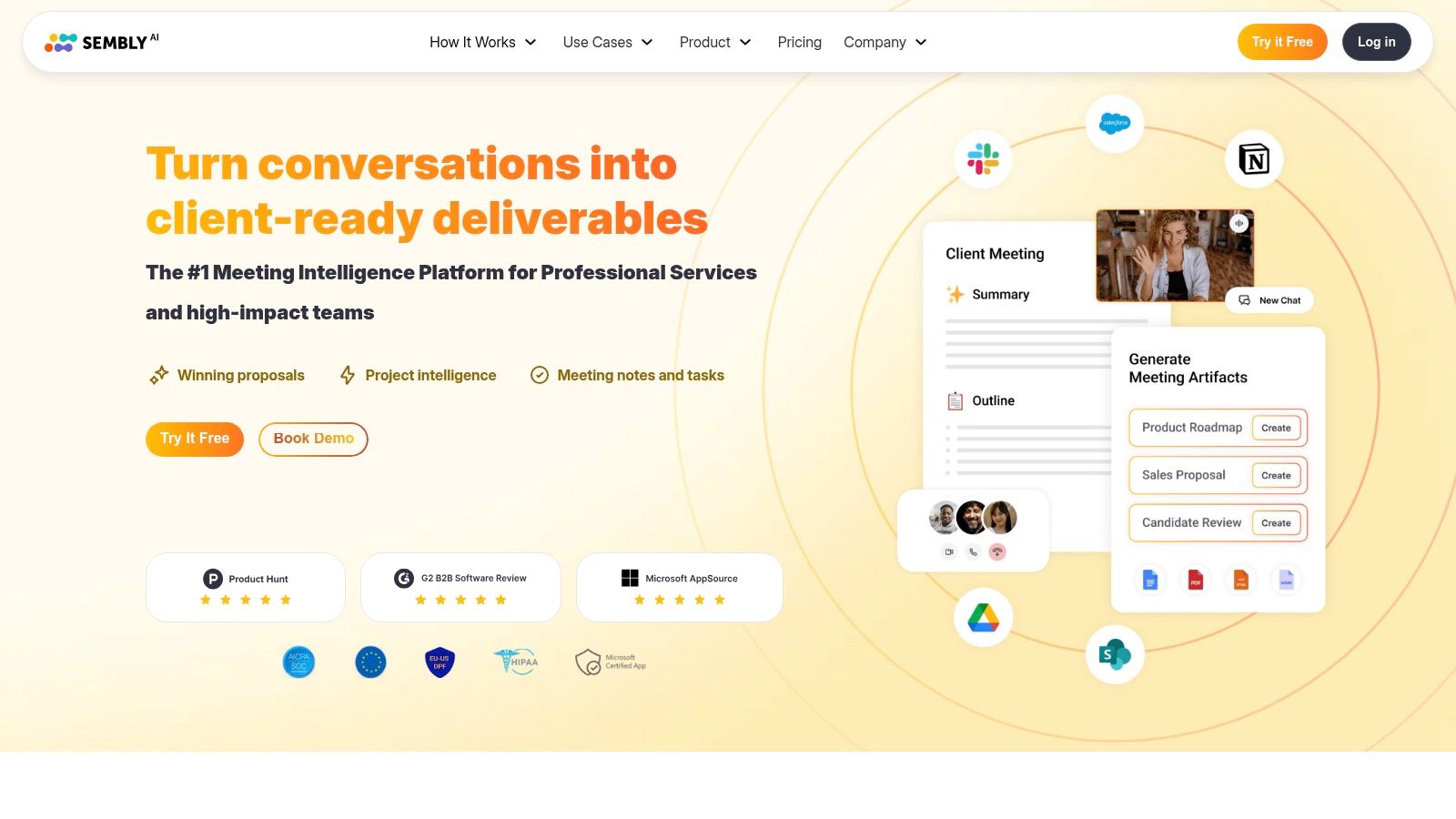
The platform’s core strength lies in its simplicity and clarity, especially concerning usage limits. Sembly generates AI summaries, extracts key topics, and identifies action items to make post-meeting follow-ups faster. Its workspace feature allows teams to share and search through a collective library of meeting notes, creating a centralized knowledge base without needing a complex setup.
Key Features & Pricing
AI Meeting Notes: Generates summaries, topic lists, and action items from call transcripts.
Team Workspaces: Provides a shared environment for teams to access and analyze meeting history.
Pricing: A free Personal plan is available. The Professional plan ($10/mo) includes 10 hours of upload/recording. The Team plan ($20/user/mo) adds team features, and the Enterprise plan offers advanced controls and security.
Pros & Cons
Pros:
Simple pricing with clear, hour-based usage allowances per plan.
Works across all major meeting platforms (Zoom, Meet, Teams, Webex) and supports video capture.
Enterprise add-ons like security reviews and custom invoicing are available for larger organizations.
Cons:
Higher-quality video capture and increased upload capacity are reserved for more expensive plans.
Lacks the deep, sales-specific CRM automations found in more specialized conversation intelligence tools.
7. tl;dv
tl;dv positions itself as a privacy-first AI notetaker with a strong emphasis on extracting multi-meeting insights, making it a compelling choice for teams focused on trends and patterns. It shines with a remarkably generous free plan and a straightforward user experience, earning its place on this list for accessibility and powerful analytics. The platform is designed for teams that need to understand the big picture across numerous conversations without getting bogged down in individual transcripts.
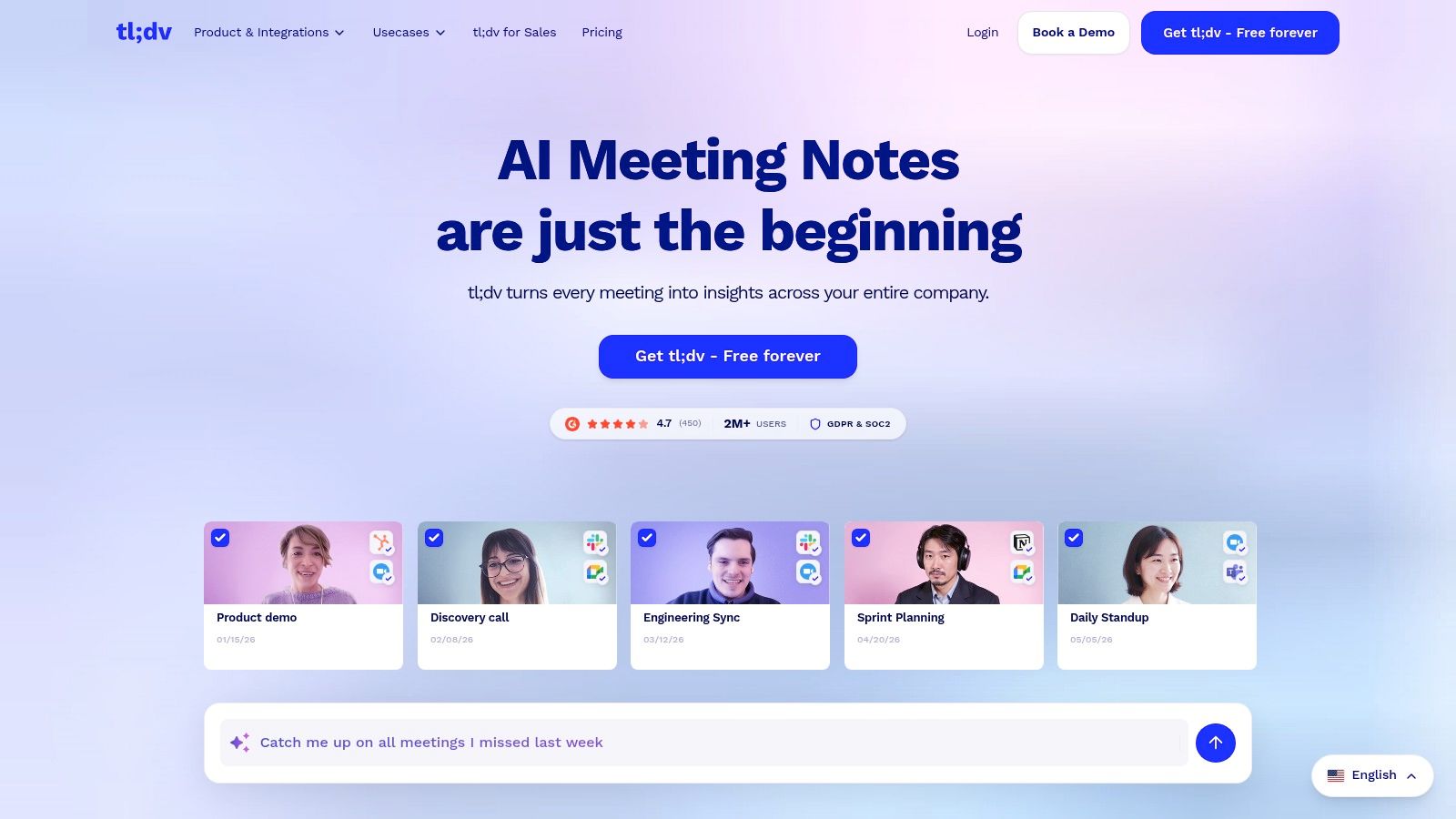
This tool is particularly useful for product and sales teams aiming to identify recurring customer feedback, objections, or feature requests. With its ability to generate AI reports that synthesize data from multiple calls, leaders can get a pulse on market sentiment quickly. Its commitment to security, demonstrated through SOC 2 compliance and EU hosting options, also makes it a solid candidate for organizations with strict data privacy requirements.
Key Features & Pricing
AI Notes & Multi-Meeting Insights: Generates summaries and allows you to query across all recorded meetings to spot trends.
CRM & Workflow Integrations: Pushes key meeting data and notes directly into tools like Salesforce, HubSpot, and Slack.
Pricing: A very generous Free plan is offered with unlimited recordings and transcriptions. The Pro plan ($25/user/mo) adds CRM integrations and multi-meeting AI reports.
Pros & Cons
Pros:
Its free-forever plan with unlimited meetings and transcripts is one of the best available.
Excellent for product, research, and sales teams needing to analyze trends across many calls.
Strong security posture with SOC 2 compliance and EU-based data hosting options.
Cons:
Advanced analytics and crucial CRM integrations are reserved for the paid Pro plan.
Detailed pricing for all tiers is not immediately apparent on the main homepage, requiring a bit of navigation.
8. Read AI
Read AI positions itself as more than just a notetaker, focusing on providing real-time meeting metrics and comprehensive post-call reports. Its assistant automatically joins Zoom, Google Meet, and Microsoft Teams to generate summaries, identify key topics, and extract action items. This makes it a compelling choice for teams looking to analyze meeting effectiveness, not just document conversations, solidifying its place as a contender for the best AI meeting assistant.
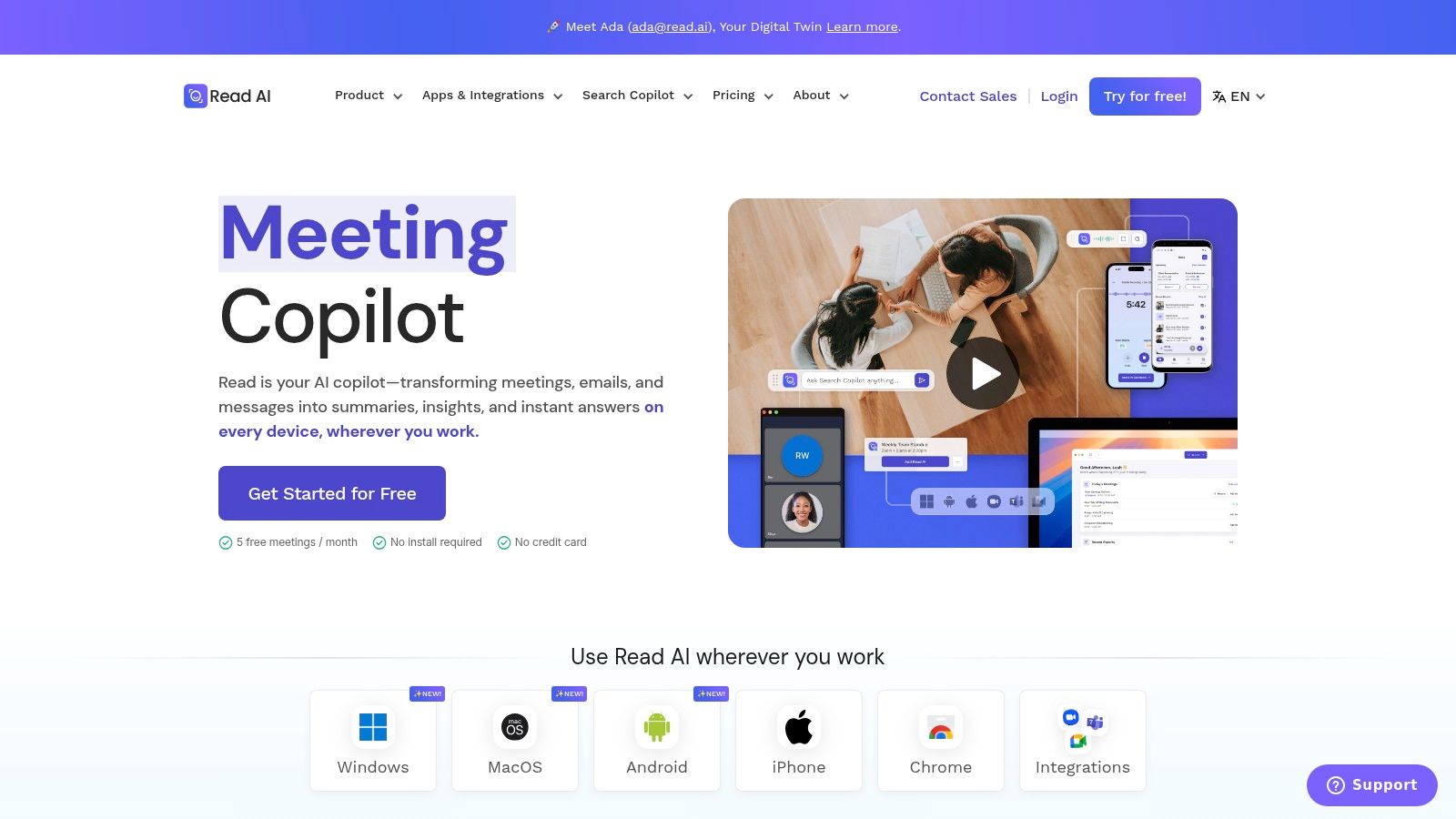
A unique aspect of Read AI is its real-time dashboard, which displays engagement and sentiment scores during the live call, giving hosts immediate feedback. After the meeting, its detailed reports and growing Search Copilot allow users to find information across their entire meeting history. Integrations with Slack, Salesforce, and Jira help connect meeting outcomes directly into existing team workflows.
Key Features & Pricing
Meeting Reports: Automatically generates transcripts, summaries, topics, and action items.
Real-time Metrics: Provides live in-meeting scores for engagement, sentiment, and talk time.
Pricing: A free Read Basic plan is available. The Pro plan ($19.99/mo) offers unlimited meetings and adds features like private notes. The Business plan ($39.99/user/mo) unlocks team-level analytics, while Enterprise is required for video playback and advanced admin controls.
Pros & Cons
Pros:
Granular plan comparison makes it easy to see feature availability at each tier.
The real-time dashboard offers unique, actionable insights during calls.
Supports multi-language reports, making it suitable for international teams.
Cons:
Video and audio playback are restricted to the top Enterprise tier, a significant limitation for users who need to review recordings.
Essential administrative features like SSO/SAML are only available on Enterprise+ plans, which require a minimum of 10 licenses.
9. MeetGeek
MeetGeek strikes a balance between powerful features and accessible pricing, making it a strong contender for small to medium-sized businesses. It offers both bot-based and bot-free recording options, giving teams flexibility in how they capture meeting intelligence. The platform supports over 30 languages with automatic language detection, AI-generated summaries, and customizable templates, which help standardize note-taking across an organization.
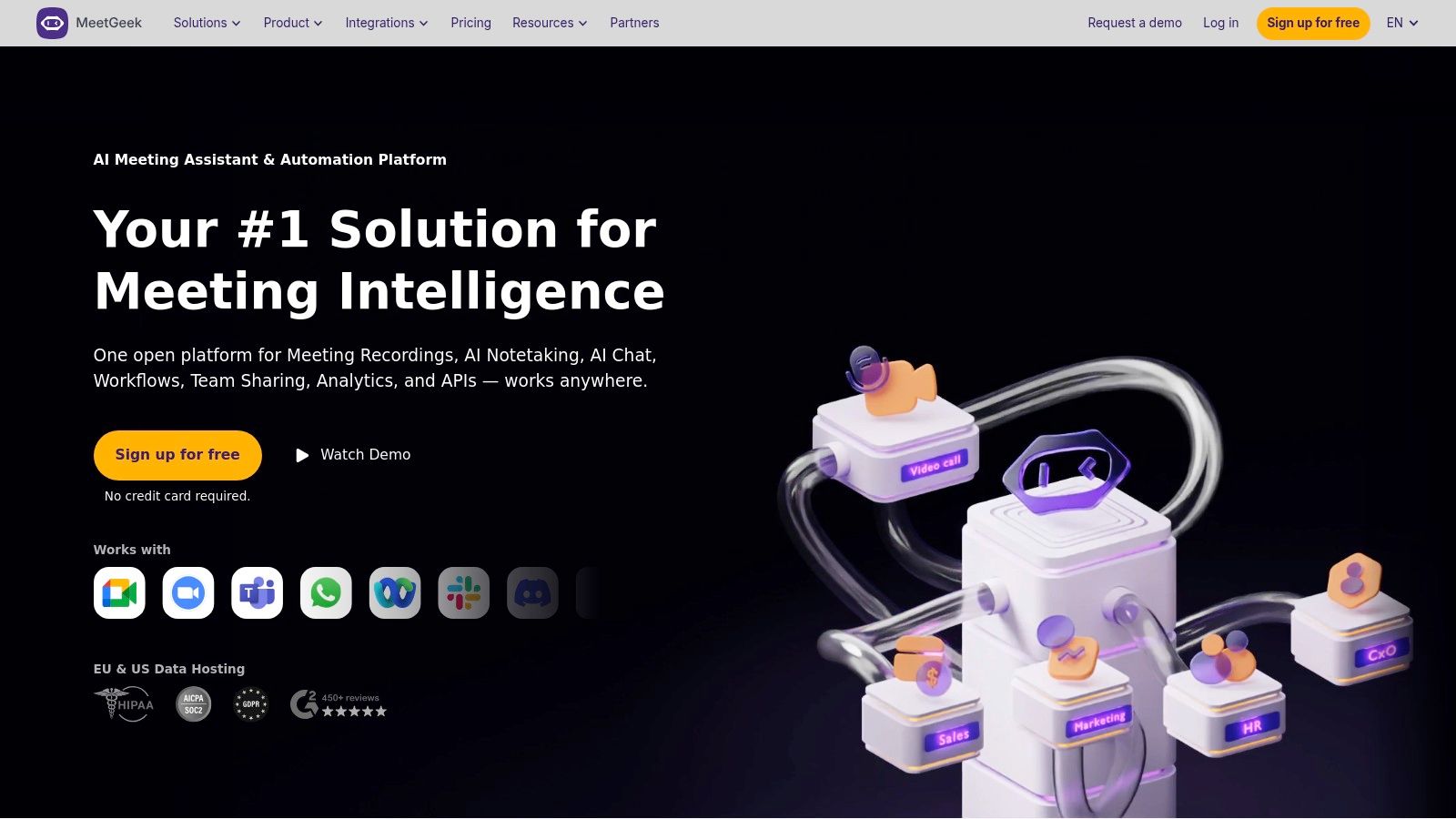
Beyond standard transcription, MeetGeek provides meeting analytics and a global search function that acts like an AI chat for your entire conversation history. This makes it easier for founders and sales leaders to find key insights without re-watching hours of calls. With a Chrome extension, mobile apps, and direct integrations with HubSpot, Salesforce, and Notion, MeetGeek fits neatly into existing workflows, positioning it as a practical choice for the title of best AI meeting assistant for teams that need both intelligence and integration.
Key Features & Pricing
Flexible Recording: Choose between a bot joining your call or a bot-free browser extension for capture.
AI Summaries & Templates: Get instant highlights and apply structured templates for consistent meeting notes.
Pricing: A free plan is available. The Pro plan ($19/user/mo) offers 20 hours of transcription/month. The Business plan ($39/user/mo) provides 40 hours/month, team analytics, and custom branding.
Pros & Cons
Pros:
Affordable plans with transparent, published limits on transcription minutes.
The "no-bot" recording option is great for maintaining a professional appearance on client calls.
Transparent overage pricing avoids unexpected large bills.
Cons:
HD video recording and advanced team analytics are reserved for the more expensive Business plan.
Enterprise-level governance features like SSO and on-premise deployment require a custom quote.
10. Microsoft 365 Copilot for Teams meetings
For organizations deeply integrated into the Microsoft ecosystem, Microsoft 365 Copilot represents the most native and secure way to bring AI into Teams meetings. Rather than adding a third-party bot, Copilot functions directly within the Teams environment, providing in-meeting and post-meeting recaps, notes, and action items. This tight integration with your organization's data makes it a powerful contender for the best AI meeting assistant, especially for businesses prioritizing compliance and centralized control.
Copilot’s strength lies in its ability to connect meeting intelligence with the broader Microsoft 365 Graph, pulling context from documents, emails, and chats. Users can ask questions during a live meeting like "What was decided on the budget?" or "Summarize the discussion so far." Post-meeting, it generates a comprehensive "Recap" tab and allows exports to Word and Loop for collaborative follow-up. For those specifically interested in Microsoft's offering, a dedicated guide on how to unlock business potential with Microsoft AI Copilot can provide deeper implementation insights.
Key Features & Pricing
Native Integration: Functions directly inside Teams with no third-party bots or add-ins required.
Intelligent Recap: Automatically generates summaries, notes, and tasks in a dedicated Recap tab after each meeting.
Pricing: Requires an eligible Microsoft 365 business subscription (like Business Standard/Premium or E3/E5) plus the Copilot for Microsoft 365 add-on, which costs an additional $30 per user/month.
Pros & Cons
Pros:
Superior security, compliance, and data residency managed within the M365 tenant.
Strong organizational controls for managing who can access transcriptions and recaps.
Reduces vendor sprawl by keeping AI meeting assistance within a single platform.
Cons:
Pricing model can be prohibitive and requires a specific base M365 license.
Can be overkill for small businesses or teams not fully committed to the Microsoft suite.
11. Google Workspace Gemini for Meet (“Take notes for me”)
For organizations deeply integrated into the Google ecosystem, Gemini for Meet represents the most native and seamless approach to AI meeting assistance. Rather than inviting a third-party bot, users can simply activate the "Take notes for me" feature, which uses Google’s own Gemini model to generate summaries and extract action items. This makes it a compelling choice for businesses that prioritize security, data governance, and a consolidated tech stack.
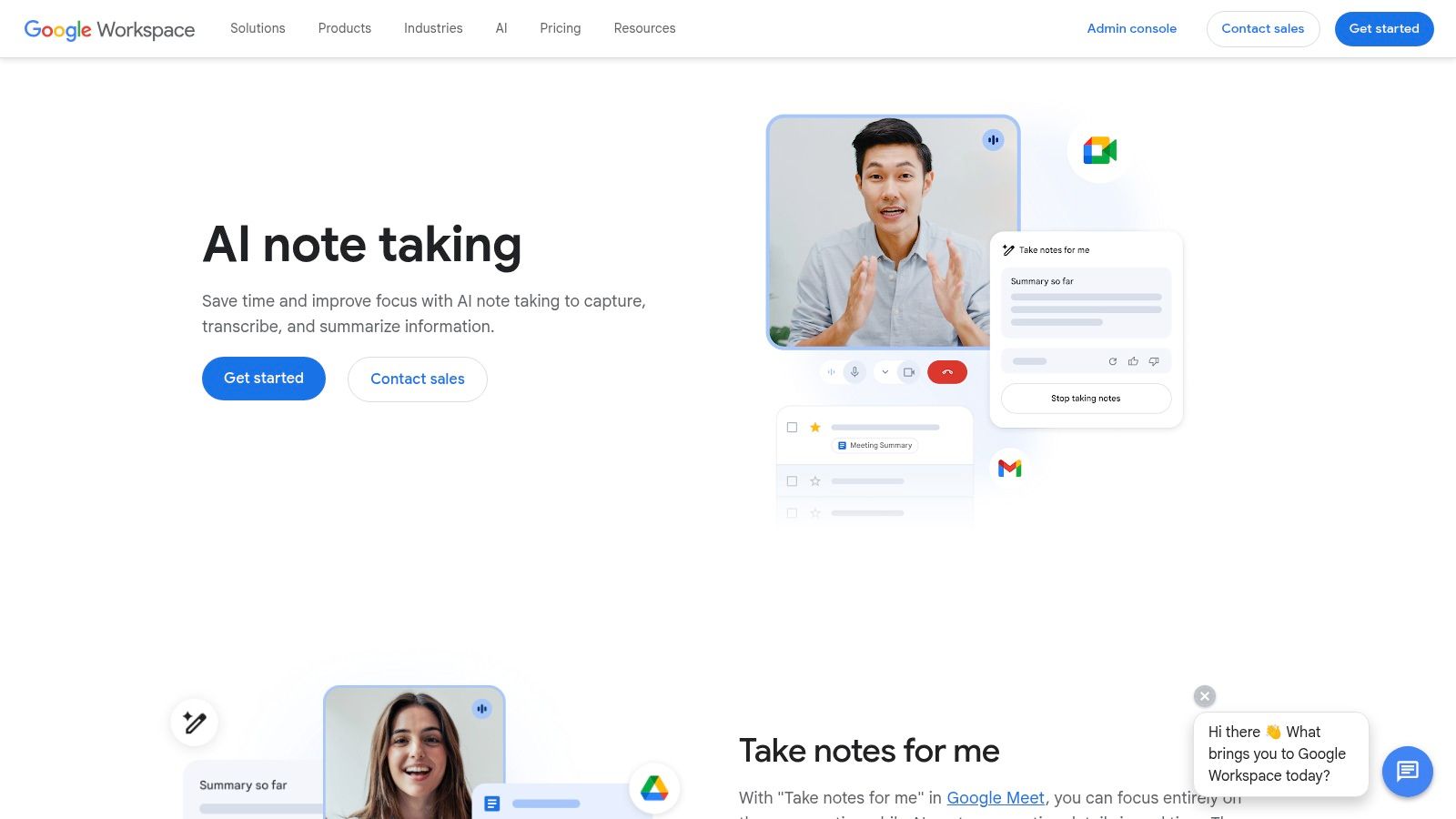
The primary advantage is its direct integration with Workspace apps. Once a meeting concludes, the AI-generated notes are automatically saved and shared as a Google Doc, making them immediately accessible in Drive and easy to distribute. Because it’s a native feature, it respects all existing Workspace security policies and administrative settings, removing the compliance hurdles that can come with external tools. This positions it as a strong candidate for the best AI meeting assistant for teams standardizing on Google.
Key Features & Pricing
Automatic Notes & Action Items: Generates summaries and key takeaways directly within Google Meet.
Native Workspace Integration: Meeting notes are automatically delivered as a Google Doc to attendees.
Pricing: Availability is tied to specific Google Workspace plans with the Gemini for Google Workspace add-on, which has several tiers like Gemini Business and Gemini Enterprise (starting around $20-$30/user/mo). Admins must confirm eligibility and enable the feature.
Pros & Cons
Pros:
No third-party bot is required, ensuring it respects existing Workspace security policies.
Consolidates meeting outputs directly into the familiar Google Drive and Docs workflow.
Benefits from Google's broad language support and continuous model updates.
Cons:
Functionality is entirely dependent on specific, and often costly, Gemini entitlements and Workspace SKUs.
Admin settings and exact feature availability can be confusing and are subject to change, requiring verification in the Admin Console.
Visit Google Workspace Gemini for Meet
12. Zoom AI Companion
For teams already invested in the Zoom ecosystem, the Zoom AI Companion offers a native and increasingly powerful assistant built directly into the platform. Instead of relying on a third-party bot, it integrates directly into Zoom Meetings, Team Chat, and other Zoom Workplace products, providing summaries and action items with no extra setup. This makes it a compelling choice for the best AI meeting assistant for organizations prioritizing convenience and a unified toolset.
The assistant is designed to work across the entire Zoom experience, not just within meetings. It can help draft chat messages, summarize long threads, and is expanding to offer more agentic capabilities. While it may not have the standalone depth of specialized tools, its value comes from being an always-on part of the workflow for millions of Zoom users. Its seamless integration reduces friction and empowers users to be more productive within the platform they already use daily.
Key Features & Pricing
Meeting Summaries & Follow-ups: Automatically generates meeting summaries, highlights, and next steps without needing a separate bot to join the call.
Cross-Workplace Assistance: Extends beyond meetings to help draft emails, summarize chat threads, and organize ideas on whiteboards.
Pricing: Included at no additional cost with most paid Zoom user accounts (Pro, Business, Enterprise). Feature availability can vary by specific plan and region.
Pros & Cons
Pros:
Native experience with zero setup for eligible Zoom users.
Often included at no extra cost with many paid Zoom plans, offering great value.
Receives continuous feature updates as part of the broader Zoom Workplace roadmap.
Cons:
Feature availability and access are tied to specific Zoom subscription tiers and can be confusing.
Lacks the deep, specialized analytics or custom playbook features found in sales-focused assistants.
Top 12 AI Meeting Assistants — Feature Comparison
Product | Core features | UX & Quality ★ | Pricing & Value 💰 | Target audience 👥 | Unique advantage ✨ |
|---|---|---|---|---|---|
Glinky 🏆 | Meeting intelligence + lead discovery + outreach sequencing + CRM sync | ★★★★★ — accurate speaker ID & structured notes | 💰 Free tier; Teams $19.99/mo; Ultimate $99.99/mo | 👥 Founders, SMB sales, SDRs, RevOps, agencies | 🏆 Unified AI-native revenue engine: clean prospect data + auto follow-ups |
Otter.ai | Live transcription, speaker ID, templates, imports | ★★★★ — mature, cross‑platform | 💰 Free + paid tiers (limits on length) | 👥 Small teams, general meeting users | ✨ Strong search/export and mobile support |
Fireflies.ai | Bot/bot-free capture, AskFred Q&A, analytics | ★★★ — wide language support | 💰 Free + paid with unlimited transcription on higher plans | 👥 Teams needing multilingual capture & analytics | ✨ Multilingual + conversational Q&A assistant |
Fathom | Unlimited individual recordings, summaries, CRM sync | ★★★★ — generous free tier for solos | 💰 Free for individuals; Business paid | 👥 Solo founders, consultants, sales teams | ✨ Very generous free plan + sales coaching tools |
Avoma | Meeting lifecycle, coaching, dashboards, CRM integrations | ★★★★ — sales-focused CI | 💰 Paid tiers (higher cost for CI features) | 👥 GTM/sales teams, managers | ✨ End‑to‑end meeting→coaching→CRM workflow |
Sembly AI | AI summaries, action items, workspace plans | ★★★ — simple packaging, clear limits | 💰 Usage-based plans with tiers | 👥 Teams wanting predictable quotas | ✨ Clear per-plan allowances & workspace features |
tl;dv | Instant summaries, multi-meeting insights, privacy focus | ★★★ — easy to use, privacy-minded | 💰 Free‑forever + paid tiers | 👥 Product & sales teams tracking trends | ✨ Free unlimited meetings claim + compliance options |
Read AI | Live notes & metrics, meeting reports, Search Copilot | ★★★ — real-time dashboards | 💰 Granular plans; Enterprise features extra | 👥 Teams needing live meeting metrics & search | ✨ Real‑time Live Notes + cross‑meeting copilot search |
MeetGeek | Multi-language transcription, analytics, templates | ★★★ — SMB-friendly, transparent pricing | 💰 Affordable Pro/Business with published limits | 👥 SMBs & ops teams | ✨ No‑bot options + transparent overage pricing |
Microsoft 365 Copilot (Teams) | Native recaps, tasks, exports to M365 apps | ★★★★ — enterprise-grade security | 💰 Requires Copilot add-on + eligible M365 SKU | 👥 Organizations standardized on M365 | ✨ Native security, data residency & deep M365 integration |
Google Workspace Gemini (Meet) | Auto notes, action items, Docs/Drive integration | ★★★★ — evolving feature set | 💰 Tied to Gemini entitlements & Workspace SKUs | 👥 Google Workspace orgs | ✨ Direct Workspace app consolidation of notes |
Zoom AI Companion | Summaries, action items, cross‑Zoom assistance | ★★★ — native for Zoom users | 💰 Often included/available on paid Zoom plans | 👥 Zoom-first organizations | ✨ Minimal setup for Zoom with ongoing feature roadmap |
Making Your Choice: How to Implement Your AI Assistant and Maximize ROI
After reviewing the top contenders, one thing is clear: the best AI meeting assistant isn't a one-size-fits-all solution. Your ideal tool depends entirely on your specific role, the software you already use, your budget, and whether you need a simple notetaker or a complete revenue intelligence platform. The goal is to find an assistant that melts into your existing workflow, not one that forces you to change it.
Some tools excel at individual tasks, while others offer a more connected experience. For founders and sales leaders tired of juggling disconnected apps, a unified platform like Glinky provides a single source of truth for everything from meeting intelligence to lead outreach. For a large enterprise already deep in the Microsoft or Google ecosystem, a native solution like Copilot or Gemini might be the path of least resistance.
Finding Your Perfect Fit: A Quick Guide
To simplify your decision, we've categorized the tools based on their strongest use cases. Refer back to the detailed reviews in this article to compare the specific features that matter most to you.
Best All-in-One Revenue Engine: Glinky stands out for teams that need more than just notes. It combines bot-free meeting intelligence, structured summaries, and action item automation with a built-in lead database, outreach sequencer, and CRM, making it the top choice for founders, sales leaders, and agencies focused on pipeline growth.
Best for Transcription Accuracy: Otter.ai and Fireflies.ai are established players known for their reliable transcription services. They are excellent starting points for individuals or teams primarily needing an accurate record of their conversations.
Best Bot-Free, Native Experience: Fathom and Glinky both offer a seamless, bot-free experience by integrating directly with your meeting platform. This approach avoids the awkwardness of an extra participant joining your calls, which is a key consideration for client-facing meetings.
Best for Budget-Conscious Individuals & Small Teams: tl;dv and MeetGeek provide generous free tiers that offer significant value. They are perfect for solopreneurs, freelancers, or small teams looking to test the waters of AI meeting assistance without a financial commitment.
Best for Deep Ecosystem Integration: Microsoft 365 Copilot and Google Workspace Gemini are the default choices for organizations heavily invested in their respective platforms. Their strength lies in their ability to connect meeting insights directly with your documents, emails, and internal chat.
Your Action Plan for Successful Implementation
Choosing the right AI meeting assistant is only the first step. To ensure you get the most value from your new tool, follow a structured implementation process. A thoughtful rollout prevents frustration and drives immediate adoption.
Start with a Trial Period: Never commit to a paid plan without a test drive. Sign up for a free trial and use the tool in real-world scenarios for at least a week. Pay close attention to transcription accuracy for your specific industry jargon, the quality of the summaries, and how well it fits into your daily routine. This is your chance to see if the tool saves you time or creates more work.
Communicate with Stakeholders: Be transparent with your team and, importantly, your clients or prospects. If your chosen tool uses a bot that joins the call (like Otter.ai or Fireflies.ai), give attendees a heads-up beforehand. A simple "Just so you know, I'm using an AI assistant to help me take notes so I can be fully present in our conversation" manages expectations and builds trust.
Configure Integrations Immediately: The real power of an AI assistant is unlocked when it talks to your other systems. On day one, connect it to your calendar and CRM. This ensures meetings are automatically recorded and that valuable notes, action items, and highlights are pushed directly to the correct contact or deal record, eliminating manual data entry.
Create Standardized Templates: To maintain consistency, especially across a team, create summary and note-taking templates. Define the structure you want for all your meetings, whether it's for discovery calls, project kickoffs, or internal check-ins. This ensures everyone captures the same critical information, making it easy to review and compare insights later.
The era of manual note-taking and forgotten action items is over. An AI meeting assistant is no longer a luxury; it's a fundamental piece of a modern, efficient tech stack. By automating the administrative burdens of meetings, you and your team are free to focus on what truly matters: building relationships, solving problems, and driving your business forward. The right tool will not only give you back hours in your week but will also provide the critical intelligence needed to outmaneuver the competition.
Ready to stop stitching together tools and start growing your revenue? Glinky is the only platform that combines a bot-free AI meeting assistant with a powerful sales engagement engine and CRM. See how you can unify your entire revenue workflow by trying Glinky today.
People also read

10 Sales Enablement Best Practices to Unify Your Revenue Engine in 2026
Productivity
Mar 13, 2026

How to Manage Sales Pipeline for Predictable Revenue Growth
Productivity
Mar 14, 2026

How to Qualify Leads in Sales Without Wasting Time
Productivity
Mar 17, 2026

What is Conversation Intelligence? A Practical Guide for Sales Teams
Productivity
Mar 18, 2026

Top 10 Sales Discovery Questions That Close More Deals
Productivity
Mar 25, 2026

Taking Minutes of Meeting: A Guide to Transforming Chaos into Action
Productivity
Feb 16, 2026

Action Items List: A Practical Guide to Drive Real Results
Productivity
Feb 19, 2026

Master the summary of a meeting for clear decisions and follow-ups
Productivity
Feb 22, 2026

Track Action Items: A Practical Guide to Using AI for Flawless Follow-Up
Productivity
Feb 17, 2026

Unlock: How to Take Notes on a Computer for Peak Productivity in 2026
Productivity
Feb 26, 2026

How to Record Google Meet: A Complete Guide for 2026
Productivity
Mar 4, 2026

12 Best AI Note Taking App Choices for 2026: The Definitive Guide
Productivity
Mar 6, 2026

How to Improve Customer Retention: Practical Tips to Boost Loyalty
Productivity
Mar 8, 2026

10 Client Communication Best Practices to Master in 2026
Productivity
Mar 7, 2026

Your Guide to the Ultimate AI Email Writer
Productivity
Feb 27, 2026

10 Essential Customer Success Best Practices for 2026
Productivity
Mar 1, 2026

Your Guide to Sales Call Recording Software in 2026
Productivity
Mar 2, 2026

How to Take Better Meeting Notes and Drive Real Results
Productivity
Mar 5, 2026

Top 10 Picks for best crm for small business
Productivity
Mar 3, 2026

What is an Ideal Customer Profile: A Guide to Driving Growth
Productivity
Mar 9, 2026

Automated meeting minutes: Turn talks into actionable notes
Productivity
Mar 11, 2026

The Top 12 AI Powered Sales Tools to Boost Revenue in 2026
Productivity
Mar 16, 2026

AI Note Taking For Meetings: Fast, Smart AI Notes That Drive Collaboration
Productivity
Mar 19, 2026

Understanding Transcription Service Cost: A 2026 Guide
Productivity
Mar 20, 2026

Master Your Meetings With The Note Taking Charting Method
Productivity
Feb 18, 2026

The Ultimate 2026 Guide: 8 Meeting Follow Up Email Template Scenarios
Productivity
Feb 20, 2026

Master the Art of Taking Meeting Notes for Actionable Outcomes
Productivity
Feb 25, 2026

12 Best Sales Lead Generation Tools to Boost Your Pipeline in 2026
Productivity
Mar 10, 2026

Translation Vs Transcription: Which Service Do You Really Need?
Productivity
Mar 12, 2026

Mastering the goals of a meeting to drive decisions and boost team alignment
Productivity
Mar 23, 2026

The 12 Best Free AI Email Writer Tools for 2026
Productivity
Mar 22, 2026

A Guide to AI Sales Enablement Platforms in 2026
Productivity
Mar 21, 2026

Automate Follow Up Emails: Actionable Insights for Boosting Sales & Efficiency
Productivity
Mar 26, 2026

Follow Up Email Subjects That Convert: Increase Opens and Replies
Productivity
Feb 17, 2026

Your Playbook for Outbound Lead Generation in 2026
Productivity
Feb 28, 2026

Your Essential Meeting Action Items Template to Drive Results
Productivity
Feb 23, 2026

Your Guide to Using an Email Writer AI for Maximum Impact
Productivity
Feb 23, 2026

8 Essential Ground Rules at Meetings to Maximize Productivity in 2026
Productivity
Mar 24, 2026

Otter.ai vs Glinky
Productivity
Feb 5, 2026

AI Tools for Startup Founders [2026]
Productivity
Feb 4, 2026

Best AI Tools for Startups [2026]
Tools
Feb 3, 2026

Sales Call Notes: How to Capture Every Detail Without Losing the Deal
How to
Feb 2, 2026

How to Take Meeting Notes: 7 Methods That Actually Work [2026]
How to
Jan 14, 2026
![AI Meeting Minutes | Free Forever [2026]](https://framerusercontent.com/images/zYQGRjgLX63tiouLTK65LvCcjK8.png?width=402&height=263)
AI Meeting Minutes | Free Forever [2026]
How to
Jan 13, 2026
![How to Record Zoom Meetings Without a Bot [2026] 3 Easy Methods](https://framerusercontent.com/images/gGoQV8bPb9zR5weVruinbjaxO0.png?width=402&height=263)
How to Record Zoom Meetings Without a Bot [2026]
How to
Jan 9, 2026

Bot-Free AI Meeting Notes: We Tested the 6 Best Tools in 2026
Tools
Jan 8, 2026

Glinky vs Fireflies.ai
Tools
Jan 7, 2026

15 Best AI Tools to Boost Your Productivity in 2026
Productivity
Jan 6, 2026