Nov 13, 2025
Productivity
Master the Art of Taking Meeting Notes for Actionable Outcomes

Let's be real—taking good meeting notes is about way more than just writing down what people say. It's about shifting your mindset from being a stenographer to being a strategist. The best notes are sharp, focused on outcomes, and act as the single source of truth that keeps projects moving and ensures nothing important gets lost in the shuffle.
Why Your Meeting Notes Aren't Working
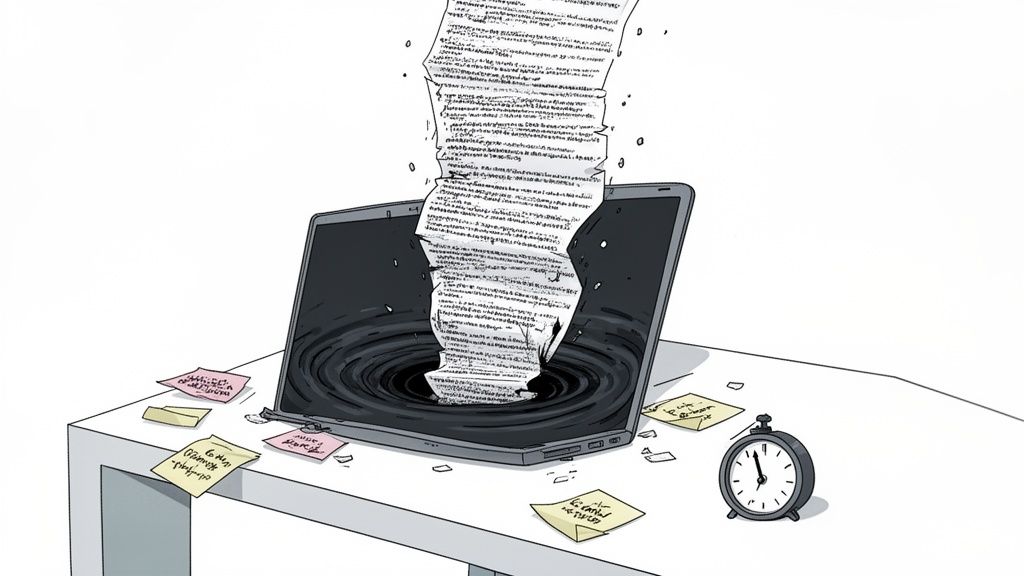
Most meeting notes are dead on arrival. We’ve all been there: you frantically try to capture every word, and the result is a massive, unreadable document that gets filed away and never looked at again. It's a digital black hole. If you're nodding along, it’s because the old-school approach to note-taking is fundamentally broken.
This isn't just an annoyance; it’s a real, measurable drag on your business. Bad notes are a direct cause of stalled projects, confused teams, and a graveyard of missed opportunities.
The True Cost of Ineffective Meetings
This problem has only gotten worse. The explosion of remote work led to a tidal wave of meetings. By 2023, some studies showed employees were in three times more meetings than before the pandemic. For executives, this can eat up a staggering 23 hours per week.
This meeting overload makes efficient note-taking a critical survival skill, not a soft one. The financial toll is immense, and the data paints a stark picture of how much time and money is being wasted.
Metric | Impact | Source |
|---|---|---|
Annual Cost of Unproductive Meetings | US businesses lose $37 billion annually. | Doodle |
Meeting Proliferation (Post-Pandemic) | Employees attended 3x more meetings in 2023 vs. 2020. | Reclaim.ai |
Executive Meeting Time | Executives spend an average of 23 hours per week in meetings. | Harvard Business Review |
Perceived Meeting Productivity | 71% of professionals feel that meetings are unproductive. | University of North Carolina |
These numbers aren't just abstract statistics; they represent billions of dollars and millions of hours lost to disorganization. This is where mastering the art of effective note-taking becomes a strategic imperative.
The goal of taking notes isn't to create a perfect transcript. It's to create a catalyst for action. If your notes don't lead to clear next steps, they have failed.
This is precisely why learning how to take great meeting notes separates the people who drive results from those who just stay busy.
Common Pitfalls in Note Taking
The first step to getting better is recognizing the bad habits that are holding you back. So many of us fall into these traps without even realizing it, completely undermining the point of taking notes in the first place.
Here are the most common mistakes I see:
Trying to transcribe everything: This is the biggest trap. You become a court reporter, capturing all the noise but missing the signal. While you're typing away, you're not actually listening for the decisions being made.
No clear structure: Without a consistent method, notes devolve into a chaotic stream of consciousness that's impossible to decipher later. It's why taking minutes of a meeting demands a more disciplined, organized approach from the start.
Focusing on conversation, not outcomes: The small talk and side conversations are filler. Your notes need to be a highlight reel of decisions made, action items assigned, and key questions that need answers. Everything else is irrelevant the second the meeting ends.
Leaving notes in a silo: What good is a brilliant set of notes if it's saved on your personal desktop or locked in a private document? To have any real value, notes must be cleaned up, shared with the team, and plugged into your shared workflows.
Steering clear of these pitfalls is the key. It's how you transform your notes from a passive, forgotten record into an active tool that drives productivity and keeps everyone on the same page.
Setting the Stage for Effective Note Taking
Here’s a hard truth: great meeting notes are never created during the meeting. They’re the result of what you do before anyone even clicks "Join."
If you walk into a call cold, you’re not taking notes; you’re just a stenographer documenting chaos. The quality of what you capture is directly tied to the clarity you establish beforehand. This pre-game routine is what separates a genuinely productive session from another hour of wasted time.
The most critical first step? Define one, single, clear objective for the meeting. Not a fuzzy topic, but the one non-negotiable outcome you need. Are you deciding on the Q4 budget, or are you brainstorming ideas for it? The notes for those two meetings look completely different.
Define Your Meeting's Purpose and Roles
Once you have that core objective, you can build an effective agenda around it. To really set the stage for useful notes, you have to understand how to write an effective meeting agenda. Frame each point as a question to be answered or a decision to be made, not just a topic to "discuss."
This structure makes it easy to assign clear roles. Every meeting needs at least two:
The Facilitator: This person owns the agenda, keeps the conversation from spiraling, and steers everyone toward the meeting's objective.
The Notetaker: This person is laser-focused on capturing decisions, action items, and key takeaways that matter.
Splitting up these duties is non-negotiable. It lets the facilitator wrangle the conversation while the notetaker can actually concentrate on creating a valuable record instead of trying to do both poorly.
The biggest barrier to productive meetings isn't what happens in them. It's the complete lack of preparation beforehand. A sharp objective and clear roles are your best defense against pointless calls.
This lack of prep isn't just annoying; it's incredibly expensive. Globally, unproductive meetings bleed an estimated $1.15 trillion from businesses. A huge reason for this is the lack of structure—shockingly, only 37% of meetings even have an agenda. For people in customer success or sales, this disorganization means stalled deals and dropped action items.
Tailor Your Prep to the Meeting Type
Your prep work will, of course, change based on the kind of meeting you’re walking into. A little forethought here is the key to taking notes that are actually useful later.
Let's look at two totally different scenarios:
Sales Discovery Call: Your goal is simple: uncover the prospect's real pain points. Your prep involves a deep dive into their company and industry. Your "agenda" is really a list of pointed questions. The notes you take are all about capturing their challenges in their own words.
Weekly Team Sync: The objective here is to check progress and smash roadblocks. The agenda is probably a recurring template where everyone gives their updates. Your notes will be a running tally of status updates, new action items, and any blockers that need to be kicked up the chain.
In both cases, you're not just showing up and hoping for the best. You've created a framework that guides you to capture the right information. This simple shift transforms note-taking from a passive, mind-numbing task into a strategic activity that actually drives things forward.
Capturing What Actually Matters During the Meeting
Alright, the meeting is on. This is where the real work begins. The biggest mistake I see people make is trying to transcribe everything that's said. You're not a court stenographer. Your job is to be an intelligence officer, filtering the signal from the endless noise.
Forget about capturing every single word. That's a surefire way to end up with a useless wall of text. Instead, you need to actively listen for specific, high-value information. We're hunting for outcomes, not just documenting the conversation.
There are a few solid frameworks that can help with this, and the best one usually depends on the type of meeting you're in.
Match Your Method to the Meeting
For those wild, creative brainstorming sessions where ideas are ricocheting off the walls, something visual like a mind map is fantastic. It helps you connect disparate thoughts in a way linear notes just can't.
But for most day-to-day business meetings, a couple of structured methods are my go-to because they're built for action and clarity.
The Cornell Method: This one’s a classic for a reason. You split your page into three parts. The big column on the right is for your raw notes. The smaller column on the left is for cues or key questions that pop into your head. Afterward, you use the bottom section to bang out a quick summary. It's a system that forces you to process the information, not just record it.
The Quadrant System: I love this for its brutal efficiency. Divide your page into four boxes: General Notes, Action Items (for me), Action Items (for others), and Questions. It's perfect for decision-heavy meetings where you need to track who's on the hook for what. For a deeper dive into structured formats, check out this guide on the note-taking charting method.
The right method also depends on who you're meeting with. Meeting dynamics can vary wildly. Doodle's 2023 State of Meetings report found that 43% of North American meetings have 6-10 attendees, but 67% of European meetings drag on for over an hour. When you're dealing with different formats—and with only 14% of meetings being fully in-person—having a system you can rely on is non-negotiable.
The Three Must-Capture Items
No matter what framework you use, if you walk out of a meeting and your notes don't have these three things, you’ve failed. It's that simple.
Decisions Made: What did we actually agree on? Write it down in plain, unmistakable language. No ambiguity allowed.
Action Items (with an owner!): What are the tangible next steps? Who is responsible for getting each one done, and by when? If a task has no owner, it doesn't exist.
Key Unanswered Questions: What important topics came up that we couldn't resolve? These are gold. They form the foundation of your next agenda and keep momentum going.
Here’s a personal trick that has saved countless meetings: The "Parking Lot." When someone brings up a great idea that's totally off-topic, I don't shut them down. I just say, "That's a great point. I'm putting it in the parking lot to make sure we don't lose it." Then I jot it down in a separate section. It acknowledges the contribution without derailing the entire meeting.
When you zero in on these three pillars—decisions, actions, and questions—your notes transform from a simple record of the past into a powerful blueprint for the future. You're not just documenting; you're driving progress.
Turning Your Raw Notes Into Action
The meeting is over. But your most important work has just begun.
Those messy, raw notes are pure potential energy. It’s what you do in the next 15 minutes that transforms those jumbled thoughts into real-world momentum, ensuring the conversation actually leads to results. This is the critical bridge between talking and doing.
If you act immediately while the context is still fresh in your mind, you stop critical details from evaporating. It’s a well-known fact that people forget roughly 50% of new information within just an hour. Time is literally money here.
The 15-Minute Post-Meeting Workflow
Don't let your notes get cold. The second a meeting ends, block out a quarter of an hour on your calendar. I can’t stress this enough—this small habit has a massive ROI.
Clean Up and Clarify: First, just read through your notes. Fix the typos, expand on the shorthand you used, and scribble in any extra context you remember. The goal is to make the notes understandable to someone who wasn't in the room.
Extract the Core Value: Now, pull out the three most important things: decisions made, action items agreed upon, and any lingering open questions. This is where the real value is hiding.
Write a Quick Summary: Right at the very top of your document, add a 2-3 sentence summary. Think of it as the TL;DR. It gives busy stakeholders the essential takeaway at a glance.
This simple flow helps you organize what you've captured and prioritize what truly matters.
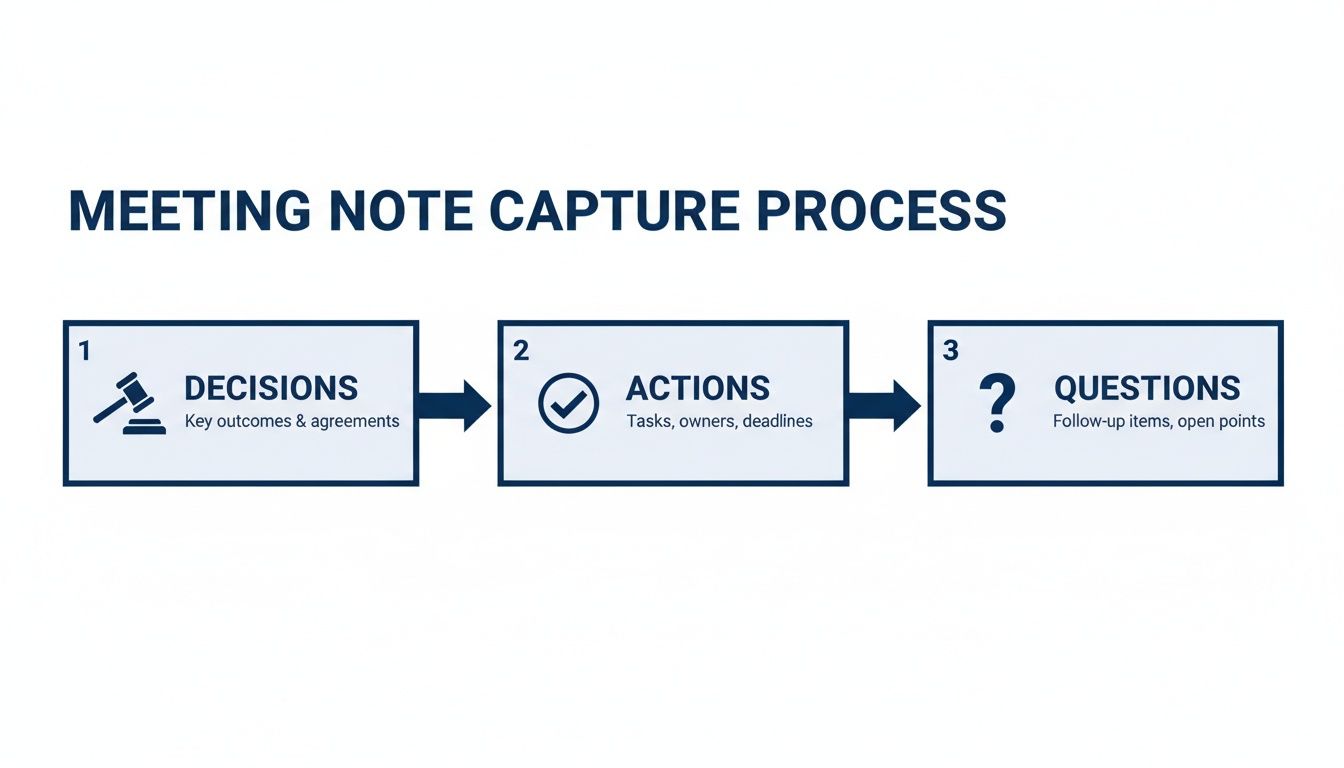
Sorting your notes into these three buckets creates an instantly actionable document that values clarity over clutter.
Distribute and Assign Accountability
Once your notes are clean, it’s time to share them. A well-crafted follow-up email is your best friend for creating alignment and making sure everyone knows what they’re responsible for.
A pro tip: don't just attach a document and call it a day. Put the most critical information—especially the action items—directly in the body of the email.
Here’s a simple but incredibly effective template I’ve used for years:
Subject: Recap & Next Steps: [Meeting Name] - [Date]
Hi Team,
Great discussion today. We’ve decided to move forward with the Q3 marketing campaign focused on the new feature launch.
Key Decisions:
Final approval on the "Project Phoenix" budget.
Go-live date is confirmed for September 15th.
Action Items:
Task
Owner
Due Date
Draft initial ad copy
Sarah
Aug 20
Finalize landing page design
Mark
Aug 25
Full notes are linked [here] if you need more detail. Let me know if I missed anything.
This format makes it impossible to miss who owns what. If you want to get deeper into tracking these deliverables, check out our guide on creating a meeting action items template.
Manual vs Automated Post-Meeting Workflow
Processing notes manually is a staple, but it's not the only way. As meeting volumes increase, the time spent on these post-meeting rituals adds up fast. Using an AI notetaker can drastically cut down this admin time, freeing you up for more strategic work.
Here’s a quick comparison of the time investment:
Post-Meeting Task | Manual Process (Estimated Time) | Automated with AI (Estimated Time) |
|---|---|---|
Reviewing & Cleaning Notes | 10–15 minutes | 2–3 minutes (for review) |
Writing a Summary | 5–10 minutes | 1 minute (AI-generated) |
Identifying Action Items | 5–10 minutes | 1 minute (AI-extracted) |
Sharing Notes & Follow-up | 5 minutes | 2 minutes (using templates) |
Total Time per Meeting | 25–40 minutes | 6–7 minutes |
While the manual process offers total control, automation gives you back hours every week. It’s a trade-off between hands-on effort and high-leverage efficiency.
Connect Notes to Your Workflow
This is the final, crucial step that most people skip. You have to move these tasks out of your notes and into your actual work systems.
An action item that only lives in a meeting summary is destined to be forgotten.
This means getting tactical:
Add new tasks directly to your project management tool (like Asana or Jira).
Update the relevant contact or deal record in your CRM.
Schedule any necessary follow-up meetings in your calendar.
By integrating your notes directly into your daily tools, you close the loop. You ensure that every discussion consistently translates into tangible progress. To get a better sense of how this works in practice, you can explore some workflow automation examples that show how to manage these post-meeting tasks more efficiently.
Choosing Your Ideal Note Taking Toolkit
Finding the right tool isn’t about chasing the “perfect” app. It’s about building a personal toolkit that turns a tedious chore into a real strategic advantage. The best setup for you depends entirely on your role, your team's workflow, and what you need to do with the notes after the meeting ends.
Let's break down the main categories to help you find what fits.
Analog and Simple Digital
This is all about focus and simplicity. We're talking about a trusty notebook and pen, or even just a basic text file on your computer. There's a certain magic to writing notes by hand—it forces you to slow down, listen more intently, and distill the conversation into what actually matters.
This old-school approach is a surprisingly good fit for:
Visual Thinkers: Anyone who thinks in mind maps, sketches out diagrams, or uses arrows and doodles to connect ideas.
Distraction-Prone Professionals: Going analog is the ultimate focus mode. No notifications, no tempting browser tabs, just you and the conversation.
High-Stakes Negotiations: In a sensitive client meeting, putting away the laptop and taking notes by hand sends a powerful signal of respect and undivided attention.
The trade-off, of course, is that these notes live in a silo. They’re a pain to search, impossible to share instantly, and can't be integrated with your other tools. That makes them a tough sell for collaborative projects where everyone needs visibility.
Digital Organizers
This is where you'll find powerhouses like Notion and Evernote. These platforms go way beyond simple text, offering a robust home for your notes with notebooks, tags, templates, and rich media support.
A digital organizer is a game-changer if your goal is to build a searchable, personal knowledge base. They shine when you need to link your meeting notes directly to project plans, research docs, and other related materials.
A key strength of digital organizers is their flexibility. You can create a custom meeting notes template once, then reuse it for every call, ensuring consistency and making sure you never forget to capture action items or key decisions.
These tools are ideal for people like founders or consultants who are constantly juggling complex projects and need one central hub for everything. The only real downside is the potential for a steep learning curve or getting bogged down in over-organizing when a quick capture is all you need.
AI-Powered Assistants
This is the new frontier of meeting notes. AI notetakers like Glinky are built to automate the entire process of capturing notes and driving follow-up. Instead of adding a clunky bot to your calls, the best ones integrate natively to record conversations and identify speakers with incredible accuracy.
These AI assistants are indispensable for anyone whose main job is active participation, not typing. Think of:
Sales Executives who need to focus 100% on building rapport and asking sharp questions.
Recruiters running back-to-back interviews where full engagement is essential for spotting top talent.
Customer Success Managers on sensitive support calls where deep listening is the most important skill.
The most powerful AI tools do more than just transcribe. They pinpoint decisions, pull out action items, and can even draft summary emails for you. The real magic happens when you find a solution with native integrations that can automatically push notes and tasks to your CRM or project management tool.
This closes the loop between discussion and action, turning your meeting notes from a static record into an active part of your workflow—without any extra manual effort.
Your Biggest Meeting Note Questions, Answered
Even with a solid game plan, you're bound to run into a few tricky situations when you start revamping how you take meeting notes. Let's tackle the most common questions head-on with some practical, real-world advice.
These are the nagging doubts that can stall your progress, but the fixes are usually simpler than you’d expect.
How Can I Take Notes While Actively Participating?
This is the classic meeting dilemma. How do you stay present and contribute to the conversation while also making sure nothing important gets missed? The secret is to stop acting like a court stenographer trying to capture every single word.
Instead, shift your mindset. You're a curator, not a transcriptionist. Your only job is to listen for the high-value moments: decisions, disagreements, and next steps. Using a structured template is a huge help here because it trains your brain to ignore the fluff and just fill in the important blanks.
For recurring team meetings, try rotating the role of designated notetaker. It’s a simple way to share the load and gives everyone a chance to fully engage in the discussion on a regular basis.
But for those truly high-stakes calls—a final sales pitch, a tense client negotiation, a major investor update—your undivided attention is non-negotiable. This is where an AI notetaker becomes your best friend. It handles all the capturing, freeing you up to focus completely on building rapport and driving the conversation forward.
What's the Best Way to Share Meeting Notes?
The best way to share notes is to make them impossible to ignore. Nobody reads long, dense paragraphs sent in an email. They get skimmed, archived, and forgotten. Your goal is to deliver the absolute essentials in a way that’s immediately scannable.
Always lead your follow-up email or Slack message with a quick, one-sentence summary. Right after that, drop in two things:
A bulleted list of the key decisions made.
A clear table outlining the action items, who owns them, and when they're due.
This "executive summary" approach gives every stakeholder the critical information they need in under 30 seconds. If someone needs more context or wants to dig into the details of the discussion, you can simply link to the full notes at the bottom. This ensures everyone is aligned without creating more homework for your team.
How Much Detail Should I Actually Include?
When in doubt, focus on outcomes, not the conversational play-by-play. It's a common mistake to write down who said what and in what order. Most of the time, that just creates noise.
Here’s a simple filter to use: for someone who wasn't in the room, can your notes clearly answer these three questions?
What did we decide? Write down the final agreements in clear, unambiguous language.
What are the next steps? List out the specific tasks, who is responsible for each one, and the deadlines.
What critical questions are still open? Note any important topics that were parked or need more research.
If a detail doesn't help answer one of those three questions, you can probably leave it out. For the vast majority of business meetings, actionability is far more valuable than exhaustive detail. The only real exception is for legal or compliance meetings where a more complete record might be needed to cover your bases. For everything else, less is more.
Ready to stop juggling participation and note-taking? GLINKY is a bot-free AI notetaker that captures every detail so you can stay fully present. It automatically generates summaries, decisions, and action items, and syncs them directly to your CRM and other tools. Transform your meetings into actionable outcomes with GLINKY today.
People also read

10 Sales Enablement Best Practices to Unify Your Revenue Engine in 2026
Productivity
Mar 13, 2026

How to Manage Sales Pipeline for Predictable Revenue Growth
Productivity
Mar 14, 2026

How to Qualify Leads in Sales Without Wasting Time
Productivity
Mar 17, 2026

What is Conversation Intelligence? A Practical Guide for Sales Teams
Productivity
Mar 18, 2026

Top 10 Sales Discovery Questions That Close More Deals
Productivity
Mar 25, 2026

Taking Minutes of Meeting: A Guide to Transforming Chaos into Action
Productivity
Feb 16, 2026

Action Items List: A Practical Guide to Drive Real Results
Productivity
Feb 19, 2026

Master the summary of a meeting for clear decisions and follow-ups
Productivity
Feb 22, 2026

Track Action Items: A Practical Guide to Using AI for Flawless Follow-Up
Productivity
Feb 17, 2026

Unlock: How to Take Notes on a Computer for Peak Productivity in 2026
Productivity
Feb 26, 2026

How to Record Google Meet: A Complete Guide for 2026
Productivity
Mar 4, 2026

12 Best AI Note Taking App Choices for 2026: The Definitive Guide
Productivity
Mar 6, 2026

How to Improve Customer Retention: Practical Tips to Boost Loyalty
Productivity
Mar 8, 2026

10 Client Communication Best Practices to Master in 2026
Productivity
Mar 7, 2026

The 12 Best AI Meeting Assistant Tools for 2026: A Deep Dive
Productivity
Mar 15, 2026

Your Guide to the Ultimate AI Email Writer
Productivity
Feb 27, 2026

10 Essential Customer Success Best Practices for 2026
Productivity
Mar 1, 2026

Your Guide to Sales Call Recording Software in 2026
Productivity
Mar 2, 2026

How to Take Better Meeting Notes and Drive Real Results
Productivity
Mar 5, 2026

Top 10 Picks for best crm for small business
Productivity
Mar 3, 2026

What is an Ideal Customer Profile: A Guide to Driving Growth
Productivity
Mar 9, 2026

Automated meeting minutes: Turn talks into actionable notes
Productivity
Mar 11, 2026

The Top 12 AI Powered Sales Tools to Boost Revenue in 2026
Productivity
Mar 16, 2026

AI Note Taking For Meetings: Fast, Smart AI Notes That Drive Collaboration
Productivity
Mar 19, 2026

Understanding Transcription Service Cost: A 2026 Guide
Productivity
Mar 20, 2026

Master Your Meetings With The Note Taking Charting Method
Productivity
Feb 18, 2026

The Ultimate 2026 Guide: 8 Meeting Follow Up Email Template Scenarios
Productivity
Feb 20, 2026

12 Best Sales Lead Generation Tools to Boost Your Pipeline in 2026
Productivity
Mar 10, 2026

Translation Vs Transcription: Which Service Do You Really Need?
Productivity
Mar 12, 2026

Mastering the goals of a meeting to drive decisions and boost team alignment
Productivity
Mar 23, 2026

The 12 Best Free AI Email Writer Tools for 2026
Productivity
Mar 22, 2026

A Guide to AI Sales Enablement Platforms in 2026
Productivity
Mar 21, 2026

Automate Follow Up Emails: Actionable Insights for Boosting Sales & Efficiency
Productivity
Mar 26, 2026

Follow Up Email Subjects That Convert: Increase Opens and Replies
Productivity
Feb 17, 2026

Your Playbook for Outbound Lead Generation in 2026
Productivity
Feb 28, 2026

Your Essential Meeting Action Items Template to Drive Results
Productivity
Feb 23, 2026

Your Guide to Using an Email Writer AI for Maximum Impact
Productivity
Feb 23, 2026

8 Essential Ground Rules at Meetings to Maximize Productivity in 2026
Productivity
Mar 24, 2026

Otter.ai vs Glinky
Productivity
Feb 5, 2026

AI Tools for Startup Founders [2026]
Productivity
Feb 4, 2026

Best AI Tools for Startups [2026]
Tools
Feb 3, 2026

Sales Call Notes: How to Capture Every Detail Without Losing the Deal
How to
Feb 2, 2026

How to Take Meeting Notes: 7 Methods That Actually Work [2026]
How to
Jan 14, 2026
![AI Meeting Minutes | Free Forever [2026]](https://framerusercontent.com/images/zYQGRjgLX63tiouLTK65LvCcjK8.png?width=402&height=263)
AI Meeting Minutes | Free Forever [2026]
How to
Jan 13, 2026
![How to Record Zoom Meetings Without a Bot [2026] 3 Easy Methods](https://framerusercontent.com/images/gGoQV8bPb9zR5weVruinbjaxO0.png?width=402&height=263)
How to Record Zoom Meetings Without a Bot [2026]
How to
Jan 9, 2026

Bot-Free AI Meeting Notes: We Tested the 6 Best Tools in 2026
Tools
Jan 8, 2026

Glinky vs Fireflies.ai
Tools
Jan 7, 2026

15 Best AI Tools to Boost Your Productivity in 2026
Productivity
Jan 6, 2026