Nov 13, 2025
Productivity
Your Essential Meeting Action Items Template to Drive Results

A solid meeting action items template is your secret weapon for turning talk into action. It's the simple, structured framework that ensures tasks get assigned, deadlines get set, and progress actually gets tracked. It’s what keeps the momentum going long after the meeting ends.
Why Your Meetings Need More Than Just Minutes
Ever walk out of a meeting feeling totally fired up, full of great ideas, only to have that energy completely fizzle out by the next day? You’re not alone. It’s a classic problem where brilliant decisions and critical next steps get lost in a mess of vague notes, leaving projects stalled and teams frustrated.
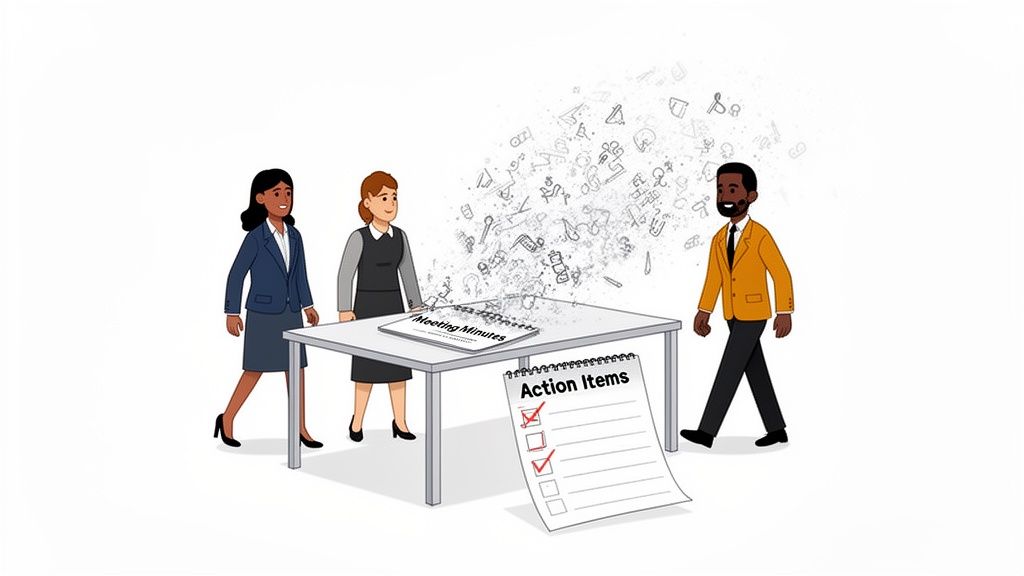
Picture this: your team just wrapped up a pivotal call with a major client. Everyone was on the same page about how to tackle their concerns. But without a formal system to capture who's doing what by when, the follow-up becomes a total guessing game. Two weeks pass, the client is now really unhappy because nothing's happened, and your team is left scrambling, pointing fingers.
The True Cost of Unclear Outcomes
This failure to follow through isn't just annoying—it's incredibly expensive. When decisions and tasks aren’t clearly documented and assigned, productivity tanks. Teams get stuck in endless follow-up meetings just to re-hash what was already decided.
The data backs this up. A recent survey highlighted that professionals spend over 25 hours per month in meetings, yet a significant portion of that time feels unproductive due to lack of clear outcomes. This chaos contributes to an estimated $37 billion lost every year in the US alone to unproductive meetings. If you want to dig into the numbers, the full report on meeting statistics is an eye-opener.
Actionable Insight: The real difference between basic meeting minutes and a dedicated action items list is the shift from passive recording to active management. Minutes tell you what was discussed; action items tell you what gets done.
From Conversation to Concrete Action
This is exactly where a dedicated meeting action items template proves its worth. It’s far more than a simple to-do list; it’s a commitment to accountability and crystal-clear expectations. Formally documenting each action item creates a single source of truth that kills ambiguity. While learning about taking minutes of a meeting is a great first step, pairing it with an action items template is what truly levels up your process.
A good template ensures every single task has:
A Specific Task: No vague ideas. Just a clear, concise description of the work.
A Single Owner: One person is ultimately responsible for getting it done.
A Firm Deadline: A target date that keeps the momentum going.
A Clear Status: A simple way to track progress from "Not Started" to "Completed."
When you start using this simple tool, you build a culture where everyone knows exactly what’s expected of them. It transforms your meetings from talk-fests into powerful engines for progress, guaranteeing that every conversation leads to a real, tangible outcome.
The Ready-To-Use Meeting Action Items Template
Let's cut right to it. You need a simple, effective way to turn meeting talk into real action. This isn't about creating more administrative work; it's about building a framework for accountability that actually gets things done.
Here’s the template I use—it’s clean, it’s clear, and you can start using it today.
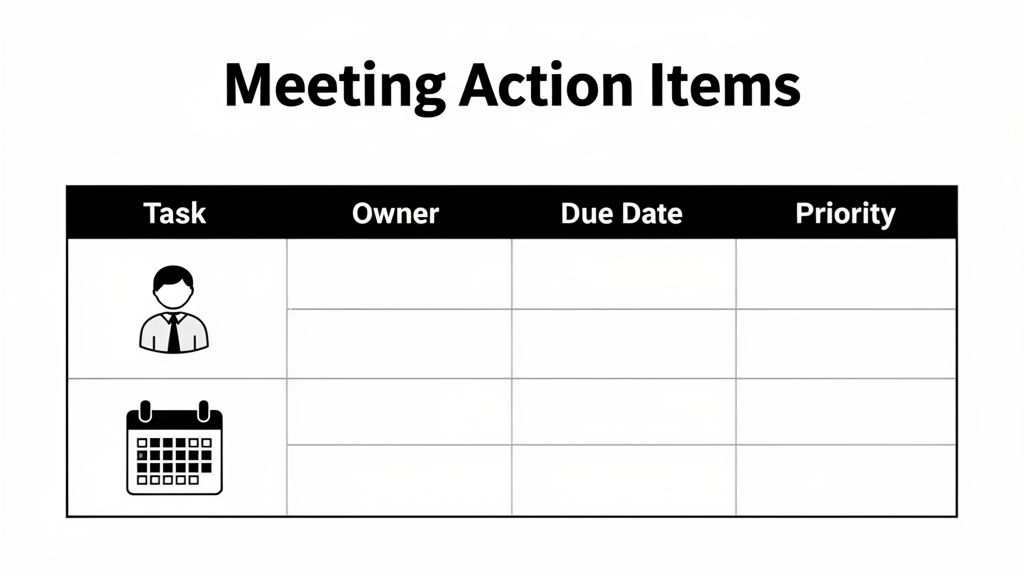
Below is the full template in a simple table format. You can copy and paste this directly into a Google Doc, Notion page, or whatever tool your team already lives in.
Your Meeting Action Items Template
Copy and paste this template to start capturing, tracking, and completing your meeting follow-up tasks with total clarity.
Action Item / Task | Owner | Due Date | Priority (High/Medium/Low) | Status (Not Started/In Progress/Completed) | Notes/Dependencies |
|---|---|---|---|---|---|
Example: Draft Q4 client retention strategy. | Alex Chen | 10/25/2024 | High | Not Started | Needs input from the sales team on recent churn data. |
Example: Update the project GANTT chart. | Sarah Kim | 10/28/2024 | Medium | In Progress | Blocked by final approval on new milestones. |
Example: Send follow-up email to NewCorp. | David Lee | 10/22/2024 | High | Completed | Email sent, awaiting response. |
This format is designed for one thing: getting rid of ambiguity. Every single column has a specific job to do in driving progress and making sure nothing falls through the cracks.
The Anatomy of an Effective Action Item
Just filling out the fields isn't enough. Understanding why each one is there is what turns this from a simple table into a powerful system for follow-through.
Here’s a breakdown of what makes each element so crucial.
Action Item / Task: This has to be a specific command, starting with a verb. "Discuss marketing" is a vague idea. "Draft three headline options for the new landing page" is a concrete task someone can actually complete.
Owner: This is the most important field on the list. When you assign a task to "the marketing team," you've assigned it to no one. Every single action item needs one person who is ultimately on the hook for getting it done.
Due Date: Without a deadline, a task will expand to fill all available time. A hard date creates a clear timeline and a sense of urgency. It stops "soon" from becoming "never."
Priority: Let’s be real—not all tasks are equally important. Labeling priority helps everyone know where to focus their energy first, especially when time and resources are tight. A simple High/Medium/Low scale is all you need to bring clarity.
Actionable Insight: An action item without an owner and a due date is just an idea. Assigning both turns that idea into a commitment. It’s the simple act of naming a person and a date that creates the social contract for getting work done.
To get more ideas for your own system, checking out different ready-to-use templates can spark some inspiration. While the version above is a fantastic starting point, seeing other layouts can help you build something that clicks perfectly with your team’s workflow.
After all, the best action items template is the one your team actually uses.
How to Adapt Your Template for Different Roles
A great meeting action items template isn’t meant to be a rigid, one-size-fits-all document. Think of it as a strong foundation you can build on. The real magic happens when you customize it to fit the specific needs, language, and goals of your team. By adding or tweaking just a few columns, you can transform a general tool into an indispensable part of your daily workflow.
This small bit of customization is what bridges the gap between a general discussion and role-specific, measurable outcomes. It ensures that the action items you capture are directly tied to the performance indicators that actually matter to each department.
For the Sales Team
Sales teams live and die by their follow-up. A generic task list won't cut it. To make your template work harder for a sales team, you need to add columns that directly link every discussion to revenue-generating activities.
Associated Account/Deal: This is non-negotiable. Tie every single action item to a specific customer or deal in your pipeline. It makes it incredibly easy to pull up all follow-ups related to a single account before your next call.
Next Touchpoint Goal: Get specific about the purpose of the next interaction. Is it to "Send proposal," "Schedule a demo," or "Follow up on contract"? This keeps the sales cycle moving forward with clear, deliberate intent.
Actionable Insight: For a sales team, a customized template should answer one question at a glance: "What specific action will move this deal closer to 'Closed Won'?"
For the Customer Success Team
For customer success managers, the world revolves around client health and retention. Your meeting action items template needs to reflect this by prioritizing tasks that head off churn and elevate the customer experience. A generic list just won't cut it when you're managing complex client relationships.
Consider adding these fields to make your template much more effective for any support or success role:
Client Health Impact (High/Medium/Low): This lets you instantly prioritize tasks based on how they affect a client's satisfaction or risk of churn. A "High" impact task, like fixing a critical bug that’s blocking their workflow, should always jump to the top of the list.
Ticket/Case Number: If your team lives in a support ticketing system like Zendesk or Jira, linking the action item directly to the relevant ticket is a game-changer. It creates a seamless workflow and a clear, undeniable audit trail.
For Recruiters and HR
The hiring process is all about momentum. A delay of just a couple of days can mean losing a top candidate to a faster-moving competitor. Recruiters need a system that keeps the pipeline flowing efficiently, and a tailored action items list is perfect for making that happen.
To adapt the template for your talent acquisition team, you’ll want to add columns that track the candidate's journey from start to finish.
Candidate Name: This might seem obvious, but explicitly adding this column ensures every task is associated with a specific person in your hiring pipeline. No more "who was that for again?" moments.
Hiring Stage: Track exactly where the candidate is (e.g., "Screening," "Technical Interview," "Offer Stage"). This gives the entire team a quick snapshot of where bottlenecks are forming and what needs to happen next to keep things moving.
Integrating Action Items Into Your Meeting Workflow
Look, having a solid meeting action items template is a great start. But if it just sits in a folder, it’s useless. The real magic happens when you weave that template into your team’s daily rhythm, turning a static document into a dynamic system that actually drives accountability.
This is about building a process, not just filling out another spreadsheet. It’s about capturing tasks as they happen, getting clear buy-in from owners, and setting deadlines that are both ambitious and achievable. The goal is a simple, repeatable follow-up cadence that keeps everyone on track without bogging you down in more meetings.
Different teams will use this differently. Sales, Support, HR—they all have unique needs. The core template is just the starting point.
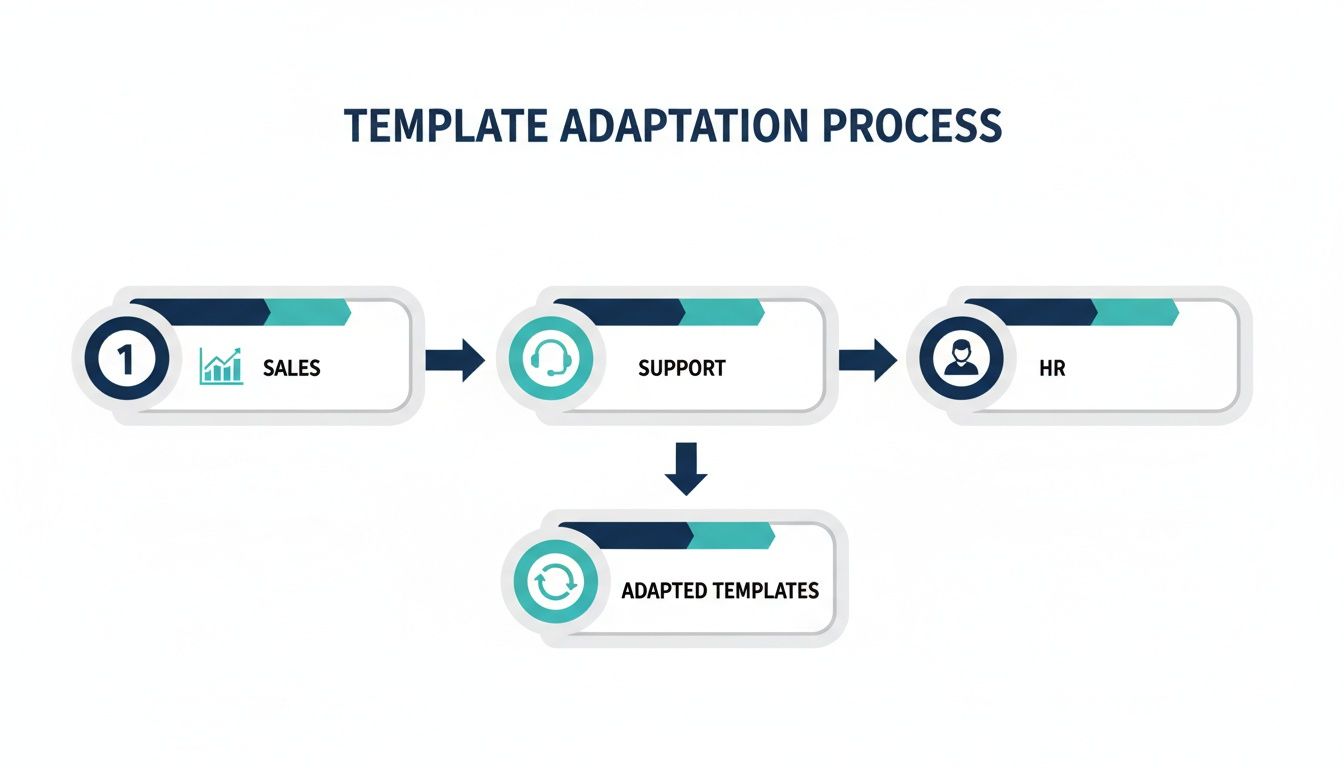
The key takeaway? Start with a universal template, then let each department customize it to align with their specific goals and metrics.
Capture and Assign Tasks in Real Time
This is non-negotiable. Don’t wait until after the meeting to document action items. Things get forgotten. Nuance is lost. The most effective way to prevent this is to fill out your action items template during the meeting. Assign one person to be the official note-taker to keep things clean and consistent.
When you assign an owner, don't just quietly type their name. Get verbal confirmation. Say it out loud: "Alex, are you good with taking the lead on drafting the Q4 client retention strategy, due next Friday?" This simple act creates a powerful social contract. Getting that public buy-in dramatically increases the odds of completion.
Actionable Insight: Capturing action items live turns ambiguity into immediate clarity. It prevents the post-meeting scramble where details are forgotten and ownership becomes a guessing game.
Setting deadlines should also be a conversation, not a command. Instead of just dictating dates, ask the owner, "What's a realistic timeline for this?" This approach respects their existing workload and empowers them to set a deadline they can actually commit to. If their proposed date is too far out, you can then negotiate based on project priorities.
Establish a Simple Follow-Up Cadence
Your action items list can't just vanish into the ether once the Zoom call ends. It needs to stay visible. It needs to be part of a consistent follow-up routine. This doesn't mean you need more meetings—it just means you need a smarter, lighter communication loop.
Here are a few lightweight methods that work wonders:
Asynchronous Check-ins: Use a dedicated channel in Slack or Teams for quick updates. A simple prompt like, "Quick check on action items from Monday's sync. Any blockers?" is often all it takes to keep things moving.
Automated Reminders: If your template lives in a project management tool, this is a lifesaver. Set up automated reminders that ping the owner a few days before the due date. This removes the need for you to play bad cop.
The 5-Minute Kick-Off: Start your next meeting with a quick review of the action items from the last one. Spend no more than five minutes going over the status of open tasks. This builds momentum and reinforces that culture of accountability we’re all chasing.
Ultimately, when you integrate action items, the bigger goal is to improve workflow efficiency by turning talk into tangible output. For more ideas on connecting meeting outcomes to your team’s processes, you can explore different approaches like the charting method for structured notes. By building a system that makes tracking transparent and easy, you eliminate friction and make follow-through the path of least resistance.
Building a Culture of Accountability and Follow-Through
Having a great meeting action items template is a solid start, but it's only half the battle. The other, more critical half, is human. It’s about shaping a team culture where follow-through is the norm and accountability is a shared value, not a chore.
This is the real work—moving your team from simply documenting tasks to building a system that actually guarantees they get done.
The entire foundation of this culture is built on clarity. Let's be honest, vague action items are just loopholes for inaction. To slam those loopholes shut, every single task you assign needs to be airtight. The SMART framework isn't just corporate jargon; it's your best weapon against ambiguity.
Specific: Don't say "Look into website issues." Make it "Investigate the 404 error on the pricing page." Precision is key.
Measurable: How will you know it's finished? "Improve morale" is wishful thinking. "Achieve a 15% increase in positive feedback on the next employee survey" is a target.
Achievable: Be realistic. Is the task genuinely possible for the owner, considering their current workload and resources?
Relevant: Does this action item actually move a key business goal forward? If not, you have to question why it’s on the list at all.
Time-bound: Every task needs a non-negotiable deadline. "Sometime next week" is a recipe for delay. "By next Friday, EOD" is a commitment.
Actionable Insight: Applying the SMART framework to your action items list is the single most effective way to eliminate ambiguity. It forces a conversation that turns a vague idea into a concrete, trackable commitment that everyone understands.
The Power of Consistent Review
Once your action items are crystal clear, you need to make them impossible to ignore. One of the most powerful habits any team can build is starting every single meeting with a quick review of the action items from the last one.
This simple ritual has a profound impact. It's not about public shaming or applying pressure. It’s about building momentum and reinforcing the idea that these commitments matter.
The review should be fast—no more than five minutes. Just scan the list of open items, get a quick status update (Not Started, In Progress, or Completed), and identify any blockers. If a task is stalled, the goal isn't to blame the owner. It's to ask, "What do you need to get this moving again?" This small shift transforms the dynamic from individual finger-pointing to collective problem-solving.
Making Accountability the Path of Least Resistance
At the end of the day, a culture of accountability is built through small, consistent actions. When you consistently start meetings by reviewing past commitments, you send an unmistakable signal: we follow through on what we say we'll do.
When tasks are defined with SMART criteria, you systematically remove the excuses that are born from confusion. This process ensures your team's energy is always focused on forward motion, not on trying to figure out what was supposed to happen.
If you're looking for more strategies to build these systems for follow-through, our guide on creating a comprehensive action items list provides even more tactics. By combining a great template with these cultural habits, you create an environment where progress isn't just possible—it's inevitable.
Sticking to the Plan: Your Top Action Item Questions Answered
Even with a killer template, things can go sideways. What happens when a crucial task hits a roadblock? Or when someone starts falling behind? These are real-world problems, and they require practical solutions, not just wishful thinking.
Let's break down some of the most common hurdles I've seen teams face and how to navigate them.
When a task gets stuck, it's not a failure—it's a signal. The absolute worst thing the task owner can do is stay silent until the deadline passes. The moment they realize they're blocked, their job is to raise a flag.
It doesn't have to be a formal report. A quick message in the team's Slack channel is perfect: "Heads up, I'm blocked on the Q4 strategy draft. Still waiting on the final sales data." That's it.
This simple act of transparency immediately shifts the dynamic. It's no longer about blame ("Why isn't this done?"). Instead, it becomes a collaborative problem-solving exercise ("Okay, what do we need to get this unblocked?").
How Should We Share and Track Our Action Items?
The best place to keep your action items is wherever your team already lives and works. The goal is visibility and zero friction.
For simple setups: If your team is small and nimble, a shared Google Doc or a dedicated Notion page is often all you need. They're collaborative, everyone knows how to use them, and you don't need to introduce a new tool.
For integrated workflows: If your team is already running on a project management platform like Asana, Trello, or Jira, that’s where your action items belong. This keeps all tasks in one place and lets you tap into powerful features like automated reminders and dependency tracking.
Actionable Insight: The tool you choose is far less important than the habit of using it consistently. Pick one spot for your action items to live, and make it the undisputed source of truth. Accountability is built on consistency, not on fancy software.
Can AI Help Automate This Process?
Absolutely. This is where modern AI tools really shine. They're built to take the grunt work out of capturing and tracking action items so you can actually focus on the conversation. No more frantically trying to type notes while also participating in the meeting.
Instead of you having to listen back to recordings or decipher messy notes, an AI assistant does the heavy lifting.
These tools can automatically pinpoint tasks, key decisions, and deadlines as they're mentioned. After the call, you get a clean, drafted list of action items, often with owners pre-assigned based on who said what. Some can even push those tasks directly into your CRM or project management tool. It's a massive time-saver, but more importantly, it plugs the leaky bucket of human error where tasks get forgotten.
Stop letting important follow-ups slip through the cracks. GLINKY is a bot-free AI notetaker that automatically captures action items from your conversations and syncs them directly to your workflow. See how it works.
People also read

10 Sales Enablement Best Practices to Unify Your Revenue Engine in 2026
Productivity
Mar 13, 2026

How to Manage Sales Pipeline for Predictable Revenue Growth
Productivity
Mar 14, 2026

How to Qualify Leads in Sales Without Wasting Time
Productivity
Mar 17, 2026

What is Conversation Intelligence? A Practical Guide for Sales Teams
Productivity
Mar 18, 2026

Top 10 Sales Discovery Questions That Close More Deals
Productivity
Mar 25, 2026

Taking Minutes of Meeting: A Guide to Transforming Chaos into Action
Productivity
Feb 16, 2026

Action Items List: A Practical Guide to Drive Real Results
Productivity
Feb 19, 2026

Master the summary of a meeting for clear decisions and follow-ups
Productivity
Feb 22, 2026

Track Action Items: A Practical Guide to Using AI for Flawless Follow-Up
Productivity
Feb 17, 2026

Unlock: How to Take Notes on a Computer for Peak Productivity in 2026
Productivity
Feb 26, 2026

How to Record Google Meet: A Complete Guide for 2026
Productivity
Mar 4, 2026

12 Best AI Note Taking App Choices for 2026: The Definitive Guide
Productivity
Mar 6, 2026

How to Improve Customer Retention: Practical Tips to Boost Loyalty
Productivity
Mar 8, 2026

10 Client Communication Best Practices to Master in 2026
Productivity
Mar 7, 2026

The 12 Best AI Meeting Assistant Tools for 2026: A Deep Dive
Productivity
Mar 15, 2026

Your Guide to the Ultimate AI Email Writer
Productivity
Feb 27, 2026

10 Essential Customer Success Best Practices for 2026
Productivity
Mar 1, 2026

Your Guide to Sales Call Recording Software in 2026
Productivity
Mar 2, 2026

How to Take Better Meeting Notes and Drive Real Results
Productivity
Mar 5, 2026

Top 10 Picks for best crm for small business
Productivity
Mar 3, 2026

What is an Ideal Customer Profile: A Guide to Driving Growth
Productivity
Mar 9, 2026

Automated meeting minutes: Turn talks into actionable notes
Productivity
Mar 11, 2026

The Top 12 AI Powered Sales Tools to Boost Revenue in 2026
Productivity
Mar 16, 2026

AI Note Taking For Meetings: Fast, Smart AI Notes That Drive Collaboration
Productivity
Mar 19, 2026

Understanding Transcription Service Cost: A 2026 Guide
Productivity
Mar 20, 2026

Master Your Meetings With The Note Taking Charting Method
Productivity
Feb 18, 2026

The Ultimate 2026 Guide: 8 Meeting Follow Up Email Template Scenarios
Productivity
Feb 20, 2026

Master the Art of Taking Meeting Notes for Actionable Outcomes
Productivity
Feb 25, 2026

12 Best Sales Lead Generation Tools to Boost Your Pipeline in 2026
Productivity
Mar 10, 2026

Translation Vs Transcription: Which Service Do You Really Need?
Productivity
Mar 12, 2026

Mastering the goals of a meeting to drive decisions and boost team alignment
Productivity
Mar 23, 2026

The 12 Best Free AI Email Writer Tools for 2026
Productivity
Mar 22, 2026

A Guide to AI Sales Enablement Platforms in 2026
Productivity
Mar 21, 2026

Automate Follow Up Emails: Actionable Insights for Boosting Sales & Efficiency
Productivity
Mar 26, 2026

Follow Up Email Subjects That Convert: Increase Opens and Replies
Productivity
Feb 17, 2026

Your Playbook for Outbound Lead Generation in 2026
Productivity
Feb 28, 2026

Your Guide to Using an Email Writer AI for Maximum Impact
Productivity
Feb 23, 2026

8 Essential Ground Rules at Meetings to Maximize Productivity in 2026
Productivity
Mar 24, 2026

Otter.ai vs Glinky
Productivity
Feb 5, 2026

AI Tools for Startup Founders [2026]
Productivity
Feb 4, 2026

Best AI Tools for Startups [2026]
Tools
Feb 3, 2026

Sales Call Notes: How to Capture Every Detail Without Losing the Deal
How to
Feb 2, 2026

How to Take Meeting Notes: 7 Methods That Actually Work [2026]
How to
Jan 14, 2026
![AI Meeting Minutes | Free Forever [2026]](https://framerusercontent.com/images/zYQGRjgLX63tiouLTK65LvCcjK8.png?width=402&height=263)
AI Meeting Minutes | Free Forever [2026]
How to
Jan 13, 2026
![How to Record Zoom Meetings Without a Bot [2026] 3 Easy Methods](https://framerusercontent.com/images/gGoQV8bPb9zR5weVruinbjaxO0.png?width=402&height=263)
How to Record Zoom Meetings Without a Bot [2026]
How to
Jan 9, 2026

Bot-Free AI Meeting Notes: We Tested the 6 Best Tools in 2026
Tools
Jan 8, 2026

Glinky vs Fireflies.ai
Tools
Jan 7, 2026

15 Best AI Tools to Boost Your Productivity in 2026
Productivity
Jan 6, 2026