Nov 13, 2025
Productivity
The Ultimate 2026 Guide: 8 Meeting Follow Up Email Template Scenarios

The moments after a meeting concludes are often more critical than the meeting itself. This is where momentum is either maintained or lost entirely. A prompt, well-crafted follow-up email solidifies agreements, clarifies action items, and keeps the conversation moving forward. Conversely, a generic, delayed, or non-existent follow-up leaves value on the table, creates confusion, and opens the door for competitors to gain an edge. In many cases, the quality of your follow-up directly dictates the outcome.
Effective communication doesn't end when the video call does. The right follow-up message transforms a simple conversation into a tangible result, whether that's a signed contract, an aligned team, or a new partnership. To truly prevent your post-meeting silence from costing you deals, it's crucial to utilize high-converting follow-up email templates for sales that are designed to prompt action. Mastering this final step is a non-negotiable skill for anyone serious about achieving their professional goals.
This guide provides eight specific, actionable meeting follow up email template scenarios designed for modern business challenges. We will move beyond generic advice and provide you with structured, easy-to-adapt templates for a range of situations, including:
Sales and Client Management: From post-discovery calls to customer success check-ins.
Recruiting and Operations: For candidate debriefs and internal stakeholder alignment.
Strategic Partnerships: Covering consultant kickoffs and vendor negotiations.
Each template includes practical personalization tips, subject line options, and a clear call-to-action to help you turn every meeting into a measurable success.
1. Post-Sales Discovery Call Follow-Up Email
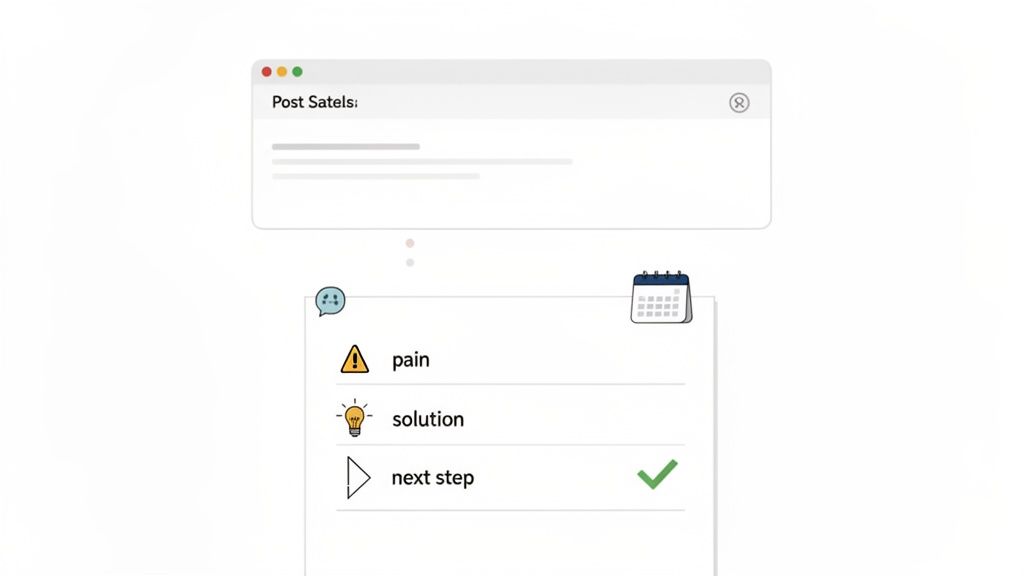
The post-sales discovery call follow-up is a critical first touchpoint after your initial conversation with a prospect. This isn't just a simple "thank you" note; it's a strategic tool designed to solidify your understanding of their needs, demonstrate you were listening intently, and clearly define the path forward. A well-crafted meeting follow up email template for this scenario transforms meeting notes into a compelling narrative that keeps momentum high and moves the sales process forward.
Why This Follow-Up is Essential
This email is your first opportunity to reinforce the value you offer and prove you understand the prospect’s unique challenges. For B2B account executives engaging with enterprise clients or SaaS sales teams managing a high volume of leads, this follow-up sets the tone for the entire relationship. It moves the conversation from a general discussion to a focused, solution-oriented partnership. Using a tool like GLINKY to automatically draft this email from your meeting notes ensures accuracy and speed, allowing you to engage prospects while the conversation is still fresh.
Actionable Tips for Implementation
Act Quickly: Send the email within two hours of the call. This speed demonstrates efficiency and keeps you top-of-mind.
Recap Key Pain Points: Go beyond a generic summary. Use your notes to list the specific challenges the prospect mentioned, using their own words where possible (e.g., "streamlining your Q3 onboarding process," "reducing manual data entry for your finance team"). This technique, known as 'mirroring,' builds rapport and shows you were actively listening.
Personalize Genuinely: Include a specific, non-business-related detail from your conversation. Mentioning a shared interest or a project they seemed passionate about shows you connected on a human level.
Propose a Clear Next Step: Don’t leave the next action ambiguous. Suggest a specific date and time for a follow-up demo or technical call, including a calendar link to make scheduling effortless.
Pro-Tip: The subject line is your first impression in the inbox. Make it count by keeping it clear and value-driven. For more ideas on crafting compelling subject lines, explore our guide on effective follow-up email subjects to increase your open rates.
2. Customer Success Check-In Follow-Up Email
After an onboarding call, quarterly business review, or a critical support interaction, the customer success check-in follow-up email is your primary tool for reinforcing partnership and ensuring long-term value. This communication goes beyond a simple summary; it serves as a documented commitment to the customer's goals, addressing their concerns proactively and solidifying their confidence in your solution. A strong meeting follow up email template for this scenario is essential for customer success managers aiming to boost retention and foster advocacy.
Why This Follow-Up is Essential
This email is crucial for transforming a routine check-in into a value-driven touchpoint. For SaaS companies focused on minimizing churn or enterprise account managers nurturing high-value clients, this follow-up documents progress, clarifies next steps, and demonstrates your proactive investment in their success. It confirms you’ve heard their feedback and are actively working to help them achieve their desired outcomes. Using a platform like GLINKY helps by providing a unified timeline of all customer interactions, making it easy to reference past conversations and add crucial context to every follow-up.
Actionable Tips for Implementation
Reference Specific Goals: Connect your summary directly to the business objectives they shared. Instead of just listing features discussed, frame them as solutions to their challenges (e.g., "To help you achieve your goal of reducing ticket resolution time by 15%...").
Document and Confirm Solutions: Clearly outline any issues resolved and the agreed-upon next steps for any outstanding items. This creates a clear record of action and accountability.
Proactively Offer Resources: Don't wait for them to ask. Include links to relevant knowledge base articles, tutorials, or case studies that address topics from your conversation. This adds immediate value and empowers the customer to self-serve.
Set the Next Milestone: Whether it's the next quarterly business review or a quick 30-day check-in, propose a specific timeframe and include a scheduling link to lock it in.
Pro-Tip: Use this follow-up to reinforce the value they've already received. Include a specific metric or a positive outcome you discussed (e.g., "Great to see your team's user adoption has increased by 25% since our last call"). This builds momentum and validates their investment in your partnership.
3. Recruiter Candidate Debrief Follow-Up Email
For recruiters and talent acquisition teams, the follow-up after a candidate interview is more than a courtesy; it's a critical component of the candidate experience. This communication keeps promising talent engaged, manages their expectations, and reinforces your company's professionalism. A well-structured meeting follow up email template for a candidate debrief ensures you convey clear outcomes and next steps, preventing candidate drop-off in a competitive hiring market.
Why This Follow-Up is Essential
In a talent-driven market, top candidates often have multiple offers. The post-interview follow-up is a key opportunity to differentiate your organization by providing a transparent and respectful hiring process. For tech recruiters managing high-volume pipelines or executive search firms handling C-level placements, this email maintains momentum and builds trust. It transforms a simple interview into an ongoing, positive conversation, solidifying the candidate's interest and making them feel valued regardless of the immediate outcome.
Actionable Tips for Implementation
Act Within 24 Hours: Send your follow-up within a day of the interview. This promptness shows respect for the candidate's time and keeps your organization top-of-mind while their impression is still fresh.
Be Specific About Next Steps: Vague promises create anxiety. Clearly state the next stage, such as, "The next step is a 45-minute technical discussion with our Lead Engineer, Jane Doe," and suggest a specific time or a scheduling link.
Provide a Realistic Timeline: Avoid over-committing to dates you can't meet. It's better to provide a slightly longer, realistic timeline (e.g., "You can expect to hear from us by the end of next week") than to miss a self-imposed deadline.
Offer Constructive Insights: If appropriate, share positive, high-level feedback from the interview panel. Mentioning that the team was impressed with their "approach to system design" or "experience in project management" helps the candidate feel valued and prepares them for the next round.
Pro-Tip: For interviews with multiple stakeholders, manually recalling who said what can be challenging. Using a tool like GLINKY with speaker recognition automatically attributes notes and feedback, ensuring your follow-up email is both accurate and personalized with insights from each interviewer.
4. Consultant Project Kickoff Follow-Up Email
For consultants, coaches, and freelancers, the project kickoff meeting sets the foundation for the entire client engagement. The follow-up email that comes after is not just a formality; it's a critical document that codifies the project's framework. This meeting follow up email template serves as a single source of truth, aligning all parties on scope, deliverables, timelines, and communication protocols, thereby minimizing future misunderstandings and scope creep.
Why This Follow-Up is Essential
This email transforms verbal agreements and high-level discussions from the kickoff call into a concrete, documented plan. For a management consultant outlining a new strategy for a Fortune 500 company or a freelance designer confirming the creative brief, this follow-up establishes professionalism and operational clarity from day one. It formally outlines roles, responsibilities, and expected outcomes, ensuring both the consultant and the client are perfectly aligned on the path to success.
Actionable Tips for Implementation
Confirm Scope and Deliverables: Explicitly list the agreed-upon project scope and the specific deliverables. For instance, "Phase 1 will include a full market analysis report and a competitive landscape deck, to be delivered by October 15th."
Clarify Roles and Responsibilities: Clearly outline your role, the primary client contact's role, and any other key stakeholders. This prevents confusion about who is responsible for providing feedback, assets, or approvals.
Establish Communication Cadence: Propose a recurring schedule for check-in meetings (e.g., "a weekly 30-minute sync-up every Tuesday at 10 AM") and include a calendar link to book the entire series. This proactive step reduces administrative back-and-forth later.
Reiterate Investment and Terms: Subtly but clearly confirm the financial terms, payment schedule, and invoicing process discussed. This proactive step helps prevent payment disputes later on.
Pro-Tip: Use your follow-up to assign initial tasks and set the project in motion immediately. You can effectively manage these initial steps by creating a clear and trackable action items list that provides visibility for both you and your client.
5. Partnership/Vendor Negotiation Follow-Up Email
Following a negotiation for a new partnership or vendor agreement, your follow-up email serves as a crucial written record of the discussion. This is more than a recap; it's a strategic document that clarifies terms, confirms commitments, and prevents misunderstandings down the line. A precise meeting follow up email template for this scenario ensures that both parties are perfectly aligned on pricing, deliverables, and timelines before moving to legal review.
Why This Follow-Up is Essential
This email acts as a pre-contractual summary, capturing the verbal agreements made during the negotiation. For business development managers forging integration partnerships, vendors finalizing enterprise contracts, or founders securing distribution channels, this document is foundational. It formalizes the conversation, outlines responsibilities, and provides a clear reference point for drafting the official agreement. Using a tool like GLINKY to automatically draft this from your meeting notes ensures every critical detail, from payment terms to technical specifications, is accurately captured and assigned.
Actionable Tips for Implementation
Structure for Clarity: Use clear headings in your email to separate key components of the agreement (e.g., "Pricing & Payment Terms," "Technical Integration Requirements," "Marketing Commitments"). This makes the terms easy to review and approve.
Confirm Key Figures Explicitly: Don't be vague. State the exact pricing, volume commitments, payment schedules, and any exclusivity or territory terms that were agreed upon. For example, "Confirming the annual license fee of $15,000 with net-30 payment terms."
Document Technical Specs: For integration partnerships, include specific details about API access, data exchange protocols, or other technical requirements discussed during the meeting to avoid future development roadblocks.
Define the Path to Signature: Clearly outline the immediate next steps, such as "Our legal team will review these points and send over the formal Master Service Agreement by this Friday, EOD." This sets a firm timeline for finalization.
Pro-Tip: In complex negotiations, maintaining a clear record of every interaction is vital. Use a system that tracks your communication history, like GLINKY's contact timeline, to keep all partnership discussions, emails, and notes organized in a single, accessible view.
6. Post-Event or Webinar Attendee Follow-Up Email
The post-event follow-up is a crucial touchpoint for converting attendee engagement into tangible business opportunities. After a webinar, conference, or networking event, attendees are often flooded with information. Your follow-up email must cut through the noise, reinforce the value you provided, and guide them toward the next logical step. A powerful meeting follow up email template for this scenario transforms a one-time interaction into the beginning of a meaningful business relationship.
Why This Follow-Up is Essential
This email serves as the bridge between passive listening and active engagement. For marketing teams at companies like Marketo or HubSpot, this follow-up is a primary mechanism for lead nurturing, moving prospects down the funnel by delivering promised resources and relevant content. It capitalizes on the momentum generated by the event, ensuring your brand stays top-of-mind. Whether you're following up after a large virtual conference or an intimate networking session, this email demonstrates professionalism and a commitment to providing value beyond the event itself.
Actionable Tips for Implementation
Strike While the Iron is Hot: Send your follow-up within 24 hours of the event's conclusion. The memory of your session or conversation is still fresh, making your email more relevant and likely to be opened.
Segment Your Audience: Don't send a one-size-fits-all email. Segment your attendee list by factors like role (e.g., marketing manager vs. CMO), engagement level (e.g., asked a question vs. silent attendee), or sessions attended. Tailor the content to their specific interests for higher impact.
Deliver on Your Promises: If you promised a copy of the slides, a webinar recording, or a case study, place the link prominently at the beginning of your email. This immediately provides value and builds trust.
Reference a Specific Interaction: If possible, personalize the outreach by mentioning a specific question they asked or a conversation you had at your booth. This level of detail shows you were paying attention and makes the communication feel less automated.
Pro-Tip: Include a clear and compelling call-to-action that makes sense for the attendee’s journey. Instead of a generic "let's connect," suggest a 15-minute call to discuss how the webinar's concepts apply specifically to their company’s challenges.
7. Internal Stakeholder Alignment Follow-Up Email
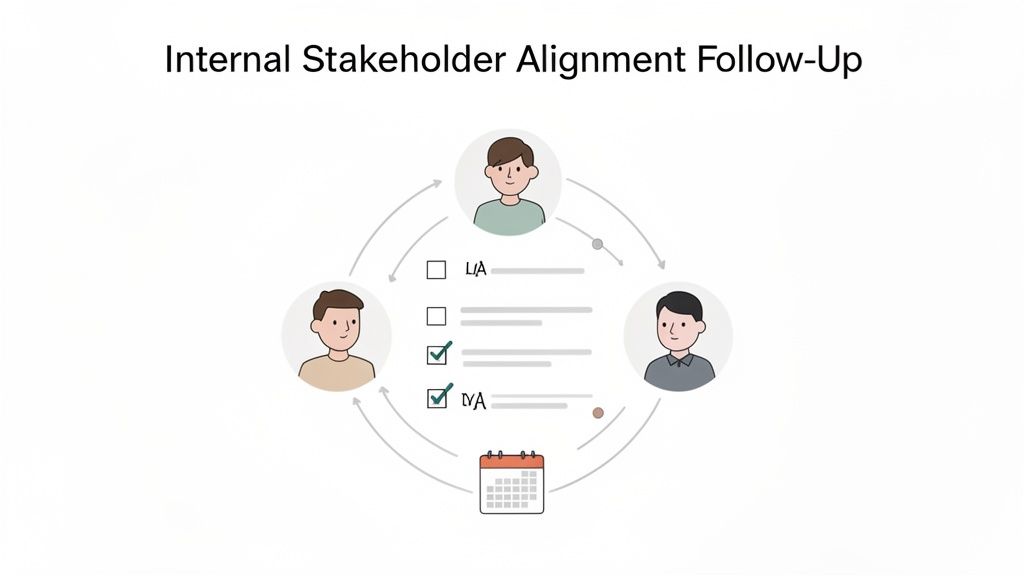
An effective internal follow-up is the backbone of successful cross-functional projects and strategic initiatives. This email moves beyond a simple meeting summary; it's an official record of decisions made, a clear assignment of responsibilities, and a roadmap for execution. A well-structured meeting follow up email template for stakeholder alignment prevents ambiguity, ensures everyone is on the same page, and transforms discussion into coordinated action.
Why This Follow-Up is Essential
For project managers, team leads, and department heads, this follow-up is mission-critical. It prevents key decisions from getting lost in translation and holds team members accountable for their commitments. Whether it’s aligning sales and marketing on a Q4 campaign or coordinating a complex product launch between engineering and operations, this email serves as the single source of truth. Using a tool like GLINKY to automatically pull decisions and action items from your meeting ensures nothing is missed and tasks are assigned instantly.
Actionable Tips for Implementation
Assign Specific Owners: Avoid vague assignments like "Marketing to handle." Instead, name a specific individual responsible for each action item (e.g., "Action Item: Sarah K. to finalize ad copy"). This creates clear ownership and eliminates diffusion of responsibility.
Use Clear, Distinct Sections: Structure the email with bolded headings for Decisions Made, Action Items (with Owners & Due Dates), and Unresolved Issues. This makes the email scannable and easy to digest.
Set Realistic Due Dates: Ensure every action item has a specific and achievable due date that aligns with the overall project timeline. This creates a sense of urgency and helps in tracking progress.
Schedule the Next Check-in: Don't leave momentum to chance. Propose a date and time for the next follow-up meeting directly in the email to keep the project moving forward.
Pro-Tip: Your internal follow-up email functions as a lightweight form of meeting minutes. For more detailed guidance on capturing essential information accurately, review our best practices for taking minutes of a meeting to ensure your records are always comprehensive.
8. Rejection or No-Fit Follow-Up Email
A rejection or no-fit follow-up is a strategic communication sent after a decision has been made not to move forward. This could be a prospect choosing a competitor, a candidate accepting another offer, or a partnership that doesn't align. This meeting follow up email template is not about changing their mind; it's about maintaining a positive relationship, gathering invaluable feedback, and leaving the door open for future collaboration. For sales teams, recruiters, and partnership managers, this email transforms a "no" into a long-term asset.
Why This Follow-Up is Essential
In business, a "no" today doesn't mean a "no" forever. This email is your opportunity to handle rejection with grace and professionalism, which can significantly enhance your brand reputation. For sales development representatives in competitive markets or executive recruiters managing high-value candidate pools, this follow-up prevents burning bridges. It shows you value the relationship beyond the immediate transaction and creates an opportunity to learn exactly why you weren't chosen, providing crucial data for improving your product, pitch, or process.
Actionable Tips for Implementation
Time It Right: Send the follow-up within 2-3 business days of receiving the final decision. This timing shows you are professional and gives both parties enough space to process the outcome without losing context.
Request Feedback Genuinely: Ask for honest feedback on their decision-making process. Frame it as a request to help you improve, not a challenge to their choice. For example, "To help us improve, would you be open to sharing what the deciding factors were in choosing the other solution?"
Leave the Door Open Strategically: Don’t just say "let's stay in touch." Propose a specific future trigger for re-engagement, such as a new feature launch or when their current contract is up for renewal. This creates a clear reason to connect again.
Document and Tag: Use your CRM or a tool like GLINKY to document the reason for the rejection. Tagging these contacts (e.g., "Lost - Competitor X," "Budget - Revisit Q4") allows for targeted re-engagement campaigns down the line.
Pro-Tip: Your tone is everything. Avoid sounding desperate, defensive, or condescending. The goal is to convey respect for their decision and genuine interest in their success, which builds goodwill and keeps you as a viable option for the future.
8 Meeting Follow-Up Email Templates Compared
Template | 🔄 Implementation Complexity | ⚡ Resource Requirements | 📊 Expected Outcomes | 💡 Ideal Use Cases | ⭐ Key Advantages |
|---|---|---|---|---|---|
Post-Sales Discovery Call Follow-Up Email | Moderate — structured template with light customization | Low — call notes + CRM sync (GLINKY drafts content) | Higher response rates, clearer next steps, reduced miscommunication | Sales discovery calls with enterprise/B2B prospects | Reinforces rapport, documents commitments, improves follow-through |
Customer Success Check-In Follow-Up Email | Low–Moderate — relationship tone plus metrics recap | Moderate — customer goals, support resources, historical data | Reduced churn, improved engagement, upsell opportunities | Onboarding, QBRs, post-support interactions | Builds trust, demonstrates value, creates accountability |
Recruiter Candidate Debrief Follow-Up Email | Low — templated but requires diplomatic language | Low–Moderate — interviewer feedback, scoring notes | Better candidate experience, lowered drop-off, clearer expectations | Post-interview debriefs for technical and executive roles | Transparent communication, strengthens employer brand |
Consultant Project Kickoff Follow-Up Email | High — detailed scope, deliverables, payment terms | High — project plans, timelines, stakeholder confirmations | Fewer scope disputes, clearer timelines, aligned responsibilities | Project kickoffs for consulting, coaching, freelance engagements | Prevents scope creep, establishes expectations, creates formal record |
Partnership/Vendor Negotiation Follow-Up Email | High — complex terms, multiple approval paths | High — legal/technical details, KPI definitions, pricing | Documented agreements, faster contract development, fewer disputes | API integrations, vendor contracts, strategic partnerships | Records mutual terms, accelerates contracting, reduces ambiguity |
Post-Event or Webinar Attendee Follow-Up Email | Low — templated with segmentation required | Moderate — attendee data, recordings, segmented lists | High conversion potential from warm leads; measurable event ROI | Webinars, virtual events, conference attendees | Capitalizes momentum, delivers promised resources, enables segmentation |
Internal Stakeholder Alignment Follow-Up Email | Moderate — clear decisions and assigned actions needed | Moderate — meeting notes, action-tracking tools | Increased accountability, faster execution, fewer disputes | Cross-functional planning, exec alignment, sprint planning | Documents decisions, assigns owners, aligns priorities |
Rejection or No-Fit Follow-Up Email | Low — sensitive but straightforward wording | Low — reason capture, feedback mechanism | Maintains relationship, captures feedback, enables future re-engagement | Rejected prospects, candidates, or declined partnerships | Preserves goodwill, gathers insights, opens door for future outreach |
From Templates to Automation: The Future of Meeting Follow-Ups
Navigating the landscape of professional communication requires more than just good intentions; it demands precision, consistency, and strategy. Throughout this guide, we've explored a comprehensive suite of meeting follow-up email templates, from securing a post-sales deal to aligning internal stakeholders. Each template serves as a powerful starting point, a structured framework designed to eliminate guesswork and ensure your key messages land with impact.
The core lesson is clear: a generic, one-size-fits-all approach is no longer sufficient. The value lies in the details-the personalized touch that acknowledges a specific pain point, the clarity of a well-defined action item, and the strategic timing that keeps momentum alive. By adapting these templates to your unique scenarios, you transform a simple administrative task into a strategic relationship-building tool.
Key Takeaways for Mastering Your Follow-Up Strategy
To truly elevate your communication, it's essential to move beyond simply copying and pasting. The most successful professionals internalize the principles behind the templates.
Specificity is Your Superpower: Vague follow-ups lead to vague outcomes. Always reference specific discussion points, decisions, and metrics. Instead of saying "great chat," mention the exact idea or challenge that resonated.
Action Items Must Be Actionable: Every task assigned should have a clear owner and a realistic deadline. This simple act of assigning responsibility is often the single most important factor in driving a project or deal forward.
The Subject Line is Your First Impression: A compelling subject line is the gatekeeper to your message. It must be concise, relevant, and compelling enough to stand out in a crowded inbox. Test different formats to see what works best for your audience.
Consistency Builds Trust: Whether you're a sales leader, a consultant, or a recruiter, your reliability in following up sets a professional standard. It signals to others that you are organized, dependable, and value their time.
Beyond the Template: Embracing Intelligent Automation
While a strong meeting follow up email template is your blueprint, the manual process of crafting each one can become a significant bottleneck. Think about the time spent deciphering messy notes, recalling key decisions, and manually assigning tasks. This is where the true evolution of productivity is happening.
The future isn't just about having a better library of templates; it's about automating the creation and delivery of personalized, context-aware communications. This is the paradigm shift that tools like GLINKY are pioneering. By leveraging AI to capture, structure, and synthesize your meeting conversations, the entire follow-up process is transformed.
Key Insight: The goal is not to replace human connection with automation, but to use automation to remove the administrative friction that gets in the way of building stronger human connections.
Imagine finishing a call and having a perfectly drafted follow-up email waiting for you, complete with identified action items, key takeaways, and a summary tailored to the recipient. This allows you to focus your energy on high-value activities: strategic thinking, creative problem-solving, and nurturing client relationships. The templates provided here are your foundation, but integrating an intelligent system is how you build a scalable, efficient, and ultimately more effective communication engine. For even more inspiration on crafting the perfect message across various situations, you can consult these 8 Powerful Meeting Follow-Up Email Examples.
Ultimately, mastering the art of the follow-up is an investment in your professional capital. It's a skill that pays dividends in every interaction, strengthening relationships, driving projects to completion, and building a reputation for excellence and reliability.
Ready to stop manually drafting emails and start automating your success? GLINKY captures your meeting intelligence, drafts perfect follow-up emails, and syncs action items directly to your workflow. Try GLINKY today and turn your conversations into outcomes, effortlessly.
People also read

10 Sales Enablement Best Practices to Unify Your Revenue Engine in 2026
Productivity
Mar 13, 2026

How to Manage Sales Pipeline for Predictable Revenue Growth
Productivity
Mar 14, 2026

How to Qualify Leads in Sales Without Wasting Time
Productivity
Mar 17, 2026

What is Conversation Intelligence? A Practical Guide for Sales Teams
Productivity
Mar 18, 2026

Top 10 Sales Discovery Questions That Close More Deals
Productivity
Mar 25, 2026

Taking Minutes of Meeting: A Guide to Transforming Chaos into Action
Productivity
Feb 16, 2026

Action Items List: A Practical Guide to Drive Real Results
Productivity
Feb 19, 2026

Master the summary of a meeting for clear decisions and follow-ups
Productivity
Feb 22, 2026

Track Action Items: A Practical Guide to Using AI for Flawless Follow-Up
Productivity
Feb 17, 2026

Unlock: How to Take Notes on a Computer for Peak Productivity in 2026
Productivity
Feb 26, 2026

How to Record Google Meet: A Complete Guide for 2026
Productivity
Mar 4, 2026

12 Best AI Note Taking App Choices for 2026: The Definitive Guide
Productivity
Mar 6, 2026

How to Improve Customer Retention: Practical Tips to Boost Loyalty
Productivity
Mar 8, 2026

10 Client Communication Best Practices to Master in 2026
Productivity
Mar 7, 2026

The 12 Best AI Meeting Assistant Tools for 2026: A Deep Dive
Productivity
Mar 15, 2026

Your Guide to the Ultimate AI Email Writer
Productivity
Feb 27, 2026

10 Essential Customer Success Best Practices for 2026
Productivity
Mar 1, 2026

Your Guide to Sales Call Recording Software in 2026
Productivity
Mar 2, 2026

How to Take Better Meeting Notes and Drive Real Results
Productivity
Mar 5, 2026

Top 10 Picks for best crm for small business
Productivity
Mar 3, 2026

What is an Ideal Customer Profile: A Guide to Driving Growth
Productivity
Mar 9, 2026

Automated meeting minutes: Turn talks into actionable notes
Productivity
Mar 11, 2026

The Top 12 AI Powered Sales Tools to Boost Revenue in 2026
Productivity
Mar 16, 2026

AI Note Taking For Meetings: Fast, Smart AI Notes That Drive Collaboration
Productivity
Mar 19, 2026

Understanding Transcription Service Cost: A 2026 Guide
Productivity
Mar 20, 2026

Master Your Meetings With The Note Taking Charting Method
Productivity
Feb 18, 2026

Master the Art of Taking Meeting Notes for Actionable Outcomes
Productivity
Feb 25, 2026

12 Best Sales Lead Generation Tools to Boost Your Pipeline in 2026
Productivity
Mar 10, 2026

Translation Vs Transcription: Which Service Do You Really Need?
Productivity
Mar 12, 2026

Mastering the goals of a meeting to drive decisions and boost team alignment
Productivity
Mar 23, 2026

The 12 Best Free AI Email Writer Tools for 2026
Productivity
Mar 22, 2026

A Guide to AI Sales Enablement Platforms in 2026
Productivity
Mar 21, 2026

Automate Follow Up Emails: Actionable Insights for Boosting Sales & Efficiency
Productivity
Mar 26, 2026

Follow Up Email Subjects That Convert: Increase Opens and Replies
Productivity
Feb 17, 2026

Your Playbook for Outbound Lead Generation in 2026
Productivity
Feb 28, 2026

Your Essential Meeting Action Items Template to Drive Results
Productivity
Feb 23, 2026

Your Guide to Using an Email Writer AI for Maximum Impact
Productivity
Feb 23, 2026

8 Essential Ground Rules at Meetings to Maximize Productivity in 2026
Productivity
Mar 24, 2026

Otter.ai vs Glinky
Productivity
Feb 5, 2026

AI Tools for Startup Founders [2026]
Productivity
Feb 4, 2026

Best AI Tools for Startups [2026]
Tools
Feb 3, 2026

Sales Call Notes: How to Capture Every Detail Without Losing the Deal
How to
Feb 2, 2026

How to Take Meeting Notes: 7 Methods That Actually Work [2026]
How to
Jan 14, 2026
![AI Meeting Minutes | Free Forever [2026]](https://framerusercontent.com/images/zYQGRjgLX63tiouLTK65LvCcjK8.png?width=402&height=263)
AI Meeting Minutes | Free Forever [2026]
How to
Jan 13, 2026
![How to Record Zoom Meetings Without a Bot [2026] 3 Easy Methods](https://framerusercontent.com/images/gGoQV8bPb9zR5weVruinbjaxO0.png?width=402&height=263)
How to Record Zoom Meetings Without a Bot [2026]
How to
Jan 9, 2026

Bot-Free AI Meeting Notes: We Tested the 6 Best Tools in 2026
Tools
Jan 8, 2026

Glinky vs Fireflies.ai
Tools
Jan 7, 2026

15 Best AI Tools to Boost Your Productivity in 2026
Productivity
Jan 6, 2026