Nov 13, 2025
Productivity
The 12 Best Free AI Email Writer Tools for 2026

Drowning in a sea of unanswered emails and struggling to find the right words for sales outreach or client follow-ups? You’re not alone. The constant demand for clear, effective, and timely email communication can quickly consume your day, pulling you away from high-impact activities like closing deals, managing your team, or building your business. This is precisely the problem a free AI email writer is designed to solve.
These tools act as your personal writing assistant, helping you draft everything from a cold prospecting message to a complex project update in seconds. They can generate multiple versions, adjust the tone for your specific audience, and even check for grammar and clarity. By automating tasks like email follow-up automation, these platforms can significantly reduce the time you spend on repetitive communication, freeing you up to focus on strategic growth.
This guide gets straight to the point. We've compiled a detailed list of the best free AI email writers available today, from standalone platforms like HubSpot and Copy.ai to integrated features within Gmail and Microsoft Copilot. For each tool, you will find:
A summary of its core function and ideal user.
Honest assessments of its limitations and free plan restrictions.
Real-world use-case examples and actionable tips.
Direct links and screenshots to help you get started immediately.
Our goal is to give you a clear, practical roadmap to finding the right AI writing assistant for your specific needs, so you can spend less time typing and more time achieving your business objectives. Let's dive into the options.
1. Glinky – The Revenue Engine for Startups and SMEs
Glinky presents a compelling solution for startups and small-to-medium enterprises (SMEs) by moving beyond simple email generation. It acts as an integrated revenue platform, combining meeting intelligence, lead discovery, and outreach sequencing. Its core strength lies in its ability to convert conversations directly into actionable sales follow-ups, making it an excellent free AI email writer for revenue-focused teams.
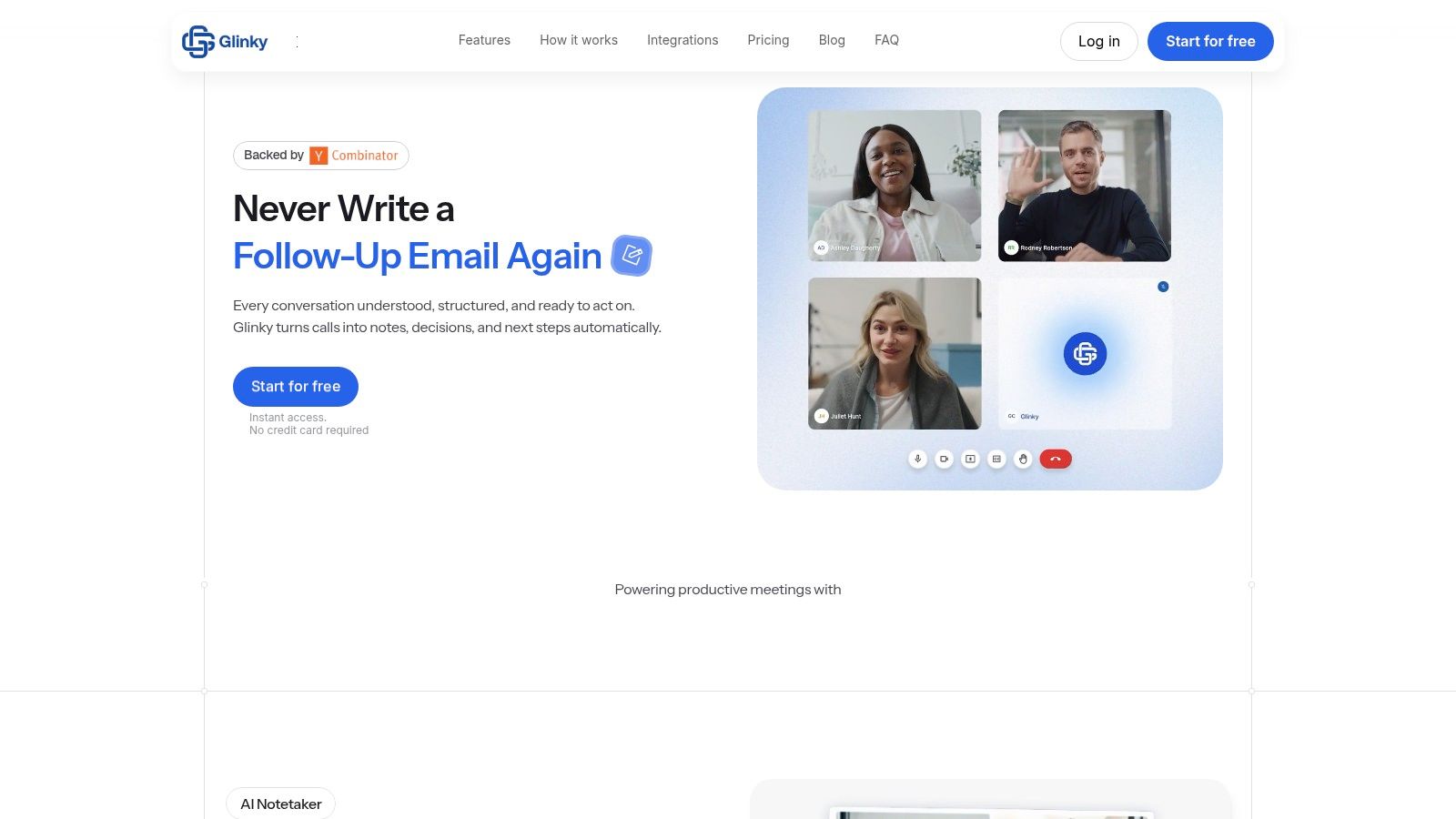
Unlike standalone writers, Glinky uses the context from your actual sales calls and meetings to produce relevant draft emails. It automatically records, transcribes, and identifies action items and decisions using native speaker recognition, so you don't need to invite a bot to your meetings. This process immediately generates a structured follow-up email ready for your review, significantly speeding up post-call workflow and reducing the chance of missed opportunities.
Key Strengths & Use Cases
Glinky's value is most apparent for founders, sales leaders, and account executives managing their own sales cycles. The platform replaces the need for separate note-takers, lead databases, and sequencing tools.
For Closers & AEs: After a discovery call, Glinky provides a draft follow-up that summarizes key points and next steps. This saves critical time and ensures consistency.
For SDRs & BDRs: Use the natural-language search to find ideal prospects, get verified contact data, and enroll them in automated, multi-step outreach sequences.
For Founders & CEOs: Gain a unified view of all revenue activities, from initial outreach to meeting outcomes, without complex CRM reports. For a deeper dive into its capabilities, you can find a useful guide on using an AI email writer for effective communication.
Getting Started & Limitations
You can sign up instantly with Glinky's "Start for free" option, which connects directly to your Google or Microsoft calendar and email. Full functionality requires granting these permissions and optionally syncing with your CRM (like HubSpot or Salesforce).
While the AI-generated drafts are a massive time-saver, they still benefit from a quick human review to add personal nuance. The free plan has clear usage limits, making it ideal for individuals or small teams to test the workflow before upgrading.
Website: Glinky.ai
2. Gmail "Help me write" (Gemini in Gmail)
For those who live inside their Gmail inbox, Google's native AI assistant, "Help me write," is arguably the most convenient free AI email writer available. Its main advantage is its seamless integration; there are no extensions to install or new tabs to open. The feature is built directly into the compose window, allowing you to generate entire drafts, refine your tone, or summarize long email threads with a single click.
This zero-friction experience makes it perfect for quick, on-the-fly assistance. You can ask it to draft a professional sales follow-up and then adjust the tone from formal to casual instantly. While the AI learns your writing style over time, its core strength lies in its accessibility.
Key Features and Considerations
Native Integration: Access AI drafting, rewriting, and summarizing tools directly within the Gmail compose window. No copy-pasting required.
Tone & Length Adjustment: Easily shorten, expand, or change the tone of your message (e.g., formal, casual, elaborate).
Availability: Google announced its rollout to personal Gmail accounts at no extra cost, starting in the US and expanding globally. Workspace users may have different access depending on their plan.
One practical tip is to use it for crafting concise yet impactful subject lines. A poorly written subject can get a follow-up email ignored, a point detailed in our guide to effective follow-up email subjects. The primary drawback is that rollouts can be slow and phased, so availability isn't guaranteed for everyone immediately.
Website: https://mail.google.com
3. Microsoft Copilot (free) for email drafting
For users invested in the Microsoft ecosystem, Copilot provides a powerful and business-oriented free AI email writer. While its deepest integrations are reserved for paid Microsoft 365 plans, the free version of Copilot Chat, accessible via the web, is a surprisingly capable tool for drafting professional correspondence from scratch. You can simply open the chat interface and provide a prompt to generate a complete email draft.
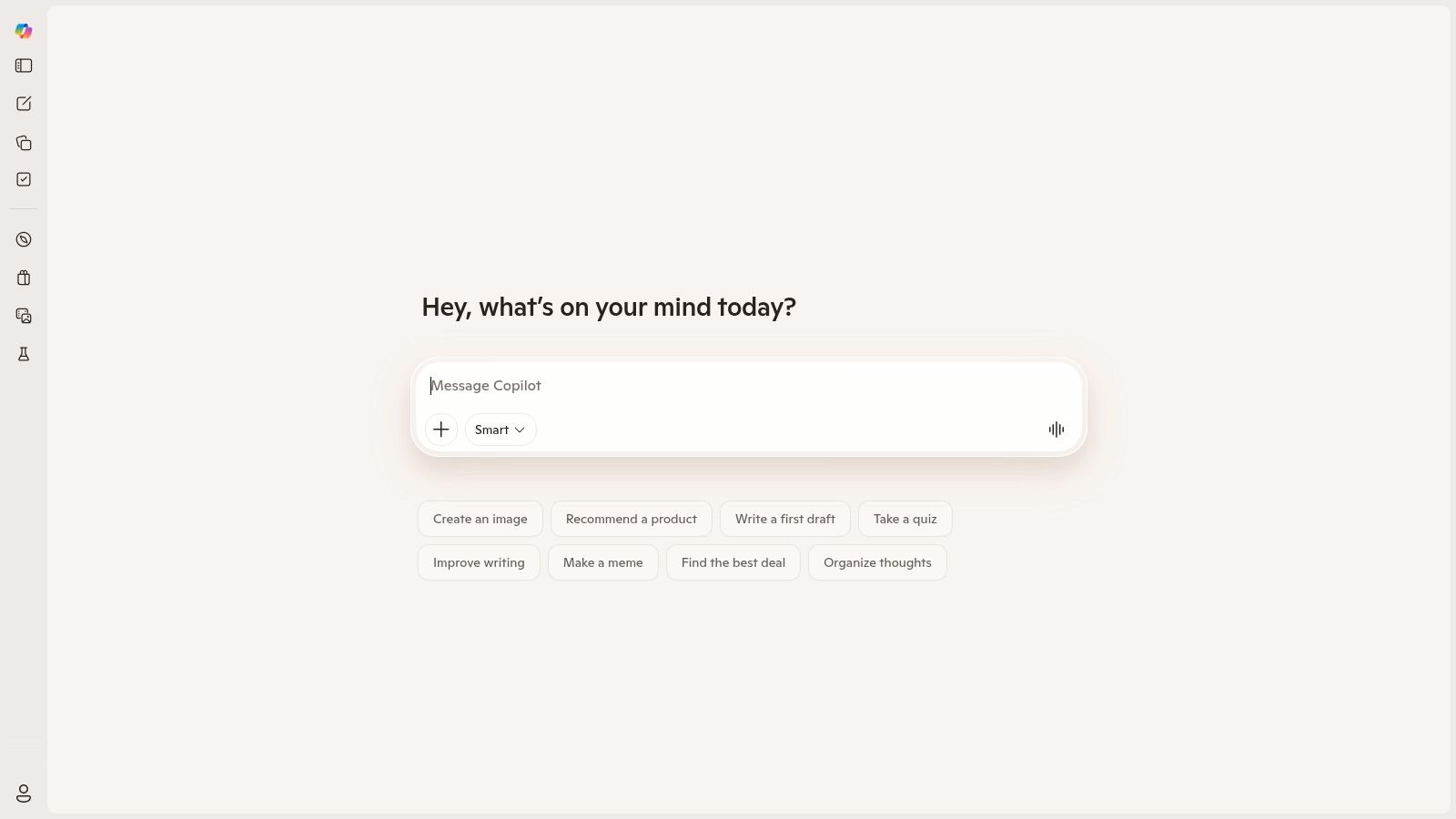
The primary advantage of Copilot is the quality of its writing, which often defaults to a professional tone suitable for business communication. This makes it ideal for drafting initial outreach, responding to client inquiries, or creating formal announcements without needing extensive tone adjustments. You can generate the text in the web chat and then copy it directly into Outlook or any other email client.
Key Features and Considerations
Free Web-Based Drafting: The Copilot Chat website allows anyone to generate email content for free, without needing a paid Microsoft 365 subscription.
Business-Centric Tone: The model is well-tuned for professional contexts, producing clear and formal drafts that require minimal editing for business use.
Tiered Integration: While the web version is free, deeper features like drafting with inbox/calendar context require a paid Copilot for Microsoft 365 license.
A great practical use is preparing follow-ups after a business meeting. You can feed Copilot key points and ask it to structure a summary, which is a core component of an effective follow-up. For more details on this, check out our guide on the perfect meeting follow-up email template. The main limitation is that the free experience is disconnected; you must copy and paste, unlike the native experience in paid Outlook versions.
Website: https://copilot.microsoft.com
4. ChatGPT (Free)
As one of the most recognized names in AI, ChatGPT serves as a highly flexible and powerful free AI email writer for those willing to do a little manual work. Its core advantage is its conversational, open-ended prompting ability. You can feed it complex instructions, provide examples of your own writing, and ask for multiple variations of an email for sales outreach, recruiting, or internal announcements.
The idea-to-draft workflow is extremely fast, making it ideal for brainstorming or overcoming writer's block. While the free version doesn't integrate directly into your inbox, its strength is in its versatility. You can use it to create detailed email templates, refine tone and style, or even generate follow-up sequences that you can then save and reuse.
Key Features and Considerations
Flexible Open-Ended Prompting: Go beyond simple commands to provide detailed context, examples, and constraints for highly specific email outputs.
Rapid Drafting and Refinement: Quickly generate first drafts and iterate by asking for adjustments in tone, length, or style. The platform is excellent for transforming bullet points into a polished, professional message.
Broad Availability: The free plan is widely accessible, providing a strong baseline for anyone needing ad hoc email assistance without a subscription.
A key drawback is the manual copy-and-paste workflow required on the free tier; native Gmail or Outlook integrations are reserved for paid plans. For best results, use prompt patterns. For example, start your request with a role ("Act as a sales manager"), provide context ("I'm following up with a lead who went silent"), and give a clear command ("Write a short, casual email to re-engage them"). This structured approach yields much better outputs than simple requests.
Website: https://chatgpt.com
5. Grammarly (Free plan)
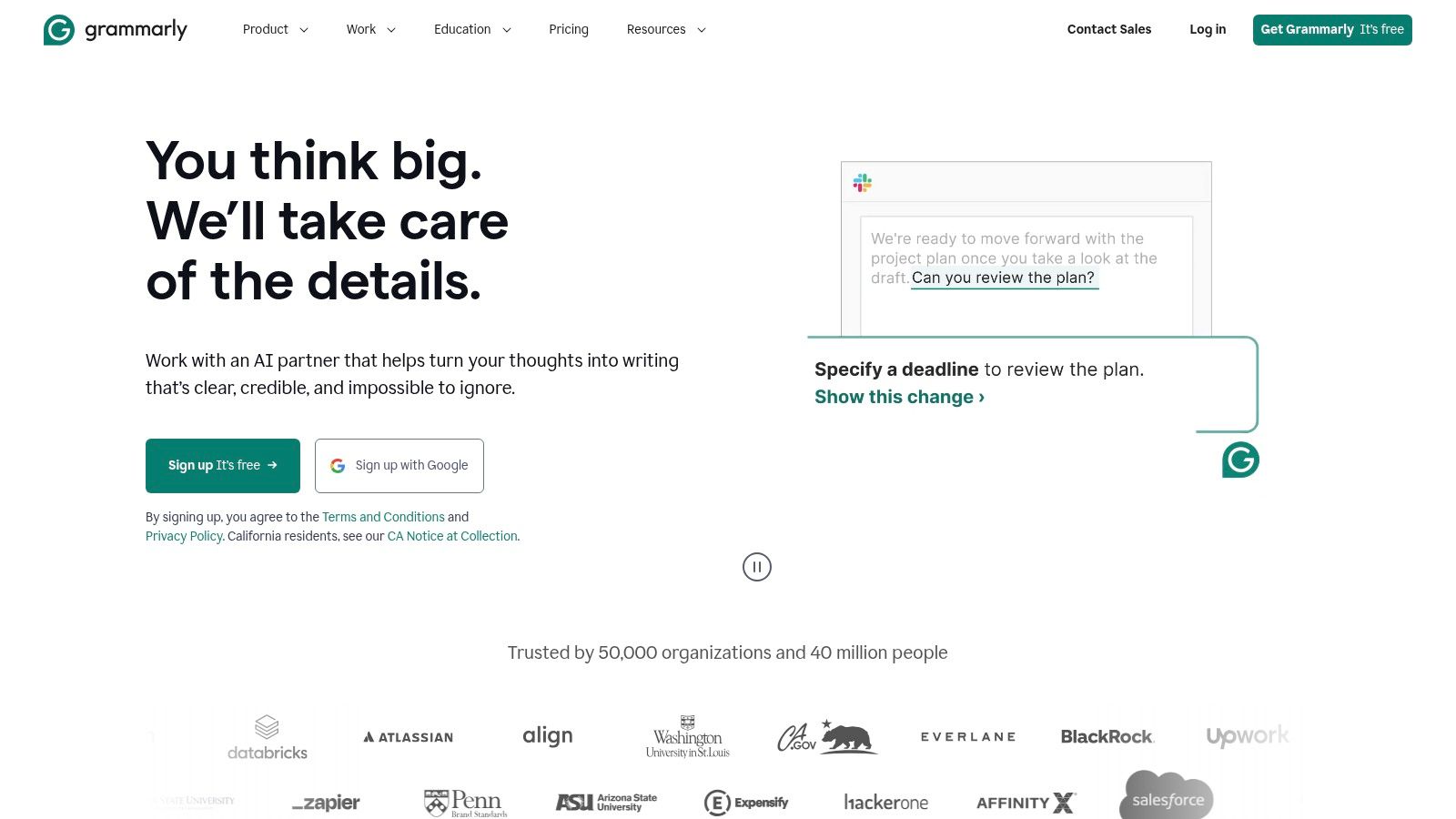
Grammarly has long been a go-to writing assistant, and its expansion into generative AI makes its free plan a powerful free AI email writer. Its main strength is its ubiquity. Through browser extensions and desktop apps, Grammarly integrates directly into your email client, social media, and other web-based text fields. This means you get AI-powered suggestions and classic grammar checks right where you write, eliminating the need to switch tabs or copy-paste.
It excels at polishing existing text for clarity and tone, offering one-click rewrites to make a message more confident, friendly, or concise. The context-aware reply suggestions are a standout feature, allowing you to generate quick, relevant responses based on the email you received. This makes it ideal for founders and sales professionals who need to maintain clear and professional communication across multiple platforms without friction.
Key Features and Considerations
Cross-App Support: Works across Gmail, Outlook, LinkedIn, and more via browser extensions, providing consistent assistance everywhere you write.
Reply Suggestions: Generates context-based reply options, saving time on common email responses.
Classic Writing Assistance: Combines generative AI with its well-regarded grammar, spelling, and basic tone checks.
One-Click Rewrites: Quickly adjusts phrasing for tone and length, perfect for ensuring your message lands correctly.
A key drawback of the free plan is the noticeable feature-gating and aggressive upselling for advanced capabilities. While you get a taste of the AI, more granular tone controls and advanced rewriting tools are locked behind the paid tiers. Despite this, its ability to clean up your day-to-day writing and offer quick reply drafts makes it a valuable tool for maintaining professionalism with minimal effort.
Website: https://www.grammarly.com
6. HubSpot AI Email Writer (free tool)
For those focused on marketing and sales outreach, HubSpot provides a simple and effective browser-based free AI email writer. Its strength lies in its direct approach to generating marketing copy. You can input a few prompts about your campaign, target audience, and desired tone, and the tool will produce subject lines, body copy, and clear calls to action.
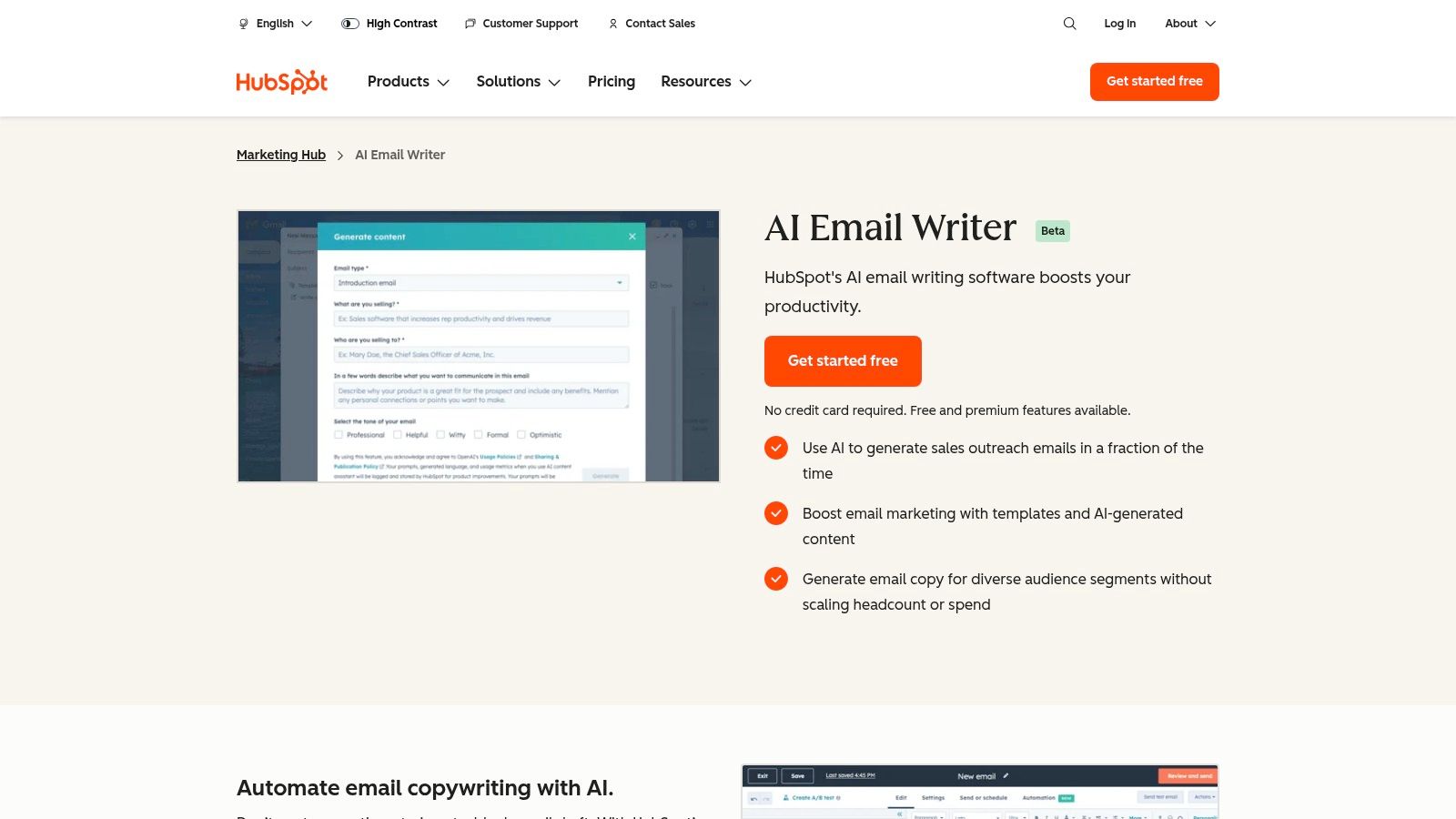
This tool is a great starting point for small businesses and founders who need to draft promotional emails quickly without a steep learning curve. While it operates in a browser, its true power emerges for those considering the broader HubSpot ecosystem. The content you generate can serve as a natural first step into using HubSpot's CRM, where the AI tools are more deeply integrated.
Key Features and Considerations
Marketing-Focused Generation: Specifically designed to create subject lines, body copy, and calls to action for outreach and marketing campaigns.
Brand & Tone Alignment: Prompts allow you to guide the AI to match your specific brand voice, helping maintain consistency across communications.
Optional CRM Integration: Works as a standalone browser tool, but also serves as an entry point to HubSpot's full suite of marketing and sales tools.
No Native Inbox Function: Unlike some competitors, it doesn't live inside your Gmail or Outlook inbox. You must generate the text on the website and then copy-paste it into your email client.
A practical tip is to use it for A/B testing different subject lines for a marketing blast. Generate a few options, send them to different segments of your list, and see which performs better. The main limitation is its focus on marketing use cases; it's less suited for composing complex replies or handling nuanced, personal sales conversations.
Website: https://www.hubspot.com/products/marketing/ai-email-writer
7. Copy.ai (Free plan)
Copy.ai is a widely recognized AI copy platform that extends its capabilities into being a practical free AI email writer through its generous free plan. It stands out with a template-driven approach, offering specific pre-built prompts for common email tasks like cold outreach, follow-ups, and promotional newsletters. This makes it an excellent starting point for users who want structured guidance rather than a completely blank canvas.
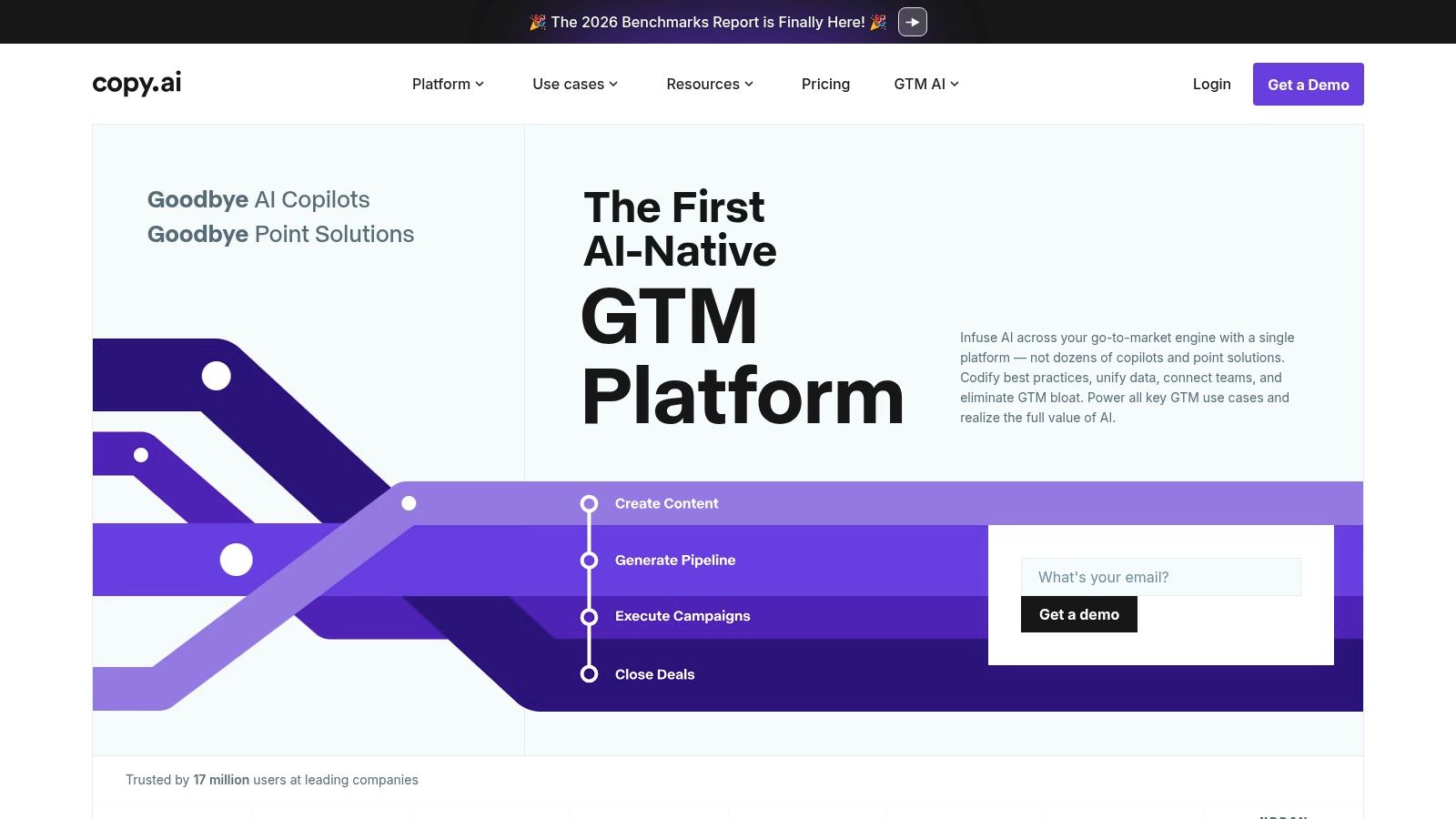
While its paid tiers offer advanced workflow automation and team features, the free version provides enough functionality for individuals and small business owners to handle daily email writing tasks. The platform's strength is in producing short-form marketing copy and email snippets quickly, making it a go-to tool for drafting subject lines, calls-to-action, or initial outreach messages. The frequent product updates also mean new templates and features are regularly added.
Key Features and Considerations
Template-Driven Email Generation: Provides a library of email templates for sales, marketing, and general communication to guide the AI.
Generous Free Tier: The free plan includes a monthly word credit limit, which is often sufficient for drafting dozens of emails.
Active Product Development: The platform is constantly updated with new tools and refined workflows, keeping it current.
A key drawback is that the specifics of the free plan, such as word limits and feature access, can change. It's always a good idea to check their pricing page for the most current details before committing to it. For best results, use the "Freestyle" tool and provide a clear, concise prompt detailing the email's purpose, target audience, and desired tone to get a highly relevant first draft.
Website: https://www.copy.ai
8. Rytr (Free plan)
Rytr is a straightforward AI writer known for its simplicity and affordability, making its free-forever plan a practical entry point for those needing a free AI email writer. It stands out by offering a clean, no-fuss interface with a focus on quick content generation. Users can select from various email templates and over 20 tones to quickly draft messages for different situations, from casual check-ins to formal outreach.
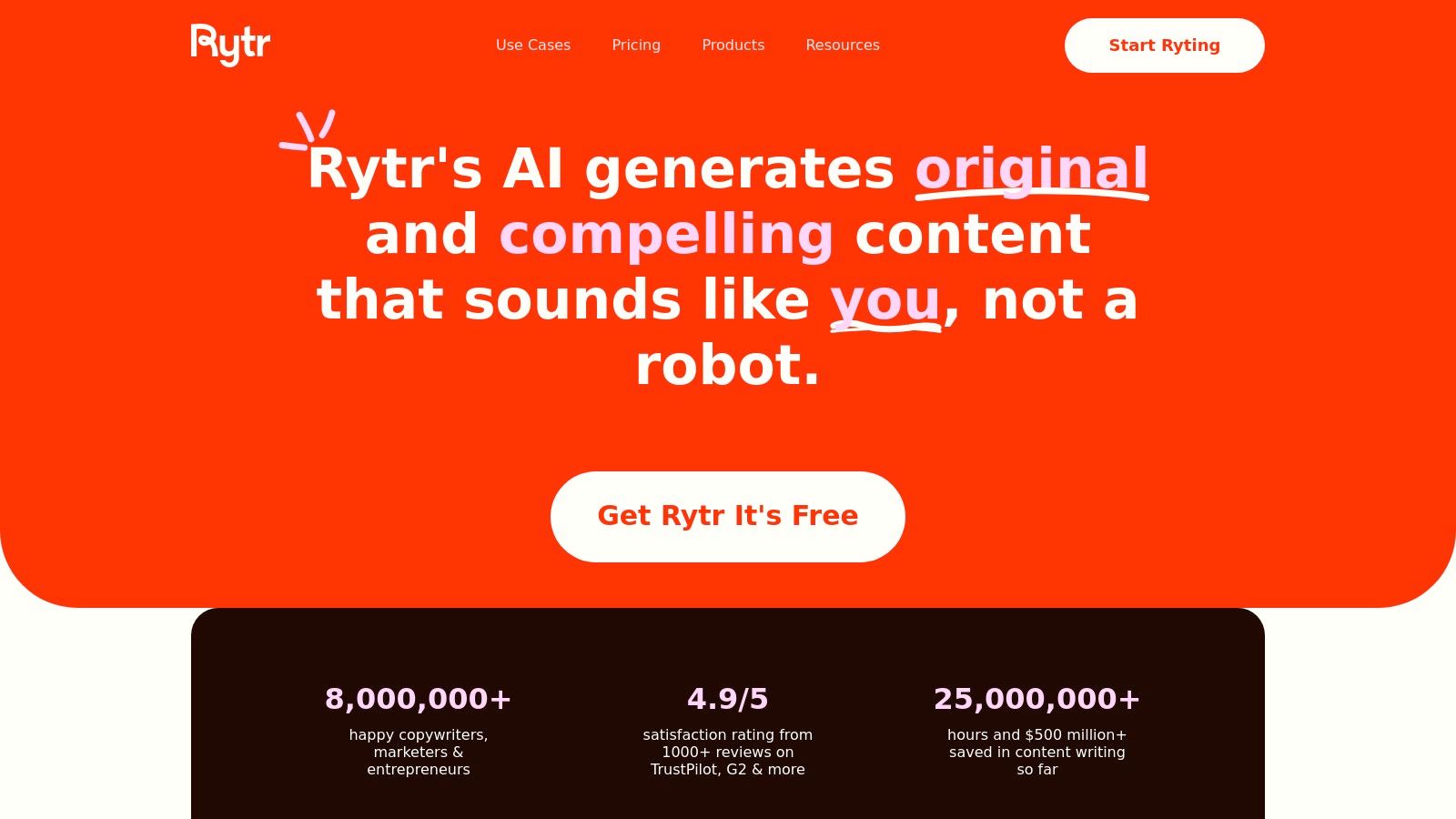
The platform is ideal for freelancers, solopreneurs, and small teams who need occasional help with short-form content without committing to a paid plan. Its browser extension allows for easy access across different web-based platforms, so you can draft emails without constantly switching tabs. While it's great for getting started, it's built for speed and simplicity rather than deep, context-aware email conversations.
Key Features and Considerations
Email Templates & Tones: Comes with a specific "Email" use case and a wide selection of tones (e.g., convincing, enthusiastic, humble) to match your message's intent.
Generous Free Plan: The free-forever tier provides a monthly character quota that is sufficient for drafting a number of short emails, social media posts, or other brief content.
Browser Extension: Includes a Chrome extension to use Rytr's capabilities directly on sites like Gmail, LinkedIn, and others, adding a layer of convenience.
A good tip is to use Rytr for brainstorming multiple opening lines or calls-to-action for an email campaign and then picking the best one. The main limitation of the free plan is the character cap, which resets monthly. This makes it less suitable for users with high-volume email needs or those who need to generate long, detailed responses.
Website: https://rytr.me
9. HIX.AI – HIX Writer (Free tier)
HIX.AI presents itself as a broad AI writing suite, and its free AI email writer is a solid entry point for those needing quick, template-driven assistance. It operates as a web-based editor and offers browser extensions, providing a good balance between a dedicated workspace and in-context help. The platform is especially useful for generating first drafts of common business communications like sales outreach or customer support replies.
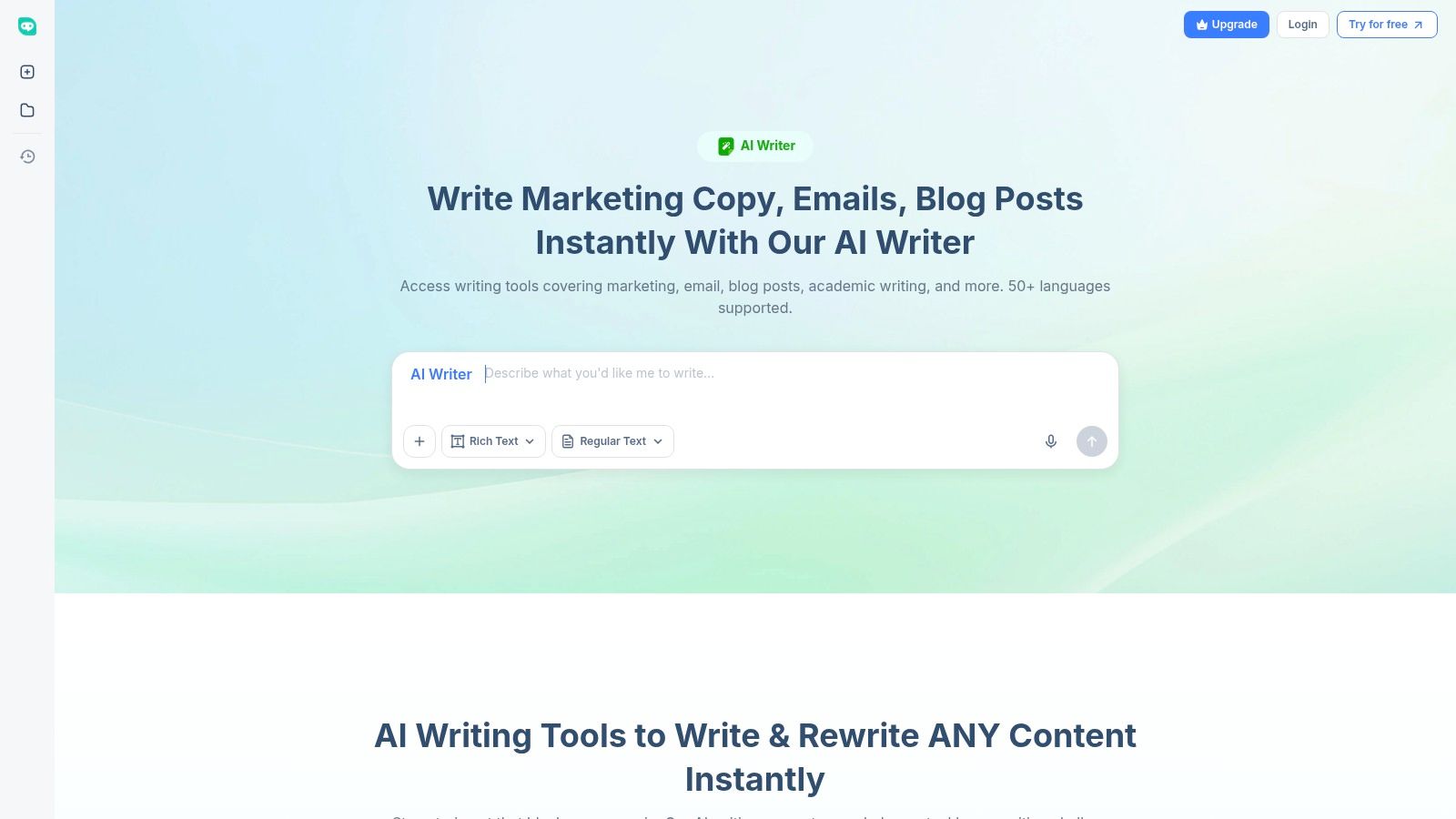
The free tier gives access to GPT-3.5-class models, which are sufficient for routine tasks. It shines when you need a structured starting point; you can select an email template, input your key points, and let the AI build out the body and subject line. This template-based approach makes it efficient for users who repeatedly send similar types of emails.
Key Features and Considerations
Dedicated Email Templates: Offers specific templates for sales, support, and other common scenarios, allowing you to generate both a subject line and body copy.
Tone Adjustment: Includes toggles to refine the tone of the generated email, which is helpful for aligning the message with your brand or audience.
Free Tier Access: The free plan is a practical way to test the basic drafting capabilities before committing to a paid plan, which unlocks more advanced models like GPT-4 and higher usage caps.
A practical tip is to use the free version for high-volume but low-stakes communications, such as initial cold outreach or simple follow-ups. The main drawback is the free tier's limitations on model quality and the number of words you can generate, which can feel restrictive for more complex or lengthy emails.
Website: https://writer.hix.ai
10. Writecream (Free tools / Free‑forever plan)
Writecream positions itself as a specialized free AI email writer with a strong focus on outbound sales and cold outreach personalization. Its standout quality is providing tools that generate hyper-specific content, such as personalized icebreakers based on a prospect's LinkedIn profile or website, making it a practical asset for sales development representatives (SDRs). The platform offers several generators that can be used instantly without creating an account, lowering the barrier to entry.
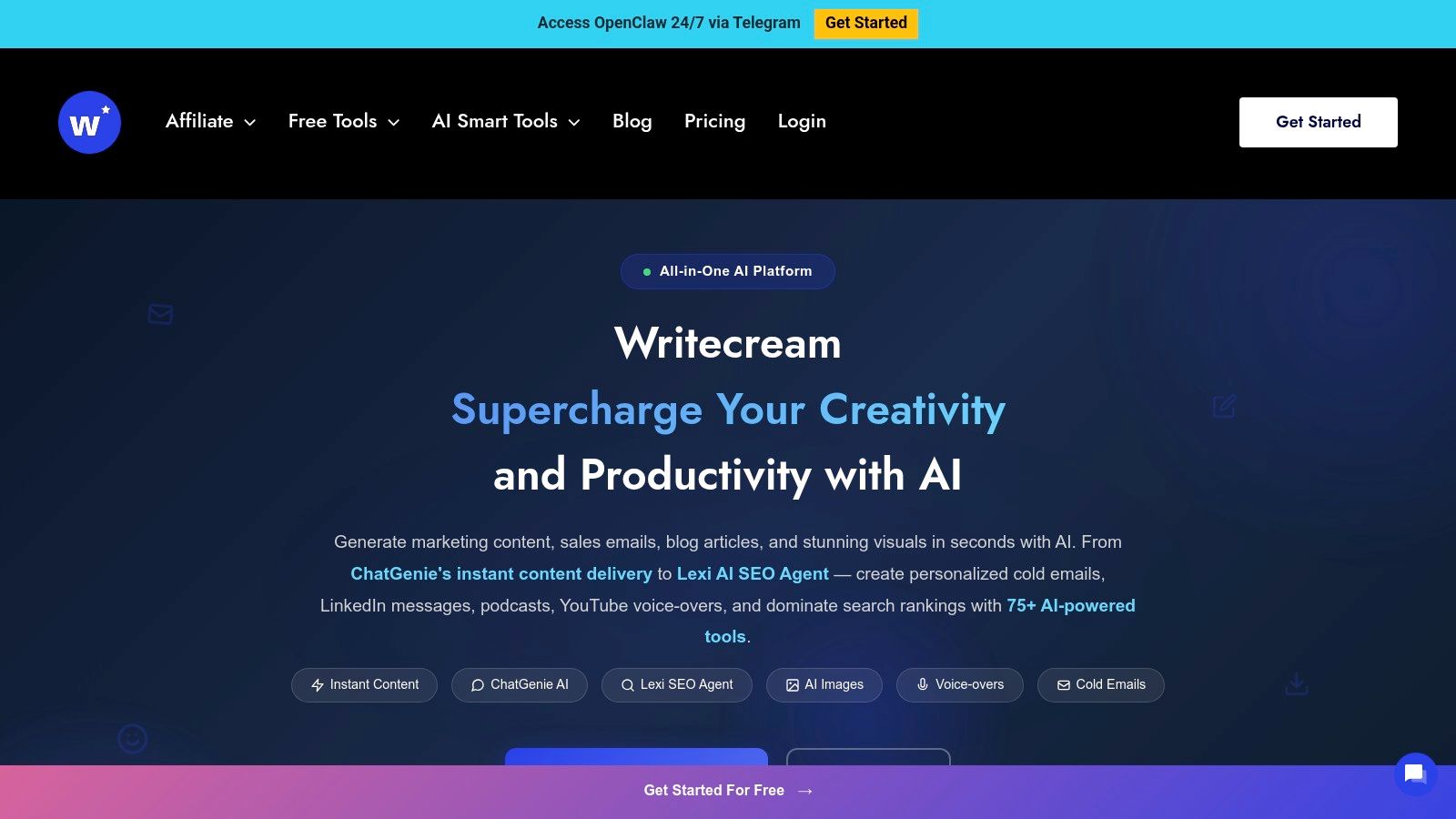
This approach makes it ideal for generating multiple variations of an outreach email quickly. Rather than a general-purpose writing assistant, its tools are purpose-built for the initial stages of the sales funnel, from crafting the first touchpoint to personalizing follow-ups. The "free-forever" plan provides a monthly credit quota, which is sufficient for low-volume outreach or for testing its capabilities before committing.
Key Features and Considerations
Outreach Personalization: Includes dedicated tools for creating personalized email intros and LinkedIn connection request messages by analyzing a URL.
No-Login Tools: Several generators, including the cold email creator, are accessible directly from the website without needing an account, which is great for quick tests.
Free-Forever Plan: Offers a recurring monthly credit allowance for ongoing, light usage across its suite of tools.
Sales-Focused Templates: The interface is built around specific sales and marketing tasks, guiding users toward generating particular types of copy.
A practical tip for using Writecream is to provide a detailed LinkedIn profile URL for the "Personalized Icebreaker" tool. The more specific information the AI has, the less generic the output will be. The main drawback is that the free tier has a limited number of credits (e.g., 20 credits/month, with some tools costing multiple credits), so users with higher volume needs will quickly hit the paywall.
Website: https://www.writecream.com
11. Simplified (Free plan)
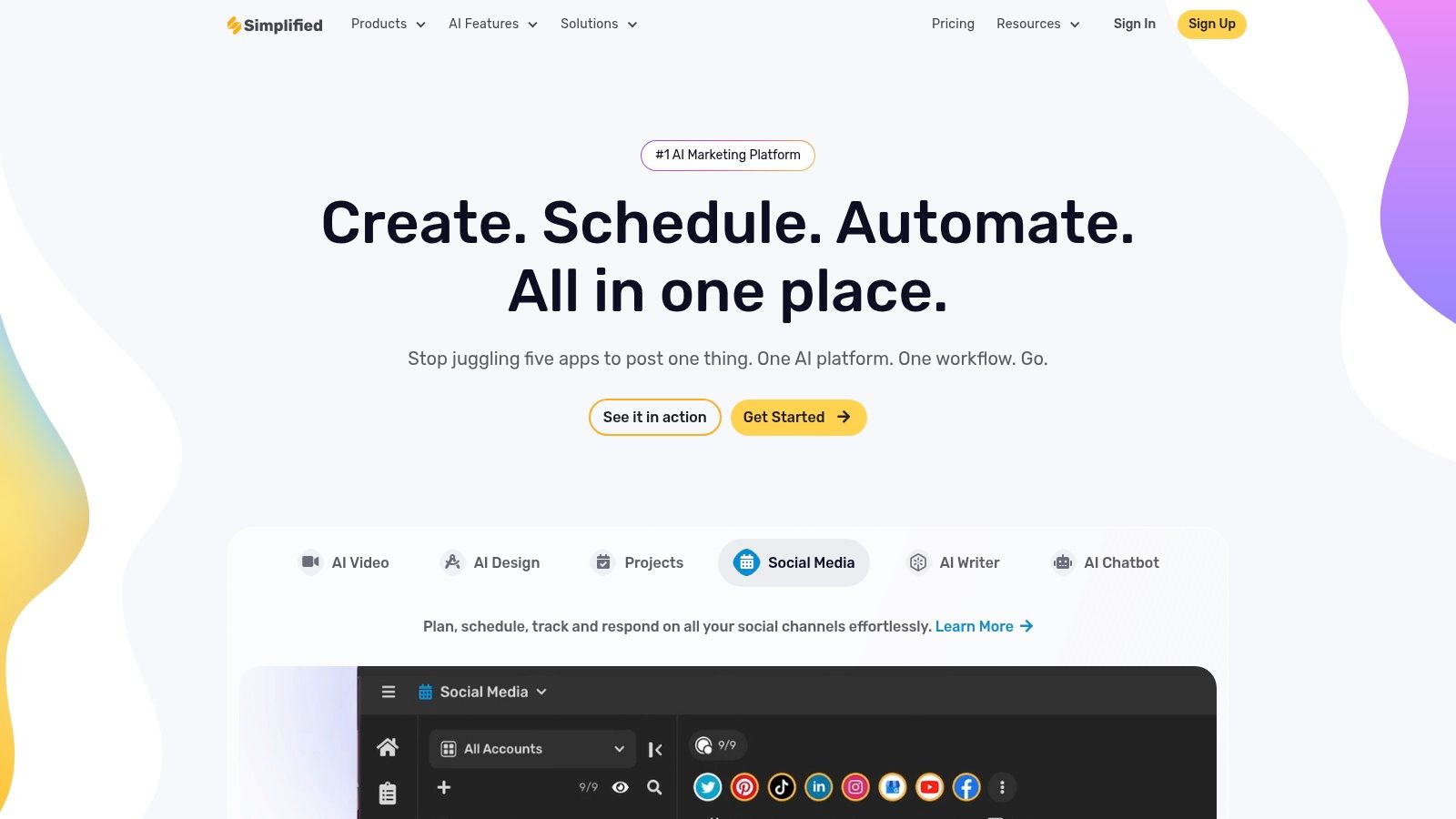
Simplified targets users who need more than just text generation, offering a free AI email writer as part of a larger, all-in-one creative suite. This platform stands out by combining an AI writer with graphic design, video editing, and social media management tools. For a small business or solopreneur, this means you can draft a promotional email and then immediately design the corresponding on-brand visuals without switching platforms.
The email writer itself comes equipped with templates for common use cases like product updates, sales outreach, and promotional campaigns. Its main appeal is the integration with design assets, which is a powerful combination for creating cohesive marketing campaigns from start to finish.
Key Features and Considerations
Integrated Creative Suite: Combines an AI writer with design, video, and social media tools, making it a unified solution for marketing content.
Brand Voice: You can define a brand voice to ensure that all generated copy, including emails, aligns with your company's tone and style.
Email Templates: Provides dedicated templates for various email types, giving you a structured starting point for your copy.
Free-Forever Plan: The free tier offers a limited credit quota to test the core AI writing features before committing to a paid plan.
One practical way to use Simplified is for new product announcements. You can generate the email copy, then use the platform’s design tools to create a matching hero image for the email and a promotional graphic for social media. A key limitation is that the free credit quota is modest and may not renew monthly depending on company policy, making it better for occasional use rather than high-volume email drafting.
Website: https://simplified.com
12. SuperReply (Free plan)
For users who prioritize speed and efficiency in their inbox, SuperReply offers a focused solution as a free AI email writer. It operates as a browser extension for Gmail and Outlook, designed to help you quickly triage your inbox and generate context-aware replies with a single click. Its main strength is reducing the mental load of crafting routine responses, allowing you to move through your emails much faster.
Unlike more complex platforms, SuperReply is not built for writing long-form marketing campaigns from scratch. Instead, it excels at drafting short, professional replies based on the email's context. You can choose a tone, such as formal or casual, and the AI suggests a complete response. This makes it ideal for acknowledging receipt, confirming appointments, or sending quick thank-yous without breaking your workflow.
Key Features and Considerations
One-Click Reply Suggestions: Generates context-aware draft replies instantly within your Gmail or Outlook interface.
Tone Selection: Easily adjust the generated response to be more positive, negative, formal, or casual to match the situation.
Extension and Web UI: Works directly in your inbox via its browser extension, providing a seamless experience for rapid-fire replies.
Free Plan Limitations: The free version is intended for testing and light use, offering a small daily cap on generated emails (e.g., up to 3 per day).
A practical way to use SuperReply is for managing high-volume, low-complexity inboxes where quick acknowledgment is key. The primary drawback is the strict daily limit on the free plan, which makes it unsuitable for power users or for handling your entire daily email workload. It serves best as a specialized tool for quick reactions rather than a comprehensive writing assistant.
Website: https://superreply.co
Free AI Email Writers — 12-Tool Comparison
Product | Core features ✨ | UX / Quality ★ | Pricing & Value 💰 | Target 👥 | Quick USP / Notes |
|---|---|---|---|---|---|
Glinky – The Revenue Engine for Startups and SMEs 🏆 | Meeting intelligence, lead discovery, outreach sequencing, unified timeline | ★★★★★ — automated notes & CRM sync | 💰 Free plan + paid tiers; low adoption friction | 👥 Startups & SMEs; revenue teams | ✨ All‑in‑one revenue workflow; native speaker recognition; autopilot sequences |
Gmail "Help me write" (Gemini in Gmail) | Inline drafting, suggested replies, thread summaries | ★★★★ — native inbox experience | 💰 Free for personal (US rollout); Workspace features vary | 👥 Individual users, personal Gmail accounts | ✨ Zero‑friction in‑Gmail drafting; style learning |
Microsoft Copilot (free) for email drafting | Draft/rewrite, Copilot Chat; Outlook context on paid tiers | ★★★★ — strong business tone | 💰 Copilot Chat free; paid Copilot for M365 for deeper inbox/context | 👥 Microsoft/Outlook users; enterprises | ✨ Inbox/calendar grounding on paid tiers; robust writing quality |
ChatGPT (Free) | Flexible prompting, templates, tone & length control | ★★★ — very fast; copy/paste workflow | 💰 Free tier; paid plans add integrations | 👥 Freelancers, teams needing flexible drafts | ✨ Highly flexible prompts for varied email types |
Grammarly (Free plan) | Grammar/tone checks, one‑click rewrites, extensions | ★★★★ — excellent polishing | 💰 Free basic; Premium for advanced rewriting | 👥 Professionals, writers, editors | ✨ Best for clarity & tone across apps |
HubSpot AI Email Writer (free tool) | Subject/body/CTA generation; brand/tone prompts | ★★★ — browser tool for marketing | 💰 Free tool; paid HubSpot CRM integration optional | 👥 Marketers, HubSpot users | ✨ Marketing/outreach focused; CRM path if adopted |
Copy.ai (Free plan) | Templates for cold emails, follow‑ups, promos | ★★★ — template‑driven | 💰 Free with limits; paid for bulk & workflows | 👥 Marketers, small teams | ✨ Strong short‑form templates; frequent updates |
Rytr (Free plan) | Email templates, 20+ tones, multi‑language support | ★★★ — simple UI | 💰 Free‑forever with character caps | 👥 Freelancers, solopreneurs, small teams | ✨ Affordable, easy for quick drafts |
HIX.AI – HIX Writer (Free tier) | Email templates, tone toggles, browser editor | ★★★ — basic drafting | 💰 Free (GPT‑3.5); paid for GPT‑4 models & higher caps | 👥 Sales & support reps | ✨ Quick templates; upgrade path to premium models |
Writecream (Free tools / Free‑forever plan) | Cold email generator, personalization, icebreakers | ★★★ — variable by input | 💰 Free generators + free‑forever tier (quotas) | 👥 Outbound sales & SDRs | ✨ Focused on personalized outreach variations |
Simplified (Free plan) | Email copy + design tools, brand voice, editor | ★★★ — creative suite combo | 💰 Free tier with quotas; paid for more features | 👥 Small teams doing marketing & design | ✨ Combines copywriting with visuals |
SuperReply (Free plan) | One‑click replies, tone options, Gmail/Outlook extension | ★★★ — fast triage | 💰 Free plan with small daily cap | 👥 Busy inbox users, support triage | ✨ Quick, context‑aware reply generator with clear limits |
Final Thoughts
Our journey through the world of the free AI email writer has revealed a diverse set of tools, each with distinct strengths and specific limitations. The central takeaway is clear: artificial intelligence is no longer a futuristic concept but a practical, accessible assistant for everyday communication, especially for busy founders, sales professionals, and small business owners.
We've seen everything from the powerful, integrated capabilities of Gmail's "Help me write" and Microsoft Copilot to the versatile, prompt-driven nature of ChatGPT. Tools like Grammarly and HubSpot offer AI writing assistance within a broader ecosystem of grammar correction and customer relationship management, respectively. Meanwhile, freemium models from Copy.ai, Rytr, and HIX.AI provide a generous taste of what dedicated AI writing platforms can accomplish before requiring a paid subscription.
Choosing Your AI Email Assistant: A Practical Guide
Selecting the right tool isn't about finding the single "best" option; it's about matching a tool's capabilities to your specific workflow, priorities, and tolerance for its constraints.
To make an informed decision, consider these factors:
Integration vs. Standalone: Do you need an assistant that lives directly within your inbox (like Gmail or SuperReply), or are you comfortable switching to a separate tab to generate copy (like ChatGPT or Rytr)? An integrated tool saves time, but a standalone platform often provides more creative control and features.
Use Case Specificity: Your primary need should guide your choice. For quick, context-aware replies, Gemini in Gmail is a strong contender. For crafting cold sales outreach or marketing copy, a tool like Copy.ai or Writecream, with its specialized templates, might be more effective.
Volume and Usage Limits: The "free" label almost always comes with a cap. Carefully examine the monthly word counts or generation limits. If you're a high-volume user, the free plans from services like Rytr or Simplified might feel restrictive quickly, pushing you toward a paid plan or a truly unlimited option like the free version of ChatGPT.
Privacy and Data Security: This is a critical, often overlooked, factor. When you input sensitive client information or internal strategy into a prompt, where does that data go? Review the privacy policies of any free AI email writer you consider, especially for tools that learn from user inputs. For confidential matters, drafting on a more secure platform is always the safer bet.
Implementing AI Without Losing Your Voice
The most significant risk in adopting these tools is becoming overly reliant on them and losing your personal touch. Authenticity builds relationships, and no AI can replicate your unique perspective or genuine empathy for a customer's problem.
Remember, an AI email writer is a collaborator, not a replacement. Its purpose is to overcome writer's block, accelerate your drafting process, and handle the heavy lifting of composition, freeing you up to focus on strategy and personalization.
Here are some actionable steps to get started:
Start Small: Pick one tool from this list that aligns with your most common email task, such as writing follow-ups.
Test and Compare: Generate the same email prompt across two or three different tools to understand their unique tones and outputs.
Edit Aggressively: Never copy and paste AI-generated text directly. Always review, edit for accuracy, and inject your own voice, personality, and specific details that only you would know. This human layer is your most valuable asset.
Ultimately, a free AI email writer is a powerful instrument for reclaiming time and boosting productivity. By choosing thoughtfully and implementing strategically, you can transform it from a novelty into an indispensable part of your communication workflow, allowing you to focus on what truly matters: building relationships and growing your business.
While a free AI email writer is excellent for drafting individual messages, scaling your outreach and managing the entire revenue cycle requires a more connected solution. Glinky unifies lead discovery, bot-free email sequencing, meeting intelligence, and CRM functionalities into a single platform, eliminating the need to juggle multiple disconnected tools. If you're ready to move beyond just writing emails and start building a predictable revenue engine, explore what a truly integrated workflow can do for your business.
People also read

10 Sales Enablement Best Practices to Unify Your Revenue Engine in 2026
Productivity
Mar 13, 2026

How to Manage Sales Pipeline for Predictable Revenue Growth
Productivity
Mar 14, 2026

How to Qualify Leads in Sales Without Wasting Time
Productivity
Mar 17, 2026

What is Conversation Intelligence? A Practical Guide for Sales Teams
Productivity
Mar 18, 2026

Top 10 Sales Discovery Questions That Close More Deals
Productivity
Mar 25, 2026

Taking Minutes of Meeting: A Guide to Transforming Chaos into Action
Productivity
Feb 16, 2026

Action Items List: A Practical Guide to Drive Real Results
Productivity
Feb 19, 2026

Master the summary of a meeting for clear decisions and follow-ups
Productivity
Feb 22, 2026

Track Action Items: A Practical Guide to Using AI for Flawless Follow-Up
Productivity
Feb 17, 2026

Unlock: How to Take Notes on a Computer for Peak Productivity in 2026
Productivity
Feb 26, 2026

How to Record Google Meet: A Complete Guide for 2026
Productivity
Mar 4, 2026

12 Best AI Note Taking App Choices for 2026: The Definitive Guide
Productivity
Mar 6, 2026

How to Improve Customer Retention: Practical Tips to Boost Loyalty
Productivity
Mar 8, 2026

10 Client Communication Best Practices to Master in 2026
Productivity
Mar 7, 2026

The 12 Best AI Meeting Assistant Tools for 2026: A Deep Dive
Productivity
Mar 15, 2026

Your Guide to the Ultimate AI Email Writer
Productivity
Feb 27, 2026

10 Essential Customer Success Best Practices for 2026
Productivity
Mar 1, 2026

Your Guide to Sales Call Recording Software in 2026
Productivity
Mar 2, 2026

How to Take Better Meeting Notes and Drive Real Results
Productivity
Mar 5, 2026

Top 10 Picks for best crm for small business
Productivity
Mar 3, 2026

What is an Ideal Customer Profile: A Guide to Driving Growth
Productivity
Mar 9, 2026

Automated meeting minutes: Turn talks into actionable notes
Productivity
Mar 11, 2026

The Top 12 AI Powered Sales Tools to Boost Revenue in 2026
Productivity
Mar 16, 2026

AI Note Taking For Meetings: Fast, Smart AI Notes That Drive Collaboration
Productivity
Mar 19, 2026

Understanding Transcription Service Cost: A 2026 Guide
Productivity
Mar 20, 2026

Master Your Meetings With The Note Taking Charting Method
Productivity
Feb 18, 2026

The Ultimate 2026 Guide: 8 Meeting Follow Up Email Template Scenarios
Productivity
Feb 20, 2026

Master the Art of Taking Meeting Notes for Actionable Outcomes
Productivity
Feb 25, 2026

12 Best Sales Lead Generation Tools to Boost Your Pipeline in 2026
Productivity
Mar 10, 2026

Translation Vs Transcription: Which Service Do You Really Need?
Productivity
Mar 12, 2026

Mastering the goals of a meeting to drive decisions and boost team alignment
Productivity
Mar 23, 2026

A Guide to AI Sales Enablement Platforms in 2026
Productivity
Mar 21, 2026

Automate Follow Up Emails: Actionable Insights for Boosting Sales & Efficiency
Productivity
Mar 26, 2026

Follow Up Email Subjects That Convert: Increase Opens and Replies
Productivity
Feb 17, 2026

Your Playbook for Outbound Lead Generation in 2026
Productivity
Feb 28, 2026

Your Essential Meeting Action Items Template to Drive Results
Productivity
Feb 23, 2026

Your Guide to Using an Email Writer AI for Maximum Impact
Productivity
Feb 23, 2026

8 Essential Ground Rules at Meetings to Maximize Productivity in 2026
Productivity
Mar 24, 2026

Otter.ai vs Glinky
Productivity
Feb 5, 2026

AI Tools for Startup Founders [2026]
Productivity
Feb 4, 2026

Best AI Tools for Startups [2026]
Tools
Feb 3, 2026

Sales Call Notes: How to Capture Every Detail Without Losing the Deal
How to
Feb 2, 2026

How to Take Meeting Notes: 7 Methods That Actually Work [2026]
How to
Jan 14, 2026
![AI Meeting Minutes | Free Forever [2026]](https://framerusercontent.com/images/zYQGRjgLX63tiouLTK65LvCcjK8.png?width=402&height=263)
AI Meeting Minutes | Free Forever [2026]
How to
Jan 13, 2026
![How to Record Zoom Meetings Without a Bot [2026] 3 Easy Methods](https://framerusercontent.com/images/gGoQV8bPb9zR5weVruinbjaxO0.png?width=402&height=263)
How to Record Zoom Meetings Without a Bot [2026]
How to
Jan 9, 2026

Bot-Free AI Meeting Notes: We Tested the 6 Best Tools in 2026
Tools
Jan 8, 2026

Glinky vs Fireflies.ai
Tools
Jan 7, 2026

15 Best AI Tools to Boost Your Productivity in 2026
Productivity
Jan 6, 2026