Nov 13, 2025
Productivity
Taking Minutes of Meeting: A Guide to Transforming Chaos into Action

"Meeting minutes." The term itself sounds dry, doesn't it? It conjures up images of a stenographer furiously typing in a dusty boardroom. But in reality, the act of capturing what happens in a meeting is one of the most strategic things you can do for your business. It’s the process of creating a clear, written record of the important discussions, the big decisions, and—most crucially—who agreed to do what next.
This document becomes your official source of truth, creating clarity, driving accountability, and giving you a historical map to trace how and why you made certain moves.
Why Great Meeting Minutes Are Your Secret Weapon for Growth
Let's be real for a second. How many meetings have you walked out of (or clicked "Leave Meeting" on) thinking, "Well, that was an hour of my life I'll never get back"? That feeling of frustration is universal, but the business cost is shockingly tangible.
Bad meetings aren't just an annoyance; they're a direct hit to your company's bottom line, productivity, and morale.
The stats are pretty grim. The average employee spends a wild 392 hours a year in meetings. That’s nearly 10 full work weeks gone. Even worse, 65% of people say those meetings keep them from getting their actual work done. All this inefficiency adds up to an estimated $37 billion flushed away by the US economy every single year. (If you're a fan of jaw-dropping numbers, you can dig into the full research on meeting statistics at Rev.com).
This is More Than Just Note-Taking
This is exactly why taking great meeting minutes is a strategic skill, not just a clerical task. It’s how you turn a fleeting conversation into a permanent, actionable asset. Without that record, brilliant ideas, game-changing decisions, and critical action items can evaporate the second the Zoom call ends.
Done right, your minutes will deliver serious value:
Total Clarity and Alignment: They create a single, undisputed record of what was decided. This gets everyone on the same page, especially folks who couldn't make it.
Action and Accountability: This is the big one. By clearly stating who is doing what and by when, minutes are the engine for follow-through. No more, "I thought you were handling that."
A Legal Safety Net: For board meetings or major company decisions, minutes serve as the official record of the actions taken, which can be absolutely critical for compliance.
Actionable Insight: The goal isn’t to transcribe every word spoken. It’s to capture the outcomes. Always focus on what was decided, what needs to be done, and when it's due.
This is where modern tools like GLINKY have completely changed the game. By automatically capturing the discussion and generating structured notes for you, these tools free you up to actually participate in the meeting. Instead of being a frantic typist, you can focus on the strategy, the decisions, and the next steps that actually push the business forward.
Preparing to Capture Every Critical Detail
Great meeting minutes don’t just happen. They’re the result of smart preparation that starts long before the call ever begins.
Walking into a meeting unprepared is like trying to build furniture without the instructions—you might end up with something, but it probably won't be what you intended. A little groundwork transforms you from a passive scribe into an active participant, one who knows exactly what to listen for.
Huddle with the Meeting Lead Beforehand
This is my number one tip for anyone serious about capturing what really matters. Ping the meeting organizer for a quick chat. An agenda tells you the 'what,' but a conversation with the lead tells you the 'why.'
Get straight to the point with a few targeted questions:
"What are the top 3 outcomes you're hoping for from this discussion?" This helps you zero in on decision-making moments.
"Who are the key decision-makers on this call?" Now you know whose input carries the most weight.
"Any sensitive topics or potential debates I should be aware of?" This foresight is invaluable for capturing nuance and tone accurately.
This quick sync aligns your note-taking with the meeting's strategic purpose. You're no longer just typing; you're documenting progress toward a specific goal.
Set Up Your Digital Workspace
Your note-taking environment, whether it's a Google Doc, a Notion page, or a dedicated app, has a huge impact on your effectiveness. A messy setup guarantees messy notes.
The trick is to create a structured outline before the meeting starts, using the agenda as your guide.
Your template should have pre-filled sections for the basics:
Meeting title, date, and time
A list of attendees (with a spot to mark who was absent)
Each agenda item copied over as its own heading
Clear, separate buckets for Action Items, Decisions, and Open Questions
This structure saves you from the frantic scramble of trying to organize information on the fly. I also make it a habit to quickly scan the minutes from the last meeting on this topic. It’s a simple way to get context on dangling action items or ongoing discussions.
If you plan on recording the session for backup, our guide on how to record Zoom meetings without a bot has some great tips for getting a clean, unobtrusive recording.
Failing to prepare isn't just a personal headache; it has a real business cost. Unproductive meetings drain budgets, stall projects, and burn valuable time.
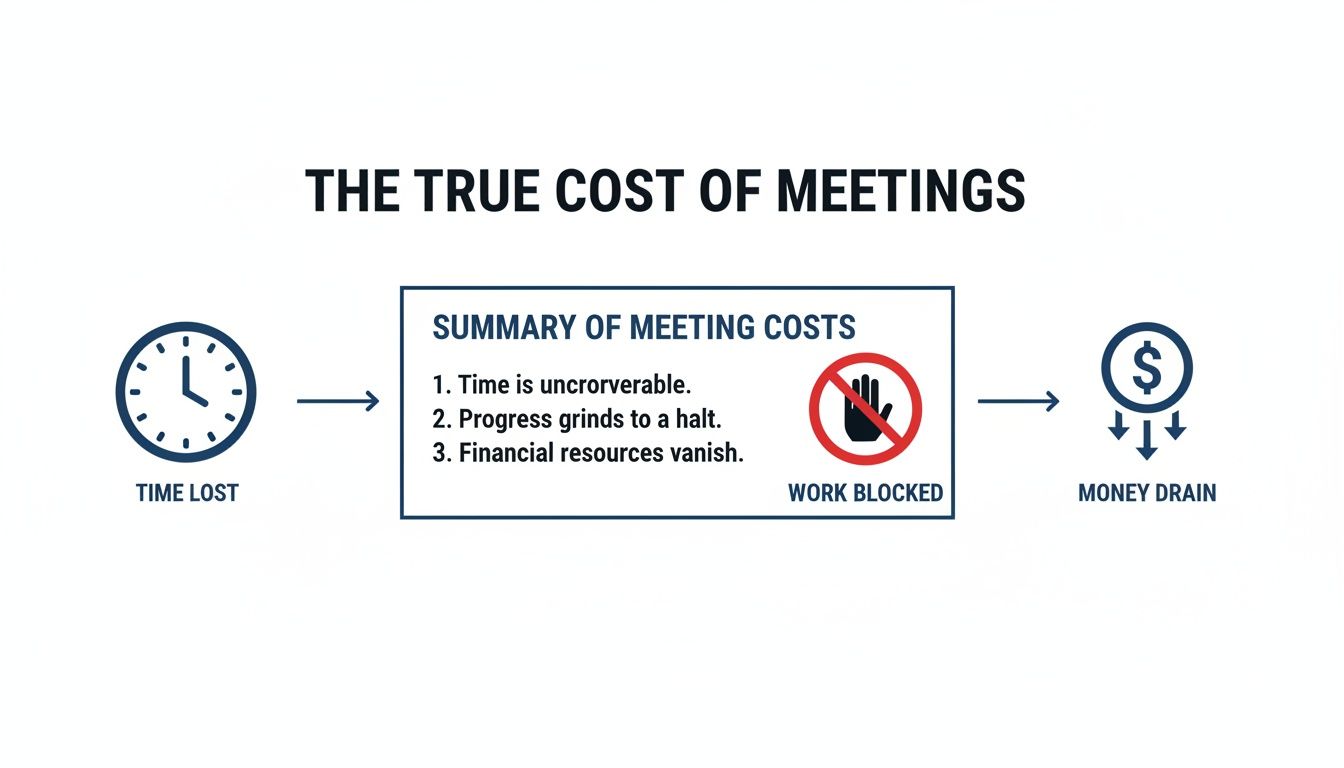
This isn't just an abstract problem. As the graphic shows, that lack of preparation translates directly into wasted resources and financial loss. Your prep work is a direct investment in the meeting's success.
Pro Tip: Don't just look at the agenda—make it the foundation of your notes. Copy and paste the entire thing into your document. This instantly gives you a logical skeleton to flesh out during the call, saving you from reinventing the wheel mid-conversation.
Choosing Your Minute-Taking Tool
There’s no single "best" tool for taking minutes; it comes down to what works for you and your team. Some people thrive with the simplicity of a text editor, while others need the rich features of a collaborative platform.
Here's a quick breakdown of the most common options to help you decide.
Tool Type | Best For | Pros | Cons |
|---|---|---|---|
Simple Text Editor (Notes, TextEdit) | Quick, informal meetings or solo note-taking. | - No distractions | - Hard to format |
Collaborative Docs (Google Docs, Office 35) | Most standard team meetings where real-time collaboration is key. | - Easy sharing and permissions | - Can get messy without a template |
Project Management Tools (Asana, Jira) | Meetings focused on specific project updates and task assignments. | - Directly create and assign tasks | - Can be too structured for brainstorming |
Dedicated Note Apps (Notion, Evernote) | Teams that want a single source of truth with powerful organization. | - Highly customizable templates | - Steeper learning curve |
AI Meeting Assistants (Glinky) | Busy professionals who need accurate summaries and automated workflows. | - Automated transcription and summaries | - Requires granting access to meetings |
Ultimately, the best tool is the one that lets you keep up with the conversation without feeling like you’re falling behind. The most important thing? Make your choice before the meeting starts, not as everyone is saying hello.
Techniques for Note-Taking in Real Time
The meeting’s kicked off, conversation is flowing, and it’s go-time. This is the moment most minute-takers dread, frantically trying to capture every last word.
But here’s the secret: you’re not a court stenographer. Your job isn't to transcribe; it's to synthesize. You need to filter the noise and capture what actually matters.
This skill has never been more vital. We're all in 60% more remote meetings than before 2020, and 83% of us spend up to a third of our week in them. With over a billion meetings happening in the U.S. each year, failing to capture the important stuff leads to a massive loss of information. You can dig into more of these stats and what they mean over at Notta.ai.
Master the Outline Method
One of the best ways to stay organized in the heat of the moment is the outline method. It’s simple, effective, and builds directly on the prep work you’ve already done with the agenda. That pre-built structure becomes your roadmap.
Forget writing long, winding paragraphs. Instead, use bullet points and nested sub-bullets to slot information under each agenda topic as it comes up. This format isn’t just easier to scan later; it forces you to be concise right from the start.
Let’s say you have an agenda item like "Q3 Marketing Campaign Review." Your live notes might look something like this:
Discussion: Team reviewed the "Summer Splash" campaign.
Social media engagement came in 15% above target.
But email click-through rates were 5% below our goal.
Decision: The board approved an extra $5,000 for retargeting ads.
Action Item: Sarah to deliver a revised email strategy by Friday, October 26th.
See how that works? It’s clean, organized, and focused entirely on the outcomes.
Active Listening for Key Triggers
Great note-taking is actually more about listening than typing. You have to train your ear to perk up when you hear specific phrases that signal something important just happened.
Tune in for these signals:
Decision Triggers: "Okay, we've agreed to…," "The decision is to move forward with…," or "So, we're all aligned on..."
Action Item Triggers: "I can take that on," "Who will be responsible for…?," or the classic, "The next step is..."
Deadline Triggers: "We need this by…," "Let's set a deadline of…," or "When can we expect an update on that?"
Hearing one of these is your cue to switch from summarizing the general discussion to recording a concrete commitment. This is a crucial skill, whether you’re in a high-stakes sales call or a routine team huddle. For a deeper dive, check out our guide on how to capture every detail in sales call notes.
Actionable Insight: Don’t be afraid to politely jump in for clarity. A quick, "Just to confirm for the minutes, did we decide on Option A?" is way better than guessing later. It shows you're on top of it and committed to getting it right.
Handling Unclear Points and Fast-Paced Discussions
Let's be real—meetings can get messy. People talk over each other, a decision gets made without anyone explicitly saying so, or a critical detail is glossed over in a rush. Don’t panic.
Just create a "Parking Lot" or "Open Questions" section in your notes. If a point is muddy or a side-topic pops up, quickly jot it down there and move on. This prevents you from getting derailed. Then, at the end of the meeting, you can circle back. A simple, "Before we wrap, I wanted to quickly clarify the budget point..." can save you a ton of headaches later.
This is exactly where an AI assistant like GLINKY is a game-changer. It takes the pressure off by giving you a full, speaker-labeled transcript of the entire conversation. You can stop worrying about catching every single word and instead focus on listening for those high-level decisions and action items, knowing you have a perfect record to fall back on. This safety net transforms you from a frantic scribe into a strategic listener.
From Raw Notes to a Polished Professional Record
The meeting’s over, but don’t close your laptop just yet. Honestly, the most important part of taking minutes has just begun. This is where you transform your messy, real-time notes—a chaotic jumble of thoughts, quotes, and half-formed ideas—into a clear, professional record that actually drives action.
This isn’t just about making things look tidy. It’s about creating the single source of truth for your team. Your raw notes captured the conversation; the final minutes need to capture the outcomes. This is how decisions get locked in and momentum doesn't die the second the video call ends.
Crafting a Structure for Clarity
Before you touch a single word of your notes, give them a solid structure. A well-organized document is a scannable one, and that’s exactly what your team needs. Think of it as creating a predictable roadmap for anyone reading them—whether they attended the meeting or not.
Every set of minutes should follow a consistent format. This helps everyone quickly find what they're looking for without having to hunt for it. At a minimum, your structure should nail these key parts:
Essential Header Information: Start with the basics—meeting name, date, time, and location. Just as important, list who was there and note any key people who were absent.
Decisions Made: This is the headline. Use a clear, bulleted list for every single decision that was finalized. No room for interpretation here.
Action Items Table: This is the engine of accountability. A simple table that lays out who owns what task and, critically, the deadline for getting it done.
Editing with Objectivity and Brevity
Alright, now it’s time to get into the weeds and refine the content. Your job here is to be a neutral reporter, not a commentator. Go through your notes and strip out any personal opinions, emotional language, or subjective takes.
It's a startling fact, but surveys show only 54% of meeting participants feel that action items are consistently followed up on. Crystal-clear, objective minutes are your best weapon against that ambiguity.
Actionable Insight: Remember, the final minutes are an official record of what happened. Stick to the facts: what was discussed, what was decided, and who is doing what next. Ditch the interpretation and just report the outcomes.
As you edit, be ruthless with your words. Cut the fluff. Ditch the redundant phrases and long-winded sentences. Your colleagues are swamped; they need a document they can digest in five minutes, not a novel they have to decipher.
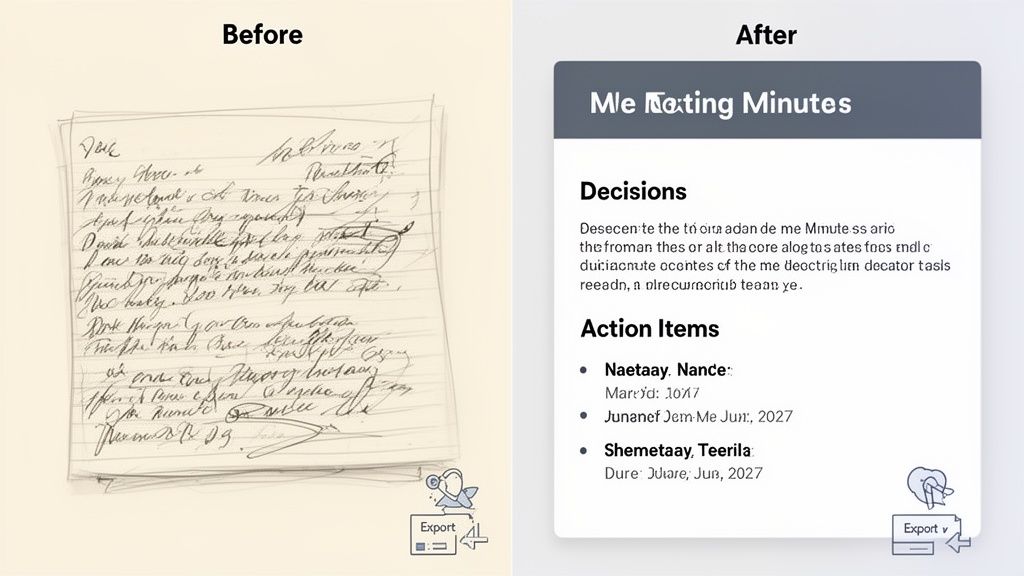
The Power of a Before-and-After Transformation
Let's make this real. Here’s a look at how messy, raw notes can be transformed into a polished, actionable record.
Before: Raw Notes
Team talked about Q4 budget. Dave was worried about the ad spend, said it was too high. Maria thought we needed more for the new product launch. Lots of back and forth. They eventually decided to move some money around. Someone needs to update the spreadsheet.
After: Polished Minutes
Decision: The Q4 marketing budget was approved with the following amendment: $10,000 will be reallocated from the general advertising fund to the 'Project Titan' product launch campaign.
Action Item: Alex Reed to update the master budget spreadsheet with the revised allocations by EOD Friday, November 8th.
See the difference? We went from a vague summary to a concrete decision with a clear owner and deadline. That's the goal.
This whole cleanup process—structuring, editing, and clarifying—is precisely where an AI meeting assistant like GLINKY comes in. Instead of you spending an hour or more wrestling your notes into shape, GLINKY automatically generates a structured summary, pulls out the key decisions, and creates a clean list of action items. It turns your post-meeting slog into a quick, two-minute review, guaranteeing your final record is professional and sent out while the meeting is still fresh in everyone's mind.
Ensuring Follow-Through with Smart Distribution
Look, capturing great notes is half the battle, but even the most perfectly written minutes are worthless if they just sit on your hard drive gathering digital dust. The real magic happens in what comes next: distribution and follow-up. This is where you turn talk into action.
Without a solid post-meeting workflow, everything grinds to a halt. This isn't a small problem—workplace distractions from bad meeting habits cost the US economy something like $65 billion a year. And when you hear that a whopping 71% of meetings are seen as unproductive, you realize that failing to track and act on decisions is a massive part of the issue. A great resource from myhours.com really breaks down the staggering costs of ineffective meetings.
Timely Distribution Is Non-Negotiable
Here’s the golden rule: send out the minutes while the meeting is still fresh in everyone's mind. Your target window should be within 24 hours. Seriously.
If you wait any longer, things start to fall apart:
The momentum vanishes. That buzz and sense of urgency from the call? Gone.
Memories get fuzzy. People start to forget the little details and nuances of what was agreed.
Action items stall. Your team can't get started on tasks they don't officially have.
Getting the notes out quickly is a sign of respect for everyone's time. It sends a clear message that the meeting mattered and that you expect things to get done.
Creating a Central Source of Truth
Where you send the minutes is just as important as when. Just blasting them out in an email is a recipe for chaos. You end up with dozens of versions buried in inboxes, making it impossible to find a specific decision a few months down the line.
Actionable Insight: The best way to handle this is to store all your meeting minutes in one central, easy-to-access place. This creates a living history of your projects that anyone can reference.
This central hub could be anything from a folder in Google Drive or SharePoint to a page in Asana or a Notion database. The tool doesn't matter as much as the consistency. Everyone on the team needs to know exactly where to go to find the official record without having to ask.
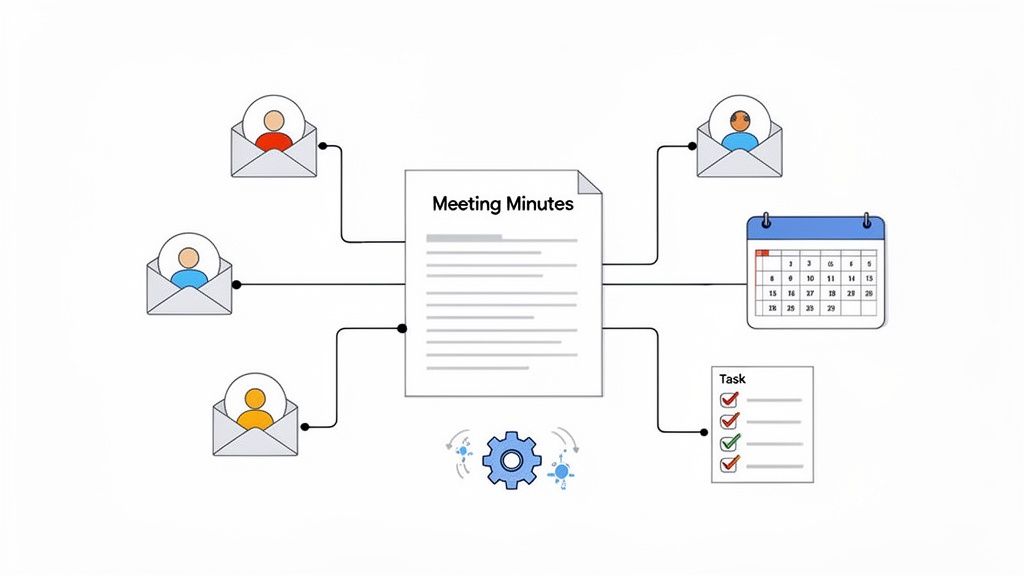
This whole process gets a lot easier with the right tools. An AI assistant like GLINKY, for instance, can automatically whip up a follow-up email with a neat summary and action items, while also syncing the complete notes to your central repository. It completely closes the loop, making sure decisions are documented, shared, and archived without you lifting a finger.
Curious about how different AI note-takers compare? We actually put them to the test in our breakdown of the 6 best bot-free AI meeting note tools. It's all about creating a seamless flow from conversation to execution, so no critical task ever gets dropped again.
Common Questions (and Expert Answers) About Taking Minutes
Even the most seasoned minute-takers run into tricky situations. Things get messy, conversations wander, and sometimes you just don't know what's important enough to write down.
Let's clear up a few of the most common questions that pop up, so you can handle any curveball with confidence.
How Much Detail Is Too Much?
This is the big one. The most common mistake I see is people trying to become court reporters, capturing every single word. Your job isn't to create a transcript; it’s to document outcomes.
A simple rule of thumb: the final minutes should be a concise summary that someone who missed the meeting can read and understand in five minutes or less.
To get there, you only need to focus on three things:
Decisions Made: What did the team formally agree on? Get it on the record.
Action Items: Who owns what, and what's the deadline? This is non-negotiable.
Key Conclusions: What were the major insights or takeaways from the discussion that will influence future work?
Forget about transcribing the back-and-forth debates. Unless a direct quote is absolutely essential for legal or compliance reasons, a summary is always more powerful. It's about clarity, not volume.
Actionable Insight: A simple filter I use is: "Is this a decision, an action, or a critical conclusion?" If the answer is no, it almost never belongs in the final document. This keeps your minutes scannable and laser-focused on moving work forward.
What About Off-Topic Discussions?
We’ve all been in meetings that go off the rails. It happens. As the note-taker, your loyalty is to the agenda, not the tangents.
Your job is to stay disciplined. Only record the decisions and action items that are directly tied to the official agenda items. If an important new topic comes up and a decision is actually made, you can capture it under a "New Business" or "Parking Lot" section.
But the side conversations, jokes, or circular debates that lead nowhere? Leave them out. Documenting them just adds noise and distracts from the real purpose of the meeting.
Is It Okay to Interrupt and Ask for Clarification?
Not only is it okay, it's your responsibility. Please do it.
It is far, far better to politely interject and confirm a detail than to guess and record something inaccurate. Think of the downstream confusion you’re preventing. The best time is usually right after an agenda item wraps up.
A simple, "Just to confirm for the minutes, the action is for Mark to finalize the budget report by next Wednesday?" does two things: it ensures you get it right and it shows everyone you’re paying close attention. It’s a small interruption that saves a huge amount of time and ambiguity later.
Stop wrestling with messy notes and let AI handle the heavy lifting. GLINKY automatically generates structured summaries, decisions, and action items from your meetings, turning hours of post-meeting cleanup into a two-minute review. See how it works and try it for free.
People also read

10 Sales Enablement Best Practices to Unify Your Revenue Engine in 2026
Productivity
Mar 13, 2026

How to Manage Sales Pipeline for Predictable Revenue Growth
Productivity
Mar 14, 2026

How to Qualify Leads in Sales Without Wasting Time
Productivity
Mar 17, 2026

What is Conversation Intelligence? A Practical Guide for Sales Teams
Productivity
Mar 18, 2026

Top 10 Sales Discovery Questions That Close More Deals
Productivity
Mar 25, 2026

Action Items List: A Practical Guide to Drive Real Results
Productivity
Feb 19, 2026

Master the summary of a meeting for clear decisions and follow-ups
Productivity
Feb 22, 2026

Track Action Items: A Practical Guide to Using AI for Flawless Follow-Up
Productivity
Feb 17, 2026

Unlock: How to Take Notes on a Computer for Peak Productivity in 2026
Productivity
Feb 26, 2026

How to Record Google Meet: A Complete Guide for 2026
Productivity
Mar 4, 2026

12 Best AI Note Taking App Choices for 2026: The Definitive Guide
Productivity
Mar 6, 2026

How to Improve Customer Retention: Practical Tips to Boost Loyalty
Productivity
Mar 8, 2026

10 Client Communication Best Practices to Master in 2026
Productivity
Mar 7, 2026

The 12 Best AI Meeting Assistant Tools for 2026: A Deep Dive
Productivity
Mar 15, 2026

Your Guide to the Ultimate AI Email Writer
Productivity
Feb 27, 2026

10 Essential Customer Success Best Practices for 2026
Productivity
Mar 1, 2026

Your Guide to Sales Call Recording Software in 2026
Productivity
Mar 2, 2026

How to Take Better Meeting Notes and Drive Real Results
Productivity
Mar 5, 2026

Top 10 Picks for best crm for small business
Productivity
Mar 3, 2026

What is an Ideal Customer Profile: A Guide to Driving Growth
Productivity
Mar 9, 2026

Automated meeting minutes: Turn talks into actionable notes
Productivity
Mar 11, 2026

The Top 12 AI Powered Sales Tools to Boost Revenue in 2026
Productivity
Mar 16, 2026

AI Note Taking For Meetings: Fast, Smart AI Notes That Drive Collaboration
Productivity
Mar 19, 2026

Understanding Transcription Service Cost: A 2026 Guide
Productivity
Mar 20, 2026

Master Your Meetings With The Note Taking Charting Method
Productivity
Feb 18, 2026

The Ultimate 2026 Guide: 8 Meeting Follow Up Email Template Scenarios
Productivity
Feb 20, 2026

Master the Art of Taking Meeting Notes for Actionable Outcomes
Productivity
Feb 25, 2026

12 Best Sales Lead Generation Tools to Boost Your Pipeline in 2026
Productivity
Mar 10, 2026

Translation Vs Transcription: Which Service Do You Really Need?
Productivity
Mar 12, 2026

Mastering the goals of a meeting to drive decisions and boost team alignment
Productivity
Mar 23, 2026

The 12 Best Free AI Email Writer Tools for 2026
Productivity
Mar 22, 2026

A Guide to AI Sales Enablement Platforms in 2026
Productivity
Mar 21, 2026

Automate Follow Up Emails: Actionable Insights for Boosting Sales & Efficiency
Productivity
Mar 26, 2026

Follow Up Email Subjects That Convert: Increase Opens and Replies
Productivity
Feb 17, 2026

Your Playbook for Outbound Lead Generation in 2026
Productivity
Feb 28, 2026

Your Essential Meeting Action Items Template to Drive Results
Productivity
Feb 23, 2026

Your Guide to Using an Email Writer AI for Maximum Impact
Productivity
Feb 23, 2026

8 Essential Ground Rules at Meetings to Maximize Productivity in 2026
Productivity
Mar 24, 2026

Otter.ai vs Glinky
Productivity
Feb 5, 2026

AI Tools for Startup Founders [2026]
Productivity
Feb 4, 2026

Best AI Tools for Startups [2026]
Tools
Feb 3, 2026

Sales Call Notes: How to Capture Every Detail Without Losing the Deal
How to
Feb 2, 2026

How to Take Meeting Notes: 7 Methods That Actually Work [2026]
How to
Jan 14, 2026
![AI Meeting Minutes | Free Forever [2026]](https://framerusercontent.com/images/zYQGRjgLX63tiouLTK65LvCcjK8.png?width=402&height=263)
AI Meeting Minutes | Free Forever [2026]
How to
Jan 13, 2026
![How to Record Zoom Meetings Without a Bot [2026] 3 Easy Methods](https://framerusercontent.com/images/gGoQV8bPb9zR5weVruinbjaxO0.png?width=402&height=263)
How to Record Zoom Meetings Without a Bot [2026]
How to
Jan 9, 2026

Bot-Free AI Meeting Notes: We Tested the 6 Best Tools in 2026
Tools
Jan 8, 2026

Glinky vs Fireflies.ai
Tools
Jan 7, 2026

15 Best AI Tools to Boost Your Productivity in 2026
Productivity
Jan 6, 2026