
Nov 13, 2025
Productivity
Master Your Meetings With The Note Taking Charting Method

If you’ve ever walked out of a meeting with a notebook full of scribbles but zero clarity on what to do next, you're not alone. This is exactly the problem the charting method of note-taking was designed to solve.
Think of it as a pre-built organizational system. It uses columns to instantly sort the information you’re hearing—like decisions, deadlines, and who’s doing what—as the meeting happens. It’s a simple visual trick that turns a messy conversation into a clear, strategic map of actionable next steps.
Tired Of Disorganized Notes And Unclear Action Items?
The real problem with messy notes isn't just the jumbled page; it's the missed deadlines, forgotten promises, and projects that grind to a halt. We've all been there, trying to keep up with a fast-paced call, only to stare at our notes an hour later and have no idea what was actually decided. This is where old-school, linear note-taking just falls apart.
When your notes are just one long block of text, trying to find a specific detail or a key commitment is like a scavenger hunt. You're forced to re-read everything, burning valuable time that should be spent on actually getting things done. If that sounds painfully familiar, learning how to take meeting notes that actually drive action is one of the most valuable skills you can develop.
From Messy Transcript To Strategic Asset
The charting method is so effective because it forces you to listen differently. It’s a powerful but simple system that makes you actively listen for specific kinds of information. By setting up your columns before the meeting starts, you create dedicated buckets for the things that truly matter.
This structure helps you:
Isolate Key Decisions: You can instantly see what the team agreed on, without having to dig through pages of back-and-forth dialogue.
Clarify Action Items: Every single task gets its own spot, making it perfectly clear who is responsible for what and by when.
Track Open Questions: It ensures those important but unresolved issues don't get forgotten in the shuffle, so they can be addressed later.
The charting method changes the game by shifting you from a passive recorder to an active organizer. Instead of just transcribing a conversation, you're actively sorting it in real-time. The result is an instantly usable record that drives accountability and makes sure everyone is on the same page.
Ultimately, this structured approach means you'll never have to try and decipher your own vague bullet points or messy handwriting again. As we cover in our guide on taking minutes of a meeting, a solid format is the backbone of clear communication and follow-through. The charting method gives you that structure right from the start.
Understanding The Note Taking Charting Method
So, what is the charting method, really? Forget everything you know about linear, long-form notes. Instead, picture yourself setting up a simple spreadsheet as you listen.
Instead of letting every idea, action item, and random thought bleed together on a single page, you split your notes into columns. Each column gets its own dedicated category. This simple act of creating a grid forces you to actively listen and sort information on the fly, transforming a jumble of raw data into a clear, actionable plan before the meeting even ends.
The Core Logic: A Column-Based Format
The real power behind the charting method is its almost deceptive simplicity. Let's say you're in a typical project meeting. You might set up columns for ‘Topic,’ ‘Key Discussion Points,’ ‘Decisions Made,’ and ‘Action Items.’
As the conversation flows, you just slot each piece of information into its designated column. That’s it. This structure does the heavy lifting for you, neatly organizing your thoughts and preventing that all-too-common nightmare of messy notes that lead to forgotten promises and blown deadlines.
We've all been there. Disorganized notes lead to a domino effect of professional headaches.
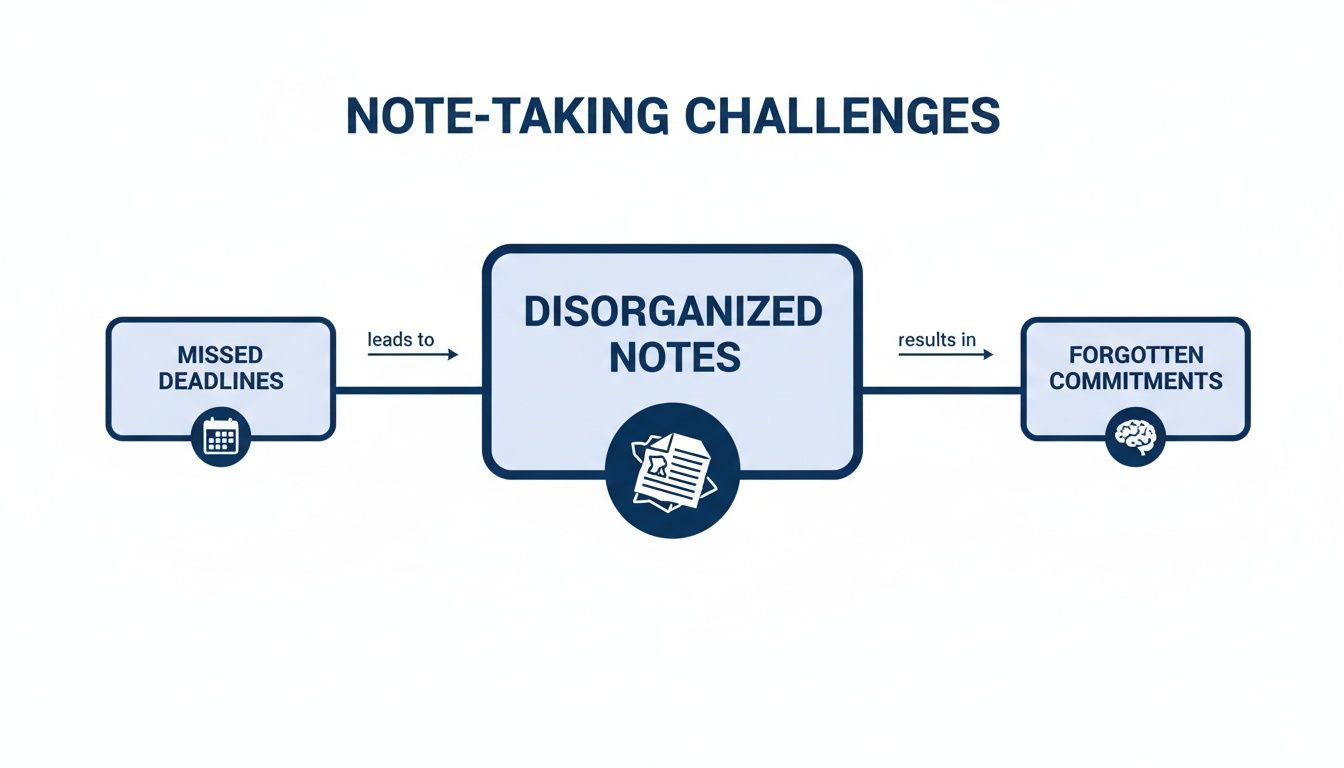
This breakdown isn't just about sloppy handwriting; it directly impacts project momentum and accountability. The charting method is designed to stop these problems at the source by imposing a clear structure from the very first word.
Why It's Built For Efficiency
This column-based format makes finding what you need incredibly fast. Need to double-check the final decision on the Q3 budget? A quick scan of the ‘Decisions Made’ column gives you the answer in seconds. Ready to build out your to-do list? Just look at the ‘Action Items’ column.
Gone is the post-meeting scramble to decipher your own scribbles and mentally reconstruct who said what.
The note taking charting method is fundamentally about active sorting, not passive transcription. It turns your notes from a historical record into a functional, actionable tool that drives progress immediately after a meeting concludes.
It's no surprise that professionals are actively seeking out more efficient systems like this. The global note-taking app market was valued at around USD 7.91 billion and is expected to climb, a clear sign that we're moving past simple transcription toward smarter information management.
For a deeper look into this powerful technique, check out this complete guide to the Note Taking Charting Method. The focus on structured, organized data is precisely why this method works so well—it perfectly meets the modern need for clarity and action.
How to Use The Charting Method: A Step-by-Step Guide
Alright, let's get practical. Putting the charting note-taking method into action is surprisingly simple, and the payoff is immediate. But here’s the secret: the most important part of the entire process happens before the meeting even kicks off.
Success really boils down to one single action: defining your columns ahead of time.
Think of it like setting up a custom filter for the conversation. When you prepare your categories in advance, you’re essentially telling your brain what to listen for. This simple prep work transforms your note-taking from a frantic scramble into a focused, efficient process.
Step 1: Define Your Columns Before the Meeting
The columns you pick are completely dependent on the meeting's purpose. Forget one-size-fits-all templates; the real power here is customizing the chart to capture exactly what you need. This small, proactive step shifts you from being a passive listener to a strategic information gatherer.
Let's look at two common scenarios:
For a Client Discovery Call: You’re hunting for specific business needs. Your columns might look like:
Pain Points,Business Goals,Budget, andNext Steps.For an Internal Team Sync: The goal is tracking progress. Here, you might use:
Project Update,Blockers,Solutions, andOwner.
Setting up these columns takes less than a minute, but it brings an incredible amount of clarity to the call. You’ll know precisely where every piece of information goes, which means no more post-meeting mess trying to organize a page of random thoughts.
If you need more ideas on how to structure your notes for different situations, our guide on how to take meeting notes has some other great frameworks you can adapt.
Step 2: Capture Information Like a Pro
Once the meeting starts, your job is to capture the essence of the conversation, not a word-for-word transcript. Your pre-defined columns are your guide. When a teammate mentions a roadblock, you just pop a quick note under the ‘Blockers’ column. Easy.
Use shorthand, abbreviations, and bullet points to keep pace with the discussion. Focus on keywords and core concepts instead of full sentences. This isn't just about speed; it's about staying present and engaged in the conversation instead of getting bogged down in transcription.
The biggest advantage of the charting method during a meeting is how much it reduces your cognitive load. With a structure already in place, you're not constantly making decisions about how to organize your notes. You're just sorting information into the right buckets.
Step 3: Put Your Notes to Work Instantly
This is where the magic really happens. The second the meeting ends, your notes are already perfectly organized and ready for action. No more spending 30 minutes rewriting, deciphering your own handwriting, or trying to make sense of a chaotic document.
With your completed chart, you can immediately:
Draft Follow-Up Emails: Just scan your ‘Decisions’ and ‘Next Steps’ columns to quickly pull together a summary email. Everyone stays aligned, and nothing falls through the cracks.
Assign Tasks: Copy the items from your ‘Action Items’ and ‘Owner’ columns straight into your project management tool, whether that's Asana, Trello, or Jira.
Update Stakeholders: Use your ‘Key Discussion Points’ and ‘Project Update’ columns to give a concise, accurate summary to anyone who couldn't make it.
This last step is what closes the loop, turning a simple conversation into real, tangible progress. The note-taking charting method isn't just about taking better notes—it’s about driving better outcomes from your meetings.
Comparing The Charting Method To Other Techniques
To really get good at taking notes, you have to think like a craftsperson: you need the right tool for the right job. No single method is perfect for every situation, and the key to building a truly versatile skill set is knowing exactly when the note taking charting method is your best bet.
Some methods are built for free-flowing, creative thought, while the charting method is engineered for structure and clarity. Think of it as the difference between a sprawling whiteboard covered in ideas and a perfectly organized filing cabinet. Both are incredibly useful, but for entirely different purposes.
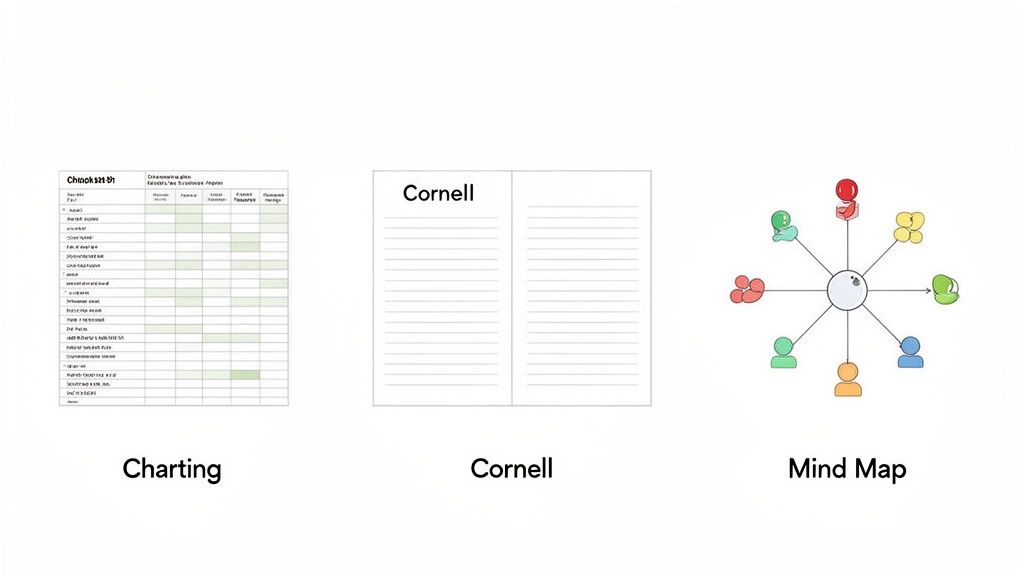
This idea of choosing your method intentionally is catching on. In fact, the market for note-taking techniques is growing at a CAGR of 14.70%, on track to jump from $2.2 billion to $4.5 billion. That's a huge investment, and it shows that people and companies are actively looking for a whole toolkit of strategies, not just one default approach. You can read more about this trend and the market dynamics.
Charting Method vs. Mind Mapping
Mind mapping is absolutely brilliant for unstructured brainstorming. It lets you explore ideas visually, branching out from a central theme without being boxed in by a linear format. It’s the perfect companion for creative sessions or those first heady moments of project ideation where you just want to get every single thought down on paper.
But that free-form nature is precisely its weakness in a structured business meeting. The charting method thrives exactly where mind mapping struggles because it provides a rigid, predictable framework. When you know a discussion will cover specific categories—like action items, project owners, or client feedback—the charting method’s columns make sure every crucial detail is captured and sorted correctly from the get-go.
Charting Method vs. The Cornell Method
The Cornell Method is an absolute powerhouse for learning and retention, which is why it’s a long-time favorite in academic circles. It carves up the page into distinct sections for notes, cues, and a summary—a structure purpose-built to help you review and recall information later. It’s an unbeatable tool for studying complex topics from a lecture or a dense textbook.
But in a business context, the Cornell Method’s focus on summarizing after the fact can be too slow. The charting method is built for the fast-paced, multi-threaded reality of professional meetings, letting you organize information in real-time for immediate action.
Simply put, the charting method prioritizes instant organization and actionability over long-term memorization. While Cornell helps you cram for an exam, charting helps you draft a follow-up email and assign tasks the moment a meeting wraps up.
Choosing The Right Note Taking Method For The Job
The best note-takers don’t stick to a single method; they build a toolkit and learn when to pull out each one. It all comes down to matching the technique to the task at hand. Here’s a quick breakdown to help you pick the perfect strategy for any situation.
Method | Best For | Key Strength | Potential Weakness |
|---|---|---|---|
Charting Method | Structured meetings, project updates, client calls | Real-time organization and actionability | Can feel too rigid for creative brainstorming |
Mind Mapping | Brainstorming, ideation, connecting concepts | Visual and flexible, encourages free association | Can become messy and difficult to act on |
Cornell Method | Lectures, studying, research, information retention | Excellent for memorization and deep learning | Slower to implement; less suited for fast-paced talk |
Outlining Method | Organizing hierarchical information, reports | Shows clear relationships between topics | Can be difficult to manage in dynamic conversations |
By understanding the unique strengths of each approach, you’re not just taking notes—you’re strategically capturing information in the most effective way possible for what you need to do next.
Unlocking The Charting Method With AI Tools
As powerful as the manual charting method is, let’s be honest—it takes focus. Trying to neatly categorize insights into columns while you're also trying to contribute to the conversation is a real juggling act. This is where modern AI tools come in, not just to help, but to completely take over the heavy lifting.
Imagine being fully present in a meeting, asking great questions, and building rapport, all while an intelligent assistant quietly applies the principles of the charting method for you in the background. That's the leap we're talking about.
Tools like GLINKY aren't just transcribing what's said. They're designed to understand it. Instead of you frantically typing, the AI listens, identifies the core topics being discussed, and automatically sorts everything into a clean, chart-like summary. Action items, key decisions, questions—it all gets organized without you lifting a finger.
Stay Present, Stay Sharp
The biggest win here is your own focus. When you offload the scribe duties to AI, you're no longer just capturing information; you're analyzing it in real-time. This mental freedom lets you listen more actively, catch nuances you'd otherwise miss, and contribute on a much higher level.
Instead of being the meeting's stenographer, you become its strategic pilot. The AI handles the "what," so you can focus on the "why" and "what's next."
It’s a shift from multitasking to deep engagement, and it also happens to make your notes far more accurate. No more paraphrasing on the fly or missing a critical detail because you were busy typing the last one.
The market for this kind of technology is booming for a reason. Valued at USD 1.09 billion, the digital notes space is expected to climb to USD 1.79 billion as more professionals adopt AI-native workflows that turn simple notes into a genuine knowledge base. You can read more about the digital notes market trends here.
Kill the Post-Meeting Admin Work
For many of us, the real headache isn't taking notes—it's what you have to do with them after the meeting ends. This is where AI-powered charting truly shines. The work doesn't stop when the call does; it actually automates the entire follow-up.
The screenshot above shows how a tool like GLINKY can instantly transform a messy conversation into a structured summary that your whole team can use. That neatly organized output is ready to be sent exactly where it needs to go.
This means you can immediately:
Sync to your CRM: Automatically push key decisions and client notes into their record. No more manual data entry.
Create project tasks: Send action items straight into your project management tool, assigned to the right person.
Draft follow-up emails: Generate a summary email in seconds based on the structured notes.
This seamless handoff eliminates the tedious copy-paste routine and ensures the momentum from a great meeting isn't lost in a sea of administrative tasks. If you're curious how these tools work without a bot crashing your calls, check out our guide on the best bot-free AI meeting note tools.
Ultimately, you get to spend your time on strategy and action, not just documentation.
Frequently Asked Questions About The Charting Method
Alright, let's tackle some of the common questions that pop up when people first start using the note taking charting method. My goal here is to give you clear, practical answers so you can start using this technique with confidence and sidestep some of the usual beginner hurdles.
How Many Columns Should I Use?
This is the big one. My advice? Start simple. For most meetings, three to four columns are plenty. Think ‘Topic’, ‘Details’, and ‘Action Items’.
If you're in a more complex workshop or brainstorming session, you might add a ‘Questions’ or ‘Owner’ column. Just be careful not to overdo it. The minute you have more than five columns, you're likely making it too hard to keep up in real-time. Remember, the goal is clarity, not complexity.
Can This Method Be Used For Studying?
Absolutely. While the charting method is a rockstar for meetings, it's incredibly versatile for academic work. It forces you to actively process and categorize information, which is a huge win for retention.
For instance, if you're dissecting a dense research paper, try columns like ‘Key Concept’, ‘Supporting Evidence’, and ‘My Questions’. This structure helps you break down complex arguments and organize information from different sources in a way that actually makes sense later.
What Are Common Mistakes To Avoid?
The single biggest mistake I see is creating way too many columns right from the start. The second is trying to write down every single word someone says. That's not the point. The charting method is all about summarizing and categorizing, not transcribing.
Focus on capturing the essence of the point in the correct column. Always start with a simple layout and only add more complexity once you feel comfortable with the process.
Following that one rule will keep your notes scannable, organized, and genuinely useful when you need to refer back to them.
Ready to automate the charting method and never take manual meeting notes again? GLINKY is a bot-free AI notetaker that turns every conversation into structured, actionable outcomes, so you can focus on the discussion while it handles the documentation. Discover how GLINKY can transform your meetings.
People also read

10 Sales Enablement Best Practices to Unify Your Revenue Engine in 2026
Productivity
Mar 13, 2026

How to Manage Sales Pipeline for Predictable Revenue Growth
Productivity
Mar 14, 2026

How to Qualify Leads in Sales Without Wasting Time
Productivity
Mar 17, 2026

What is Conversation Intelligence? A Practical Guide for Sales Teams
Productivity
Mar 18, 2026

Top 10 Sales Discovery Questions That Close More Deals
Productivity
Mar 25, 2026

Taking Minutes of Meeting: A Guide to Transforming Chaos into Action
Productivity
Feb 16, 2026

Action Items List: A Practical Guide to Drive Real Results
Productivity
Feb 19, 2026

Master the summary of a meeting for clear decisions and follow-ups
Productivity
Feb 22, 2026

Track Action Items: A Practical Guide to Using AI for Flawless Follow-Up
Productivity
Feb 17, 2026

Unlock: How to Take Notes on a Computer for Peak Productivity in 2026
Productivity
Feb 26, 2026

How to Record Google Meet: A Complete Guide for 2026
Productivity
Mar 4, 2026

12 Best AI Note Taking App Choices for 2026: The Definitive Guide
Productivity
Mar 6, 2026

How to Improve Customer Retention: Practical Tips to Boost Loyalty
Productivity
Mar 8, 2026

10 Client Communication Best Practices to Master in 2026
Productivity
Mar 7, 2026

The 12 Best AI Meeting Assistant Tools for 2026: A Deep Dive
Productivity
Mar 15, 2026

Your Guide to the Ultimate AI Email Writer
Productivity
Feb 27, 2026

10 Essential Customer Success Best Practices for 2026
Productivity
Mar 1, 2026

Your Guide to Sales Call Recording Software in 2026
Productivity
Mar 2, 2026

How to Take Better Meeting Notes and Drive Real Results
Productivity
Mar 5, 2026

Top 10 Picks for best crm for small business
Productivity
Mar 3, 2026

What is an Ideal Customer Profile: A Guide to Driving Growth
Productivity
Mar 9, 2026

Automated meeting minutes: Turn talks into actionable notes
Productivity
Mar 11, 2026

The Top 12 AI Powered Sales Tools to Boost Revenue in 2026
Productivity
Mar 16, 2026

AI Note Taking For Meetings: Fast, Smart AI Notes That Drive Collaboration
Productivity
Mar 19, 2026

Understanding Transcription Service Cost: A 2026 Guide
Productivity
Mar 20, 2026

The Ultimate 2026 Guide: 8 Meeting Follow Up Email Template Scenarios
Productivity
Feb 20, 2026

Master the Art of Taking Meeting Notes for Actionable Outcomes
Productivity
Feb 25, 2026

12 Best Sales Lead Generation Tools to Boost Your Pipeline in 2026
Productivity
Mar 10, 2026

Translation Vs Transcription: Which Service Do You Really Need?
Productivity
Mar 12, 2026

Mastering the goals of a meeting to drive decisions and boost team alignment
Productivity
Mar 23, 2026

The 12 Best Free AI Email Writer Tools for 2026
Productivity
Mar 22, 2026

A Guide to AI Sales Enablement Platforms in 2026
Productivity
Mar 21, 2026

Automate Follow Up Emails: Actionable Insights for Boosting Sales & Efficiency
Productivity
Mar 26, 2026

Follow Up Email Subjects That Convert: Increase Opens and Replies
Productivity
Feb 17, 2026

Your Playbook for Outbound Lead Generation in 2026
Productivity
Feb 28, 2026

Your Essential Meeting Action Items Template to Drive Results
Productivity
Feb 23, 2026

Your Guide to Using an Email Writer AI for Maximum Impact
Productivity
Feb 23, 2026

8 Essential Ground Rules at Meetings to Maximize Productivity in 2026
Productivity
Mar 24, 2026

Otter.ai vs Glinky
Productivity
Feb 5, 2026

AI Tools for Startup Founders [2026]
Productivity
Feb 4, 2026

Best AI Tools for Startups [2026]
Tools
Feb 3, 2026

Sales Call Notes: How to Capture Every Detail Without Losing the Deal
How to
Feb 2, 2026

How to Take Meeting Notes: 7 Methods That Actually Work [2026]
How to
Jan 14, 2026
![AI Meeting Minutes | Free Forever [2026]](https://framerusercontent.com/images/zYQGRjgLX63tiouLTK65LvCcjK8.png?width=402&height=263)
AI Meeting Minutes | Free Forever [2026]
How to
Jan 13, 2026
![How to Record Zoom Meetings Without a Bot [2026] 3 Easy Methods](https://framerusercontent.com/images/gGoQV8bPb9zR5weVruinbjaxO0.png?width=402&height=263)
How to Record Zoom Meetings Without a Bot [2026]
How to
Jan 9, 2026

Bot-Free AI Meeting Notes: We Tested the 6 Best Tools in 2026
Tools
Jan 8, 2026

Glinky vs Fireflies.ai
Tools
Jan 7, 2026

15 Best AI Tools to Boost Your Productivity in 2026
Productivity
Jan 6, 2026