
Nov 13, 2025
Productivity
Unlock: How to Take Notes on a Computer for Peak Productivity in 2026

If you're still scribbling notes on a legal pad, let's have a frank conversation. Taking notes on a computer isn't just about typing faster; it’s about building a living, breathing system for your knowledge—one that’s searchable, shareable, and actually helps you get things done.
The best way to do this is to land on a consistent format, create a few templates for your most common meetings or tasks, and master a handful of shortcuts to capture info without breaking your flow. This is how you turn scattered thoughts into organized intelligence.
Why Digital Note Taking Is Your New Superpower
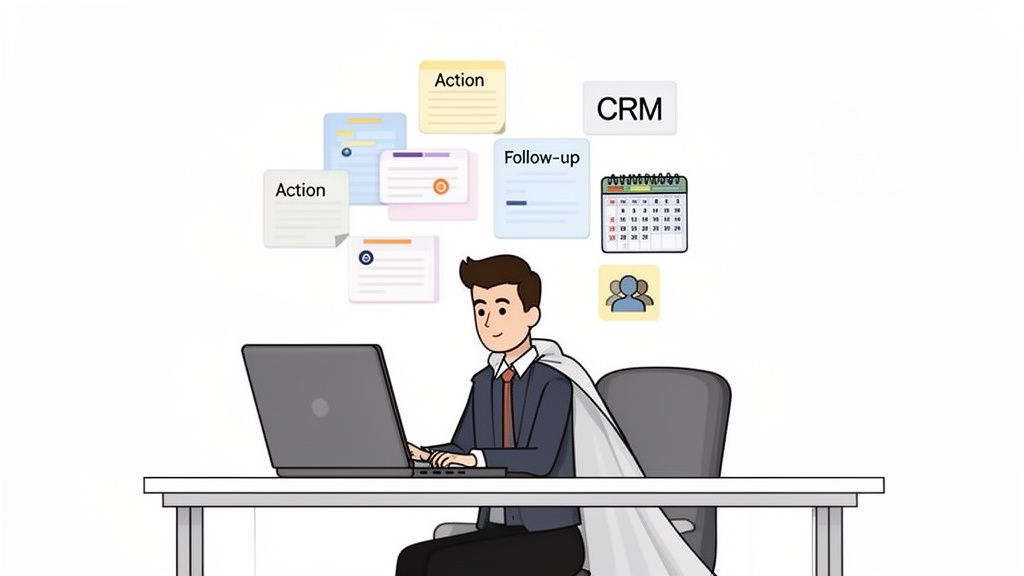
Let's be honest—the old pen-and-paper routine just can't keep up in a world of back-to-back video calls and hybrid work. Learning how to take effective notes on a computer has become a non-negotiable skill for any serious professional.
For those in the trenches—sales execs, recruiters, founders—the daily pain is real. We’ve all been there: lost action items, client details scattered across three different notebooks, and a follow-up process that feels more like chaos than a strategy. Making the switch to a digital system isn’t just a nice-to-have; it's a massive competitive advantage.
Digital vs Analog Notes at a Glance
For busy professionals, the right system can make or break your productivity. Here’s a quick rundown of why going digital is a no-brainer.
Feature | Digital Notes (Computer) | Analog Notes (Pen & Paper) |
|---|---|---|
Searchability | Instantaneous. Find anything in seconds. | Impossible. Manual flipping required. |
Accessibility | Available anywhere, on any device. | Only where the notebook is. |
Integration | Connects to CRM, calendar, email, etc. | Completely isolated. |
Sharing | Effortless. Share a link or export a PDF. | Cumbersome. Scan or retype. |
Editing | Cleanly edit, reorganize, and update. | Messy. Cross-outs and arrows. |
Backups | Automatic cloud sync and version history. | None. Lost is lost forever. |
While there's a certain charm to a physical notebook, the practical limitations are clear. For a workflow that demands speed and accuracy, digital is the only way forward.
The Real Cost of Outdated Notes
The move to digital note-taking isn't just a trend; it's a response to the fact that traditional methods are actively failing professionals. The global note-taking app market hit $10.8 billion in 2026 and is projected to skyrocket to $37.4 billion by 2034. That's not just growth; it's a fundamental shift in how work gets done. Pen and paper have officially become obsolete for high-stakes work.
Digital note-taking unlocks a level of productivity that just wasn't possible before, turning messy, real-time conversations into structured intelligence. The benefits are immediate and tangible:
Effortless Information Recall: Need to find a specific detail from a call three months ago? Just search for a keyword, client name, or project, and it’s there instantly. No more flipping through pages.
Seamless Integrations: This is the real game-changer. Your notes should talk to your other tools. Connect them directly to your CRM, calendar, or project management software to create a single source of truth.
Actionable Outcomes: A good note-taking system ensures nothing falls through the cracks. You can easily turn notes into tasks, set reminders, and draft follow-up emails right from your meeting summary.
By mastering digital notes, you're not just organizing information; you're building a personal knowledge base that fuels better decisions and drives faster results.
This guide will show you exactly how to get started right away. And if you're looking to take your efficiency to the next level, our guide on the best AI tools to boost your productivity is the perfect next step.
Choosing Your Digital Note Taking Framework
Before you even think about downloading an app, let's talk strategy. The specific tool you pick is far less important than the system you build around it. Your success with taking notes on a computer really hinges on having a reliable framework—a consistent way of capturing and organizing information that actually works for you.
Without a system, your digital notes will end up just as chaotic as a pile of messy, ink-stained notebooks. The goal here is to move past just writing things down and start structuring information so it’s valuable the second you capture it. To do that, you need to know about the best note-taking methods and how they adapt to a keyboard and screen.
Three Battle-Tested Methods
Let's break down three powerful, software-agnostic frameworks that pros rely on every single day. Each one has a different job, turning raw conversation into structured, actionable intelligence.
Linear Note Taking: This is the classic, most straightforward approach—a simple, chronological log of what’s being said. Actionable Tip: Use headings and bullet points to break up the text, making it scannable. A consultant in a client meeting might use this to create a clean, easy-to-follow record of discussions and decisions as they unfold. Its biggest strength is its simplicity.
The Cornell Method: A sales executive can absolutely own a discovery call with a digital version of this classic. Actionable Tip: Create a two-column table in your note-taking app. Use the large right column for raw details, the smaller left column for key questions and topics, and write a summary at the bottom for action items and takeaways. This structure forces you to actively process and organize information in real time.
Mind Mapping: When a product manager needs to brainstorm a new feature, a mind map is the way to go. Actionable Tip: Use a tool like Miro or Coggle to create a central idea and then branch out with related concepts, user feedback, and technical specs. It's a visual format that’s perfect for creative sessions where connecting seemingly unrelated ideas is the whole point.
Choosing a framework isn't about finding the one "best" method—it's about matching the method to the moment. A sales call needs structure, while a creative brainstorm needs freedom.
Picking the right framework ensures every note you take is purpose-built and immediately useful. This strategic first step is the real foundation for mastering how to take great notes on a computer.
Building Your Workspace for Peak Efficiency
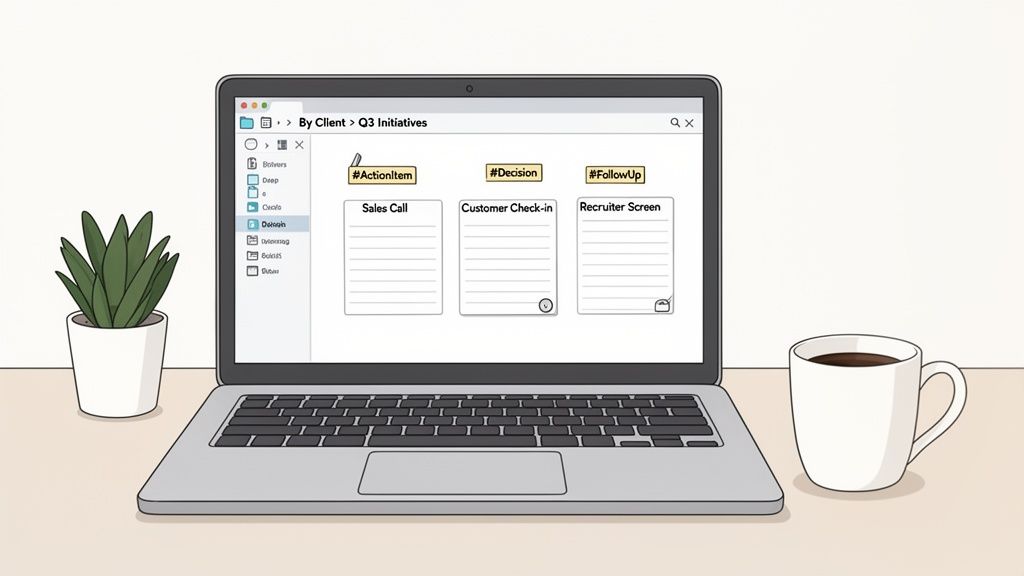
An organized digital workspace is the foundation of great note-taking. Without a solid system for structure and retrieval, even the most brilliant notes get lost in a digital junk drawer, making them totally useless when you actually need them.
The whole point is to set up an environment that works for you, not against you. This means creating a logical architecture before you're in the middle of a high-pressure call. Think of it like prepping your kitchen before you start cooking—everything you need should be within arm's reach.
This proactive approach is paying off for companies everywhere. Productivity skyrockets when teams ditch scribbled notebooks for computer-based notes, and the numbers back it up. The digital notes sector was valued at $1.09 billion in 2025 and is projected to hit $1.79 billion by 2032, largely because companies are pouring money into their digital transformation. You can see more on this market growth over at 360iResearch.com.
Create a Consistent Folder Structure
First things first, build a top-down folder system that actually mirrors how you work. Ditch the generic names like "Meetings" or "Notes." Instead, create a hierarchy that gives you immediate context at a glance.
For anyone in a client-facing role, a structure like this is a lifesaver:
Client Name (e.g., Acme Corp)
Project Name (e.g., Q4 Expansion)
Meeting Notes
Proposals & Contracts
Action Items
With this setup, every piece of information tied to a specific initiative is neatly nested. You’ll never have to hunt for a stray note again because its location is completely intuitive.
Implement a Smart Tagging System
While folders provide the skeleton, tags are the nervous system of your workspace. They're what allow you to connect related ideas and tasks across totally different projects and clients. A consistent tagging system makes every single note instantly searchable.
Pro Tip: Keep your tags simple and action-oriented. The goal is to create categories that help you filter and find information fast, turning your notes into a dynamic, searchable database.
Here are a few essential tags you can start using right away:
#ActionItem: For any task that you or someone else needs to complete.#FollowUp: To flag conversations that require a response.#Decision: To highlight key choices made during a meeting so you can find them later.#Insight: For that golden nugget of customer feedback or market intelligence.
By combining a logical folder structure with a powerful tagging system, you build a resilient workspace that makes every note you take infinitely more valuable.
Mastering Real-Time Note Capture and Productivity Hacks
Trying to capture every critical detail during a live call without completely losing the thread of the conversation is a classic struggle. Here’s the secret: don't even try to transcribe it. The real art is staying present and engaged while you build a clean, structured record of what’s happening.
This means you have to stop being a passive listener. Get active with your note-taking by using keyboard shortcuts to format on the fly. A simple Cmd/Ctrl + B to bold a key name or Cmd/Ctrl + I to italicize a direct quote makes a huge difference. It's a small habit that makes your notes instantly scannable later, saving you a ton of time trying to decipher what mattered.
Boost Your Speed with Smart Systems
To really get good at this, you need a system. This is where a few simple productivity hacks can completely change the game.
Use Text Expanders: For anything you type over and over—your company name, standard follow-up questions, project codes—a text expander is a lifesaver. Actionable Tip: Use a tool like TextExpander or the native text replacement feature on macOS/Windows. You set up a short abbreviation like
;addr, and it instantly expands to your full company address.Develop Personal Shorthand: Come up with simple, consistent flags for important information. For instance, I use
[AI]for an action item,[D]for a decision, and[Q]for a question that needs an answer. This makes it incredibly easy to scan your document and pull out the crucial takeaways.
These small, deliberate habits don't just feel productive; they create massive improvements in your meeting effectiveness. You're transforming messy, raw input into clean, organized intelligence you can act on immediately.
If you really want to level up, it's worth exploring some of the best note taking methods, like the Cornell Method or Mind Mapping, and adapting them for digital use.
It’s no surprise that remote and hybrid work has turned digital note-taking into a $28.05 billion opportunity by 2030, growing at 20.5% annually. Professionals need tools that connect all the dots. (The Business Research Company has some great data on this). You can also see how far things have come by checking out our guide on how to get AI meeting minutes.
Turning Your Notes into Actionable Outcomes
Let's be honest, raw notes are just data. They don't mean much until you turn them into action. Learning how to take great notes is only the first part of the equation—the real magic happens when you connect that information to tangible results, building a system where no opportunity gets lost in the shuffle.
The first, non-negotiable step is a solid post-meeting workflow. I can't stress this enough. Right after a call wraps, block five minutes on your calendar. Use that time to scan your notes while everything is still fresh in your mind. Your only goal is to spot the deliverables, flag them with your tagging system (like #ActionItem or #FollowUp), and assign a clear owner to every single next step. This simple habit is what separates a passive record of a conversation from an active plan for moving forward.
This infographic breaks down a simple flow for processing your notes in real-time, getting them ready for action before you've even left the meeting.
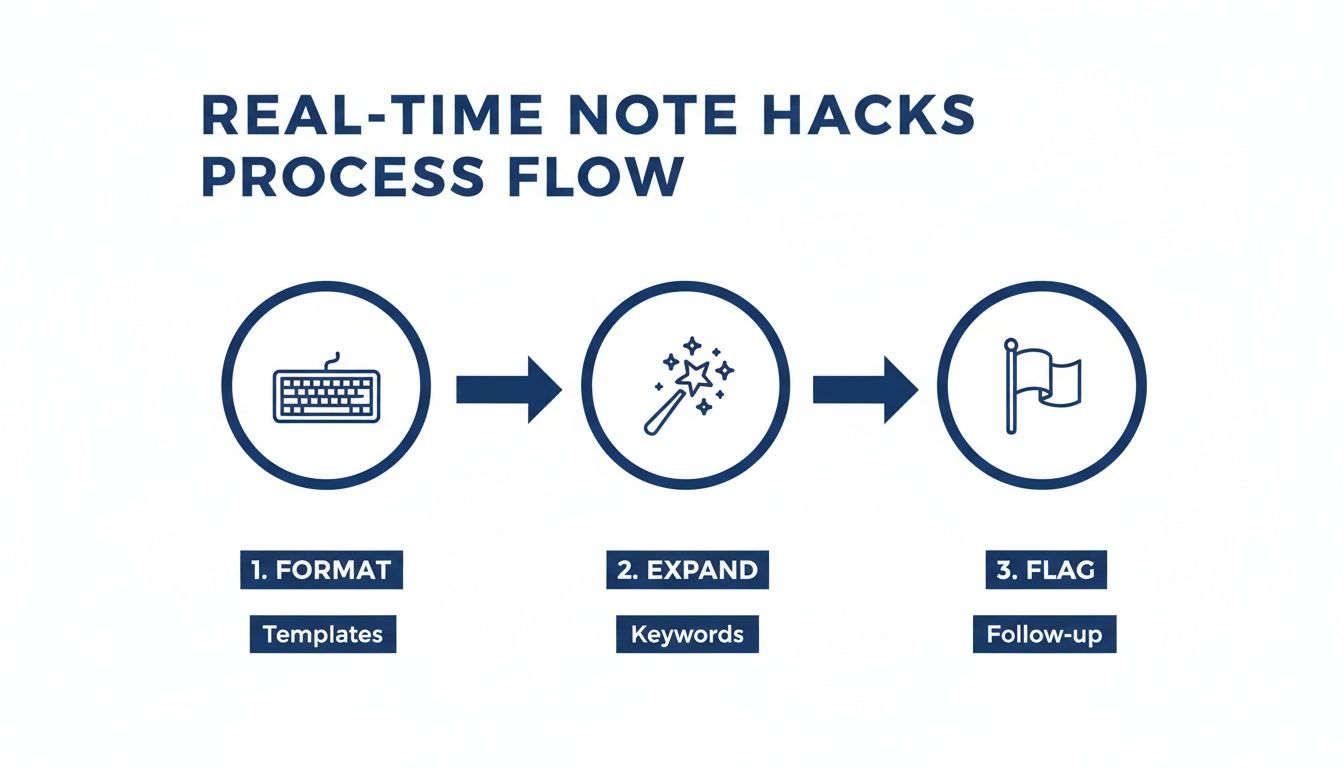
The key takeaway here is that efficient note-taking isn't about just transcribing what's said. It’s an active process of formatting, expanding on ideas, and flagging insights as they happen.
Automate Your Follow-Up
This is where modern tools can absolutely change the game. Instead of spending your precious time manually translating notes into to-do lists and emails, you can automate the whole thing. AI can now grab your raw meeting notes and instantly draft a summary and a follow-up email.
The most effective professionals build a closed-loop system where every conversation fuels progress. Automation isn't just about saving time; it's about ensuring absolute consistency in your follow-through.
Actionable Workflow:
Connect Your Tools: Integrate your note-taking app with your CRM (like Salesforce) and project management tool (like Asana).
Capture Notes: During a meeting, use an AI notetaker to capture key details and action items.
Trigger Automation: After the call, the AI automatically summarizes the discussion, drafts a follow-up email, creates tasks in Asana for the action items, and logs the call notes in Salesforce.
This creates a seamless bridge between the conversation and what happens next. You can find more strategies to track action items effectively and make sure nothing ever falls through the cracks. When you close the loop like this, every single meeting becomes a measurable step forward.
Your Top Questions About Taking Notes on a Computer, Answered
Jumping into a new way of taking notes always brings up a few questions. Let's tackle some of the most common hurdles people face when they ditch the pen and paper for a keyboard.
What’s the Best Software for Taking Notes on a Computer?
There's no magic bullet here. The "best" software is the one that fits into your day without a fight. Instead of chasing a specific brand name, zoom in on the features that actually make a difference for how you work.
A few non-negotiables to look for:
Seamless cross-device syncing so your notes are on your laptop, phone, and tablet—always.
Powerful search functionality that can find that one needle in a haystack of notes.
Integrations with your calendar and CRM to link your notes directly to your meetings and client records.
For anyone in a client-facing role, tools with AI-powered transcription and automated summaries are becoming absolute game-changers. They let you stay present in the conversation while the tech does the heavy lifting.
How Can I Organize My Digital Notes So I Can Actually Find Them Later?
A good organization system that you'll stick with is built on three pillars. First, create a logical folder structure that mirrors how you think about your work. Maybe it’s by client, and then by project name. Simple and intuitive is the goal.
Second, build a consistent tagging system. Think of tags as keywords that let you find related info across different folders. Use things like #FollowUp, #ActionItem, or #Q3-Goals.
The absolute key is consistency. A simple system that you stick with is far more effective than a complex one you abandon after a week.
One pro-tip: create a master "Index" note. This single note can act as your dashboard, with links pointing to your most critical projects or clients for one-click access.
Is It Unprofessional to Type Notes During a Meeting?
It’s only unprofessional if you make it weird. The perception all comes down to how you frame it. The secret is to address it right at the very start of the meeting.
Just say something simple and direct like, "Heads up, I'll be taking some notes on my computer to make sure I capture all the key details and action items accurately."
That one sentence reframes your typing from a distraction into an act of professional diligence. Of course, you still have to be a human—make eye contact, nod along, and show you're listening. Don't just stare at your screen the whole time.
GLINKY is a bot-free AI notetaker that turns every conversation into structured, actionable outcomes. Instead of adding a bot, it captures details with high accuracy so you can stay present while GLINKY creates clean notes, drafts follow-up emails, and syncs key takeaways to your CRM. Learn more and get started for free.
People also read

10 Sales Enablement Best Practices to Unify Your Revenue Engine in 2026
Productivity
Mar 13, 2026

How to Manage Sales Pipeline for Predictable Revenue Growth
Productivity
Mar 14, 2026

How to Qualify Leads in Sales Without Wasting Time
Productivity
Mar 17, 2026

What is Conversation Intelligence? A Practical Guide for Sales Teams
Productivity
Mar 18, 2026

Top 10 Sales Discovery Questions That Close More Deals
Productivity
Mar 25, 2026

Taking Minutes of Meeting: A Guide to Transforming Chaos into Action
Productivity
Feb 16, 2026

Action Items List: A Practical Guide to Drive Real Results
Productivity
Feb 19, 2026

Master the summary of a meeting for clear decisions and follow-ups
Productivity
Feb 22, 2026

Track Action Items: A Practical Guide to Using AI for Flawless Follow-Up
Productivity
Feb 17, 2026

How to Record Google Meet: A Complete Guide for 2026
Productivity
Mar 4, 2026

12 Best AI Note Taking App Choices for 2026: The Definitive Guide
Productivity
Mar 6, 2026

How to Improve Customer Retention: Practical Tips to Boost Loyalty
Productivity
Mar 8, 2026

10 Client Communication Best Practices to Master in 2026
Productivity
Mar 7, 2026

The 12 Best AI Meeting Assistant Tools for 2026: A Deep Dive
Productivity
Mar 15, 2026

Your Guide to the Ultimate AI Email Writer
Productivity
Feb 27, 2026

10 Essential Customer Success Best Practices for 2026
Productivity
Mar 1, 2026

Your Guide to Sales Call Recording Software in 2026
Productivity
Mar 2, 2026

How to Take Better Meeting Notes and Drive Real Results
Productivity
Mar 5, 2026

Top 10 Picks for best crm for small business
Productivity
Mar 3, 2026

What is an Ideal Customer Profile: A Guide to Driving Growth
Productivity
Mar 9, 2026

Automated meeting minutes: Turn talks into actionable notes
Productivity
Mar 11, 2026

The Top 12 AI Powered Sales Tools to Boost Revenue in 2026
Productivity
Mar 16, 2026

AI Note Taking For Meetings: Fast, Smart AI Notes That Drive Collaboration
Productivity
Mar 19, 2026

Understanding Transcription Service Cost: A 2026 Guide
Productivity
Mar 20, 2026

Master Your Meetings With The Note Taking Charting Method
Productivity
Feb 18, 2026

The Ultimate 2026 Guide: 8 Meeting Follow Up Email Template Scenarios
Productivity
Feb 20, 2026

Master the Art of Taking Meeting Notes for Actionable Outcomes
Productivity
Feb 25, 2026

12 Best Sales Lead Generation Tools to Boost Your Pipeline in 2026
Productivity
Mar 10, 2026

Translation Vs Transcription: Which Service Do You Really Need?
Productivity
Mar 12, 2026

Mastering the goals of a meeting to drive decisions and boost team alignment
Productivity
Mar 23, 2026

The 12 Best Free AI Email Writer Tools for 2026
Productivity
Mar 22, 2026

A Guide to AI Sales Enablement Platforms in 2026
Productivity
Mar 21, 2026

Automate Follow Up Emails: Actionable Insights for Boosting Sales & Efficiency
Productivity
Mar 26, 2026

Follow Up Email Subjects That Convert: Increase Opens and Replies
Productivity
Feb 17, 2026

Your Playbook for Outbound Lead Generation in 2026
Productivity
Feb 28, 2026

Your Essential Meeting Action Items Template to Drive Results
Productivity
Feb 23, 2026

Your Guide to Using an Email Writer AI for Maximum Impact
Productivity
Feb 23, 2026

8 Essential Ground Rules at Meetings to Maximize Productivity in 2026
Productivity
Mar 24, 2026

Otter.ai vs Glinky
Productivity
Feb 5, 2026

AI Tools for Startup Founders [2026]
Productivity
Feb 4, 2026

Best AI Tools for Startups [2026]
Tools
Feb 3, 2026

Sales Call Notes: How to Capture Every Detail Without Losing the Deal
How to
Feb 2, 2026

How to Take Meeting Notes: 7 Methods That Actually Work [2026]
How to
Jan 14, 2026
![AI Meeting Minutes | Free Forever [2026]](https://framerusercontent.com/images/zYQGRjgLX63tiouLTK65LvCcjK8.png?width=402&height=263)
AI Meeting Minutes | Free Forever [2026]
How to
Jan 13, 2026
![How to Record Zoom Meetings Without a Bot [2026] 3 Easy Methods](https://framerusercontent.com/images/gGoQV8bPb9zR5weVruinbjaxO0.png?width=402&height=263)
How to Record Zoom Meetings Without a Bot [2026]
How to
Jan 9, 2026

Bot-Free AI Meeting Notes: We Tested the 6 Best Tools in 2026
Tools
Jan 8, 2026

Glinky vs Fireflies.ai
Tools
Jan 7, 2026

15 Best AI Tools to Boost Your Productivity in 2026
Productivity
Jan 6, 2026