Nov 13, 2025
Productivity
Master the summary of a meeting for clear decisions and follow-ups

A great meeting summary isn’t just a record of what was said; it's a strategic tool designed to drive action. It’s what translates an hour of conversation into clear decisions, assigned action items, and firm deadlines, so everyone knows exactly what needs to happen next. Think of it as the bridge between discussion and execution.
Why Most Meeting Recaps Fail and How Yours Can Succeed
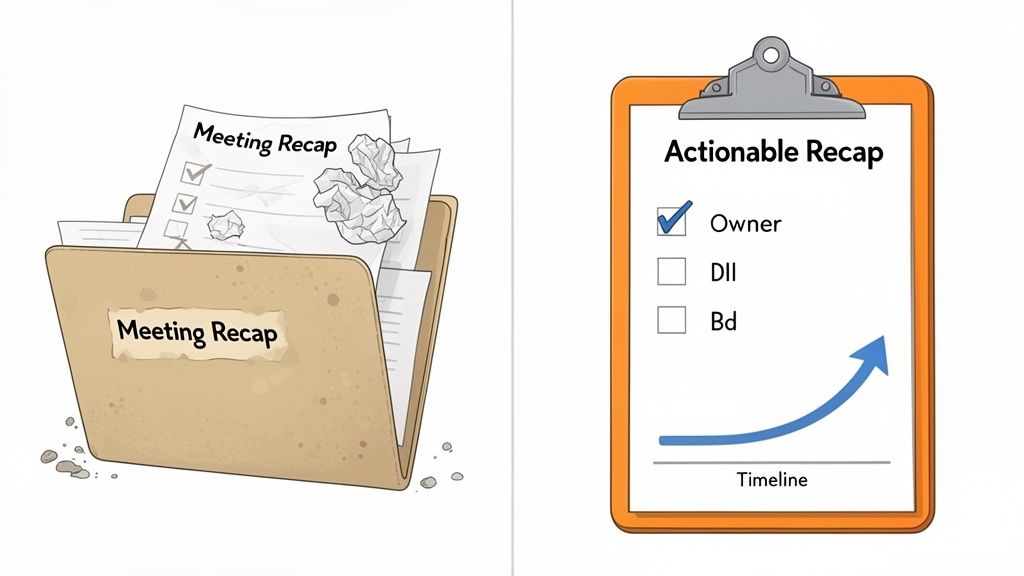
Let's be honest: most meeting summaries get filed away and forgotten. They become a digital paper trail, a simple record of conversation rather than a catalyst for getting things done. This usually happens because we treat them as an administrative chore instead of the critical business tool they are.
The reality of modern work only makes this problem worse. By 2025, remote meetings are expected to make up 67% of all business interactions worldwide. At the same time, executives can spend up to 23 hours a week in meetings, which often pulls focus from their core tasks. With ineffective meetings costing U.S. businesses a staggering $37 billion annually, the need for structured, actionable outcomes has never been more urgent.
A truly effective meeting summary completely changes this dynamic. It stops project drift in its tracks, clarifies who owns what, and keeps the momentum going long after everyone has logged off.
From Vague Notes to Actionable Blueprints
I’ve seen this firsthand more times than I can count. Early in my sales career, a major client call ended with a vague, "We'll follow up with some ideas." The email that followed was just as fuzzy. The result? The deal stalled, and a competitor swooped in. We lost that opportunity simply because we failed to define and confirm the next steps.
Contrast that with a recent project kickoff. The summary that landed in our inboxes was a masterpiece of clarity:
Decision: The project will move forward with a budget of $25,000 for Phase 1.
Action Item: Sarah to draft the initial project plan.
Deadline: End of day, this Friday.
This simple format left zero room for ambiguity. Everyone knew their role, the budget was locked in, and the project had instant momentum. The difference wasn't the meeting itself—it was the strategic, action-oriented recap that followed.
A great meeting summary is less about what was said and more about what was decided. It’s a blueprint for progress, not a transcript of conversation.
Shifting Your Mindset
The key is to shift your mindset from "taking minutes" to "creating an action plan." The first is a passive recording of the past; the second is an active tool for shaping the future. While the process of taking minutes of a meeting is a foundational skill, the summary is where the real strategic value is created.
This distinction is crucial. When your team sees a summary that clearly outlines decisions and accountabilities, it reinforces a culture of action. It's a powerful signal. To make sure your recaps propel projects forward instead of just documenting them, it’s worth learning How to Write a Recap of a Meeting That Drives Action. Your summary becomes the single source of truth that keeps everyone aligned and moving forward, turning every meeting into a genuinely productive event.
The Anatomy of a High-Impact Meeting Summary
Let's be honest: a meeting summary that just lists who was there and what was said is useless. It’s a passive record, not a tool. We’ve all seen them—and promptly archived them without a second thought. A truly effective summary, however, is a blueprint for action. This is where we break down the essential pieces that turn your notes from a history lesson into a catalyst for getting things done.
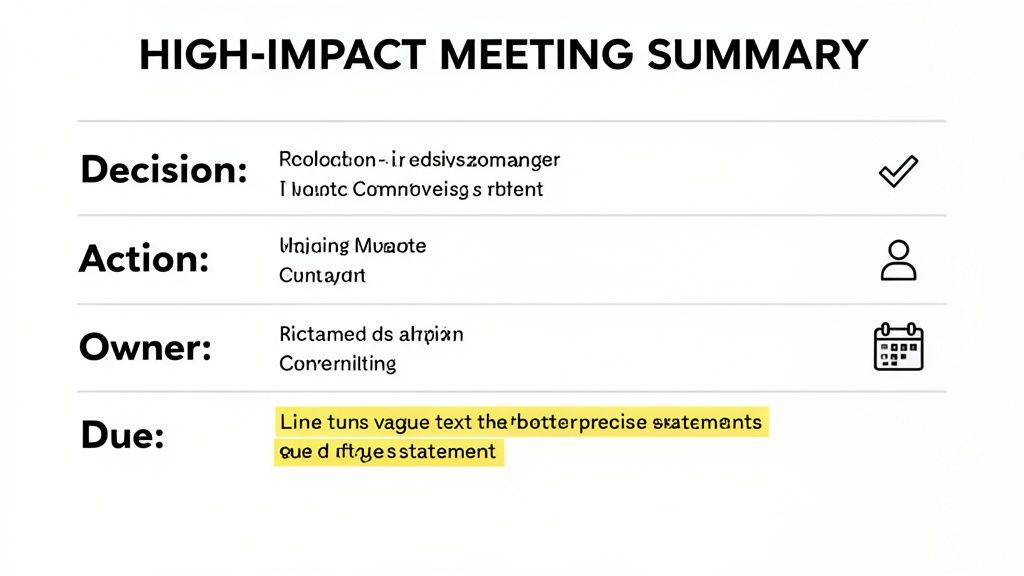
The entire point is to create something scannable and crystal clear. Anyone—whether they missed the meeting or just need a quick refresh—should be able to grasp the critical outcomes in less than 60 seconds.
This means distilling big conversations into unambiguous decisions, assigning action items with clear owners and firm deadlines, and capturing key discussion points without getting bogged down in the minute-by-minute chatter.
Solidify Key Decisions
The single most critical part of any meeting summary is documenting the decisions that were actually made. Vague language is your worst enemy here. Ambiguity is what leads to inaction, or even worse, forces the team to re-hash the same exact topic in the next meeting because no one was sure what was decided.
Don't just write, "We talked about the marketing budget." You need to be surgically precise. The goal is to capture the final verdict so it can be referenced later as the single source of truth.
Before:
We had a good discussion on the Q3 marketing budget and seemed to agree on a path forward.
After:
Decision: The Q3 marketing budget is formally approved at $15,000, with spending allocated to the new social media campaign.
The "after" example is powerful because it leaves no room for interpretation. It’s specific, it’s definitive, and it locks in the commitment so the team can move forward. Your note-taking process during the meeting should be laser-focused on capturing these moments. For ideas on structuring your notes to catch these details, check out our guide on the note-taking charting method.
Define Action Items with Owners and Deadlines
Decisions are just wishful thinking without action. A high-impact summary must clearly state who is doing what, and by when. If you're missing any one of those three pieces—the task, the owner, or the deadline—accountability vanishes into thin air.
Think about how often you've seen vague tasks like these:
Someone needs to look into the website bug.
Update the client proposal.
Finalize the presentation deck.
These aren't action items; they're invitations for confusion. Who is "someone"? When is the proposal due? This is exactly why important tasks fall through the cracks.
Your meeting summary isn't just a recap; it's a project management tool in disguise. Every action item must be a complete, self-contained instruction.
A much better approach is to assign each task with absolute clarity. Here's how to transform those vague to-dos into concrete, actionable items.
Vague Task | Actionable Item |
|---|---|
Look into the website bug. | Action Item: Alex will investigate the checkout page error (Ticket #415). Due: Oct 26. |
Update the client proposal. | Action Item: Maria to add the revised pricing tiers to the Acme Corp proposal. Due: Oct 28. |
Finalize the presentation. | Action Item: Chris will incorporate feedback and finalize the Q4 All-Hands deck. Due: Nov 1, 9 AM. |
Notice how each actionable item is specific, assigned to a single person, and has a concrete deadline. This structure creates an immediate sense of responsibility and makes follow-up incredibly simple.
Summarize Key Discussion Points Concisely
Of course, not every part of a meeting ends in a decision or an action item. You'll often have important discussions that provide context, explore alternatives, or flag potential risks. Your summary needs to capture the essence of these conversations without turning into a word-for-word transcript.
The goal here is to give just enough background to inform stakeholders who weren't there or to remind attendees why a certain decision was made.
Be brief: Use bullet points to highlight the main arguments or ideas that were on the table.
Focus on context: Briefly explain what led to a key decision. For example, "After reviewing performance data, the team decided against pursuing Strategy X due to low ROI projections."
Note parked items: If a topic was brought up but tabled for a future discussion, say so explicitly. For instance, "Parking Lot: The idea of a new referral program will be discussed in the next marketing sync."
By focusing on these three core parts—clear decisions, concrete action items, and concise discussion points—your summary of a meeting becomes an indispensable asset. It goes from being a simple record to a dynamic blueprint for execution that ensures every conversation drives real results.
Different Meetings, Different Summaries
Let's be honest: a one-size-fits-all meeting summary is a recipe for getting ignored. What a sales executive needs after a demo is completely different from what a project manager needs after a daily stand-up. The best summaries are chameleons, adapting to their audience and highlighting what matters most to them.
If you don't tailor your summary, it just becomes more noise. Distractions at work are already a massive drain on the economy, costing US businesses an estimated $650 billion every year. A big reason for this is that a staggering 70% of meetings are seen as unproductive. A customized summary cuts through that clutter and delivers immediate value. Want to dive deeper? Recent studies on workplace efficiency shed more light on the impact of bad meetings.
For the Sales Team: Discovery and Demo Calls
If you're an account executive, the post-meeting summary isn't just a recap; it's a sales tool. Its job is to keep the momentum going, reinforce the value you just showed, and lock in the next step. It’s a strategic document designed to move the deal forward.
The entire focus should be on the client. Your summary needs to scream, "I was listening, and I get it."
Their Pain Points: Kick things off by listing the exact challenges the prospect shared. Use their words if you can. It builds instant trust and shows you were paying attention to their world, not just your script.
The Solutions We Agreed On: Draw a straight line from their pain points to the solutions you discussed. Frame your product as the clear, logical answer to their problems.
What Happens Next: This is everything. Be crystal clear about the very next step. Is it a formal proposal? A follow-up demo with their technical team? An introduction to an engineer? Spell it out.
Here’s a quick look at how that might play out:
Key Client Challenges Discussed:
The current manual inventory process is eating up about 8 hours of staff time every week.
They're missing out on restocking opportunities because of the lag in sales data.
Proposed Solution:
GLINKY's automated system will get rid of manual data entry and give them instant inventory updates.
Action Item: As we discussed, I’ll send the formal proposal with custom pricing by EOD tomorrow (Friday, Oct 25).
This isn't just a summary of a meeting; it's an extension of your sales process, keeping the conversation on track and focused on closing.
For the Customer Success Manager: Onboarding and Reviews
As a Customer Success Manager (CSM), your summaries are all about creating alignment and tracking progress. Whether it’s an initial onboarding call or a quarterly business review, your recap is the official record of who promised what.
The whole point is making sure everyone is on the same page about what it takes to make the partnership a success. This is where you document feature adoption goals, support commitments, and any issues that need a fix.
A CSM's meeting summary is a document of partnership. It clarifies what we will do for them and, just as importantly, what they need to do to achieve their desired outcomes.
Your summary should feel balanced, showing the value you’ve already delivered while mapping out the road ahead.
Value Highlights: Start on a high note. Remind the client of the wins they're already seeing. Mention a positive metric or a feature they're using well that you talked about on the call.
Client Commitments: Clearly list any actions the client agreed to take. This could be anything from completing training modules to providing data for a new feature.
Our Commitments: Outline what your team is on the hook for. Maybe it's investigating a bug, creating a new training video, or building a custom report.
Let's see it in action:
Success Highlights:
It was great to see your team's adoption of the analytics dashboard jump by 30% this past quarter!
Client Action Items:
Action: Sarah’s team to complete the Advanced Reporting training module. Due: Nov 15.
Our Action Items:
Action: We will investigate the export-to-PDF issue (Ticket #812) and provide an update. Due: Nov 1.
This creates a simple accountability loop. It makes it easy to see if things are on track and helps ensure the client is getting everything they need to succeed.
For the Internal Team: Project Syncs and Stand-ups
When it comes to your own team, the summary’s focus shifts from persuasion to pure execution. Clarity, speed, and accountability are all that matter. Everyone is busy, so the recap needs to be a quick-scan guide to what they need to do next.
Keep it lean and functional. The summary should be all about progress, blockers, and who owns what. No need for formal language here; bullet points and direct phrasing are your best friends.
Key Updates & Decisions: Briefly state the big things that were decided. A change in project scope, a new deadline—get it down in one or two lines.
Blockers Identified: Call out anything stopping the team from moving forward. This is crucial for getting leadership visibility on problems that need to be solved.
Action Items & Owners: You know the drill. List the tasks, who’s responsible, and when it’s due. For internal teams, you can often link directly to project management tickets (like a Jira ticket, for instance).
By adapting your summary of a meeting for the right audience, you turn it from a boring administrative task into a powerful tool that drives action—whether you’re closing a deal, delighting a customer, or keeping a project on the rails.
Getting Your Summary into the Right Hands (and Making Sure It Gets Read)
Look, crafting the perfect meeting summary is a great start, but it's only half the job. If your masterpiece just sits unopened in a crowded inbox, it might as well not exist. The real magic happens when you have a smart plan for getting it out there and following up so things actually get done.
This isn’t about just blasting an email and hoping for the best. It’s about closing the loop between the conversation and the real work that follows. A well-timed summary keeps the momentum going long after everyone has hung up.
Think of it this way: the core information from a meeting can be sliced and diced for different audiences. The summary you send to a new sales lead will look very different from the one for your internal dev team.
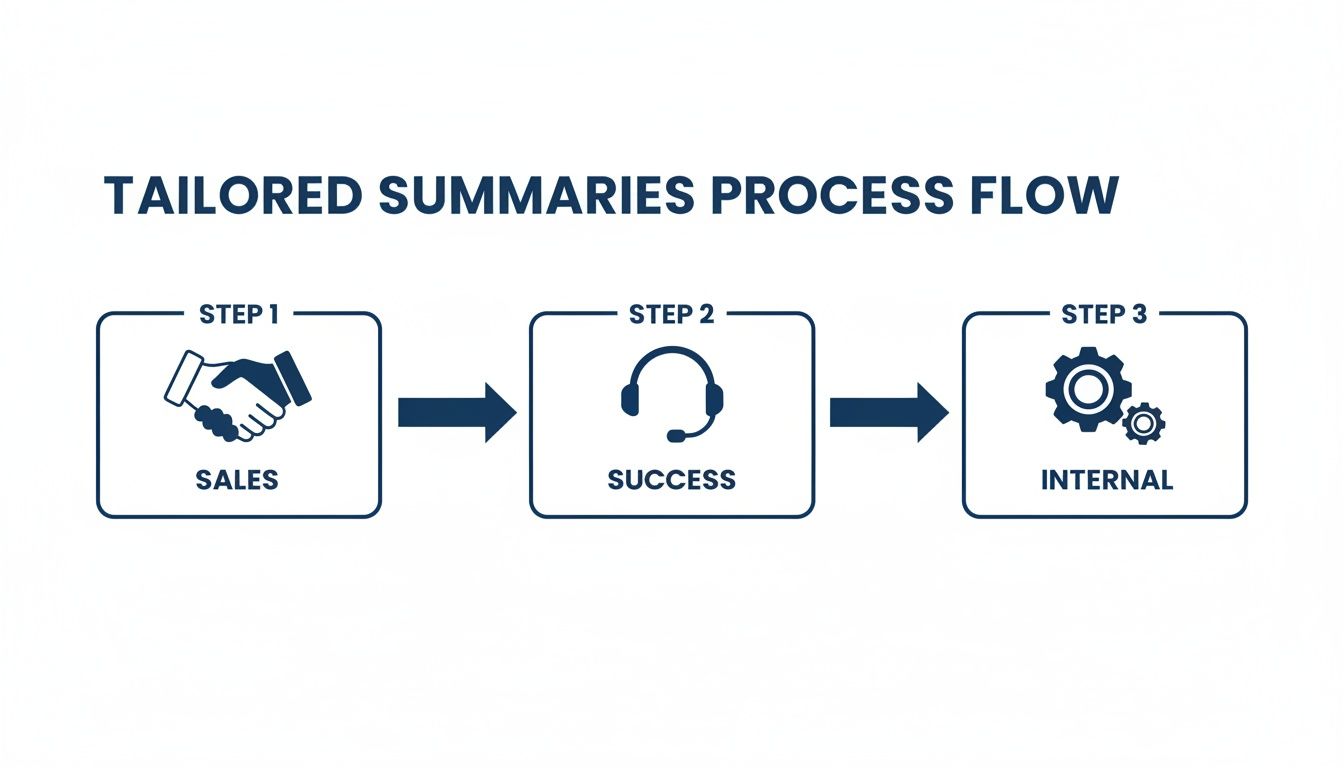
This just shows how you can adjust the focus—from building excitement with a prospect to clarifying technical specs internally—while keeping the essential facts consistent.
When to Send It (Hint: Sooner Is Always Better)
Timing is everything. People's memories of a meeting start to fade almost immediately. That clarity you achieved on the call? It has a shelf life.
That's why you should aim to send your summary of a meeting within 2 to 4 hours of it ending. Seriously. This capitalizes on the fresh context everyone has, making the recap feel relevant and immediately actionable.
Wait until the next day, and you're already competing with a whole new flood of priorities. Sending it quickly shows you’re on top of things and reinforces that the decisions made are important.
Writing an Email That People Actually Open
Let's be honest, your email's subject line is its bouncer. If it's weak, your summary isn't getting in. Vague titles like "Meeting Follow-Up" are the kiss of death in a busy inbox.
Instead, give people a reason to click. A great subject line clearly states the topic and its purpose.
Here are a few formulas I’ve found work wonders:
Recap & Actions: [Meeting Topic] - Example: Recap & Actions: Q4 Marketing Campaign Kickoff
Decisions & Next Steps: [Client Name] Call - Example: Decisions & Next Steps: Acme Corp Onboarding
[Project Name] Sync: Key Takeaways for [Date] - Example: Project Phoenix Sync: Key Takeaways for Oct 25
These cut right to the chase. The recipient knows exactly what they're getting: a quick summary with clear to-dos. If you want to go deeper on this, we've got a whole guide on writing effective follow-up email subjects that can help.
Inside the email, it's all about scannability. Never, ever paste a giant wall of text.
The goal is for someone to open the email and grasp the key decisions and what they personally need to do in less than 30 seconds.
Use simple formatting tricks to guide their eyes:
Start with a quick, one-sentence opening. "Great connecting today. Here’s a quick recap of our discussion and next steps." That's it.
Use bold headings. Make it easy to find the good stuff with headers like Key Decisions and Action Items.
Bullet points are your friend. List decisions and tasks with bullets or a numbered list. It’s just easier on the brain.
Bold the critical info. Make owner names and deadlines bold so people can instantly spot what applies to them.
Keeping People Accountable Without Being a Pest
Sending the summary is step one. Following up is where decisions turn into progress. But this doesn't mean you need to micromanage or send a dozen "just checking in" emails. The key is to create a system of gentle, transparent accountability.
A brilliant way to do this is to move the action items out of email and into a shared workspace. If you use a tool like Asana or Trello, you can mention in your summary that all tasks have been assigned there. This shifts responsibility to a platform designed for tracking progress.
If a deadline is getting close and a task is lagging, a friendly, public check-in is often all you need. A quick message in a team Slack channel like, "@Alex, how's that checkout page ticket coming along? Let us know if you've hit any blockers," feels supportive, not confrontational. It's a gentle nudge that keeps the wheels turning and ensures your meeting actually leads to results.
How AI Can Automate Your Meeting Summaries
What if you could walk out of a meeting and, a few moments later, find a perfectly drafted summary waiting in your inbox? This isn’t some far-off concept—it’s what modern AI tools are making possible right now. They completely eliminate the manual, mind-numbing task of writing a summary of a meeting, and this tech is arriving at a critical time.
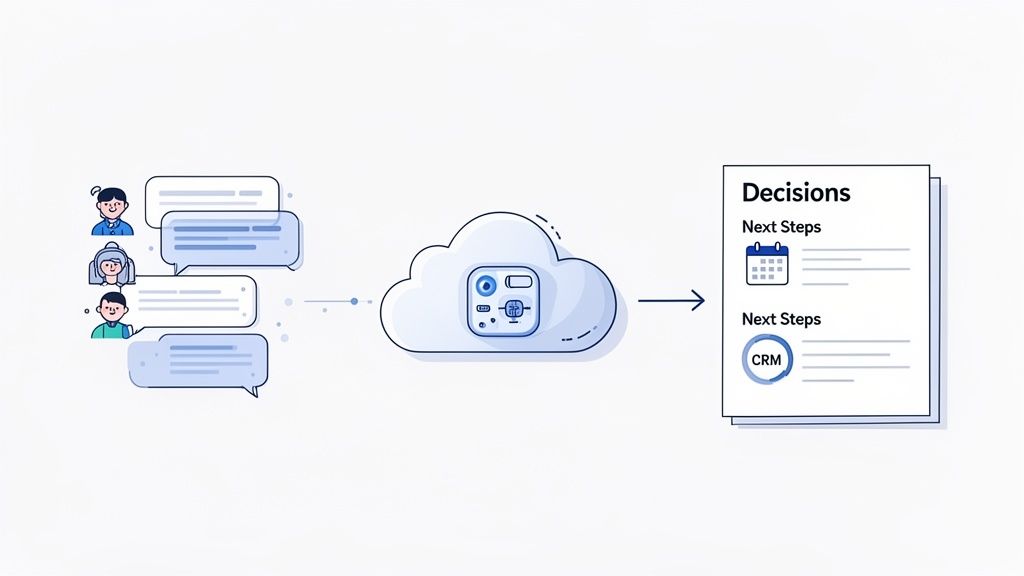
The shift to remote work is here to stay, with 94% of businesses globally now relying on remote collaboration tools. This trend is fueling a video conferencing market set to rocket to $20 billion by 2030. Leaders are feeling the burn, with 35% admitting they spend over three hours a day just in meetings and on email, a massive contributor to employee burnout. If you want to dive deeper into how meeting dynamics are changing, you can explore these meeting statistics.
Beyond Simple Transcription
Let's be honest, early AI meeting tools were glorified transcribers. They'd spit out a massive wall of text that was almost as painful to read as sitting through the meeting all over again. Today’s technology is worlds smarter.
Modern platforms do more than just record audio; they capture conversations and intelligently figure out who said what. They can tell the difference between casual small talk and a critical business decision, homing in on the moments that actually matter.
This is the fundamental difference: these tools don't just hear, they understand. They’re built to pinpoint:
Key Decisions: Recognizing the exact moment the team lands on a final choice.
Action Items: Identifying when a task gets assigned to a specific person.
Speakers: Accurately attributing every statement and commitment.
If you’re thinking about how AI can automate your meeting summaries, a great first step is exploring the best AI-powered transcription software to understand the core technology that makes this all possible.
From Raw Conversation to Actionable Intelligence
The real magic happens after the meeting ends. These platforms don’t just dump a transcript on you; they deliver a structured, actionable summary. A tool like GLINKY, for instance, works without needing some clunky, intrusive bot to join your call.
It operates silently in the background, listening and processing. As soon as the meeting is over, it automatically drafts a clean summary, highlighting the decisions made and the next steps assigned. It can even generate a follow-up email, ready for you to quickly review and hit "send."
This technology completely changes your role from scribe to strategist. Instead of frantically typing to keep up, you can be fully present in the conversation, confident that all the important details are being captured for you.
This isn't just about saving a few minutes here and there. It’s a fundamental shift in how you engage. You get to focus on the human side of the discussion—listening, negotiating, and building relationships.
Integrating Summaries into Your Workflow
An automated summary of a meeting is helpful, but its true power is unlocked when it connects directly to the tools you already live in. An isolated document is a nice-to-have. A summary that syncs with your workflow is a productivity machine.
This is where the automation really shines. Picture this sequence of events, all happening without you lifting a finger:
Meeting Ends: Your AI assistant immediately starts processing the conversation.
Summary Generated: A draft summary and a follow-up email land in your inbox.
Action Items Synced: Every single task is automatically pushed to your project management tool or calendar, already assigned to the right owner with a due date.
CRM Updated: For sales teams, this is a game-changer. The entire conversation history, key takeaways, and next steps are logged in your CRM under the right contact or deal.
For a sales executive, this means a flawless account history in Salesforce, ensuring no detail is ever lost during a handover. For a recruiter, it’s an effortless record of every candidate discussion, making it easy to compare notes and recall specifics. The administrative grind is handled by tech, freeing you up to focus on what you do best.
Got Questions About Meeting Summaries? We’ve Got Answers.
Even when you have a great template, things can get a little fuzzy in the real world. Crafting the perfect meeting summary often brings up a few common "what if" scenarios. Getting bogged down by these questions is easy, but the answers are usually pretty straightforward.
Think of this as your go-to guide for those little details that make a huge difference. Let's clear up some of the most common questions that pop up.
How Long Should a Meeting Summary Be?
Here’s the golden rule: keep it short enough to be read in under two minutes. Nobody wants to slog through a novel-length recap. Your goal isn't a word-for-word transcript; it's to give people a scannable, actionable blueprint of what matters.
The secret is leaning on smart formatting to do the heavy lifting:
Use bullet points for every decision and action item. It’s clean and direct.
Keep any narrative descriptions to a sentence or two, max.
Bold key names, dates, and outcomes so they jump right off the page.
Your summary’s value is in its clarity and speed, not its length. If it takes longer to read than it does to grab a coffee, it’s too long. Your team will thank you for respecting their time.
Honestly, a short, punchy summary is far more likely to get read—and acted on—than a long one.
What if Someone Disagrees With the Summary?
First off, don't panic. Disagreements happen, and frankly, they can be a good sign. It means people are actually engaged and paying attention. The trick is to handle discrepancies quickly and transparently.
When you send out your summary, position it as a draft for confirmation. A simple line like, "Please take a look and let me know if I’ve missed or misstated anything by the end of the day," works wonders. It creates a clear window for corrections and shows you're committed to accuracy.
If a major disagreement comes up, it usually signals a misalignment that happened during the meeting. Resist the urge to hash it out over a long email chain. Instead, just hop on a quick 5-minute follow-up call to get everyone on the same page before moving forward.
What’s the Best Way to Track Action Items From Multiple Meetings?
Letting crucial action items get lost in a sea of email threads is a recipe for disaster. If you want to keep momentum going across different projects, you absolutely need a single, central place to track all those commitments.
Your inbox is not a to-do list. The best approach is to pull all action items out of the summaries and into a dedicated platform where everyone can see them.
Project Management Tools: This is what platforms like Asana, Trello, or Jira were built for. They create a single source of truth for who’s doing what, and by when.
Shared Documents: For something simpler, even a shared spreadsheet or a running Google Doc can provide the team-wide visibility you need.
When you send your summary, make it a habit to add a line that says, "All action items have been added to our Asana board." This simple practice not only keeps things organized but also reinforces a culture of accountability where nothing falls through the cracks.
Ready to stop typing and start strategizing? GLINKY is the bot-free AI notetaker that automates your summaries, syncs action items to your CRM, and lets you stay fully present in every conversation. See how much time you can save and how much more effective your follow-ups can be. Get started with GLINKY today.
People also read

10 Sales Enablement Best Practices to Unify Your Revenue Engine in 2026
Productivity
Mar 13, 2026

How to Manage Sales Pipeline for Predictable Revenue Growth
Productivity
Mar 14, 2026

How to Qualify Leads in Sales Without Wasting Time
Productivity
Mar 17, 2026

What is Conversation Intelligence? A Practical Guide for Sales Teams
Productivity
Mar 18, 2026

Top 10 Sales Discovery Questions That Close More Deals
Productivity
Mar 25, 2026

Taking Minutes of Meeting: A Guide to Transforming Chaos into Action
Productivity
Feb 16, 2026

Action Items List: A Practical Guide to Drive Real Results
Productivity
Feb 19, 2026

Track Action Items: A Practical Guide to Using AI for Flawless Follow-Up
Productivity
Feb 17, 2026

Unlock: How to Take Notes on a Computer for Peak Productivity in 2026
Productivity
Feb 26, 2026

How to Record Google Meet: A Complete Guide for 2026
Productivity
Mar 4, 2026

12 Best AI Note Taking App Choices for 2026: The Definitive Guide
Productivity
Mar 6, 2026

How to Improve Customer Retention: Practical Tips to Boost Loyalty
Productivity
Mar 8, 2026

10 Client Communication Best Practices to Master in 2026
Productivity
Mar 7, 2026

The 12 Best AI Meeting Assistant Tools for 2026: A Deep Dive
Productivity
Mar 15, 2026

Your Guide to the Ultimate AI Email Writer
Productivity
Feb 27, 2026

10 Essential Customer Success Best Practices for 2026
Productivity
Mar 1, 2026

Your Guide to Sales Call Recording Software in 2026
Productivity
Mar 2, 2026

How to Take Better Meeting Notes and Drive Real Results
Productivity
Mar 5, 2026

Top 10 Picks for best crm for small business
Productivity
Mar 3, 2026

What is an Ideal Customer Profile: A Guide to Driving Growth
Productivity
Mar 9, 2026

Automated meeting minutes: Turn talks into actionable notes
Productivity
Mar 11, 2026

The Top 12 AI Powered Sales Tools to Boost Revenue in 2026
Productivity
Mar 16, 2026

AI Note Taking For Meetings: Fast, Smart AI Notes That Drive Collaboration
Productivity
Mar 19, 2026

Understanding Transcription Service Cost: A 2026 Guide
Productivity
Mar 20, 2026

Master Your Meetings With The Note Taking Charting Method
Productivity
Feb 18, 2026

The Ultimate 2026 Guide: 8 Meeting Follow Up Email Template Scenarios
Productivity
Feb 20, 2026

Master the Art of Taking Meeting Notes for Actionable Outcomes
Productivity
Feb 25, 2026

12 Best Sales Lead Generation Tools to Boost Your Pipeline in 2026
Productivity
Mar 10, 2026

Translation Vs Transcription: Which Service Do You Really Need?
Productivity
Mar 12, 2026

Mastering the goals of a meeting to drive decisions and boost team alignment
Productivity
Mar 23, 2026

The 12 Best Free AI Email Writer Tools for 2026
Productivity
Mar 22, 2026

A Guide to AI Sales Enablement Platforms in 2026
Productivity
Mar 21, 2026

Automate Follow Up Emails: Actionable Insights for Boosting Sales & Efficiency
Productivity
Mar 26, 2026

Follow Up Email Subjects That Convert: Increase Opens and Replies
Productivity
Feb 17, 2026

Your Playbook for Outbound Lead Generation in 2026
Productivity
Feb 28, 2026

Your Essential Meeting Action Items Template to Drive Results
Productivity
Feb 23, 2026

Your Guide to Using an Email Writer AI for Maximum Impact
Productivity
Feb 23, 2026

8 Essential Ground Rules at Meetings to Maximize Productivity in 2026
Productivity
Mar 24, 2026

Otter.ai vs Glinky
Productivity
Feb 5, 2026

AI Tools for Startup Founders [2026]
Productivity
Feb 4, 2026

Best AI Tools for Startups [2026]
Tools
Feb 3, 2026

Sales Call Notes: How to Capture Every Detail Without Losing the Deal
How to
Feb 2, 2026

How to Take Meeting Notes: 7 Methods That Actually Work [2026]
How to
Jan 14, 2026
![AI Meeting Minutes | Free Forever [2026]](https://framerusercontent.com/images/zYQGRjgLX63tiouLTK65LvCcjK8.png?width=402&height=263)
AI Meeting Minutes | Free Forever [2026]
How to
Jan 13, 2026
![How to Record Zoom Meetings Without a Bot [2026] 3 Easy Methods](https://framerusercontent.com/images/gGoQV8bPb9zR5weVruinbjaxO0.png?width=402&height=263)
How to Record Zoom Meetings Without a Bot [2026]
How to
Jan 9, 2026

Bot-Free AI Meeting Notes: We Tested the 6 Best Tools in 2026
Tools
Jan 8, 2026

Glinky vs Fireflies.ai
Tools
Jan 7, 2026

15 Best AI Tools to Boost Your Productivity in 2026
Productivity
Jan 6, 2026