Nov 13, 2025
Productivity
Action Items List: A Practical Guide to Drive Real Results

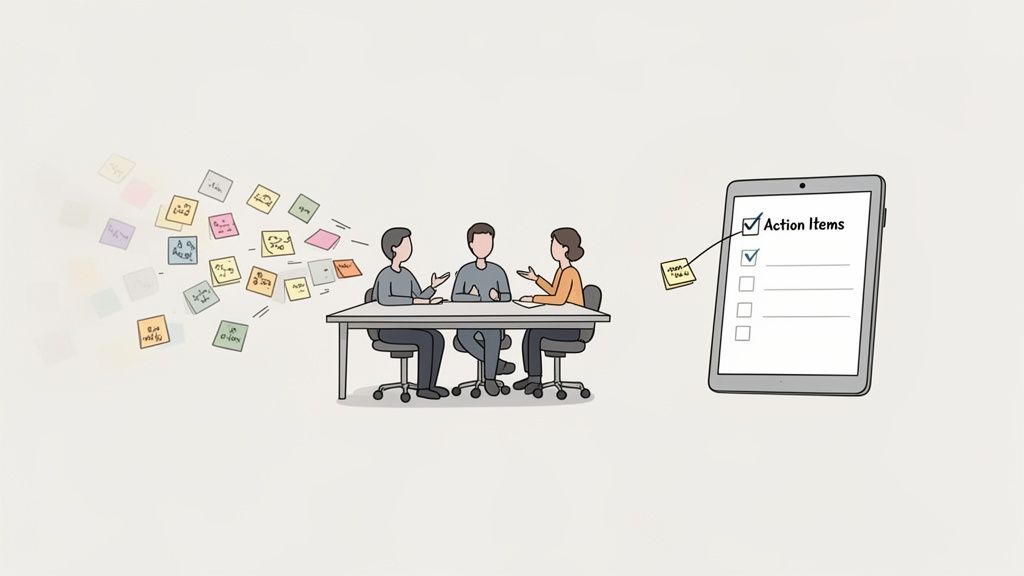
An action items list is the documented bridge between a great conversation and getting things done. It’s how you turn verbal agreements and brainstorms into trackable, tangible commitments that move projects forward.
More than just a to-do list, it’s a strategic tool for accountability that ensures every brilliant idea that comes up in a meeting actually turns into progress instead of just fading away.
Moving Beyond Meeting Amnesia
How many times have you left a meeting buzzing with great ideas, only for them to vanish into thin air a week later? It’s a classic case of 'meeting amnesia,' where momentum dies simply because the next steps were never clearly defined or assigned.
Without a system to capture who is doing what by when, even the most valuable conversations lead to zero action. This isn't just inefficient; it's a culture killer that leads to disengagement and duplicated effort.
Imagine a marketing team brainstorming a new campaign. The energy is high, ideas are flying, and everyone agrees on a general direction. But without a dedicated action items list, what follows is chaos. Sarah thought David was handling the social media copy, while David assumed it was her task. No one was assigned to get budget approval, and a deadline for the landing page was never even set. Two weeks later, the campaign is dead in the water.
The Strategic Role of an Action Items List
This scenario is exactly why an action items list is so much more than a simple checklist. It serves a much deeper, more strategic purpose in any team. We're not just listing tasks; we're building a culture of clarity and ownership.
A well-managed list provides three critical benefits:
Clarity: It kills ambiguity. Everyone knows exactly what the task is, who owns it, and when it’s due.
Accountability: By assigning a single owner to each item, it vaporizes the classic "I thought someone else was doing it" excuse.
Momentum: It acts as a living roadmap, ensuring progress continues long after the meeting has ended.
The need for this kind of structured follow-up is only growing. Between 2021 and 2023, 32% of organizations increased their scheduled one-on-one meetings, proving that focused conversations are critical for keeping teams aligned. More meetings mean more action items are being created, making a reliable tracking system non-negotiable. You can dig deeper into these performance management trends and see how they're shaping modern workflows.
The core function of an action items list is to transform verbal agreements into visible, trackable commitments. It’s the single source of truth that holds a team accountable for turning discussion into tangible results.
Ultimately, trying to capture all of this manually is a recipe for failure. Relying on handwritten notes means someone is always too busy scribbling to fully participate. This is where modern tools become essential. An automated system can capture commitments in real-time, setting the stage for a foolproof process that ensures no valuable idea ever gets left behind.
How to Capture Action Items in the Moment
The best action items are born in the moment, not pieced together from memory after the fact. We've all been there—trying to reconstruct a meeting from fragmented notes, only to realize the crucial details have vanished. Relying on recollection is a recipe for failure. The real key is to get good at active listening, so you can identify and document commitments as they happen, in real time.
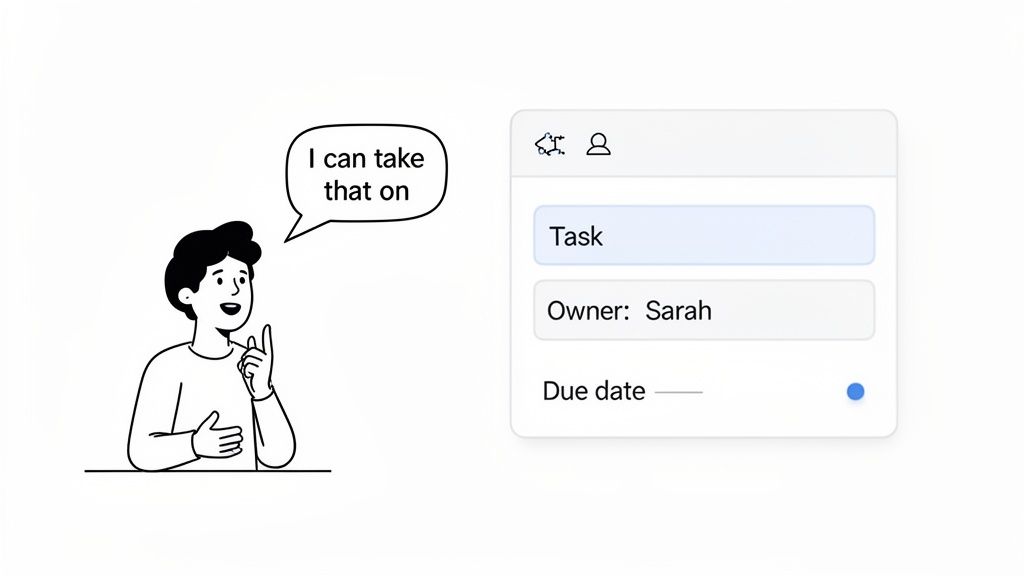
This means training your ear for certain trigger phrases. When you hear someone say, “I can take that on,” or “The next step is to…,” or even a vague, “We need someone to handle that,” that’s your cue. These are the verbal handshakes that turn a floating idea into a concrete task.
The Three Pillars of a Perfect Action Item
Just hearing the commitment is only half the battle. For an action item to actually get done, it needs three non-negotiable components. Ambiguity is the enemy of progress, and if you leave out even one of these details, you're just inviting confusion and inaction down the road.
A Clear Task Description: The task has to be specific and start with a verb. Don't write "Marketing materials." Instead, write "Draft the social media posts for the Q3 launch." Anyone, even someone who missed the meeting, should be able to read that and know exactly what the deliverable is.
A Single, Designated Owner: Assigning a task to "the team" or multiple people creates a bystander effect where everyone thinks someone else has it covered. Every action item needs one owner. That person is on the hook for getting it done or making sure it gets done.
A Specific Due Date: Vague timelines like "next week" are useless. Get specific. A firm deadline, like "End of day, Friday, October 25th," creates a sense of urgency and gives the owner a clear target to hit.
Think of these three elements as the DNA of accountability. Without them, you just have a list of nice ideas, not an actual action items list. Getting this simple structure right is the foundation for a system that actually drives results.
Manual Capture vs Automated Precision
For years, the standard practice was to nominate a "designated scribe" in a meeting. This poor soul would spend the entire time with their head down, frantically typing, half-listening to the actual conversation. It’s not just distracting for them; it’s a process riddled with human error—misheard details, missed assignments, and forgotten deadlines.
This is where a bit of modern tech makes a huge difference. An AI assistant like Glinky can listen to the conversation in the background, automatically identifying tasks and assigning them without pulling anyone's focus from the discussion.
An effective action item capture process should be invisible. The goal is to keep everyone fully engaged in the discussion, confident that commitments are being documented accurately in the background.
To really see the difference, let’s compare the two approaches side-by-side. The gap in process, accuracy, and overall team focus is pretty stark. And if you're stuck doing it manually for now, you can still learn more about how to take better meeting notes to sharpen your skills.
Comparing Manual vs AI-Powered Action Item Capture
The table below breaks down the real-world differences between the old way of frantically typing notes and letting a tool handle the heavy lifting.
Aspect | Manual Capture (Traditional Note-Taking) | AI-Powered Capture (e.g., Glinky) |
|---|---|---|
Focus & Engagement | One or more attendees are distracted, leading to reduced participation and potentially missed insights. | Everyone remains fully present and engaged in the conversation, fostering better collaboration. |
Accuracy & Detail | High risk of errors, omissions, or misinterpreting who owns a task or its exact deadline. | Captures verbatim commitments with high accuracy, linking tasks directly to the conversation transcript. |
Speed & Efficiency | The process is slow, often requiring a post-meeting cleanup to organize and distribute the list. | Action items are generated and assigned instantly, ready for review and integration immediately after the call. |
Accountability | Ambiguous notes can lead to disputes over what was agreed upon, weakening accountability. | Creates an objective, time-stamped record of who committed to what, leaving no room for confusion. |
By moving away from purely manual methods, you’re doing more than just saving time—you’re building a more reliable system for execution. An AI-powered approach ensures your action items list is a perfect reflection of what was actually agreed upon, so your team can move forward with total clarity.
Writing Action Items That People Actually Complete
An action item that isn't crystal clear is an action item that will never get done. We've all seen it happen. A meeting ends, tasks are "assigned," and a week later, nothing has moved forward because nobody knew exactly what they were supposed to do.
Capturing a task is just the start. How you write it is the difference between driving real progress and just creating more digital clutter. Let's break down how to write tasks that are impossible to misinterpret.
The best way I've found to do this is to borrow from the classic S.M.A.R.T. goal framework but strip it down for speed. While S.M.A.R.T. is great for big-picture objectives, it’s a bit much for a single task. For an action item, you really only need to nail three core elements to kill any ambiguity.
From Vague Ideas to Specific Directives
A great action item isn't a note; it's a directive. It needs an action verb, a single owner, and a firm deadline. This simple formula turns a fuzzy thought into a concrete commitment that someone can actually execute.
Here’s a classic example from a client review meeting. The team needs to update a proposal based on some fresh feedback. The initial note taken during the meeting is a common mistake I see all the time.
Before: Follow up with the client about the proposal.
This is basically useless. Who is following up? What does "follow up" even mean—is it a call, an email, sending a revised document? And by when? This is a recipe for inaction, pure and simple.
Now, let's inject some clarity.
After: Sarah to send the revised project proposal to Acme Corp by Tuesday at 3 PM.
See the difference? It's powerful. Sarah is the one and only owner. The action is specific: send the revised project proposal. The deadline is unmissable: Tuesday at 3 PM. There is absolutely no room for guessing games here.
The whole point of a well-written action item is to remove all the mental heavy lifting for the owner. They shouldn't have to decode what you meant. They should be able to read it and know instantly what the finished outcome looks like.
Dodging Common Writing Pitfalls
Even when you have the best intentions, a few common traps can completely derail your action item list. The biggest one? Assigning a task to a group.
When an action item is assigned to "The Marketing Team" or "Sales," it falls right into the bystander effect. Everyone assumes someone else has it covered, which means nobody does. The fix is simple but absolutely critical: every single action item must have a single owner. If a task needs input from multiple people, just assign one person as the "driver" who is ultimately responsible for getting it over the finish line.
Another quick but effective tip is to kick off every action item with a strong verb. This tiny change instantly shifts the tone from a passive note to an active command.
Instead of: Report on Q3 numbers.
Try this: Analyze the Q3 sales data and prepare a summary slide for Friday's meeting.
Instead of: Client onboarding.
Try this: Create the onboarding welcome packet for New Horizons Inc. by EOD tomorrow.
Verbs like "create," "send," "analyze," "draft," or "confirm" immediately signal what needs to happen. This way of framing tasks is a core part of effective task management. We dive deeper into similar strategies in our guide on the note-taking charting method, which is all about structuring information for maximum clarity.
By making these principles a habit—a simplified S.M.A.R.T. framework, single owners, and action verbs—you'll build a to-do list that people actually complete. Your action items will transform from a passive record of a conversation into a dynamic engine for getting things done.
How to Prioritize and Manage Your Action Items
Getting your team to capture clear, well-written tasks is a massive win. But it can quickly create a brand new headache: the endless, overwhelming action items list. Staring at a long, unstructured list is just as paralyzing as having no list at all.
When every task screams for attention, your team freezes. They either do nothing or, even worse, start chipping away at low-impact work just to feel busy. This is where the real work begins. The goal is to turn that raw data dump into a focused, living plan—not a static document that gets buried in a folder. To make sure your action items actually drive projects forward, you have to master how to prioritize tasks effectively.
Choose Your Prioritization Framework
Don't just go with your gut. A simple, repeatable framework brings much-needed objectivity to the process and helps you sort through the noise fast. Two of the most practical and easy-to-learn models I've seen teams adopt successfully are the Eisenhower Matrix and the MoSCoW method.
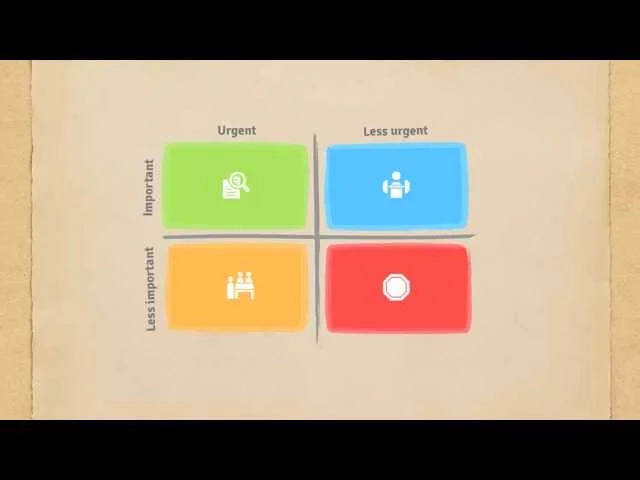
The Eisenhower Matrix: This classic plots tasks on a four-quadrant grid based on two simple questions: Is it urgent? And is it important? It forces you to separate the truly critical from the merely loud.
The MoSCoW Method: A favorite in project management circles, this framework sorts tasks into four buckets: Must-have, Should-have, Could-have, and Won't-have (at least for now). It’s a lifesaver for clarifying what’s non-negotiable when time and resources are tight.
A prioritization framework isn't just a to-do list sorter. It's a communication tool. It creates a shared understanding across the entire team of what truly matters right now, aligning everyone’s effort toward the same strategic finish line.
This is why transforming a vague note into a S.M.A.R.T. action item is the critical first step before you can even think about prioritizing.
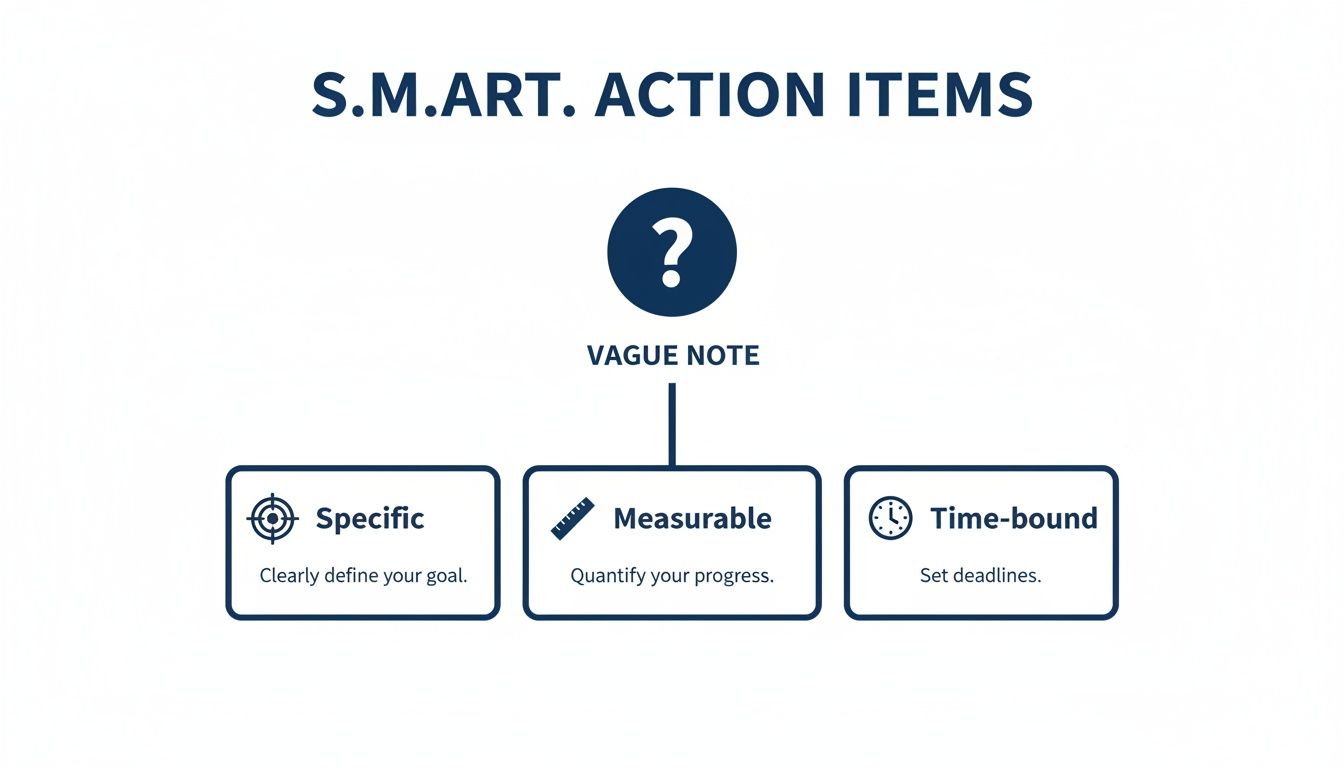
If a task isn't Specific, Measurable, and Time-bound, it's just a fuzzy idea. You can't accurately prioritize an idea.
Prioritization in a Real-World Scenario
Let's walk through a real-world example. Imagine Alex, a product manager, just wrapped up a post-launch meeting for a new software feature. The meeting was productive—maybe a little too productive—and now there’s a list of a dozen action items. It’s a jumble of bug fixes, user suggestions, and some internal documentation updates.
Without a system, the team might just grab the easiest tasks first to show progress, not the most critical ones. But Alex is smarter than that. He pulls out the Eisenhower Matrix.
A critical bug that's causing user data loss? That’s both Urgent and Important—it immediately goes to the top of the list. A user request for a nice-to-have new feature is Important but Not Urgent, so it gets slated for the next development sprint. Updating the internal knowledge base is Urgent but Not Important compared to the data-loss bug, so Alex delegates it. And that suggestion to change a button color? Neither Urgent nor Important. It lands on the "someday/maybe" list to be revisited later.
Create a Centralized Tracking System
Once your action items are prioritized, they need a home. A list scattered across personal notebooks, random email threads, and forgotten Slack channels is a recipe for disaster. Visibility is the absolute bedrock of accountability.
A centralized tracking system is non-negotiable. Whether you use a dedicated tool like Glinky, a project management board, or even just a meticulously organized shared spreadsheet, it must be the single source of truth that everyone can see and update.
This system should give you an at-a-glance view of:
Who is working on what
The current status of every task (e.g., Not Started, In Progress, Blocked, Done)
Any dependencies or roadblocks that are slowing things down
When the entire action items list is out in the open, it cultivates a culture of shared ownership. Team members see how their individual tasks connect to the bigger picture, and managers can spot bottlenecks before they derail the whole project. You're creating transparency that fuels real momentum.
Weaving Action Items into Your Daily Workflow
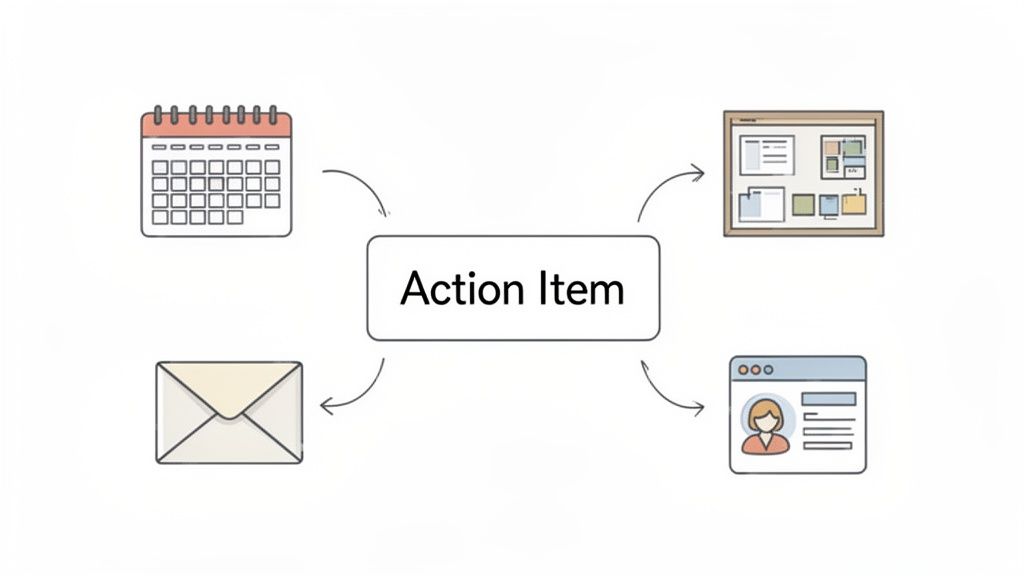
Let's be honest: an action items list is completely useless if it’s invisible. If your team has to dig through notes or open a separate spreadsheet to find their tasks, things are going to get missed. It’s just human nature.
The real magic happens when your list doesn't feel like a separate thing to check. It needs to live inside the tools your team already uses all day, every day. This is about creating a connected system where tasks flow from a conversation straight into a project board, without anyone having to copy and paste a single line.
Bridge the Gap Between Talk and Action
The single biggest reason action items fail is the gap between the meeting where they’re created and the project management tool where the work actually gets done. When tasks are trapped in a static document, they’re out of sight and out of mind.
This is exactly the problem modern AI tools were built to solve. Something like Glinky can act as the bridge, automatically pushing tasks from a call directly into the platforms your team lives in.
Project Management Integration: Imagine a task from a kickoff call instantly appearing as a new card in Asana or a ticket in Jira. It’s already assigned to the right person with the right due date. No more manual data entry for the project manager.
Calendar Sync: When a deadline is agreed upon, it can pop up as an event or reminder in that person’s Google or Outlook calendar. This simple sync is surprisingly powerful and drastically cuts down on missed deadlines.
When you have this kind of connection, your list transforms from a passive record of what was said into an active driver of what gets done.
Put Follow-Ups and Reminders on Autopilot
Chasing people for updates is easily one of the most draining parts of managing any project. It’s a thankless, time-consuming task, but someone has to do it. Or do they? Automation can lift this entire burden, building accountability right into your workflow.
This is where AI gives you a massive advantage. Instead of you spending 20 minutes writing a summary email after every meeting, an intelligent assistant can do it for you.
A truly integrated system doesn't just capture tasks; it actively helps you manage them. By automating follow-ups, you're building a reliable system of reminders that keeps momentum high without adding to anyone's administrative workload.
Glinky, for instance, can draft a detailed follow-up email that includes all the key decisions and a perfectly formatted table of every action item. You just review and hit send. It ensures everyone is on the same page without the manual effort. As you get more comfortable, you'll see there are tons of workflow automation benefits that can streamline these processes even more.
For a deeper dive, check out our guide on crafting effective follow-up email subjects to make sure those automated messages actually get opened and acted on.
The Power of CRM and On-the-Go Integration
For any client-facing team—sales, customer success, account management—connecting action items to your CRM is a total game-changer. Suddenly, you have a complete, transparent history of every promise and commitment.
Think about a sales rep on a discovery call. The prospect asks for a custom demo and a pricing proposal. With a connected system, those two action items are captured from the call and logged right against the contact's record in Salesforce or HubSpot.
This unlocks a few key advantages:
A Complete Client Story: Anyone can look up that contact and see a full timeline of discussions, decisions, and what was promised next.
Seamless Handoffs: If the account moves from sales to an account manager, the new owner has a perfect record of every commitment made. No awkward "I thought they promised..." conversations.
Proactive Management: A sales manager can easily spot overdue action items tied to specific deals, allowing them to jump in and help before a deal goes cold.
This kind of connected workflow is crucial in a world where work happens everywhere. As of early 2023, an incredible 5.44 billion people—that’s 68% of the global population—are using mobile phones. That’s not just a statistic; it’s a reality of how we work. Professionals need their tools to sync flawlessly whether they’re at their desk, on a train, or grabbing coffee.
By weaving your action items list into the fabric of your daily tools, you create a powerful, self-sustaining system for getting things done.
Action Items FAQ: Your Questions Answered
Even with a great system, you're bound to have questions. Let's tackle some of the most common ones that pop up when teams start getting serious about their action items list.
What's the Real Difference Between an Action Item and a To-Do?
Think of it this way: an action item is a to-do that's made a public promise. It’s born out of a group conversation and gets assigned to a specific person with a deadline, making it part of a shared accountability pact.
Your personal to-do list is your own world. An action items list, on the other hand, is a strategic weapon for team alignment. It directly connects one person's work back to a decision the whole group made together.
Who's Ultimately on the Hook for the Action Items List?
While a project manager or meeting lead usually corrals the list, the real answer is that accountability is spread across the team. The owner of each individual action item is responsible for getting it done and, just as importantly, speaking up about progress or problems.
In a healthy team, the action items list isn't some top-down decree. It's a shared log of commitments. Everyone has a hand in keeping it accurate and pushing the work forward.
This kind of shared ownership keeps the list from becoming one person's nagging agenda. Instead, it becomes a living document that truly reflects the team’s collective momentum.
How Detailed Should an Action Item Be?
Here's my rule of thumb: an action item should have just enough detail that a colleague who missed the meeting could still grasp the core task. You're aiming for that sweet spot between a vague one-liner and a novel.
A rock-solid action item almost always includes these three things:
A strong action verb to get things started (like "Draft," "Analyze," or "Confirm").
A specific deliverable so everyone knows what "done" looks like.
Any crucial context needed to do the job right.
For instance, "Draft the Q3 marketing report using the new Data Studio template" is infinitely better than just "Do Q3 report." One is a clear instruction; the other is a cry for help.
What's the Best Way to Handle an Overdue Action Item?
The key is to be proactive, not punitive. The second an item's owner suspects a delay, they need to raise their hand and let the team know. This shifts the dynamic from "I failed" to "we have a problem to solve."
This kind of transparency allows the team to pivot. Is the deadline just unrealistic? Is the owner stuck waiting on someone else? Tackling these roadblocks openly and early builds a culture where it’s safe to be honest about timelines. It stops tiny delays from turning into project-killing avalanches and builds a foundation of trust.
Ready to stop letting great ideas die in meeting rooms? GLINKY automatically captures every commitment, syncs tasks right into your CRM and calendar, and even drafts the follow-up emails for you. See how GLINKY can make your meetings more productive.
People also read

10 Sales Enablement Best Practices to Unify Your Revenue Engine in 2026
Productivity
Mar 13, 2026

How to Manage Sales Pipeline for Predictable Revenue Growth
Productivity
Mar 14, 2026

How to Qualify Leads in Sales Without Wasting Time
Productivity
Mar 17, 2026

What is Conversation Intelligence? A Practical Guide for Sales Teams
Productivity
Mar 18, 2026

Top 10 Sales Discovery Questions That Close More Deals
Productivity
Mar 25, 2026

Taking Minutes of Meeting: A Guide to Transforming Chaos into Action
Productivity
Feb 16, 2026

Master the summary of a meeting for clear decisions and follow-ups
Productivity
Feb 22, 2026

Track Action Items: A Practical Guide to Using AI for Flawless Follow-Up
Productivity
Feb 17, 2026

Unlock: How to Take Notes on a Computer for Peak Productivity in 2026
Productivity
Feb 26, 2026

How to Record Google Meet: A Complete Guide for 2026
Productivity
Mar 4, 2026

12 Best AI Note Taking App Choices for 2026: The Definitive Guide
Productivity
Mar 6, 2026

How to Improve Customer Retention: Practical Tips to Boost Loyalty
Productivity
Mar 8, 2026

10 Client Communication Best Practices to Master in 2026
Productivity
Mar 7, 2026

The 12 Best AI Meeting Assistant Tools for 2026: A Deep Dive
Productivity
Mar 15, 2026

Your Guide to the Ultimate AI Email Writer
Productivity
Feb 27, 2026

10 Essential Customer Success Best Practices for 2026
Productivity
Mar 1, 2026

Your Guide to Sales Call Recording Software in 2026
Productivity
Mar 2, 2026

How to Take Better Meeting Notes and Drive Real Results
Productivity
Mar 5, 2026

Top 10 Picks for best crm for small business
Productivity
Mar 3, 2026

What is an Ideal Customer Profile: A Guide to Driving Growth
Productivity
Mar 9, 2026

Automated meeting minutes: Turn talks into actionable notes
Productivity
Mar 11, 2026

The Top 12 AI Powered Sales Tools to Boost Revenue in 2026
Productivity
Mar 16, 2026

AI Note Taking For Meetings: Fast, Smart AI Notes That Drive Collaboration
Productivity
Mar 19, 2026

Understanding Transcription Service Cost: A 2026 Guide
Productivity
Mar 20, 2026

Master Your Meetings With The Note Taking Charting Method
Productivity
Feb 18, 2026

The Ultimate 2026 Guide: 8 Meeting Follow Up Email Template Scenarios
Productivity
Feb 20, 2026

Master the Art of Taking Meeting Notes for Actionable Outcomes
Productivity
Feb 25, 2026

12 Best Sales Lead Generation Tools to Boost Your Pipeline in 2026
Productivity
Mar 10, 2026

Translation Vs Transcription: Which Service Do You Really Need?
Productivity
Mar 12, 2026

Mastering the goals of a meeting to drive decisions and boost team alignment
Productivity
Mar 23, 2026

The 12 Best Free AI Email Writer Tools for 2026
Productivity
Mar 22, 2026

A Guide to AI Sales Enablement Platforms in 2026
Productivity
Mar 21, 2026

Automate Follow Up Emails: Actionable Insights for Boosting Sales & Efficiency
Productivity
Mar 26, 2026

Follow Up Email Subjects That Convert: Increase Opens and Replies
Productivity
Feb 17, 2026

Your Playbook for Outbound Lead Generation in 2026
Productivity
Feb 28, 2026

Your Essential Meeting Action Items Template to Drive Results
Productivity
Feb 23, 2026

Your Guide to Using an Email Writer AI for Maximum Impact
Productivity
Feb 23, 2026

8 Essential Ground Rules at Meetings to Maximize Productivity in 2026
Productivity
Mar 24, 2026

Otter.ai vs Glinky
Productivity
Feb 5, 2026

AI Tools for Startup Founders [2026]
Productivity
Feb 4, 2026

Best AI Tools for Startups [2026]
Tools
Feb 3, 2026

Sales Call Notes: How to Capture Every Detail Without Losing the Deal
How to
Feb 2, 2026

How to Take Meeting Notes: 7 Methods That Actually Work [2026]
How to
Jan 14, 2026
![AI Meeting Minutes | Free Forever [2026]](https://framerusercontent.com/images/zYQGRjgLX63tiouLTK65LvCcjK8.png?width=402&height=263)
AI Meeting Minutes | Free Forever [2026]
How to
Jan 13, 2026
![How to Record Zoom Meetings Without a Bot [2026] 3 Easy Methods](https://framerusercontent.com/images/gGoQV8bPb9zR5weVruinbjaxO0.png?width=402&height=263)
How to Record Zoom Meetings Without a Bot [2026]
How to
Jan 9, 2026

Bot-Free AI Meeting Notes: We Tested the 6 Best Tools in 2026
Tools
Jan 8, 2026

Glinky vs Fireflies.ai
Tools
Jan 7, 2026

15 Best AI Tools to Boost Your Productivity in 2026
Productivity
Jan 6, 2026