Nov 13, 2025
Productivity
Your Guide to the Ultimate AI Email Writer

An AI email writer is a tool that uses artificial intelligence to automatically draft, personalize, and even optimize your emails. But it’s much more than a fancy grammar checker. Think of it as a strategic assistant, helping you write everything from cold outreach and follow-up emails to routine client communications—all in a fraction of the time.
What Is an AI Email Writer and Why It Matters Now
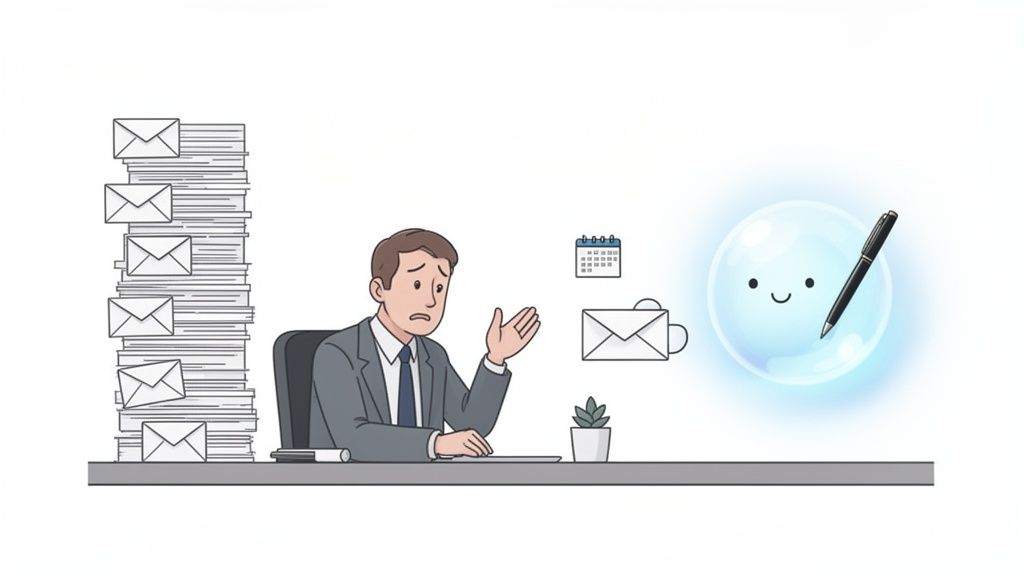
Let's be real: trying to keep up with an overflowing inbox while still sending thoughtful, personalized messages is a universal headache. Most professionals spend about 28% of their workday just on email, which is a massive productivity killer. This is exactly where an AI email writer stops being a nice-to-have and becomes a serious competitive advantage.
Imagine having a personal scribe who not only remembers every detail from your last call but also knows exactly what to say next. Instead of starting from a blank page or a stale template, this technology uses real context—like notes from a recent meeting—to compose messages that are actually relevant and effective.
The Shift from Manual to Automated Communication
The magic of an AI email writer lies in its ability to bridge the gap between speed and quality. Writing every email by hand allows for deep personalization, but it's painfully slow. On the other side, old-school templates are fast but often come across as generic and impersonal, killing your engagement rates.
An AI-powered tool gives you the best of both worlds. It can:
Draft context-aware follow-ups based on the specific discussion points, decisions, and action items captured during a call.
Compose effective cold outreach by tailoring messages to a prospect's industry, role, and pain points, and do it at scale.
Handle routine client communications with incredible speed, making sure every interaction feels timely and professional.
To put it plainly, here’s how the old way stacks up against the new.
Manual vs AI-Powered Emailing A Quick Comparison
This table gives you a quick, scannable breakdown of the immediate benefits you gain by adopting an AI email writer. It's about trading manual effort for intelligent automation where it counts most.
Task | Manual Email Writing | AI-Powered Email Writing |
|---|---|---|
Drafting Speed | Slow, requires full focus | Nearly instantaneous drafts |
Personalization | High effort, one-by-one | High-quality, context-based |
Consistency | Varies by mood and workload | Consistently on-brand and professional |
Follow-Ups | Often delayed or forgotten | Timely and based on meeting notes |
Scalability | Extremely limited | Easily handles high volume |
The difference is clear. You're not just saving time; you're fundamentally upgrading how you communicate.
This isn't just a fleeting trend; it’s a market reality. The AI email writer market is projected to explode from $2 billion in 2025 to a massive $12 billion by 2033, driven by a scorching 25% compound annual growth rate. That kind of growth shows just how indispensable these tools are becoming for modern businesses.
More Than a Tool, a Strategic Assistant
Ultimately, the best AI email writer is one that disappears into your existing workflow, making you better without getting in your way. For teams looking to sharpen their outreach, exploring dedicated AI prospecting tools that include email writing is a smart move.
By turning meeting notes directly into revenue-generating actions, an integrated AI assistant ensures that no opportunity slips through the cracks. It's about working smarter, not just faster.
Tools like GLINKY are at the forefront of this shift, connecting the dots between a conversation and the action that needs to follow. This frees you up to focus on what humans do best: building relationships, confident that the follow-through is handled with precision and speed.
How an AI Email Writer Supercharges Different Roles
The real magic of an AI email writer isn’t just about shaving a few minutes off your day. It’s about making different teams better at their most important, revenue-driving work. A general productivity bump is fine, but the real win comes from pointing this tech at the specific, high-stakes tasks that fuel sales, keep customers happy, and attract top talent.
For anyone whose job revolves around juggling relationships and complex follow-ups, an AI assistant is a genuine force multiplier. It takes over the critical (but tedious) communication chores, freeing up your people to focus on strategy, problem-solving, and building real human connections.
For Sales Teams Closing Deals Faster
In sales, the gap between a great meeting and a great follow-up is dangerously small. A slow, sloppy, or incomplete summary is a momentum killer, allowing a hot deal to go cold. An integrated AI email writer turns this pivotal moment into a massive advantage.
Picture this: A sales rep just wrapped up a 45-minute demo with a key prospect. Multiple decision-makers were on the call, and they covered everything from pricing tiers to technical specs and an implementation timeline.
Instead of spending the next half-hour trying to piece together notes and recall every detail, the rep gets an instant, AI-generated draft. And this isn't some generic template; it's a razor-sharp summary of that specific conversation.
It nails down every action item: "As we discussed, I'll get that security compliance document over to you by EOD tomorrow."
It confirms key decisions: "It sounds like the Enterprise Plan is the perfect fit for your team's needs."
It locks in the next steps: "Looking forward to our follow-up call next Tuesday at 10 AM to walk through the pilot program."
This kind of speed and precision puts the sales cycle on fast-forward. Prospects are blown away by the professionalism, and there's zero room for misunderstanding, keeping the deal barreling ahead without any friction.
For Customer Success Managers Boosting Retention
For Customer Success Managers (CSMs), consistent, proactive communication is the absolute bedrock of retention. But when you’re managing dozens of accounts, keeping up with regular check-ins and summarizing every quarterly business review (QBR) is a recipe for burnout.
An AI email writer ensures no client ever falls through the cracks. It can take messy meeting notes from a QBR and instantly transform them into a polished summary that reinforces the value you're providing and aligns everyone on the goals for the next quarter.
By automating high-quality check-ins and meeting summaries, an AI email writer allows CSMs to build stronger, more consistent relationships at scale. That's a direct line to higher retention rates.
This consistency builds incredible trust and makes you look exceptionally organized. Clients feel heard and valued—the two most important ingredients for long-term loyalty and keeping churn at bay.
For Recruiters Engaging Top Talent
The war for talent is won with two things: speed and personalization. Generic bulk emails get deleted on sight, but hand-crafting a unique message for every single promising candidate is a logistical nightmare. An AI email writer completely demolishes this trade-off, giving recruiters a serious edge.
Here's how: A recruiter just screened ten great candidates for a competitive engineering role. Each conversation was different, touching on unique projects, experiences, and career ambitions.
The AI can draft ten distinct, personalized follow-ups in seconds, referencing specific points from each conversation.
"It was great to hear about your experience with Python at your last company..."
"As you requested, I've already shared your portfolio with the hiring manager..."
"Here's the link to that open-source project our team leads that we talked about..."
This level of personalization sends response rates through the roof. It shows candidates they aren't just another name on a spreadsheet, making them far more likely to stay engaged and move forward in the process.
For Founders and Small Business Owners
Founders and small business owners are the ultimate multitaskers, acting as CEO, head of sales, and chief marketing officer all at once. They need to communicate with the polish of a massive, well-funded corporation but without the time or the team.
An AI email writer is an incredible source of leverage here, essentially acting as a virtual communications assistant. It helps them draft crisp, professional emails to investors, partners, and their first crucial customers, ensuring their message always lands perfectly. This frees them up to do what only they can do: build the business, knowing their communication is always top-notch.
From Conversation to Conversion: The Integrated Approach
Let’s be honest, the way most of us work is broken. We jump from our call, to our notes app, to our task manager, and then finally to our email client. By the time we sit down to write that crucial follow-up, we’re trying to piece together fragmented thoughts, hoping we didn’t miss the most important detail. This constant context-switching isn't just inefficient; it’s where deals go to die.
But what if writing the perfect email wasn’t a separate, manual chore? What if it was the natural, automatic result of your meeting? That's the whole point of an integrated system—where an AI email writer is built directly into your workflow, not just another tab you have to open. It’s about creating a seamless bridge between what was just said and what needs to happen next.
The Modern Closed-Loop Workflow
The most effective tools don't just do one thing well; they create a closed loop. They turn the messy, raw data from a conversation into a polished, actionable email without you having to lift a finger. This modern workflow kills the manual labor of copying and pasting insights from one place to another, ensuring nothing gets lost in translation.
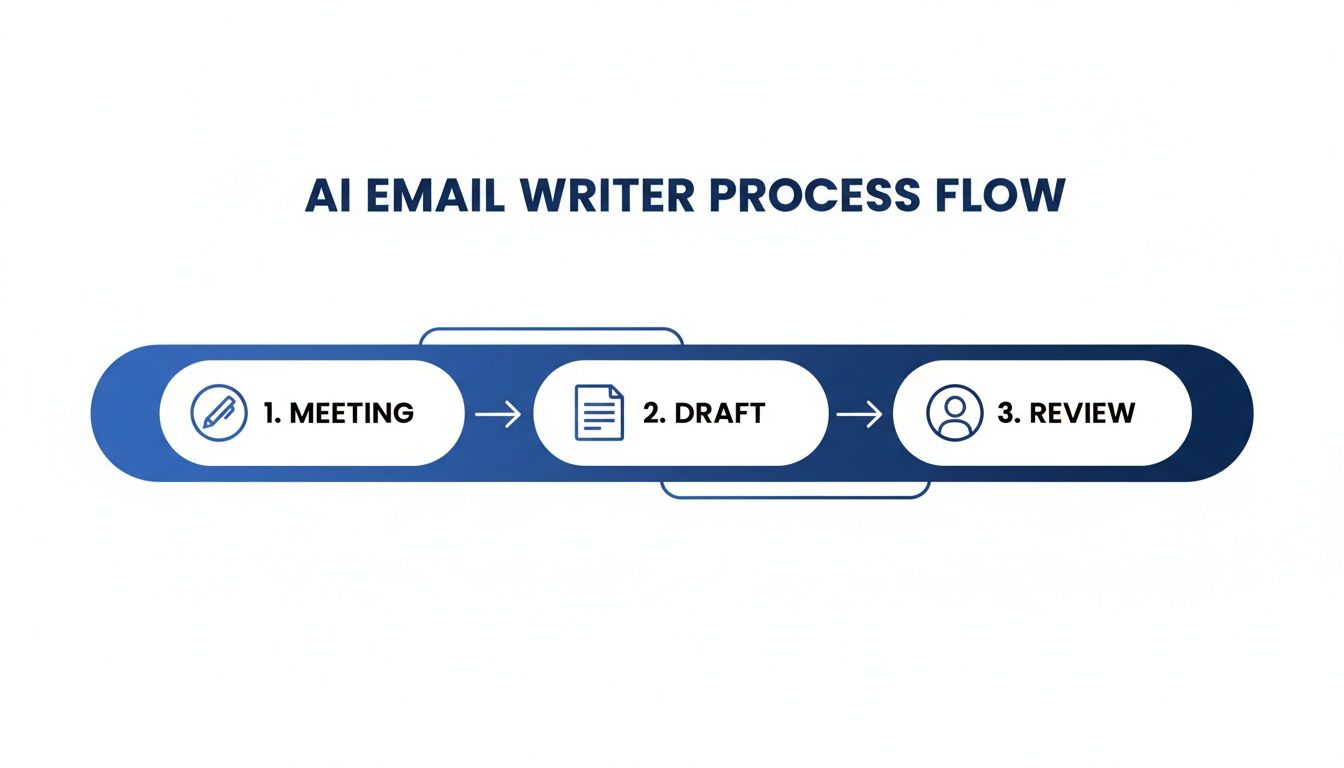
This is a simple look at how it works, moving from a live meeting to a ready-to-send draft in three steps.
The process kicks off the second your meeting starts. You can stop frantically typing and actually focus on the person you’re talking to, confident that the AI is catching every word.
Step 1: The Conversation: An AI notetaker joins your call to transcribe everything. But more importantly, it’s listening for the key stuff: decisions made, objections raised, questions asked, and next steps assigned.
Step 2: The Synthesis: The moment the call ends, the AI gets to work structuring all that unstructured data. It cleans up the notes, pulls out the critical action items, and gets a firm grasp on the core purpose of the conversation.
Step 3: The Draft: Armed with this rich, contextual data, the AI email writer instantly drafts a follow-up. And because it’s built from the actual words and agreements from your call, the message is deeply personalized and ridiculously accurate.
This isn’t just about being fast; it’s about having perfect recall. You never have to worry about forgetting a key commitment or misremembering a client’s specific request. The AI has it all covered.
Beyond Writing: A Meeting Outcome Engine
When it’s part of a bigger system, your AI email writer becomes more than just a composition tool. It transforms into a full-blown meeting outcome engine. The system doesn't just help you write; it helps you execute on the promises you made, driving real progress with every single interaction.
By connecting your conversations directly to your communications, an integrated system makes sure every meeting has a purpose and a tangible result. It’s the fastest path from discussion to decision.
The payoff from this kind of closed-loop system is immediate. You get rid of the mental fatigue that comes from jumping between apps and gain the confidence that every follow-up is timely, accurate, and perfectly aligned with the conversation you just had.
To see how all these pieces fit together in the real world, check out how Glinky works to unify the entire meeting lifecycle. It's this deep integration that lets teams stop chasing details and start closing deals.
Best Practices for Using an AI Email Writer
An AI email writer is a powerful assistant, but like any sophisticated tool, its performance depends entirely on how you use it. Just hitting "generate" without any real guidance is a recipe for generic, robotic-sounding messages that almost always miss the mark. To get truly exceptional results, you have to master the art of collaboration—combining the AI's incredible speed with your own human insight.
Think of the AI less like a self-sufficient employee and more like a brilliant but very junior co-writer. It can produce an excellent first draft in seconds, but it needs your direction to make it perfect. This partnership boils down to two key skills: telling the AI exactly what you need, and then refining its output to reflect your unique voice and perspective.
Crafting the Perfect Prompt
The quality of your output is a direct reflection of your input. A vague, one-line request will get you a bland, one-size-fits-all email. But a detailed, context-rich prompt? That will produce a draft that’s sharp, relevant, and nearly ready to send. It’s like giving directions—the more specific you are, the more likely you are to end up at the right destination.
Your prompt should act as a clear blueprint for the AI, outlining all the essential components of the message you want to create.
Specify the Goal: What’s the number one reason for this email? Are you trying to book a follow-up, confirm action items, or warm up a cold lead? State the objective right at the start.
Define the Audience: Who are you writing to? An email to a long-time client will feel very different from one to a brand-new prospect. Give the AI some details about their role and your relationship.
Set the Tone: How should this email feel? Your options can range from “formal and professional” to “casual and friendly” or even “urgent and direct.” If you're stuck, our guide on follow-up email subject lines has some great inspiration.
Include Key Information: Don’t forget the non-negotiables. This means names, dates, specific action items from a meeting, or a unique pain point the person mentioned.
Here’s a simple formula to get you started:
[Goal] + [Audience] + [Tone] + [Key Information] = Great AI-Generated Draft
So, instead of a lazy prompt like "Write a follow-up email," you could try this: "Draft a follow-up email to Jane Doe, the VP of Marketing. The tone should be professional yet friendly. Confirm our next meeting for Tuesday at 3 PM and mention that I will send over the case study we discussed about increasing lead conversion."
This level of detail gives the AI everything it needs to create a highly relevant and personalized first draft, saving you a ton of editing time on the back end.
The Human-in-the-Loop Review
Even the best AI-generated draft needs a final human touch. This review is where you transform a good email into a great one—a message that doesn’t just communicate information but actually builds a relationship. The AI gives you the structure and substance; you provide the soul.
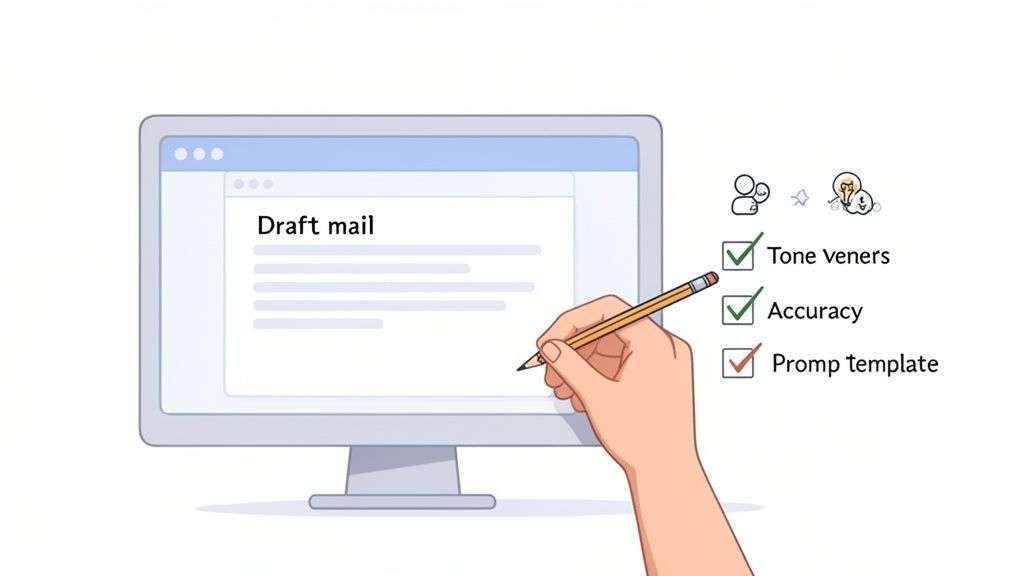
This isn't about rewriting the whole thing from scratch. It’s a quick, surgical edit focused on adding authenticity and triple-checking accuracy.
Here's a simple checklist to run through before you hit send:
Check for Tonal Alignment: Does this really sound like you? Read it out loud. If any phrases feel stiff or awkward, tweak them until they match your personal voice.
Verify Factual Accuracy: Double-check every single detail—names, dates, titles, and specific numbers. AI is incredibly accurate when working from meeting notes, but it’s always smart to confirm the critical facts yourself.
Inject Personal Insight: This is the most important step. Add a sentence that only a human could write. It could be a reference to a small, personal detail from your conversation or a specific insight you had about their business challenges.
This human-in-the-loop approach is what separates high-performing teams from the rest. The goal is not to automate communication but to augment it, combining machine efficiency with human authenticity.
The data backs this up. While 87% of businesses are now using AI in their email workflows, it's the smart integration that makes all the difference. AI-generated subject lines alone can boost open rates by up to 22%, and thoughtfully refined AI emails can achieve an 11% higher click-through rate.
Let's look at a quick "before and after" to see this in action:
AI Draft (Before): Subject: Following Up on Our Call Hi John, Thank you for your time today. We discussed your challenges with team productivity and how our software can help. As agreed, our next step is a demo next week. Best regards, Sarah
Human-Refined Email (After): Subject: Great Chat About Your Team's Productivity Goals Hi John, Really enjoyed our conversation today—especially hearing about your team's ambitious growth plans for Q4. It's clear that finding a better way to manage project workflows is a top priority. To follow up, I've scheduled the full platform demo for you and the team for next Thursday at 10 AM. I'm looking forward to showing you exactly how we can help take some of that manual reporting work off your plate. Talk soon, Sarah
See the difference? The "after" version is warmer, more specific, and reinforces the value in the context of the client's actual goals. That small investment of human oversight pays huge dividends in engagement and relationship-building.
Navigating Privacy, Accuracy, and Authenticity
To get the most out of an AI email writer, you have to trust it. But that trust isn’t built on cool features—it’s built on a solid foundation of data privacy, factual accuracy, and the ability to maintain your own authentic voice.
Let’s be honest, these are the three biggest hurdles people have with AI. So, tackling these concerns head-on is the only way to choose the right tool and use it with complete confidence.
When a tool has access to your conversations, data security isn't just a feature; it's everything. Reputable platforms treat your data like it's in a vault, using enterprise-grade security to protect your information whether it's being sent or stored. This should be a non-negotiable standard for any tool you bring into your workflow.
Safeguarding Your Data
Your privacy should never be an afterthought. A trustworthy AI provider will be completely transparent about how they handle your data, making it crystal clear that your conversations are only used to generate your content—not to train some massive, general AI model without your explicit say-so.
Look for these key privacy safeguards:
End-to-End Encryption: This is the gold standard. It ensures that no one, not even the service provider, can peek at the raw content of your conversations.
Compliance with Standards: Keep an eye out for certifications like SOC 2 and GDPR. They aren't just acronyms; they prove a serious, audited commitment to protecting your data.
Clear Data Policies: The provider should spell out exactly what data is collected and how it's used. You can learn more by reviewing comprehensive documentation like our privacy policy.
These measures are what guarantee the confidentiality of your professional relationships is always protected.
The Human Safeguard Against Inaccuracy
While an AI email writer is remarkably precise, especially when it’s drafting from your meeting notes, no AI is perfect. The tech can sometimes misinterpret context or generate minor inaccuracies—what some people call "hallucinations."
This is precisely why having a human in the loop isn't just a nice-to-have; it's a critical safeguard.
Always treat the AI-generated draft as a high-quality starting point, not the final product. A quick scan to verify key details like names, dates, and specific commitments ensures every message is 100% accurate before it ever leaves your outbox. That final human check is your ultimate quality control.
The goal of AI is not to replace human judgment but to amplify it. By handling the heavy lifting of drafting, the AI frees you up to focus on verification and personalization—the two things humans do best.
This collaborative approach gives you the best of both worlds: the incredible speed of automation and the unmatched reliability of human oversight.
Keeping Your Communication Authentic
Maybe the biggest fear of all is that using AI will make your emails sound robotic and impersonal. It’s a valid concern, but it’s also one that’s easily avoided by treating the AI email writer as a co-pilot, not an autopilot.
The AI provides the structure; you provide the soul.
A quick edit is all it takes to inject your unique personality. Add a personal anecdote you remember from the call, rephrase a key sentence to sound more like you, or reference a small detail from your conversation that the AI might have missed.
To maintain high deliverability and ensure your messages always feel genuine, exploring the best email validation tools is also a smart move. This helps ensure your carefully crafted messages actually land in the inbox.
That final touch is what transforms a well-written email into a genuine connection, strengthening your professional relationships with every single message you send.
Measuring the ROI of Your AI Email Writer
Let's be real. Adopting any new tool, especially one powered by AI, needs to be justified. Once the initial "wow" factor wears off, you have to connect it to actual business results. Thinking about success from day one not only proves the tool’s value but also shows you where to double down to get the most impact for your team.
Measuring the return on investment (ROI) isn't just about crunching numbers on a dashboard. It's a mix of hard, quantitative metrics and the softer, qualitative benefits that just make your team work better. When you look at both, you build an undeniable case for the tool and empower your team to show just how much it's helping them win.
Tracking Quantitative Gains
These are the concrete, measurable improvements that show up on your bottom line and in your team's efficiency. This is the hard data you bring to the table to justify the investment.
Start by keeping an eye on these key indicators:
Time Saved Per Week: This is the most immediate and satisfying metric. An experiment found that using generative AI for writing tasks like email can slash the time spent by a whopping 40%. Just figure out how much time your team spends on email now, and then track the drop after they start using the tool. It adds up fast.
Increased Response Rates: This is where the fun begins. Use your AI writer to A/B test different emails. Pit an AI-generated subject line against your old manual template and see which one gets more opens and replies. Even a small lift here can lead to a huge jump in your sales pipeline.
Shortened Sales Cycles: When your follow-ups are instant, accurate, and perfectly synced with what was discussed in a meeting, deals just move faster. There's less friction. Track the average time from that first "hello" to a closed deal and watch how that number shrinks as AI-driven communication becomes second nature.
Assessing Qualitative Benefits
Not everything that counts can be counted. Qualitative benefits are about the less tangible—but equally critical—perks that an AI email writer brings to your team’s culture and strategic focus. This is about working smarter, not just faster.
The real long-term win with an AI assistant is how it lowers cognitive load. When you outsource the mental energy of drafting routine emails, you free up your team for the high-level strategic thinking and genuine relationship-building that actually closes deals.
Look for these improvements:
Improved Communication Consistency: The AI becomes your quality control. Every email, whether it's from a seasoned VP or a brand-new hire, hits the same high standard of professionalism and tone. That kind of consistency builds trust and makes your whole company look sharp and organized.
Enhanced Team Collaboration: Handovers become a breeze. With AI-generated meeting summaries and action items automatically synced to your CRM, everyone is on the same page. You get one clean, consistent record of every conversation, which cuts down on mistakes and keeps teams aligned.
Reduced Employee Burnout: It’s a fact: professionals spend about 28% of their workday on email. Automating the most mind-numbing parts of that work frees up a ton of mental space. It reduces stress and lets your team focus on the creative, problem-solving parts of their jobs they actually enjoy. Over time, that has a massive impact on job satisfaction and keeping your best people around.
Got Questions About AI Email Writers?
As more of us start leaning on AI to handle our emails, some really good questions always pop up. It's only natural. Before you trust a tool with your client communications, you need to know how it handles your data, whether it will make you sound like a robot, and how it’ll play with the apps you already use every day.
Let’s tackle the big ones head-on so you can feel confident putting this tech to work.
Will an AI Email Writer Make My Emails Sound Robotic?
Nope, not if you use it the right way. The best AI email writers are meant to be your co-pilot, not the autopilot. Think of them as a hyper-efficient assistant that takes your meeting notes and instantly generates a solid, context-aware first draft.
The magic happens when you step in for a quick final review. This is your chance to add your voice, tweak the tone, or throw in a personal detail that only you would know. You get the speed of AI without losing the human touch that actually builds relationships.
How Secure Is My Data When Using an AI Writer?
This is a big one, and it should be. When you’re talking about sensitive client info, security is non-negotiable. Top-tier platforms are built with enterprise-grade security from the ground up, using end-to-end encryption for all your data, whether it's being sent or just sitting on a server.
Any AI tool worth its salt will be transparent about its privacy policies and follow strict standards like SOC 2 and GDPR. Your conversation data should only ever be used to create your content—not to train some massive, public AI model without your permission.
Bottom line: Always go with a provider that puts data protection front and center and isn't afraid to tell you exactly how they do it.
Can AI Email Writers Integrate with My Existing Tools?
Absolutely. In fact, this is where you unlock the real power of an AI email writer. A well-built tool should plug right into your daily workflow, connecting seamlessly with your Google Calendar, Outlook, and your CRM.
This integration is what allows the AI to pull context directly from a meeting invite. After it drafts the email, it can then sync the notes and action items right back into your CRM. This creates a single source of truth for every client interaction, keeping everything updated without you having to lift a finger.
Ready to turn your conversations into conversions? GLINKY is a bot-free AI notetaker that transforms every meeting into structured, actionable outcomes—including perfectly crafted follow-up emails. Learn more and get started at https://www.glinky.ai.
People also read

10 Sales Enablement Best Practices to Unify Your Revenue Engine in 2026
Productivity
Mar 13, 2026

How to Manage Sales Pipeline for Predictable Revenue Growth
Productivity
Mar 14, 2026

How to Qualify Leads in Sales Without Wasting Time
Productivity
Mar 17, 2026

What is Conversation Intelligence? A Practical Guide for Sales Teams
Productivity
Mar 18, 2026

Top 10 Sales Discovery Questions That Close More Deals
Productivity
Mar 25, 2026

Taking Minutes of Meeting: A Guide to Transforming Chaos into Action
Productivity
Feb 16, 2026

Action Items List: A Practical Guide to Drive Real Results
Productivity
Feb 19, 2026

Master the summary of a meeting for clear decisions and follow-ups
Productivity
Feb 22, 2026

Track Action Items: A Practical Guide to Using AI for Flawless Follow-Up
Productivity
Feb 17, 2026

Unlock: How to Take Notes on a Computer for Peak Productivity in 2026
Productivity
Feb 26, 2026

How to Record Google Meet: A Complete Guide for 2026
Productivity
Mar 4, 2026

12 Best AI Note Taking App Choices for 2026: The Definitive Guide
Productivity
Mar 6, 2026

How to Improve Customer Retention: Practical Tips to Boost Loyalty
Productivity
Mar 8, 2026

10 Client Communication Best Practices to Master in 2026
Productivity
Mar 7, 2026

The 12 Best AI Meeting Assistant Tools for 2026: A Deep Dive
Productivity
Mar 15, 2026

10 Essential Customer Success Best Practices for 2026
Productivity
Mar 1, 2026

Your Guide to Sales Call Recording Software in 2026
Productivity
Mar 2, 2026

How to Take Better Meeting Notes and Drive Real Results
Productivity
Mar 5, 2026

Top 10 Picks for best crm for small business
Productivity
Mar 3, 2026

What is an Ideal Customer Profile: A Guide to Driving Growth
Productivity
Mar 9, 2026

Automated meeting minutes: Turn talks into actionable notes
Productivity
Mar 11, 2026

The Top 12 AI Powered Sales Tools to Boost Revenue in 2026
Productivity
Mar 16, 2026

AI Note Taking For Meetings: Fast, Smart AI Notes That Drive Collaboration
Productivity
Mar 19, 2026

Understanding Transcription Service Cost: A 2026 Guide
Productivity
Mar 20, 2026

Master Your Meetings With The Note Taking Charting Method
Productivity
Feb 18, 2026

The Ultimate 2026 Guide: 8 Meeting Follow Up Email Template Scenarios
Productivity
Feb 20, 2026

Master the Art of Taking Meeting Notes for Actionable Outcomes
Productivity
Feb 25, 2026

12 Best Sales Lead Generation Tools to Boost Your Pipeline in 2026
Productivity
Mar 10, 2026

Translation Vs Transcription: Which Service Do You Really Need?
Productivity
Mar 12, 2026

Mastering the goals of a meeting to drive decisions and boost team alignment
Productivity
Mar 23, 2026

The 12 Best Free AI Email Writer Tools for 2026
Productivity
Mar 22, 2026

A Guide to AI Sales Enablement Platforms in 2026
Productivity
Mar 21, 2026

Automate Follow Up Emails: Actionable Insights for Boosting Sales & Efficiency
Productivity
Mar 26, 2026

Follow Up Email Subjects That Convert: Increase Opens and Replies
Productivity
Feb 17, 2026

Your Playbook for Outbound Lead Generation in 2026
Productivity
Feb 28, 2026

Your Essential Meeting Action Items Template to Drive Results
Productivity
Feb 23, 2026

Your Guide to Using an Email Writer AI for Maximum Impact
Productivity
Feb 23, 2026

8 Essential Ground Rules at Meetings to Maximize Productivity in 2026
Productivity
Mar 24, 2026

Otter.ai vs Glinky
Productivity
Feb 5, 2026

AI Tools for Startup Founders [2026]
Productivity
Feb 4, 2026

Best AI Tools for Startups [2026]
Tools
Feb 3, 2026

Sales Call Notes: How to Capture Every Detail Without Losing the Deal
How to
Feb 2, 2026

How to Take Meeting Notes: 7 Methods That Actually Work [2026]
How to
Jan 14, 2026
![AI Meeting Minutes | Free Forever [2026]](https://framerusercontent.com/images/zYQGRjgLX63tiouLTK65LvCcjK8.png?width=402&height=263)
AI Meeting Minutes | Free Forever [2026]
How to
Jan 13, 2026
![How to Record Zoom Meetings Without a Bot [2026] 3 Easy Methods](https://framerusercontent.com/images/gGoQV8bPb9zR5weVruinbjaxO0.png?width=402&height=263)
How to Record Zoom Meetings Without a Bot [2026]
How to
Jan 9, 2026

Bot-Free AI Meeting Notes: We Tested the 6 Best Tools in 2026
Tools
Jan 8, 2026

Glinky vs Fireflies.ai
Tools
Jan 7, 2026

15 Best AI Tools to Boost Your Productivity in 2026
Productivity
Jan 6, 2026