
Nov 13, 2025
Productivity
Automated meeting minutes: Turn talks into actionable notes

Imagine you just wrapped up a huge sales call. You know it went well, but your brain is already scrambling to remember the exact commitments you made and the subtle buying signals the prospect dropped. This is where automated meeting minutes step in, turning that fleeting conversation into a permanent, structured asset. It's a system designed to let you stay completely present in the moment while the critical details are captured for you, ensuring that valuable insights lead to concrete actions.
Why Manual Note-Taking Is Obsolete
In our world of back-to-back virtual calls, the old way of taking notes is completely broken. When you’re frantically typing or scribbling away, you’re forced to do two things at once: listen and document. It's a constant mental juggle.
This split focus guarantees you're doing both jobs poorly. You either miss the perfect moment to ask a follow-up question or you fail to write down a crucial detail. It’s a terrible trade-off between being present in the conversation and keeping a record of it. In the end, both your engagement and your notes suffer.
Manual notes are almost always incomplete, biased toward what you thought was important, and just plain messy. They quickly become a chaotic pile of information that takes even more time to sort through, organize, and share with your team. The whole process is a recipe for human error, leaving valuable insights buried in forgotten notebooks.
The Shift to Intelligent Automation
Automated meeting minutes are so much more than a simple transcription. Think of it less like a tape recorder and more like a personal scribe who not only writes down every word but actually understands the conversation's context. This tech brings order to conversational chaos, turning it into clear, actionable intelligence.
This isn’t some far-off fantasy; the technology is here today. If you're serious about leaving the old way behind, exploring the best audio transcription software options is a great first step. These tools are the bedrock of intelligent automation, and understanding them is key to choosing the right solution.
Actionable Insight: The core problem with manual notes is that they force you to choose between participating in the conversation and documenting it. Automation eliminates this conflict, allowing you to be 100% present and engaged while ensuring nothing gets missed.
Turning Conversations Into Structured Data
The real magic of automated meeting minutes is how they transform spoken words into structured, usable data. For just about any role, this is a total game-changer.
Sales teams can ditch the notepad and focus entirely on building rapport with a prospect, confident that every commitment and customer pain point is being captured for the perfect follow-up.
Customer success managers can guarantee that no client request or piece of feedback ever slips through the cracks, which is vital for strengthening relationships and boosting retention.
Recruiters can stay locked in with candidates, picking up on subtle cues while the system documents key answers for a much easier and more objective team evaluation later.
By turning conversations into organized information, you stop just hearing what was said and start understanding what it means for your business. For practical tips on implementing this, check out our guide on how to take meeting notes with modern tools. This approach frees your team to stop acting like scribes and start acting like strategists, fully confident that the details are always handled.
How AI Turns Conversations Into Actionable Intelligence
So, how does an AI magically transform a messy, free-flowing conversation into a sharp, organized summary? It’s not magic, but it’s close. Think of it as a three-step assembly line for information, where raw chatter goes in one end and actionable intelligence comes out the other.
It all starts with getting the words right. The first, and most critical, step is high-accuracy AI transcription. This is the bedrock of the entire process. We’re not talking about the clumsy speech-to-text from a few years ago. Modern systems are trained on colossal amounts of data to master different accents, parse industry-specific jargon, and understand the natural rhythm of a real conversation. This is all thanks to the power of advanced Voice to Text AI.
But a perfect transcript is just a giant wall of text. To make any sense of it, you need to know who said what. That's where the next layer of intelligence kicks in.
Assigning Speakers and Building Context
This step is called speaker recognition, or diarization. Imagine trying to read a movie script with no character names—it would be a confusing mess. AI solves this by analyzing the unique vocal fingerprint of each person in the meeting. It listens for distinct characteristics like pitch and tone to create a "voiceprint" for every participant.
This allows the system to pin every sentence to the right person, creating a clean, turn-by-turn record of the dialogue. Crucially, this happens without an awkward bot needing to join your call and announce that it's recording. The AI just listens in the background, intelligently separating the speakers.
Without this, you’re stuck with the old way of doing things—a frantic scramble to take notes that quickly descends into chaos.
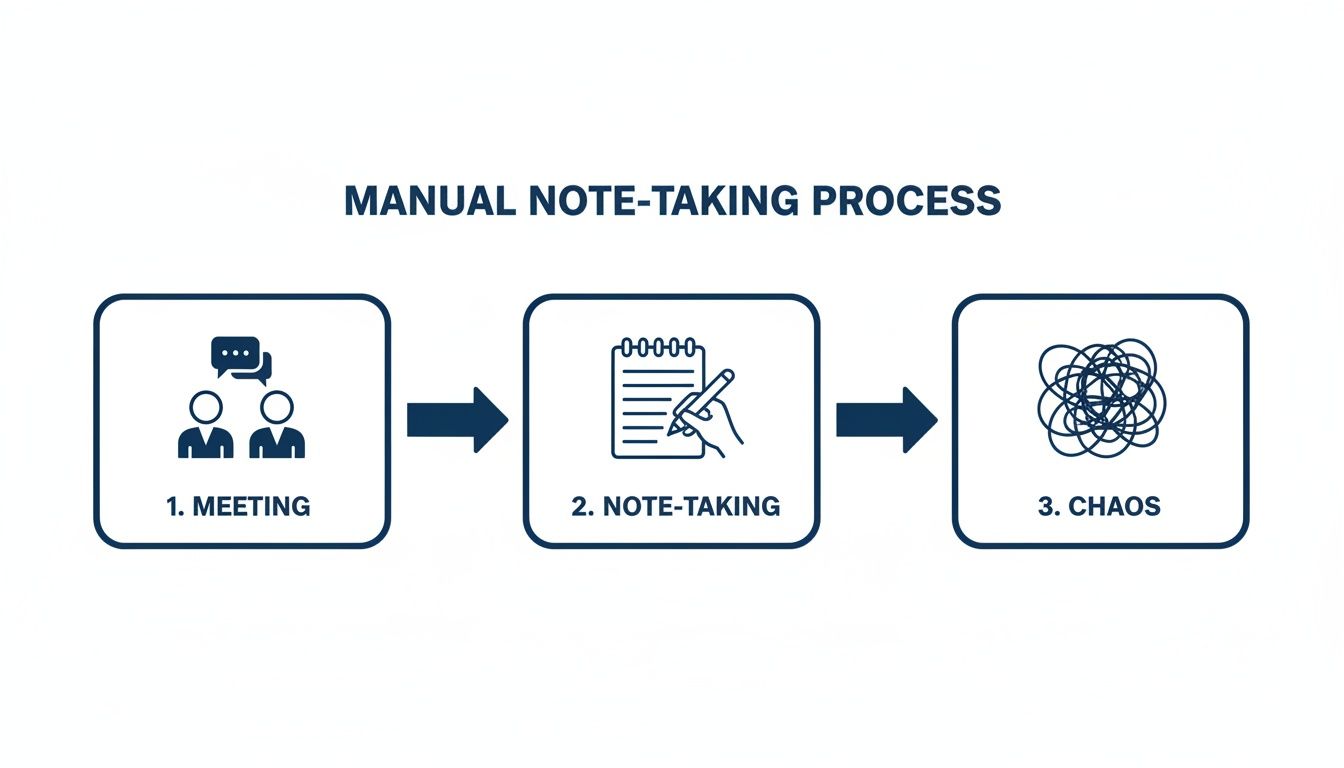
This picture says it all. Manual notes often become a tangled web of incomplete thoughts. Once the AI has created an organized, speaker-labeled transcript, it has the clean data it needs for the final—and most valuable—step.
From Words to Action: Extracting What Matters
This is where the real smarts come into play. The AI doesn’t just see words; it understands their intent. Using sophisticated Natural Language Processing (NLP), the system reads through the entire conversation to spot the moments that actually matter.
It’s trained to identify and pull out the crucial bits:
Decisions Made: It flags clear points of agreement, like, "Great, we'll move forward with the Q3 proposal."
Action Items: The AI is always listening for commitments, catching things like, "I'll get that contract over to you by EOD tomorrow."
Key Takeaways: It surfaces the core topics, critical questions, and main conclusions from the entire discussion.
This isn't a niche-market gimmick; it’s a massive shift in how we work. The automated meeting transcription market is set to explode from $3.86 billion in 2024 to an incredible $29.45 billion by 2034. Why? Because it works. Professionals are already seeing huge returns, with 62% saving over four hours weekly on documentation alone, and the best platforms now hit 99% accuracy.
Actionable Insight: For a sales team, this means a 30-minute discovery call is no longer a memory test. Within minutes of hanging up, it's automatically converted into a tight summary, a list of the prospect's pain points, a drafted follow-up email, and a new task in the CRM to "Send pricing proposal."
At the end of the day, the AI takes the beautiful mess of human conversation and refines it into pure, actionable value. It ensures nothing gets lost, everything is organized, and your team can focus on moving forward—not on typing up notes.
The Business Case For Automated Meeting Minutes
It’s one thing to understand how AI can turn a conversation into neat rows of data. It's another thing entirely to ask the only question that really matters: so what? The real value of automated meeting minutes isn't just about clawing back a few minutes from your day. It’s about the concrete, measurable impact it has on the roles that drive your business forward.
This isn't some niche trend, either. The market for this kind of software is exploding, climbing from a $1.5 billion valuation in 2025 to a projected $5 billion by 2033. That’s a massive 15% compound annual growth rate, fueled by the simple fact that modern work demands better tools. You can dig into the numbers yourself and see the data behind the meeting software market boom to understand why.
Accelerating Sales Cycles
For any sales team, conversation is currency. But when your reps are manually scrambling to update the CRM, draft follow-ups, and recall what was said, critical details—and deals—slip through the cracks. Automated meeting minutes create a flawless, objective record of every single client interaction.
Think about a sales rep walking out of a big discovery call. Instead of spending the next 30 minutes piecing together notes and updating their pipeline in Salesforce or HubSpot, the system has already done it. It’s pulled out the client’s pain points, captured the budget talk, and flagged buying signals, syncing everything directly to the right contact record. That creates a perfect deal history, which is gold for smooth handoffs and long-term account strategy.
Actionable Insight: With follow-ups instantly drafted and key commitments locked in, sales cycles shrink. Reps get to spend their time building relationships and closing—not drowning in admin.
Boosting Client Retention
In customer success, the little things are the big things. A forgotten promise or a misremembered piece of feedback is a fast track to eroding trust and inviting churn. Automated meeting minutes serve as your institutional memory, ensuring every client commitment becomes an action.
When a Customer Success Manager (CSM) says they’ll check on a technical bug or escalate a feature request, the AI doesn't just hear it—it flags it as a task. That action item can be automatically fired off to the right person or pushed into your project management tool. Suddenly, you have a perfect audit trail of accountability. This shows clients you’re reliable, builds serious loyalty, and plugs the leaks that lead to churn.
Streamlining Candidate Evaluation
Recruiting is a high-stakes, high-volume game. Trying to compare dozens of candidates based on scattered notes and foggy memories is a recipe for bad hires. Automated meeting minutes give recruiters and hiring managers an objective source of truth to anchor their decisions.
Instead of relying on gut feelings and fragmented notes, the hiring team can review full transcripts or AI-generated highlights from every interview. It makes it incredibly simple to compare answers to key questions, assess technical depth, and share unbiased feedback. This strips personal bias from the equation and ensures every decision is based on a complete and accurate picture of the candidate.
Maximizing High-Stakes Conversations
For founders, execs, and consultants, time is the only resource you can't get more of. Your most critical meetings—investor pitches, board meetings, M&A negotiations—are dense with information where every single word matters. Taking notes is not an option; it pulls you out of the moment and shifts your focus from strategy to transcription.
By letting AI handle the documentation, leaders can stay 100% present and engaged, guiding the conversation where it needs to go. Afterwards, they get a perfect, indisputable record of every decision, valuation, and term sheet agreed upon. It kills ambiguity and makes sure everyone walks away completely aligned. For leaders, that level of precision isn't a perk; it's a necessity.
Manual Vs Automated Meeting Minutes
Before we dive deeper, let’s put the old way of doing things head-to-head with the new. The difference isn't just about convenience; it's a fundamental shift in time, cost, and the quality of your data.
Aspect | Manual Note-Taking | Automated Meeting Minutes |
|---|---|---|
Time Spent | 2-3 hours per 1-hour meeting (taking, cleaning, sharing notes) | 5-10 minutes per 1-hour meeting (reviewing AI summary) |
Accuracy | 60-70% at best; prone to human error, bias, and missed details | 95%+ accuracy; captures every word verbatim, unbiased |
Action Items | Often missed or poorly captured; relies on memory | Automatically detected, extracted, and assigned; creates accountability |
Searchability | Difficult to search; notes are often unstructured and siloed | Fully searchable by keyword, speaker, or topic across all meetings |
Integration | Manual data entry into CRM, PM tools, etc. | Seamless, automatic sync to tools like Salesforce, HubSpot, Slack |
Cost | High "hidden cost" in lost productivity and administrative hours | Low monthly subscription; high ROI through time savings and efficiency |
As the table shows, this isn't an incremental improvement. Automated minutes fundamentally change the economics of meetings, turning a costly administrative burden into a source of strategic intelligence.
Choosing The Right Automated Meeting Tool
The market is saturated with so-called “AI meeting assistants,” and frankly, most of them are just glorified tape recorders. Picking the right one can feel like navigating a minefield of marketing buzzwords, but it's a critical decision. The wrong tool just adds another task to your plate; the right one becomes a genuine extension of your team.
This isn't about finding a gadget that makes pretty summaries. It's about finding a strategic partner that understands what was said, who said it, and what needs to happen next—all without getting in your way. Let’s cut through the noise and focus on what actually moves the needle.
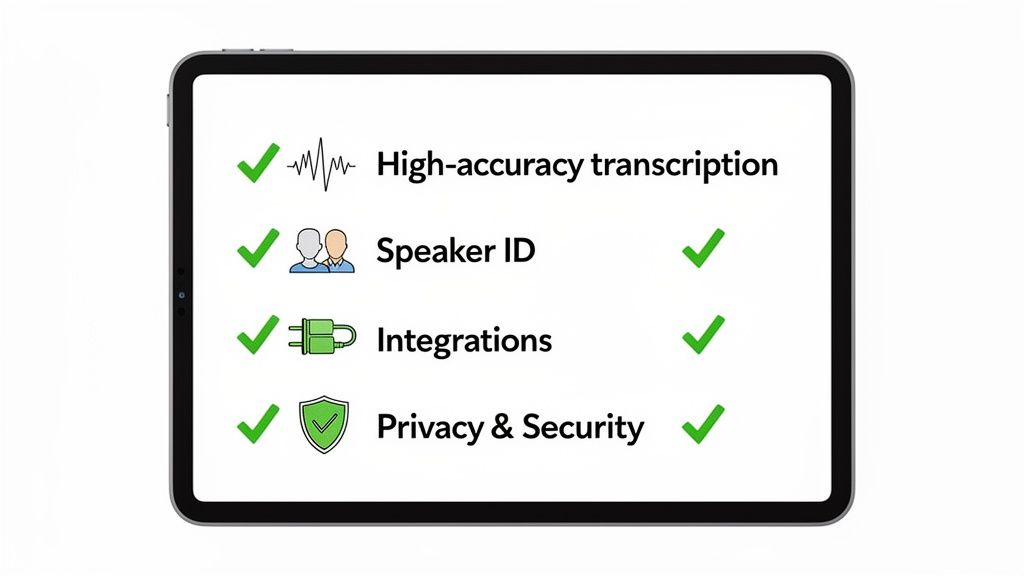
The Non-Negotiables: Table Stakes for Any Serious Tool
Before you even look at fancy features, you need to verify the absolute basics. If a tool fails on these three points, walk away. It will create more problems than it solves.
Pinpoint Transcription Accuracy: This is the foundation. If the transcript is a mess, every summary, action item, and insight will be garbage. Demand a tool that delivers 95% or higher accuracy, even with different accents, overlapping speakers, and a little background noise.
Flawless Speaker Identification: A wall of text is useless if you can't tell who committed to what. The tool must automatically and accurately know who is speaking without you ever having to manually tag participants. This is non-negotiable for accountability.
A Truly Bot-Free Experience: Let’s be real: having a clunky “Note-Taker Bot” join your sales call is awkward and unprofessional. Top-tier tools are invisible. They work natively to capture audio without ever disrupting the natural flow of conversation, preserving the human connection.
These aren't just features; they are the price of entry. Without them, you’re buying a toy, not a professional-grade business tool.
Beyond the Basics: From Note-Taker to Game-Changer
Once the fundamentals are covered, you can start looking at the capabilities that deliver a real return on investment. This is where you separate the adequate from the indispensable.
A powerful tool must have deep, intelligent CRM integration. I’m not talking about just dumping a raw transcript into a contact record. A great tool maps key conversation data—competitor mentions, budget confirmations, stated pain points—directly to the right fields in Salesforce or HubSpot. It keeps your single source of truth accurate without manual busywork.
Actionable Insight: The real magic happens when the tool acts as a bridge, seamlessly connecting your live conversations to the systems where work actually gets done. It should feel invisible and indispensable at the same time.
And don't even think about compromising on security. When you’re discussing sensitive client data or internal strategy, your provider must be SOC 2 compliant. This is the industry-standard seal of approval for data security. Always read the privacy policy to understand exactly how your data is encrypted, stored, and managed.
Automated Meeting Tool Feature Checklist
To make this process easier, we've put together a checklist to help you evaluate different platforms. Think of this as your buyer's guide—a way to systematically compare options and identify the tool that truly fits your workflow, whether you're a founder, a sales leader, or a consultant.
Feature | Why It Matters | Ideal For |
|---|---|---|
High-Accuracy Transcription | The entire system's reliability depends on this. Low accuracy means flawed summaries and missed action items. | Everyone. This is a non-negotiable baseline. |
Automatic Speaker ID | Provides context and accountability. You need to know who said what without manual tagging. | Sales, CS, Recruiters, Founders—anyone tracking commitments. |
Bot-Free Experience | Preserves the natural flow of conversation and professionalism, especially in client-facing calls. | Sales, Consultants, and anyone who values building rapport. |
Deep CRM Integration | Automates data entry and enriches your CRM with real customer voice, saving hours and improving data quality. | Sales Teams, CS Managers, Revenue Operations. |
AI-Generated Summaries | Quickly gets you and your team up to speed on key decisions and outcomes without reading the full transcript. | Busy Managers, Executives, and anyone who needs a quick debrief. |
Action Item Extraction | Ensures commitments and next steps are captured and assigned, preventing things from falling through the cracks. | Project Managers, Team Leads, Account Managers. |
SOC 2 Compliance | Provides third-party verification that the vendor follows strict security, availability, and confidentiality protocols. | Any organization handling sensitive client or company data. |
Choosing the right platform is about aligning its capabilities with your most critical business needs. A solo consultant might prioritize action item tracking, while a large enterprise will focus on CRM integration and security. To see how these features come together in a fully integrated system, you can explore our breakdown of the Glinky platform.
Integrating Automation Into Your Daily Workflow
Bringing a new tool into your routine can feel like one more thing on your to-do list. But adopting automated meeting minutes shouldn't feel like a chore—it should feel like a weight being lifted. The whole point is to make it an invisible, frictionless part of your day. No new habits, just way better outcomes.
It all starts by connecting the tools you already live in.
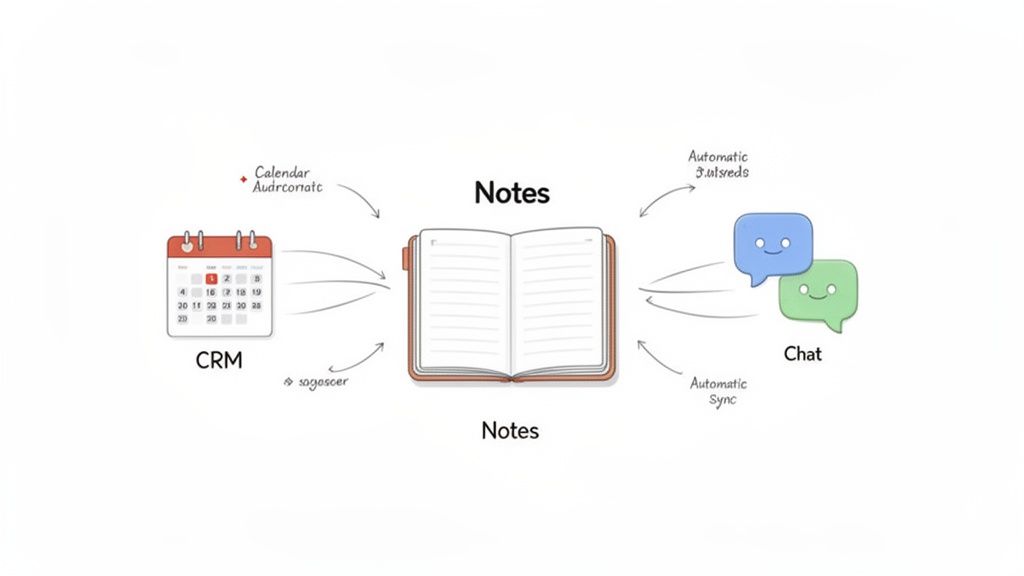
The first step is a no-brainer: link your calendar. Whether your team runs on Google Calendar or Outlook, this simple connection tells the system when your meetings are happening. It can then automatically capture the audio without you ever having to think about hitting "record."
Once your calendar is synced up, you'll want to connect your most important work hubs. For most teams, that means your CRM and your internal chat platforms.
Building Your Automated Information Hub
Think of your automated meeting tool as the central nervous system for all your team's conversations. To make it truly powerful, you need to plug it into your existing tech stack. This is what ensures the gold nuggets from your calls flow directly into the places where work actually gets done.
Here’s what a typical setup looks like:
CRM Integration (e.g., Salesforce, HubSpot): This is non-negotiable for any customer-facing team. When you integrate your CRM, the system can automatically push call summaries, action items, and key client quotes directly to the right contact or deal record. This kills manual data entry and builds a perfect, unified history of every single interaction.
Communication Platforms (e.g., Slack): Connecting to your chat tools lets you push crucial takeaways or action items to specific channels. For example, a "Decision Made" moment from a project meeting can be instantly zapped into the relevant project channel, keeping everyone in the loop without another pointless email.
This creates a seamless feedback loop where conversations are captured, intelligence is pulled out, and the outcomes are routed to the right places automatically.
Actionable Insight: The real power isn't just in generating notes; it's in creating a unified system where all call details, next steps, and customer history are centrally located and always up-to-date, without any extra effort from you.
Bot-Based vs. Bot-Free Solutions
One of the biggest choices you'll make is whether to use a bot-based tool or a native, bot-free solution. It's a critical distinction.
A bot-based tool forces a visible "AI Notetaker" participant to join your call. This can feel clunky and awkward, especially with new clients. It immediately changes the dynamic of the conversation.
In contrast, a bot-free solution works invisibly. It operates natively with your calendar and meeting platform to capture audio without an extra "participant" cluttering up the call. This preserves the professional, human-to-human feel of your meetings. For any role where building rapport is key—like sales, consulting, or recruiting—this is absolutely essential.
Ultimately, the goal is to create a workflow so smooth that the automation just disappears into the background. When set up right, you just show up, have your conversations, and find that all the important stuff has been perfectly captured, summarized, and sent exactly where it needs to go. This is how you effectively track action items and make sure nothing ever falls through the cracks again. You can learn more about how to track action items from your meetings in our detailed guide.
Measuring Success And Maximizing Your ROI
So you've brought in a new piece of tech. The big question from your CFO, your board, and even your own team is always the same: is it actually worth it? With automated meeting minutes, the return on investment isn't just a vague feeling of being more organized—it’s something you can, and should, measure in hard numbers.
The most obvious win is time saved. We're not talking about a few minutes here and there. For most knowledge workers, this translates to 8-12 hours reclaimed every single week. That’s a full day that’s no longer spent on the soul-crushing admin of taking, cleaning up, and sharing notes.
But time is just the starting point. The real value comes from what your team does with that reclaimed time.
Key Performance Indicators To Track
To really prove the value, you need to connect the dots between automation and business outcomes. These are the KPIs that give you a data-backed case for the investment.
Start by tracking these core metrics:
Increased Sales Activity: How many more calls, demos, or meaningful follow-ups are your reps making now that they aren't chained to their keyboards for manual CRM updates after every meeting?
Shorter Sales Cycles: Deals gain momentum when follow-ups are instant and every detail is captured. Reps can push prospects through the pipeline faster because nothing falls through the cracks.
Improved Action Item Completion: When tasks are automatically pulled from conversations and assigned, accountability skyrockets. It's common to see a lift in task completion rates of over 50%.
Actionable Insight: Think about it this way: when you translate those saved hours into real productivity, the value becomes undeniable. For many companies, this adds up to $15,000-$25,000 in annual productivity value per employee. That's a number that gets any executive's attention.
Connecting Metrics to Bottom-Line Impact
The true power here isn't in one single metric; it's the ripple effect. Better notes lead to sharper follow-ups. Sharper follow-ups lead to shorter sales cycles and higher win rates. It's a chain reaction that directly impacts revenue.
And this isn't some fleeting trend. By Q3 2026, predictions show that 73% of Fortune 500 companies will have predictive scheduling AI built into their meeting tools, slashing scheduling overhead by 60%. The knock-on effects are huge: 45% better participant engagement and a 50% jump in action item completion. You can dig deeper into these AI meeting trends and their business impact to see just how integrated this technology is becoming.
Ultimately, measuring success is about drawing a straight line from saved time to strategic gains. When your team is more efficient, more accountable, and better informed, the tool stops being a "nice-to-have" and becomes a core driver of business performance.
Frequently Asked Questions About Automated Meeting Minutes
Jumping into AI for something as crucial as your meetings brings up some very real questions. It's smart to be skeptical. You're thinking about security, accuracy, and whether this will just add another layer of complexity to your day.
Let's cut through the noise. Here are straight answers to the questions we hear most often.
How Secure Is My Meeting Data With An AI Notetaker?
This is the big one, especially when you're talking client strategy or sensitive internal numbers. Any provider worth their salt uses end-to-end encryption for your data, both on the move and at rest.
Actionable Insight: But here’s the real tell: look for SOC 2 compliance. This isn't just a badge; it's a grueling third-party audit that proves a company has its act together on security. Always dig into a provider's security and privacy policies before you commit. Your confidential conversations demand it.
Will An AI Bot Be Disruptive To My Client Calls?
It’s a totally valid fear. Nobody wants some clunky "AI Scribe" bot crashing their sales call like an uninvited guest. It feels awkward and unprofessional, instantly killing the rapport you're trying to build.
That’s exactly why modern, bot-free tools are the only way to go. Instead of joining as a "participant," these tools work invisibly in the background. They hook into your calendar and meeting platform (like Zoom or Google Meet) to capture audio natively. You get a perfect record of the conversation, and your client never even knows it's there. The call stays human.
How Accurate Are AI Transcription And Summarization?
The tech has gotten shockingly good. Top-tier AI transcription services can hit up to 99% accuracy when the audio is clear. Of course, thick accents, a noisy coffee shop, or a ton of industry jargon can trip it up occasionally.
But the raw transcript is only half the story. The real magic is in the intelligent summary. The AI uses Natural Language Processing (NLP) to actually understand the conversation's context. This is how it pinpoints meaningful action items and key decisions, delivering a high-value summary even if a few words in the transcript aren't perfect.
Can I Use This For Both Internal And External Meetings?
Absolutely. And the benefits are different but equally powerful for both.
For internal meetings, it’s your source of truth. It ends the "who agreed to what?" debates and creates total accountability. You can even sync action items directly to your project management tools so nothing falls through the cracks.
For external meetings like sales calls or client check-ins, it's a complete game-changer. It captures every promise, enriches your CRM with priceless customer insights, and can even draft your follow-up emails. It saves you hours and helps you keep deals moving forward.
Ready to see how a bot-free AI notetaker can genuinely upgrade your meetings? GLINKY turns your conversations into structured outcomes without disrupting your calls. Get started with GLINKY today and get back to focusing on the conversation, not the note-taking.
People also read

10 Sales Enablement Best Practices to Unify Your Revenue Engine in 2026
Productivity
Mar 13, 2026

How to Manage Sales Pipeline for Predictable Revenue Growth
Productivity
Mar 14, 2026

How to Qualify Leads in Sales Without Wasting Time
Productivity
Mar 17, 2026

What is Conversation Intelligence? A Practical Guide for Sales Teams
Productivity
Mar 18, 2026

Top 10 Sales Discovery Questions That Close More Deals
Productivity
Mar 25, 2026

Taking Minutes of Meeting: A Guide to Transforming Chaos into Action
Productivity
Feb 16, 2026

Action Items List: A Practical Guide to Drive Real Results
Productivity
Feb 19, 2026

Master the summary of a meeting for clear decisions and follow-ups
Productivity
Feb 22, 2026

Track Action Items: A Practical Guide to Using AI for Flawless Follow-Up
Productivity
Feb 17, 2026

Unlock: How to Take Notes on a Computer for Peak Productivity in 2026
Productivity
Feb 26, 2026

How to Record Google Meet: A Complete Guide for 2026
Productivity
Mar 4, 2026

12 Best AI Note Taking App Choices for 2026: The Definitive Guide
Productivity
Mar 6, 2026

How to Improve Customer Retention: Practical Tips to Boost Loyalty
Productivity
Mar 8, 2026

10 Client Communication Best Practices to Master in 2026
Productivity
Mar 7, 2026

The 12 Best AI Meeting Assistant Tools for 2026: A Deep Dive
Productivity
Mar 15, 2026

Your Guide to the Ultimate AI Email Writer
Productivity
Feb 27, 2026

10 Essential Customer Success Best Practices for 2026
Productivity
Mar 1, 2026

Your Guide to Sales Call Recording Software in 2026
Productivity
Mar 2, 2026

How to Take Better Meeting Notes and Drive Real Results
Productivity
Mar 5, 2026

Top 10 Picks for best crm for small business
Productivity
Mar 3, 2026

What is an Ideal Customer Profile: A Guide to Driving Growth
Productivity
Mar 9, 2026

The Top 12 AI Powered Sales Tools to Boost Revenue in 2026
Productivity
Mar 16, 2026

AI Note Taking For Meetings: Fast, Smart AI Notes That Drive Collaboration
Productivity
Mar 19, 2026

Understanding Transcription Service Cost: A 2026 Guide
Productivity
Mar 20, 2026

Master Your Meetings With The Note Taking Charting Method
Productivity
Feb 18, 2026

The Ultimate 2026 Guide: 8 Meeting Follow Up Email Template Scenarios
Productivity
Feb 20, 2026

Master the Art of Taking Meeting Notes for Actionable Outcomes
Productivity
Feb 25, 2026

12 Best Sales Lead Generation Tools to Boost Your Pipeline in 2026
Productivity
Mar 10, 2026

Translation Vs Transcription: Which Service Do You Really Need?
Productivity
Mar 12, 2026

Mastering the goals of a meeting to drive decisions and boost team alignment
Productivity
Mar 23, 2026

The 12 Best Free AI Email Writer Tools for 2026
Productivity
Mar 22, 2026

A Guide to AI Sales Enablement Platforms in 2026
Productivity
Mar 21, 2026

Automate Follow Up Emails: Actionable Insights for Boosting Sales & Efficiency
Productivity
Mar 26, 2026

Follow Up Email Subjects That Convert: Increase Opens and Replies
Productivity
Feb 17, 2026

Your Playbook for Outbound Lead Generation in 2026
Productivity
Feb 28, 2026

Your Essential Meeting Action Items Template to Drive Results
Productivity
Feb 23, 2026

Your Guide to Using an Email Writer AI for Maximum Impact
Productivity
Feb 23, 2026

8 Essential Ground Rules at Meetings to Maximize Productivity in 2026
Productivity
Mar 24, 2026

Otter.ai vs Glinky
Productivity
Feb 5, 2026

AI Tools for Startup Founders [2026]
Productivity
Feb 4, 2026

Best AI Tools for Startups [2026]
Tools
Feb 3, 2026

Sales Call Notes: How to Capture Every Detail Without Losing the Deal
How to
Feb 2, 2026

How to Take Meeting Notes: 7 Methods That Actually Work [2026]
How to
Jan 14, 2026
![AI Meeting Minutes | Free Forever [2026]](https://framerusercontent.com/images/zYQGRjgLX63tiouLTK65LvCcjK8.png?width=402&height=263)
AI Meeting Minutes | Free Forever [2026]
How to
Jan 13, 2026
![How to Record Zoom Meetings Without a Bot [2026] 3 Easy Methods](https://framerusercontent.com/images/gGoQV8bPb9zR5weVruinbjaxO0.png?width=402&height=263)
How to Record Zoom Meetings Without a Bot [2026]
How to
Jan 9, 2026

Bot-Free AI Meeting Notes: We Tested the 6 Best Tools in 2026
Tools
Jan 8, 2026

Glinky vs Fireflies.ai
Tools
Jan 7, 2026

15 Best AI Tools to Boost Your Productivity in 2026
Productivity
Jan 6, 2026