Nov 13, 2025
Productivity
Automate Follow Up Emails: Actionable Insights for Boosting Sales & Efficiency

Automating your follow-up emails is about more than just sending a pre-written message. It’s about building a system that sends the right message at the exact right moment, turning a tedious, manual chore into a revenue-generating machine that works for you 24/7.
This guide provides actionable insights to help you build that system, ensuring you stay top-of-mind and that no opportunity ever slips through the cracks again.
The Hidden Revenue Engine in Automated Follow Ups
Let's be honest—most founders and sales leaders see follow-ups as a necessary evil. It's a task on a checklist, something you have to grind through. But that perspective is costing you a staggering amount of money. You're leaving revenue on the table every single day.
This isn't just about clawing back a few hours from your week. It's a fundamental shift in how you operate. When you automate your follow-ups, you stop relying on inconsistent, manual effort and start deploying a strategic, self-running system. You're no longer just "checking in"; you're guiding leads through a carefully designed conversation that nudges them toward a close.
Why Automation Drives Unseen Growth
The numbers don't lie. While automated emails make up just 2% of all emails sent, they are responsible for an incredible 37% of all sales generated from email. That's not a typo.
These highly targeted messages generate over 300% more revenue than your standard, one-off marketing blasts. Why? Because they arrive with perfect timing. A well-crafted welcome email can see open rates north of 60%, and abandoned cart sequences can hit over 50% opens—that's 15% higher than regular marketing emails.
The takeaway is simple and actionable: relevant, timely follow-ups convert at a rate that generic emails can only dream of.
Manual vs Automated Follow Ups at a Glance
When you put the two methods side-by-side, the difference becomes painfully obvious. The old way relies on sheer willpower, sticky notes, and calendar reminders—all things that fail under pressure. An automated system, on the other hand, runs with cold, hard precision.
Let's break it down.
Aspect | Manual Follow-Up | Automated Follow-Up |
|---|---|---|
Efficiency | Brutally time-consuming and impossible to scale. A sales rep can burn hours every single day just trying to stay on top of their inbox. | Incredibly efficient and scales infinitely. It runs 24/7 without you lifting a finger for each email sent. |
Consistency | Inconsistent by nature. Follow-ups get missed, forgotten during a busy week, or sent at the wrong time, leading to dead deals. | Flawless consistency. Every single lead gets the right message at the predetermined time, every time. |
Personalization | Limited to what a rep can remember or manually type. This is why you see so many generic "just checking in" emails that get ignored. | Can be deeply personal. It pulls in data from your CRM, past conversations, and user behavior to create hyper-relevant messages. |
Revenue Impact | Capped by human capacity. Revenue is tied directly to how many hours your team can physically dedicate to chasing leads. | Uncapped potential. It acts as a force multiplier for your team, nurturing hundreds or thousands of leads at once. |
While manual effort will always have a place in high-touch sales, automation is the only way to build a scalable growth engine.
Actionable Insight: The real power of an automated system is that it transforms your follow-up process from a cost center (your team's time) into a predictable revenue generator that works even when you're not.
For founders and lean sales teams, making this switch is non-negotiable. It’s a core component of building a powerful sales machine, which you can learn more about in our guide on outbound lead generation.
Tools like Glinky are built to make this transition feel effortless. By bringing together meeting intelligence, lead discovery, and outreach sequencing in one place, the entire workflow just clicks. Imagine building a sequence that automatically follows up based on specific action items you discussed on your last sales call—that’s the level of intelligence we’re talking about.
This is what a modern outreach sequencing tool looks like. You can map out a full workflow with different touchpoints.
The real magic here is the ability to mix channels—like emails and calls—and perfectly control the timing between each step. This creates a natural-feeling, persistent cadence without any of the manual tracking headaches.
Designing High-Conversion Follow-Up Sequences
Let's get one thing straight: a successful automated sequence is part science, part psychology. Just sending a string of emails is noise. To actually get a response, you need to design a workflow that tells a story and gently guides your prospect toward a decision. This is where we move beyond basic timing and start mapping out the entire narrative of your outreach.
The real goal is to build a multi-step, multi-channel sequence that feels persistent yet respectful—not robotic. It’s about thoughtfully combining emails with other touchpoints, like a LinkedIn connection or even a quick voicemail, to build a human connection. Crafting this strategic blueprint is non-negotiable when you automate follow up emails for maximum impact.
This visual perfectly illustrates the journey from manual drudgery to automated growth. It’s simple, but it’s powerful.
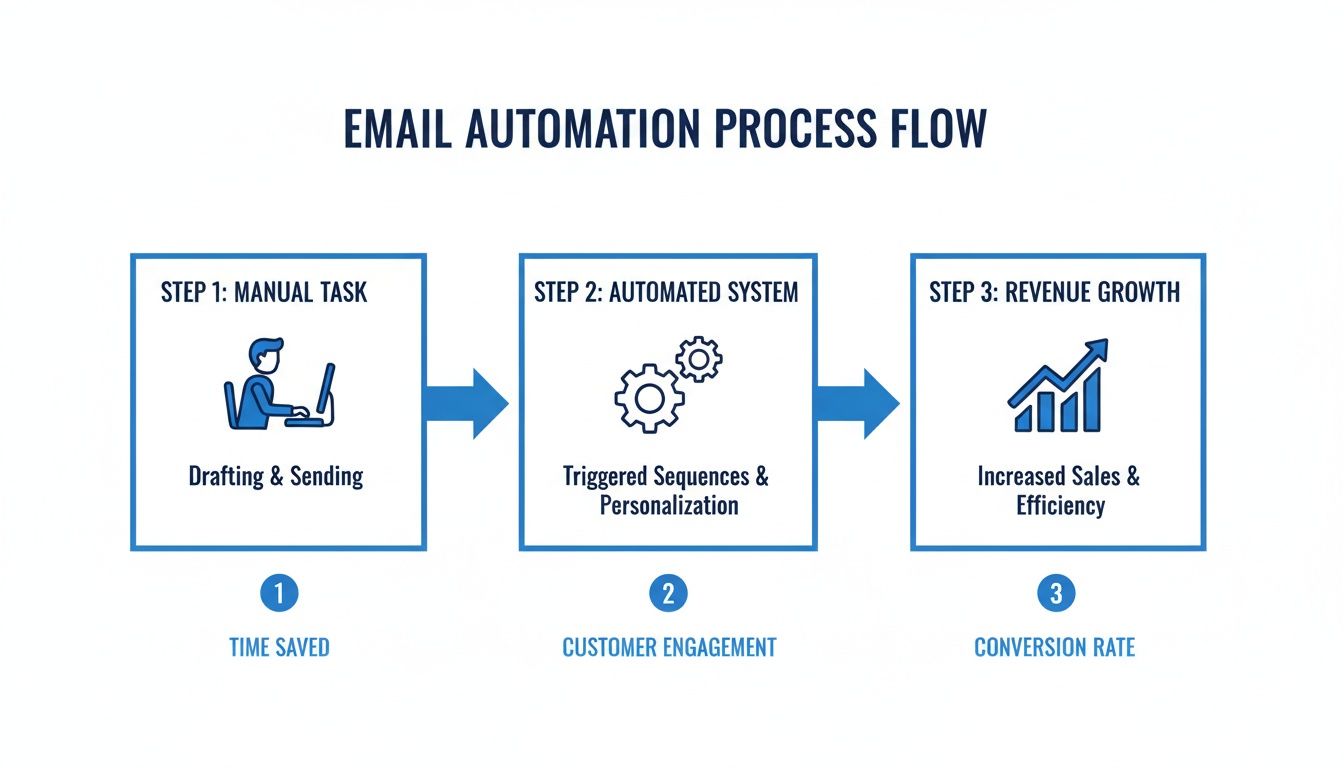
It’s clear how shifting from time-sucking manual tasks to a smart, automated system directly fuels business growth. You're turning what was once a cost center into a true revenue engine.
First, Define Your One True Goal
Before you write a single word, you have to know what you're trying to achieve. What is the single, primary goal for this sequence? Are you trying to book a demo? Re-engage a lead that went cold? Nurture a prospect right after a discovery call?
Each goal demands a completely different approach, tone, and call to action.
For Sales Outreach: Your goal is almost always to secure that initial discovery call. Your sequence needs to be packed with value, focusing on solving a specific pain point that keeps someone in their role or industry up at night.
For Post-Demo Nurturing: Here, the objective shifts. You’re reinforcing value and tackling any lingering questions. This is the perfect place to share a relevant case study, a technical document, or a quick summary of your conversation.
For Re-engagement: The goal is simply to restart a conversation that's gone silent. These sequences often end with a "break-up" email, which—believe it or not—can have a surprisingly high response rate.
Without a crystal-clear goal, your automation is just you shouting into the void. Clarity here dictates the content, length, and intensity of your entire follow-up strategy.
Map the Narrative and Touchpoints
Think of your sequence as a short story with a clear beginning, middle, and end. A random collection of "just checking in" emails is a one-way ticket to the spam folder. A well-structured narrative, on the other hand, keeps people engaged.
The most effective sequences I've seen always mix channels to avoid email fatigue. A solid, proven structure might look something like this:
Day 1 (Email 1): Your initial outreach. This email has to provide immediate, undeniable value. Reference a specific trigger (like a content download) or a sharp insight about their company. Make the CTA low-friction, like asking a simple, open-ended question.
Day 3 (LinkedIn): A lighter touch. Send a connection request with a short, personalized note that references your email. Don't pitch here. Just build the connection.
Day 5 (Email 2): Follow up with a new angle. Offer a different piece of value—a relevant blog post, a short video, or a quick tip that solves a common problem for someone in their position.
Day 8 (Call): A brief, targeted phone call. Even if you just leave a voicemail, it adds a much-needed human element to your outreach. The goal isn't to sell on the spot, but to reference your emails and reiterate your interest in helping.
Day 12 (Email 3): The "break-up" email. This is your final, polite message stating that you won't follow up again unless they tell you otherwise. This creates urgency and often gets a reply from even the busiest prospects.
Actionable Insight: The key is persistence with a purpose. Each touchpoint should build on the last, offering a new piece of information or a different perspective, not just repeating the same tired request.
Optimize Your Timing and Cadence
The timing between your follow-ups is just as critical as the content itself. Send emails too close together, and you come off as desperate and aggressive. Wait too long, and they’ll forget who you are entirely. The ideal cadence really depends on your industry and the seniority of your contact.
As you design your sequences, remember the fundamental principles of high-conversion marketing. For example, a deep focus on website conversion optimization can dramatically amplify your email results, because the same rules of clarity, value, and strong CTAs apply everywhere.
A great starting point for your cadence is:
2-3 days between the first and second touchpoints.
3-4 days between the next few touches.
Gradually increase the delay as the sequence progresses toward the end.
This rhythm respects their inbox while ensuring you stay top-of-mind. And please, make sure you use a tool that automatically pauses the sequence the second a prospect replies. It's a small detail, but it's absolutely critical for making your automation feel human.
Crafting Follow-Up Emails That Actually Get Replies
Let’s be honest: your automation is only as good as the emails it sends. A sequence packed with generic, robotic messages won't just get ignored—it can actively hurt your reputation. This is where the real work begins, moving from planning your automation to writing copy that sounds human, builds real connections, and, most importantly, gets a response.
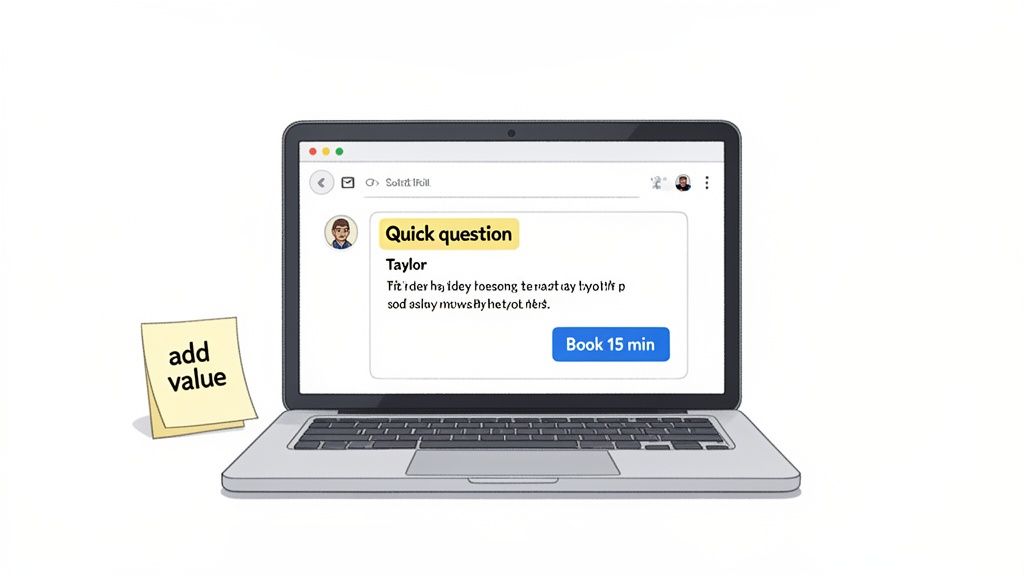
The art is in writing emails that feel personal and nurture a relationship, even when they’re sent on autopilot. It’s a skill, but one built on a few core principles: add value, be clear, and get personal.
Nail the Subject Line
The subject line has one job: get the email opened. If it fails, the rest of your perfectly crafted message is useless. We all make split-second decisions in our inbox based on who sent the email and what the subject says. Anything vague, salesy, or overly clever is a one-way ticket to the trash folder.
The best subject lines are short, specific, and spark a little curiosity. Just think about what you’d write to a colleague you respect.
Bad: "Checking In"
Good: "Quick question about [Company Name]"
Bad: "Revolutionize Your Workflow with Our Solution"
Good: "Idea for your recent [Project Name] post"
See the difference? The good ones feel personal and directly relevant. They don't scream "sales email." To really master this, you can dive deeper into crafting the perfect follow-up email subjects with our detailed guide.
Structure for Scannability
No one reads long walls of text in an email. They scan. It's your job to format your email so the main point jumps out in just a few seconds.
Here’s how to make your emails incredibly easy to digest:
Keep paragraphs short. Aim for one to three sentences, max. This creates valuable white space and makes the whole thing feel less like a chore to read.
Use bullet points. When you're listing benefits, action items, or recapping a call, bullets are your secret weapon. They break up the text and pull the reader's eye right where you want it.
Bold key phrases. Don't go crazy, but strategically bolding a key pain point, a specific number, or the main call to action is a great way to guide their attention.
Actionable Insight: Your email has to pass the five-second glance test. If someone can't grasp your main point almost instantly, you've already lost them.
Move Beyond Basic Personalization
Personalization is what makes a follow-up email work. But simply dropping [FirstName] into a canned template isn't going to cut it anymore. Real personalization shows you’ve done your homework and you’re actually paying attention.
This is where modern tools really shine, letting you automate follow up emails that feel completely one-to-one.
Advanced personalization means pulling in specific details from a recent conversation. For example, a unified platform like Glinky uses meeting intelligence to automatically surface action items or key discussion points from a call and insert them right into your follow-up.
Standard Personalization: "Hi Sarah, great chatting with you last week."
Advanced Personalization: "Hi Sarah, following up on our chat—I was thinking more about your comment on improving SDR onboarding time. Here’s a resource that might help."
The second one is infinitely more powerful. It’s rooted in their specific problem, proving you were listening. That small detail transforms a generic check-in into a valuable interaction.
Real-World Templates for Different Scenarios
Having a few solid frameworks gives you a head start. The secret is to treat them as a starting point and personalize them heavily. If you're looking for inspiration, you can explore some powerful email follow-up templates designed to get conversations going.
Here are a couple of my go-to frameworks for common situations:
The Post-Discovery Call Follow-Up
Goal: Reinforce value and clarify the next step.
Template:
Subject: Recap from our chat
Body: Thanks for your time today. It was great learning about [Company Name]'s focus on [Specific Goal]. Based on our conversation, here’s a quick summary of what we discussed:
[Key Pain Point #1]
[Key Pain Point #2]
How [Your Solution] addresses this.
CTA: Does it make sense to schedule a brief call next week to walk your team through a more detailed demo?
The "Adding Value" Follow-Up
Goal: Re-engage a quiet prospect by being helpful, not pushy.
Template:
Subject: Thought you'd find this useful
Body: I saw this article/case study on [Relevant Topic] and immediately thought of our conversation about [Their Challenge]. The section on [Specific Detail] seems particularly relevant for you.
CTA: No need to reply, just wanted to share. Hope it helps!
The data on this is compelling. For busy founders, automation is a true game-changer. An impressive 71% of marketers now use it for email campaigns, saving an average of 2.3 hours per campaign. Things like nurture flows and welcome series can triple revenue per thousand sends compared to manual efforts, with welcome emails alone boasting a staggering 58.26% click-to-conversion rate.
Bringing Your Automation to Life with Triggers and Personalization
Alright, you’ve planned your sequences and polished your email copy. Now for the fun part: wiring it all up. This is where we build the engine that powers your automation, connecting the dots between your ideas and a system that actually works for you.
The real magic here isn't just sending emails on a schedule. It's about sending the right message at the perfect moment. We’re going to set up triggers that react to what people actually do—like booking a demo, clicking a link in an email, or right after you hang up from a call.
This is what a smart, trigger-based workflow looks like in practice. It’s a seamless handoff between your tools.
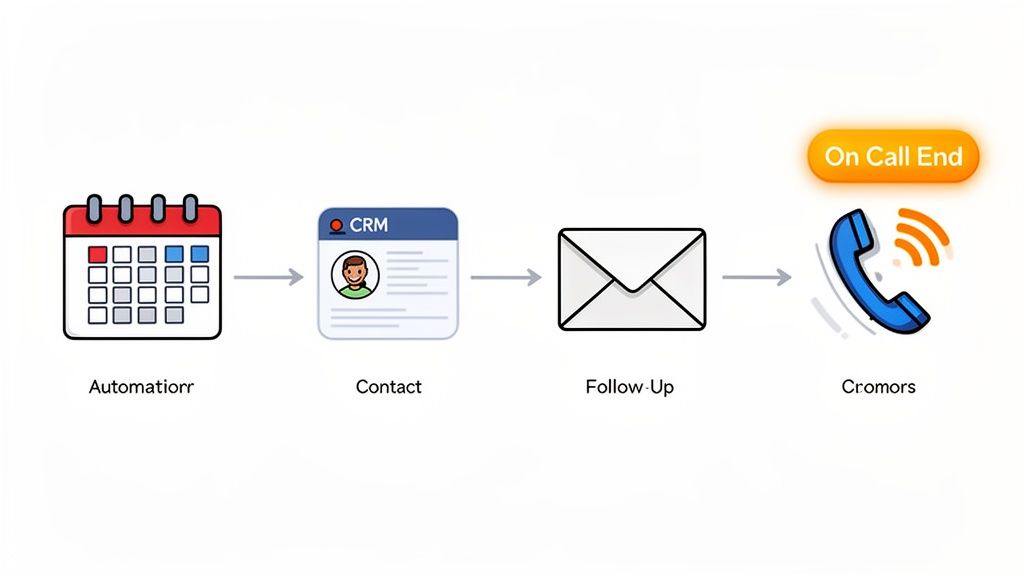
See how a single event—a call ending—can kickstart a whole chain of actions? That's what separates a basic autoresponder from a true revenue-generating system. It ensures nothing gets missed and your follow-up is lightning-fast.
Choosing Your Automation Triggers
Think of triggers as the starting pistol for your sequences. They’re the specific conditions that kick off an automated workflow. Getting your triggers right is the key to making your follow-ups feel timely and relevant, not random and annoying.
You’ll generally work with two types of triggers:
Behavior-Based Triggers: These fire when a prospect takes a specific action. They're incredibly powerful because they signal intent. Think of someone downloading a whitepaper, visiting your pricing page, or booking a meeting.
Time-Based Triggers: These work off the clock. They're perfect for keeping momentum and making sure leads don't go cold. A classic example is sending a follow-up 48 hours after your first email if you haven't heard back.
The best strategies always blend both. A prospect might get added to a nurture sequence after you finish a demo (behavior), and then receive follow-ups every few days until they reply (time-based).
Hyper-Personalization with Dynamic Content
Let's be clear: we've moved way beyond just plugging in a {{first_name}} tag. True hyper-personalization means pulling data from different places to create emails that feel like they were written just for one person. This is the heart of how you automate follow up emails that actually get replies.
The real power move is to unify your tools. When your calendar, email, CRM, and meeting notes all talk to each other, you can create unbelievably specific automations. For instance, a tool like Glinky can automatically draft a follow-up email that references action items you discussed minutes ago on a call, without you lifting a finger.
This completely changes the game. Your follow-ups are no longer generic "just checking in" pings. Instead, they can reference specific goals, pain points, or questions from your last conversation. That level of detail shows you were paying attention and makes your message impossible to ignore. A great way to nail the wording is by using a dedicated AI-powered email writer to help you phrase these personalized insights.
Advanced Segmentation for Tailored Paths
You wouldn't talk to a startup founder the same way you'd talk to a VP at a Fortune 500 company. So why would you send them the same follow-up emails? Sending one-size-fits-all sequences is a fast track to the spam folder. This is where advanced segmentation comes in.
Segmentation lets you create unique follow-up paths for different kinds of prospects. You can build these segments based on criteria like:
Lead Source: Where did they come from? A webinar, a cold email, a referral? Each source deserves a slightly different touch.
Company Size: Small businesses need to see value fast. Enterprise leads often require a longer, more detailed nurturing journey.
Industry: A prospect in finance has different challenges than one in healthcare. Your case studies and value propositions should reflect that.
Call Outcome: After a call, you can tag the outcome (e.g., "Qualified, Demo Scheduled" vs. "Future Interest") to automatically trigger the right sequence.
Getting this right is a massive force multiplier. Segmented campaigns have been shown to boost email revenue by a staggering 760%. When you realize that the best automated workflows can generate $16.96 in revenue per recipient, a clear blueprint for growth emerges. The principles are universal, and you can even see how they apply in other fields by checking out these insights on segmentation in nonprofit automation.
Staying Compliant with Automation
With great power comes great responsibility. As you start automating your outreach, you absolutely have to play by the rules, like GDPR and CAN-SPAM. Ignoring them can lead to massive fines and, just as bad, a trashed brand reputation.
Actionable Insight: An automation strategy is only effective if it's also ethical. Always prioritize transparency and respect for the prospect's inbox. Your goal is to build relationships, not burn bridges.
Here are the compliance rules that are completely non-negotiable:
Include a Clear Unsubscribe Link: Every single automated email must give people a simple, obvious way to opt out. No exceptions.
Honor Opt-Outs Immediately: Your system must instantly remove anyone who unsubscribes from all future communications.
Use a Physical Mailing Address: Regulations like CAN-SPAM require a valid physical postal address in your email footer.
Be Transparent: Don't use shady subject lines or "From" names. Be upfront about who you are and why you're emailing.
Build these compliance checks directly into your workflows from day one. It’s the only way to create an automation strategy that’s both effective and built to last.
Alright, let's get this done. Setting up your automated follow-ups is just the starting line. The real wins come from treating it like a living system, not a "set it and forget it" chore.
Here’s how to measure, test, and tune your sequences until they become a high-performance engine for your business.
Measuring and Optimizing Your Automated Follow-Ups
Think of your automation as launching a ship, not just tossing a message in a bottle. You have to constantly check your course, read the data, and make adjustments to stay on track.
This is where you build a feedback loop that makes your entire system smarter with every send. You’ll stop just sending emails and start systematically improving every interaction, guided by cold, hard data—not guesswork. This continuous refinement is what turns a simple automation tool into a finely tuned revenue engine.
Key Metrics That Truly Matter
It’s easy to get distracted by vanity metrics. Open rates are nice, but they don't pay the bills. The metrics that really matter are the ones that connect your email activity directly to actual business outcomes. You're not looking for eyeballs; you're looking for action.
Focus on these three tiers of metrics to get the full picture:
Engagement Metrics: Think of these as your early warning system. They include open rates, click-through rates (CTR), and unsubscribe rates. A sudden nosedive here is a red flag for your subject lines, content relevance, or even your list health.
Conversion Metrics: This is where the rubber meets the road. Your most important metric here is reply rate—specifically, positive replies. This is the clearest sign that your message is actually resonating and starting a conversation.
Business Outcome Metrics: The ultimate scoreboard. This is where you connect your follow-ups to real results like meetings booked, demos scheduled, and, of course, deals closed. This is how you prove the ROI when you automate follow up emails.
Looking at these together tells a story. A high open rate with a rock-bottom reply rate means your subject line worked, but your email body fell flat.
The Power of A/B Testing
The entire game of data-driven optimization comes down to one thing: A/B testing. It’s simple—test one variable at a time to see what actually works. If you change the subject line, the CTA, and the body copy all at once, you’ll have no idea what caused the change in performance.
Actionable Insight: The point of A/B testing isn’t to find one single “perfect” email. It's to build a habit of continuous improvement, where every send makes your next sequence a little bit smarter and more effective.
Here’s where you can get the biggest bang for your buck when you start testing:
Subject Lines: Try a direct question ("Quick question about [Company]") against a value-based statement ("Idea for your sales team").
Call-to-Action (CTA): Pit a "hard" CTA like "Book a 15-minute call now" against a "soft" CTA like "Worth exploring?"
Email Copy: Test a short, punchy email against a longer version that gives more context and value upfront.
Sequence Timing: Experiment with the delay between your touches. Does a 2-day gap work better than a 4-day gap after the initial email?
Creating Your Optimization Framework
Don't get bogged down in analysis paralysis. Set up a simple, repeatable process. Block off an hour every week or two to just look at the numbers.
Find the bottlenecks. If you see a massive engagement drop-off after email #3 in a sequence, that’s your signal. That email needs a rewrite, or it needs to be cut completely. This regular review cycle is what makes automation a sustainable, high-performing asset for your business.
Frequently Asked Questions About Automating Follow Up Emails
Even with the best game plan, a few questions always pop up once you start to automate follow up emails. Let's cut through the noise and tackle the real-world concerns I hear all the time.
This isn't about theory—it's about giving you the quick, practical answers you need to build a system that actually works.
Can Automated Emails Still Feel Personal?
Absolutely. In fact, a well-built automation system can deliver a more personal touch than a busy human can at scale. The trick is to move beyond just plugging in a {{first_name}} token and start using real data to add context.
The best automation tools plug right into your CRM and meeting software. This is where the magic happens. You can automatically reference details from a previous call, mention specific pain points relevant to a prospect's industry, or even trigger a sequence when they visit your pricing page.
Actionable Insight: The goal of automation isn’t to fake a personal connection. It's to use technology to deliver a consistently relevant and timely message that feels like a one-to-one conversation, every single time.
When you get this right, your prospect won't even know an email was automated. They’ll just know it was helpful and spoke directly to their needs.
How Many Follow Up Emails Should I Send?
There's no single number that works for every scenario, but a solid best practice is to build sequences with 5-7 touchpoints. You'll want to spread these out over a few weeks so you don't come across as desperate or annoying.
But a great sequence isn't just a blast of emails. It’s a thoughtful mix of different channels that work together:
Emails: Perfect for delivering value, sharing resources, and making clear requests.
LinkedIn: A lighter, more social way to connect and stay on their radar.
Phone Calls: The best way to add a human voice and cut through the digital noise.
Your goal is to be persistent without being a pest. Start with a 5-7 touchpoint framework and watch your engagement data like a hawk. High unsubscribe rates? You're probably being too aggressive. Crickets in your inbox? You might need to be more persistent. Let the data guide your next move.
What Is the Most Important Metric to Track?
It’s so tempting to get hung up on open and click-through rates, but they don’t tell you the whole story. They’re great for diagnosing if your subject lines are landing or if your copy is engaging, but they don't measure what really matters: business impact.
The single most important metric you need to track is positive replies that lead to a booked meeting or another concrete next step in your sales process.
This is your ultimate measure of success because it directly ties your automation efforts to revenue. An email that gets opened 100 times but generates zero conversations is a complete failure. But an email that only gets 10 opens and books two meetings? That's a massive win. Always, always optimize for valuable replies, not just vanity metrics.
What Tools Do I Need to Automate Follow Up Emails?
At a bare minimum, you'll need an email automation platform. But if you're serious about this, the most powerful and efficient setups rely on a unified tool that brings your CRM, email, calendar, and lead data into one central hub.
Stitching together a bunch of disconnected tools is a recipe for disaster. Data gets lost in translation, automations misfire, and your team ends up wasting precious hours on manual data entry just to keep everything synced up. An all-in-one solution eliminates that friction entirely by creating a single source of truth for all your revenue activities. This unlocks far more powerful, behavior-based triggers and ensures your automation is always running on the most up-to-date information, no manual work required.
Ready to stop stitching tools together and start closing deals? Glinky is the AI-native revenue engine that unifies your entire workflow. From meeting intelligence and lead discovery to powerful outreach sequencing, Glinky gives you one platform to run your sales motion, not five. Discover how it works.
People also read

10 Sales Enablement Best Practices to Unify Your Revenue Engine in 2026
Productivity
Mar 13, 2026

How to Manage Sales Pipeline for Predictable Revenue Growth
Productivity
Mar 14, 2026

How to Qualify Leads in Sales Without Wasting Time
Productivity
Mar 17, 2026

What is Conversation Intelligence? A Practical Guide for Sales Teams
Productivity
Mar 18, 2026

Top 10 Sales Discovery Questions That Close More Deals
Productivity
Mar 25, 2026

Taking Minutes of Meeting: A Guide to Transforming Chaos into Action
Productivity
Feb 16, 2026

Action Items List: A Practical Guide to Drive Real Results
Productivity
Feb 19, 2026

Master the summary of a meeting for clear decisions and follow-ups
Productivity
Feb 22, 2026

Track Action Items: A Practical Guide to Using AI for Flawless Follow-Up
Productivity
Feb 17, 2026

Unlock: How to Take Notes on a Computer for Peak Productivity in 2026
Productivity
Feb 26, 2026

How to Record Google Meet: A Complete Guide for 2026
Productivity
Mar 4, 2026

12 Best AI Note Taking App Choices for 2026: The Definitive Guide
Productivity
Mar 6, 2026

How to Improve Customer Retention: Practical Tips to Boost Loyalty
Productivity
Mar 8, 2026

10 Client Communication Best Practices to Master in 2026
Productivity
Mar 7, 2026

The 12 Best AI Meeting Assistant Tools for 2026: A Deep Dive
Productivity
Mar 15, 2026

Your Guide to the Ultimate AI Email Writer
Productivity
Feb 27, 2026

10 Essential Customer Success Best Practices for 2026
Productivity
Mar 1, 2026

Your Guide to Sales Call Recording Software in 2026
Productivity
Mar 2, 2026

How to Take Better Meeting Notes and Drive Real Results
Productivity
Mar 5, 2026

Top 10 Picks for best crm for small business
Productivity
Mar 3, 2026

What is an Ideal Customer Profile: A Guide to Driving Growth
Productivity
Mar 9, 2026

Automated meeting minutes: Turn talks into actionable notes
Productivity
Mar 11, 2026

The Top 12 AI Powered Sales Tools to Boost Revenue in 2026
Productivity
Mar 16, 2026

AI Note Taking For Meetings: Fast, Smart AI Notes That Drive Collaboration
Productivity
Mar 19, 2026

Understanding Transcription Service Cost: A 2026 Guide
Productivity
Mar 20, 2026

Master Your Meetings With The Note Taking Charting Method
Productivity
Feb 18, 2026

The Ultimate 2026 Guide: 8 Meeting Follow Up Email Template Scenarios
Productivity
Feb 20, 2026

Master the Art of Taking Meeting Notes for Actionable Outcomes
Productivity
Feb 25, 2026

12 Best Sales Lead Generation Tools to Boost Your Pipeline in 2026
Productivity
Mar 10, 2026

Translation Vs Transcription: Which Service Do You Really Need?
Productivity
Mar 12, 2026

Mastering the goals of a meeting to drive decisions and boost team alignment
Productivity
Mar 23, 2026

The 12 Best Free AI Email Writer Tools for 2026
Productivity
Mar 22, 2026

A Guide to AI Sales Enablement Platforms in 2026
Productivity
Mar 21, 2026

Follow Up Email Subjects That Convert: Increase Opens and Replies
Productivity
Feb 17, 2026

Your Playbook for Outbound Lead Generation in 2026
Productivity
Feb 28, 2026

Your Essential Meeting Action Items Template to Drive Results
Productivity
Feb 23, 2026

Your Guide to Using an Email Writer AI for Maximum Impact
Productivity
Feb 23, 2026

8 Essential Ground Rules at Meetings to Maximize Productivity in 2026
Productivity
Mar 24, 2026

Otter.ai vs Glinky
Productivity
Feb 5, 2026

AI Tools for Startup Founders [2026]
Productivity
Feb 4, 2026

Best AI Tools for Startups [2026]
Tools
Feb 3, 2026

Sales Call Notes: How to Capture Every Detail Without Losing the Deal
How to
Feb 2, 2026

How to Take Meeting Notes: 7 Methods That Actually Work [2026]
How to
Jan 14, 2026
![AI Meeting Minutes | Free Forever [2026]](https://framerusercontent.com/images/zYQGRjgLX63tiouLTK65LvCcjK8.png?width=402&height=263)
AI Meeting Minutes | Free Forever [2026]
How to
Jan 13, 2026
![How to Record Zoom Meetings Without a Bot [2026] 3 Easy Methods](https://framerusercontent.com/images/gGoQV8bPb9zR5weVruinbjaxO0.png?width=402&height=263)
How to Record Zoom Meetings Without a Bot [2026]
How to
Jan 9, 2026

Bot-Free AI Meeting Notes: We Tested the 6 Best Tools in 2026
Tools
Jan 8, 2026

Glinky vs Fireflies.ai
Tools
Jan 7, 2026

15 Best AI Tools to Boost Your Productivity in 2026
Productivity
Jan 6, 2026